Shark NV352 - Troubleshooting Guide
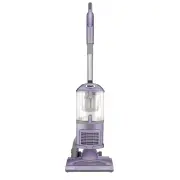
Shark NV352 Vacuum – Troubleshooting Guide, read for free online in PDF format. We hope this helps you resolve any issues you may have. If you have further questions, please contact us through the contact form.


Troubleshooting Steps:
What happens if I experience small static shocks while I am vacuuming?
Certain dry temperatures in winter or dry desert areas may cause common static electricity to
build up in the vacuum, producing small shocks, similar to what you might experience from
contact with doorknobs, wool sweaters, or blankets. This is harmless. In order to avoid this, we
recommend moisturizing your hands and/or removing wool socks or sweaters prior to
vacuuming.
What should I do if my vacuum is hard to push or pull on certain carpets or area rugs?
Make sure you are using setting II, Carpet. Adjusting the amount of suction power will help with push
and pull. Rotate the suction control collar at the base of the handle counterclockwise to reduce suction
for more maneuverability.
What if my vacuum turns off on its own?
The vacuum cleaner is equipped with a motor protective thermostat. If for some reason your
vacuum overheats, the thermostat will automatically turn the unit off. Typically, overheating is
caused by a clogged airway. It may take approximately 60 minutes for the unit to cool. Perform
the following steps to clear the clog while the vacuum cools.
1.
Turn off the vacuum and unplug it.
2.
Empty the dust cup.
3.
Open the top lid on the dust cup by pressing the top door release button. Clear away
any debris from the cone-shaped screen inside the dust cup, then close the lid.
4.
Remove the pre-motor filters from behind the dust cup. Tap filters clean over a trash
can to remove any excess dirt and debris.
5.
Reinstall the filters and reattach the dust cup.
6.
Detach the handle from the wand and detach the hose from the back of the vacuum
pod.
7.
Hold the handle with the opening facing up. Drop a coin into the inlet. If the coin doesn't
fall through the hose, then there is a clog that must be cleared.
8.
Detach the wand, and remove any blockages.
9.
Detach the floor nozzle from the wand and pod.
10.
To access the brushroll, turn the nozzle over and use a coin to open the 3 locks on the
bottom of the floor nozzle. Turn the locks counterclockwise to open, then lift up the
cover.
11.
Clear away any clogs or debris around the brushroll and in the nozzle openings.
12.
Once all clogs have been cleared, reattach the bottom cover and turn the locks
clockwise to close.
13.
Reassemble the entire vacuum.
14.
Once the unit has cooled for 60 minutes, plug it back in and turn it on.
"Loading the manual" means you need to wait until the file loads and becomes available for online reading. Some manuals are very large, and the time they take to appear depends on your internet speed.
Was this manual helpful?
About this manual
- Brand
- Shark
- Model
- NV352
- Document type
- Troubleshooting Guide
- Category
- Vacuum
- Language(s)
- English
- Pages
- 4
- File size
- 483.6 KB
- Format


