Shark NV360 - Troubleshooting Guide
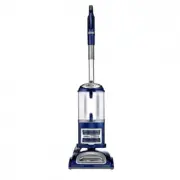
Shark NV360 Vacuum – Troubleshooting Guide, read for free online in PDF format. We hope this helps you resolve any issues you may have. If you have further questions, please contact us through the contact form.


My unit has no or low suction?
Plug in and turn on the vacuum.
My unit will not turn on or turns off on its own?
The brushroll is not spinning?
Ensure the unit is plugged it and turned on.
Switch the unit to "Carpet" mode II. (The brushroll does not spin in the hard floor setting)
Place your foot on the cleaner head and tilt the handle back to engage the brushroll. Now turn on
the unit.
Check to see what the status of the Brushroll indicator light is.
If the smell is out-of-the-box unit, This may be a new motor smell for the first couple uses.
Turn off and unplug the vacuum. Inspect the power cord and plug for exposed wires, burns or
obvious damage.
My unit is making an unusual noise?
Turn off and unplug unit.
Remove the dust cup. Holding it over a trash receptacle, press the release button near the bottom
of the dust cup. The bottom door will open to let dust and debris fall into the trash.
Open the top lid on the dust cup by pressing the top door release button. Reach inside the dust
cup to ensure that no dust or pet hair is blocking the airflow through the cone-shaped screen in
the center of the dust cup. Put the dust cup aside.
Plug in and turn on the vacuum without the dust cup on.
"Loading the manual" means you need to wait until the file loads and becomes available for online reading. Some manuals are very large, and the time they take to appear depends on your internet speed.
Was this manual helpful?
About this manual
- Brand
- Shark
- Model
- NV360
- Document type
- Troubleshooting Guide
- Category
- Vacuum
- Language(s)
- English
- Pages
- 3
- File size
- 107 KB
- Format


