Shark LA702 - User Manual
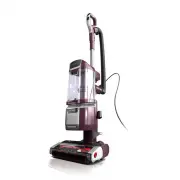
Shark LA702 Vacuum – User Manual, read for free online in PDF format. We hope this helps you resolve any issues you may have. If you have further questions, please contact us through the contact form.


Table of Contents:
- Page 2 – WARNING; IMPORTANT SAFETY INSTRUCTIONS; FOR HOUSEHOLD USE ONLY; SAVE THESE INSTRUCTIONS
- Page 3 – ASSEMBLY; UPPER CORD HOOK
- Page 4 – ODOR NEUTRALIZER TECHNOLOGY; Odor Dial Must be Installed for Vacuum to Function Properly
- Page 5 – CLEANING MODES; SETTINGS
- Page 6 – EMPTYING THE DUST CUP; RINSE HEPA FILTER; CLEANING THE FILTERS
- Page 7 – MAINTENANCE; CHECKING FOR BLOCKAGES; CORD MAINTENANCE
- Page 8 – TROUBLESHOOTING; Power cord caught in brushrolls or floor nozzle.; AVAILABLE ACCESSORIES
- Page 9 – REGISTER YOUR PURCHASE
- Page 10 – NOTES
DuoClean
®
PowerFins
®
HairPro
™
Lift-Away
®
ADV with
Self-Cleaning Brushroll
and Odor Neutralizer Technology
Upright Vacuum
LA700 Series
OWNER’S GUIDE
"Loading the manual" means you need to wait until the file loads and becomes available for online reading. Some manuals are very large, and the time they take to appear depends on your internet speed.
Was this manual helpful?
About this manual
- Brand
- Shark
- Model
- LA702
- Document type
- User Manual
- Category
- Vacuum
- Language(s)
- English
- Pages
- 11
- File size
- 3 MB
- Format
Summary
s h a r k c l e a n . c o m s h a r k c l e a n . c o m READ ALL INSTRUCTIONS BEFORE USING THIS VACUUM 1. Inspect power cord and plug for any damage before use. DO NOT use vacuum cleaner with a damaged cord or plug. Turn off all controls before plugging in or unplugging the vacuum cleaner. Store you...
s h a r k c l e a n . c o m s h a r k c l e a n . c o m ASSEMBLY ASSEMBLY Tool Storage Posts Upper Cord Hook Lower Cord Hook POWER CORD For cord access, rotate upper hook down and remove cord. Use cord holder on the side of wand to hold cord in place while vacuuming. UPPER CORD HOOK CORD HOLDER 1. P...
s h a r k c l e a n . c o m s h a r k c l e a n . c o m ODOR NEUTRALIZER TECHNOLOGY ODOR CARTRIDGE REPL ACEMENT TECHNOLOGY SETTINGS ODOR NEUTRALIZER TECHNOLOGY TIPS SETTINGS Flip up the dial handle and rotate the odor dial to adjust Odor Neutralizer Technology intensity or to unlock the dial for car...


