Shark LA301 - User Manual
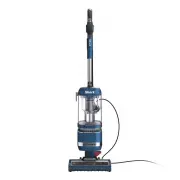
A user manual for the Shark Navigator Lift-Away vacuum cleaner covers essential aspects of its operation, maintenance, and safety. The document highlights key features like suction control, cleaning modes (upright and lift-away), and brushroll indicators to guide users in adjusting performance based on surface types. It also includes detailed assembly instructions for attaching accessories such as the wand, hose, and handle, ensuring proper setup before use. Maintenance guidance emphasizes regular filter care–including rinsing pre-motor and HEPA filters–to preserve suction efficiency while avoiding common issues like debris blockages or malfunctioning brushrolls.


Table of Contents:
- Page 1 – Product Identification and Guide Cover
- Page 2 – Safety Instructions and Handling Warnings
- Page 3 – Assembly Instructions
- Page 4 – Operation Modes and Cleaning Controls
- Page 5 – Maintenance and Filter Care
- Page 6 – Deep Cleaning and Obstruction Removal
- Page 7 – Accessories and Troubleshooting
- Page 8 – Warranty and Specifications
- Page 9 – Owner's Guide Legal Information
LA300 Series
OWNER’S GUIDE
®
ADV
LIFT-AWAY
®
"Loading the manual" means you need to wait until the file loads and becomes available for online reading. Some manuals are very large, and the time they take to appear depends on your internet speed.
Was this manual helpful?
About this manual
- Brand
- Shark
- Model
- LA301
- Document type
- User Manual
- Category
- Vacuum
- Language(s)
- English
- Pages
- 9
- File size
- 1.9 MB
- Format
Summary
Identification of the owner's guide for the Shark Navigator Lift-Away vacuum cleaner.
Safety precautions covering electrical hazards, handling guidelines, avoiding damage, surface restrictions, plug compatibility, and safe storage.
Instructions for attaching the wand, handle, and hose to the main vacuum unit, and managing the power cord using the hook and holder.


