Shark NV151 - User Manual
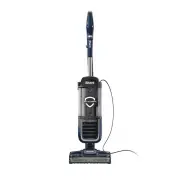
A user manual for the Shark Navigator Swivel Pro Complete Upright Vacuum (NV150 Series) covers essential aspects of its operation, maintenance, and troubleshooting. The document highlights key safety guidelines, including precautions against injury or electrical hazards, while emphasizing proper usage to prevent damage. Assembly instructions detail how to attach core components like the wand, handle, hose, and accessories, along with power cord management solutions. Cleaning modes–such as upright and swivel configurations–are explained alongside surface-specific settings (hard floor vs. carpet) and suction control adjustments, including brushroll indicator lights for maintenance needs. Maintenance routines focus on emptying the dust cup, cleaning/replacing filters, and clearing blockages in components like the hose, wand, or pod. The manual also lists standard accessories and provides troubleshooting steps for common issues, such as reduced suction or malfunctioning brushrolls. While warranty details are included, they are secondary to operational and functional guidance.


Table of Contents:
- Page 1 – Product Identification and Support Information
- Page 2 – Safety Instructions and Usage Guidelines
- Page 3 – Vacuum Cleaner Assembly Instructions
- Page 4 – Cleaning Mode and Setting Adjustments
- Page 5 – Vacuum Maintenance Procedures
- Page 6 – Detailed Component Cleaning
- Page 7 – Accessories and Troubleshooting Guide
- Page 8 – Warranty and Technical Specifications
- Page 9 – Owner's Guide Introduction and Legal Information
Swivel Pro
Complete Upright Vacuum
NV150 Series
OWNER’S GUIDE
Navigator
®
"Loading the manual" means you need to wait until the file loads and becomes available for online reading. Some manuals are very large, and the time they take to appear depends on your internet speed.
Was this manual helpful?
About this manual
- Brand
- Shark
- Model
- NV151
- Document type
- User Manual
- Category
- Vacuum
- Language(s)
- English
- Pages
- 9
- File size
- 3.2 MB
- Format
Summary
Identification details, model reference, and support resources for the vacuum cleaner.
Safety warnings, usage guidelines, precautions against injury, property damage, and electrical hazards, including maintenance tips.
Step-by-step instructions for assembling the vacuum cleaner components, including attaching the wand, handle, hose, and accessories.


