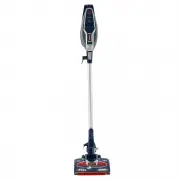
Page 2 - THANK YOU; You can find the
1 AUST: 1800 890 840 THANK YOU for purchasing the Shark ® Rocket ® Complete with DuoClean ™ PLEASE READ CAREFULLY AND KEEP FOR FUTURE REFERENCE. This Owner’s Guide is designed to help you get a complete understanding of your new Shark Rocket Complete with DuoClean. If you have any questions, please ...
Page 3 - CONTENTS; Getting To Know Your Shark
2 N Z : 0 8 0 0 0 0 2 9 9 9 CONTENTS Important Safety Instructions . . . . . . . . . . . . . . . . . . . . . . . . . . . . . . . . . . . . . . . . 3 Getting To Know Your Shark ® Rocket ® Complete with DuoClean ™ . . . . . . . . . . 5 Assembling Your Vacuum . . . . . . . . . . . . . . . . . . . . . ....
Page 4 - IMPORTANT SAFETY INSTRUCTIONS; FOR HOUSEHOLD USE ONLY; WARNING; supervised to ensure that they do not play with the appliance.
3 AUST: 1800 890 840 IMPORTANT SAFETY INSTRUCTIONS FOR HOUSEHOLD USE ONLY CAUTION: THE MOTORIZED FLOOR NOZZLE, WAND, AND HANDHELD VACUUM CONTAIN ELECTRICAL CONNECTIONS: • These are not serviceable parts.• Do not use to suck up water.• Do not immerse in water for cleaning.• The handle/wand should be ...
Page 5 - SAVE THESE INSTRUCTIONS; PLEASE READ CAREFULLY BEFORE USE
4 N Z : 0 8 0 0 0 0 2 9 9 9 SAVE THESE INSTRUCTIONS PLEASE READ CAREFULLY BEFORE USE 19 DO NOT allow the appliance to be used by children. Close attention is necessary when used near children. This is not a toy. 20 DO NOT use without brushroll, Soft Roller, dust cup, and all filters in place. 21 DO ...
Page 8 - ASSEMBLING YOUR VACUUM; Insert the wand into the motorized floor nozzle connector
7 AUST: 1800 890 840 ASSEMBLING YOUR VACUUM 1 Insert the wand into the motorized floor nozzle connector until you hear a click. STEP 1 DID YOU KNOW? The motorized floor nozzle and handheld vacuum have LED lights that illuminate the floor surface being cleaned. The lights turn on automatically in eit...
Page 9 - OR
8 N Z : 0 8 0 0 0 0 2 9 9 9 2 Insert the handheld vacuum into the top of the wand until you hear a click. 3 This vacuum comes with a detachable clip to store up to 2 accessories on board. Snap clip onto the wand. Store one accessory on top holder and one accessory on bottom holder. STEP 2 STEP 3 CLI...
Page 10 - Before
9 AUST: 1800 890 840 USING THE MOTORIZED FLOOR NOZZLE WARNING: This vacuum does not stand up on its own, so when taking a break from cleaning, rest it against a piece of stable furniture or lay it flat on the floor. Using for an application where the unit lacks stability may result in personal injur...
Page 12 - USING YOUR VACUUM
11 AUST: 1800 890 840 NOTE: Both power settings provide the same suction power. TIP: You can attach the handheld vacuum directly to the motorized floor nozzle for convenient stair cleaning. USING YOUR VACUUM IN ABOVE-FLOOR MODE STEP 1 STEP 2 For Long-Reach Cleaning: 1 Stand the vacuum upright. Step ...
Page 14 - If your unit came; STORAGE; OPTION 1
13 AUST: 1800 890 840 TIP: If your unit came with an accessory bag, you can hang the bag on the wall mount with the vacuum. STORAGE 1 Press the Wand Release button on the top of the wand to release the handheld vacuum. There is a catch on the bottom of the handheld vacuum. Hang it from the hook loca...
Page 15 - OPTION 2
14 N Z : 0 8 0 0 0 0 2 9 9 9 2 Use the wall mount that is included. Drill two 8mm holes into the wall and insert the provided plastic anchors into the holes. Using a Phillips-head screwdriver, screw the wall mount into the plastic anchors. Hook the catch on the bottom of the handheld vacuum onto wal...
Page 16 - ACCESSORIES; 0 cm Crevice Tool
15 AUST: 1800 890 840 ACCESSORIES There are a variety of accessories that are compatible with this vacuum series. The Quick Start Guide shows the select accessories that are included with your model. Select cleaning accessories are included. Others are available for purchase. A 30 cm Crevice Tool Cl...
Page 18 - MAINTAINING YOUR VACUUM
17 AUST: 1800 890 840 WARNING: Hand wash filters with water only to prevent damage from cleaning chemicals. Allow ALL filters to dry completely before replacing in the vacuum to prevent liquid from being drawn into electric parts. CAUTION: Turn power off and unplug before servicing. IMPORTANT: Clean...
Page 21 - CHECKING FOR BLOCKAGES:
20 N Z : 0 8 0 0 0 0 2 9 9 9 MAINTAINING THE SOFT ROLLER1 Slide the Soft Roller access button up to remove the Soft Roller. 2 Use the onboard hair removal tool to remove any string, carpet fibers or hair that may be wrapped around the Soft Roller. The tool is located in a compartment on the nozzle, ...
Page 22 - Vacuum is not picking up debris. No suction or light suction.; WARNING: To reduce the risk of shock and unintended operation, turn
21 AUST: 1800 890 840 TROUBLESHOOTING GUIDE Vacuum is not picking up debris. No suction or light suction. (Refer to Maintenance section for more information.) • Check filters to see if they need cleaning. Follow instructions for rinsing and completely air-drying the filters before reinserting in the...
Page 23 - REPLACEMENT WARRANTY
22 N Z : 0 8 0 0 0 0 2 9 9 9 FIVE (5) YEAR LIMITED REPLACEMENT WARRANTY If your product becomes defective due to faulty material or workmanship within a period of 5 years from the date of purchase, we warrant to do the following:• For New Zealand Consumers: We will replace the product with a new pro...
Page 24 - Brand Developers Aust Pty Ltd
Illustrations may differ from actual product. We are constantly striving to improve our products; therefore the specifications contained herein are subject to change without notice. Shark and Rocket are registered trademarks of SharkNinja Operating LLC. DuoClean is a trademark of SharkNinja Operatin...