Shark NV352 - Manual
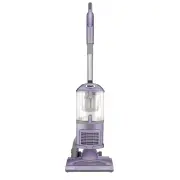
Shark NV352 Vacuum – Manual, read for free online in PDF format. We hope this helps you resolve any issues you may have. If you have further questions, please contact us through the contact form.


Table of Contents:
- Page 2 – INTRODUCTION; Phillips #2 Screwdriver
- Page 3 – Step 1 — Roller Brush; Remove the dust canister from the vacuum by lifting it up.
- Page 4 – Remove the eight 19mm Phillips #2 screws from the plastic cover.
- Page 7 – Step 9 — Motherboard
- Page 8 – How to Solder and Desolder
Shark NV352 Motherboard Replacement
This guide will show how to remove the motherboard from the vacuum.
Written By: Wesley T Benica
Shark NV352 Motherboard Replacement
Draft: 2017-12-15
Guide ID: 98290 -
This document was generated on 2020-11-28 06:03:05 AM (MST).
© iFixit — CC BY-NC-SA
www.iFixit.com
Page 1 of 8
"Loading the manual" means you need to wait until the file loads and becomes available for online reading. Some manuals are very large, and the time they take to appear depends on your internet speed.
Was this manual helpful?
About this manual
- Brand
- Shark
- Model
- NV352
- Document type
- Manual
- Category
- Vacuum
- Language(s)
- English
- Pages
- 8
- File size
- 1.9 MB
- Format
Other Manuals for Shark NV352
Summary
INTRODUCTION The motherboard controls the power to the vacuum. If your vacuum is not turning on, yourmotherboard may need to be replaced. Follow these instructions to access the motherboard forreplacement. TOOLS: Phillips #2 Screwdriver (1) Metal Spudger (1) Soldering Iron (1) Shark NV352 Motherboar...
Step 1 — Roller Brush Lift the latches on both sides of the vacuum to release the dust canister. Remove the dust canister from the vacuum by lifting it up. Step 2 Lay down the vacuum to access thebottom panel of the roller brushcompartment. Shark NV352 Motherboard Replacement Draft: 2017-12-15...
Step 3 Using the metal spudger, pry the two small wheels located at the two bottom corners of thevacuum to remove them. Step 4 Remove the eight 19mm Phillips #2 screws from the plastic cover. Remove the two 14 mm Phillips #2 screws from the upper section of the plastic cover. Shark NV352 Mothe...


