Page 9 - LG PC Suite
000 111 12333 4 44 5 556677888 К ................................. 79 С ............................. 79 я ............................. 80 У LG PC Suite ................................. 80 ............................... 80 Р ............ 80 .............................. 81 С ....... 81 С ..... 8...
Page 19 - я я
17 01 02 03 04 05 06 07 08 Э я . я я С , , , Bluetooth GPRS . , , . ( ) У ( ) У И “ ” И “ ” И “ ” И “ ” GPRS И EDGE Р “ ” Bluetooth HSDPA 3G
Page 20 - MP3
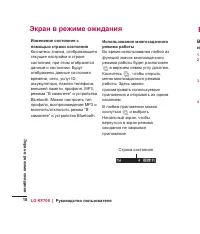
LG KF700 | я 18 Э я Э я я я я я К , ; . , , ID, , , , , MP3, “ ” Bluetooth. , MP3 / “ ” Bluetooth. . К , . . , . С 1 2 3 4
Page 29 - Bluetooth; USIM
27 01 02 03 04 05 06 07 08 : 9 , . . С . 28. . К [ ] , — . . С : 1 . С . 26. 2 , . : . И . . . , SMS/MMS. . 30. . . SMS, MMS, E-mail Bluetooth . . С . . - USIM . . У . , . 1 , К . 2 . 3 я .
Page 33 - Abc; Abc
31 01 02 03 04 05 06 07 08 9. К , T9, T9 abc, T9 Abc, T9 ABC, 123. К , . Abc . Abc, abc, ABC 123 Ч , 0 . Ч , C , . Ч , . я T9 Р T9 . , . С , . , 6, 3, 4, 3, 7, 5, 5, “ ”. , . К , . , . Abc, . Abc Abc . , “ ”, 5, 6, 4, 2 , 3, 6 . С KF700 . POP3 IMAP4.
Page 35 - APOP
33 01 02 03 04 05 06 07 08 . , . . . , . SMTP . 25. я . 110 POP3 143 IMAP4. я SMTP . У я я SMTP . SMTP. SMTP. SMTP. . . APOP . , APOP POP3. У IMAP4 . , , E-mail. E-mail . . . “ И . ”. Ч . , : 1 К , я . 2 К . 3 , KF700 . . E-mail 1 К , .
Page 39 - MMS; яя
37 01 02 03 04 05 06 07 08 ” Р MMS . . . 1 К . 2 К , , , . SMS KF700 , . . . Ч , . С , . К , , SMS. : SMS . . . . я . У . . , , X.400 E-mail. К . . Э . SMS. , SMS MMS. MMS К , , MMS. : . яя .
Page 44 - KF
LG KF700 | я 42 я К я . И , . С . я . 43. К я . , . Ч , , . . . Ч , . , я , , . Э . , . С . 44. . . 3 , 5 10 . , . . . . я . К . . . ISO. ISO . Ч ISO, . Э , . ISO: , ISO 100 , ISO 200 , ISO 400 ISO 800 . KF И
Page 45 - LG
43 01 02 03 04 05 06 07 08 я 5 . O 0 . . . . . LG KF700 . . . 44. я я . : я я . . . И . . , . . С . , , . Ч , . я Ч , . , . 1 . 2 . 3
Page 58 - RGB
LG KF700 | я 56 я К , . 1 . 2 , . 3 Ч , , . 1 . 2 К : . . , . , . . . , . , . . К , . К . . - , , , RGB К . К , . . . , . Ч , . . . К , . К , . 3 1 2 3 4 5 6
Page 66 - Flash; Flash”; SWF; Ex
LG KF700 | я 64 я / я . . я . С . . С , . я . . я . c . , . 1 К , . 2 К , я . 3 . я : я . С я . . С , . я . . Flash “ Flash” SWF. SWF 1 , . 2 К , Flash. 3 . Ex
Page 72 - URL
LG KF700 | я 70 , , . К , , . 1 , . 2 яя . : URL- , я . . . С . - , - . 1 , . 2 . . 3 Ч , . URL . 4 К . . 5 . . 1 , . . 2 К . 3 4 1 2 3 1 2
Page 74 - Google
LG KF700 | я 72 2 KF700 USB- LG PC Suite. 3 . . 4 LG Mobile USB Modem К . . 5 Щ я , KF700. . LG PC Suite . . 80. Bluetooth: 1 У Bluetooth . . KF700. 2 KF700 , . 3 И я (Connection wizard) LG PC Suite, Bluetooth. 4 . . 5 Щ . 6 Bluetooth (Standard Modem over Bluetooth link) К . . 7 Щ я , KF700. . Bluet...
Page 75 - er; YouTube
73 01 02 03 04 05 06 07 08 er К Google , . К Google , , , . Google . Google YouTube С YouTube Mobile . . С Google YouTube . . .
Page 76 - OK
LG KF700 | я 74 я я 1 , . К . 2 , . 3 К , . 4 , я OK . 5 . 6 . 7 , я , OK. 8 . ; , . . . К , . . . я 1 , . . 2 К я я я . 3 К . 1 2 3 4 1
Page 82 - LG PC
LG KF700 | я 80 я , , . LG PC Suite 1 , . 2 , USB- я . 3 . 4 - . LG PC Suite Installer . Щ LG PC Suite (LG PC Suite Installer) . 5 К . 6 С LG PC Suite . 7 LG PC Suite . 1 USB- . 2 LG PC Suite . 3 Щ я (Connection Wizard) , USB . 4 Щ , , . . 1 , . 2 Щ . 3 4 1 2 3 я
Page 88 - Bluetooth –
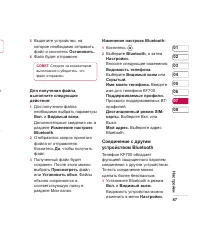
LG KF700 | я 86 К , . , я . я . KF700 , , , , MMS, . , Java . . я . , , , , , , , “ Р ”. я USIM. USIM- . К я . ( ). я . . . я . . 12 Bluetooth Bluetooth – - , . С Bluetooth. я : 1 , . К , , . 2 К . Bluetooth . 3 , Bluetooth. 4 KF700 Bluetooth . 5 6 1 2 3
Page 95 - SAR
93 01 02 03 04 05 06 07 08 n • С SAR / , SAR, И (IEEE), 1,18 / , (1) . ! , . И . • . . • , , . • , . • . • . • , . , , . • . Э .
Page 101 - User Guide
KF700 User Guide Some of the contents in this manual may differ from your phone depending on the software of the phone or your service provider.
Page 104 - Contents; Get creative; Vid
LG KF700 | User Guide 4 Set up Getting to know your phone ........................ 8Open view ................................................. 9Installing the USIM and battery.................. 10Memory card ........................................... 12Menu map .......................................
Page 106 - The web; Get organised; recorder; Ac
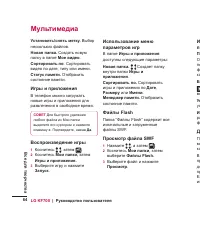
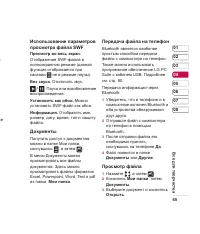
Using the games options menu.............. 53 Flash contents ...................................... 53 Viewing an SWF fi le .............................. 54 Using options viewing the SWF fi le ......... 54 Documents........................................... 54 Transferring a fi le to your phone ........
Page 108 - Getting to know your phone; Call key; Inner camera lens
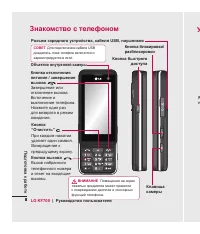
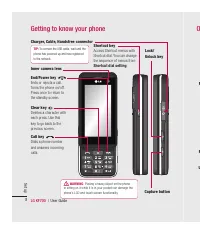
LG KF700 | User Guide 8 Set up Capture button Getting to know your phone O Charger, Cable, Handsfree connector TIP: To connect the USB cable, wait until the phone has powered up and has registered to the network. Call key Dials a phone numberand answers incomingcalls. Clear key Deletes a character w...
Page 109 - Set up; Open view
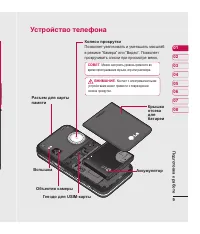
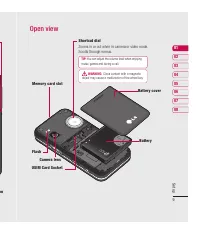
9 Set up 01 02 03 04 05 06 07 08 on Open view Flash Camera lens Memory card slot USIM Card Socket Battery Battery cover Shortcut dial Zooms in or out when in camera or video mode. Scrolls through menus. TIP: You can adjust the volume level when enjoying music, games and during a call. WARNING : Clos...
Page 110 - In; Remove the battery
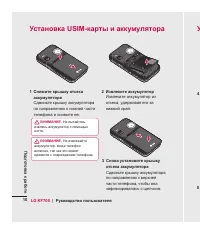
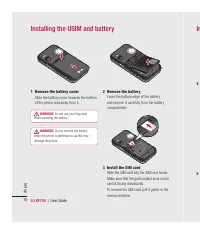
LG KF700 | User Guide 10 Set up In Installing the USIM and battery 2 Remove the battery Lever the bottom edge of the battery and remove it carefully from the battery compartment. 3 Install the SIM card Slide the SIM card into the SIM card holder. Make sure that the gold contact area on the card is f...
Page 111 - Installing the USIM and battery; he
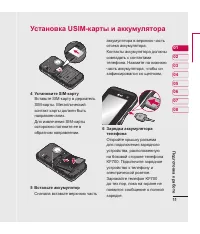
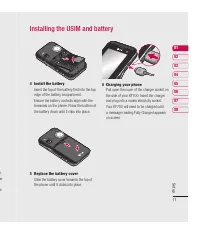
11 Set up 01 02 03 04 05 06 07 08 Installing the USIM and battery r. he e 4 Install the battery Insert the top of the battery fi rst into the top edge of the battery compartment. Ensure the battery contacts align with the terminals on the phone. Press the bottom of the battery down until it clips int...
Page 112 - Formatting the memory card; Memory card; Transferring your contacts
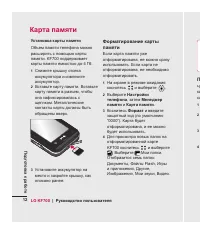
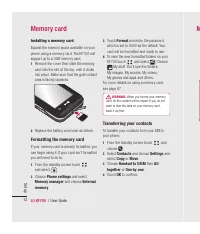
LG KF700 | User Guide 12 Set up Installing a memory card Expand the memory space available on your phone using a memory card. The KF700 will support up to a 4GB memory card. 1 Remove the cover then slide the memory card into the slot at the top, until it clicks into place. Make sure that the gold co...
Page 113 - Menu map; ur
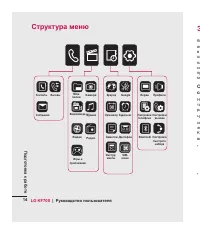
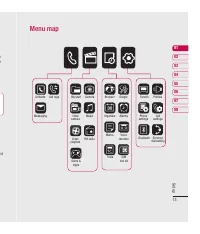
13 Set up 01 02 03 04 05 06 07 08 Menu map ur e nd Contacts Call logs Messaging My stuff Camera Video camera Music Tools Game & Apps Browser Google Organiser Alarms Memo Screen Profi les Phone settings Call settings Shortcut dial setting Voice recorder Bluetooth Video playlists FM radio SIM tool...
Page 114 - Your standby screen; Touchscreen tips; There’s no need to press too hard, the
LG KF700 | User Guide 14 Your standby screen Your standby screen ▲ Touchscreen Th Thac Whenever your KF700 isn’t in use it’ll return to your standby screen. From here you can access menu options, make a quick call and change your profi le - as well as many other things. Touchscreen tips The standby s...
Page 115 - The quick keys; Touch to open the call screen. You can
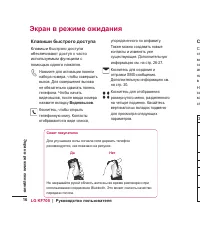
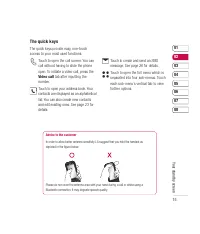
15 01 02 03 04 05 06 07 08 Your standby screen The quick keys The quick keys provide easy, one-touch access to your most used functions. Touch to open the call screen. You can call without having to slide the phone open. To initiate a video call, press the Video call tab after inputting the number. ...
Page 116 - The status bar; Us
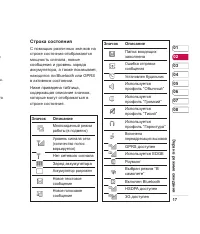
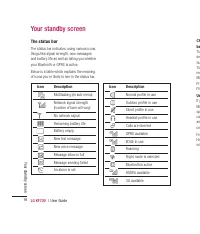
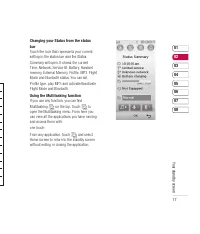
LG KF700 | User Guide 16 Your standby screen The status bar The status bar indicates, using various icons, things like signal strength, new messages and battery life as well as telling you whether your Bluetooth or GPRS is active. Below is a table which explains the meaning of icons you’re likely to...
Page 118 - The basics; Making a call or video call; Call; Making a call from your contacts; Unlock; Calls
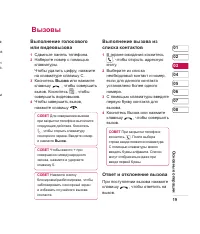
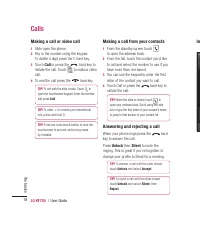
LG KF700 | User Guide 18 The basics Making a call or video call 1 Slide open the phone. 2 Key in the number using the keypad. To delete a digit press the C hard key. 3 Touch Call or press the hard key to initiate the call. Touch to make a video call. 4 To end the call press the hard key. TIP! To cal...
Page 119 - Adjusting the call volume
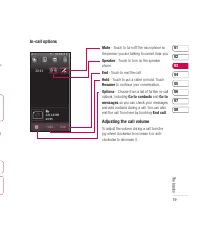
19 01 02 03 04 05 06 07 08 The basics e u d In-call options Mute - Touch to turn off the microphone so the person you are talking to cannot hear you. Speaker - Touch to turn on the speaker phone. End - Touch to end the call. Hold - Touch to put a caller on hold. Touch Resume to continue your convers...
Page 120 - Speed dialling; Using call divert
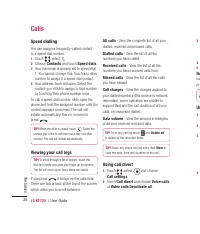
LG KF700 | User Guide 20 The basics Speed dialling You can assign a frequently-called contact to a speed dial number. 1 Touch , select . 2 Choose Contacts and touch Speed dials . 3 Your Voicemail is already set to speed dial 1. You cannot change this. Touch any other number to assign it a speed dial...
Page 121 - Using call barring; Changing the common call settings
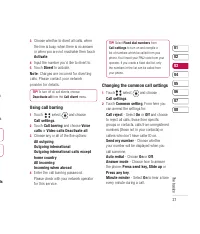
21 01 02 03 04 05 06 07 08 The basics k r s ls 3 Choose whether to divert all calls, when the line is busy, when there is no answer or when you are not reachable then touch Activate . 4 Input the number you’d like to divert to. 5 Touch Divert to activate. Note : Charges are incurred for diverting ca...
Page 122 - Changing your video call settings
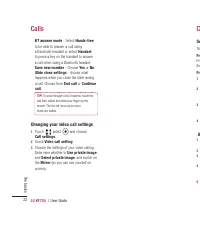
LG KF700 | User Guide 22 The basics BT answer mode - Select Hands-free to be able to answer a call using a Bluetooth headset or select Handset to press a key on the handset to answer a call when using a Bluetooth headset. Save new number - Choose Yes or No . Slide close settings - choose what happen...
Page 123 - Searching for a contact; Contact options; Contacts
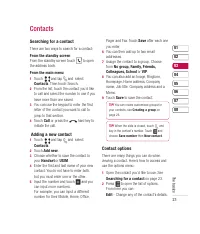
23 01 02 03 04 05 06 07 08 The basics Searching for a contact There are two ways to search for a contact: From the standby screen From the standby screen touch to open the address book. From the main menu 1 Touch and tap and select Contacts . Then touch Search. 2 From the list, touch the contact you...
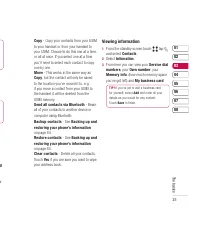
Page 125 - Viewing information
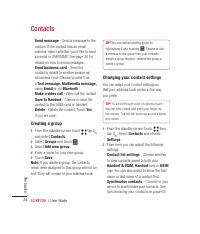
25 01 02 03 04 05 06 07 08 The basics M ur Copy - Copy your contacts from your USIM to your handset or from your handset to your USIM. Choose to do this one at a time, or all at once. If you select one at a time, you’ll need to select each contact to copy one by one. Move - This works in the same wa...
Page 126 - Entering text; Messaging
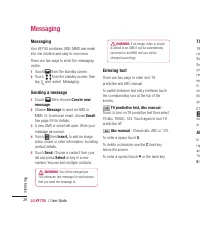
LG KF700 | User Guide 26 The basics Messaging Your KF700 combines SMS, MMS and email into one intuitive and easy to use menu. There are two ways to enter the messaging centre: 1 Touch from the standby screen. 2 Touch from the standby screen, then tap and select Messaging. Sending a message 1 Touch t...
Page 127 - T9 predictive
27 01 02 03 04 05 06 07 08 The basics h ct 3. T9 predictive T9 mode uses a built-in dictionary to recognise words you’re writing based on the key sequences you touch. Simply touch the number key associated with the letter you want to enter, and the dictionary will recognise the word once all the let...
Page 128 - Retrieving your email; Ch
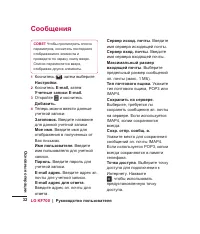
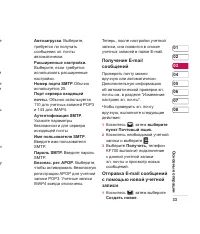
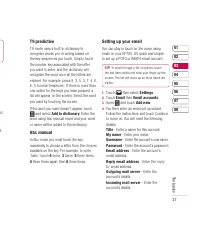
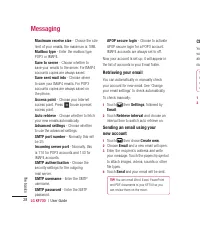
LG KF700 | User Guide 28 The basics Maximum receive size - Choose the size limit of your emails, the maximum is 1MB. Mailbox type - Enter the mailbox type, POP3 or IMAP4. Save to server - Choose whether to save your emails to the server. For IMAP4 accounts copies are always saved. Save sent mail int...
Page 129 - Changing your email settings; Message folders
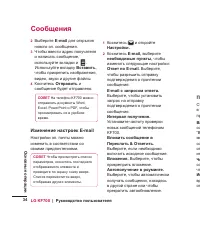
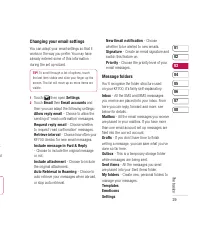
29 01 02 03 04 05 06 07 08 The basics e . ol r Changing your email settings You can adapt your email settings so that it works in the way you prefer. You may have already entered some of this information during the set up wizard. TIP! To scroll through a list of options, touch the last item visible ...
Page 130 - Managing your messages; Using templates
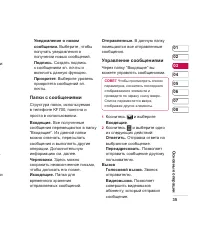
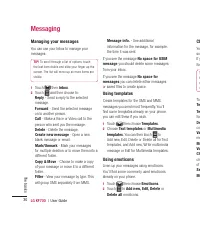
LG KF700 | User Guide 30 The basics Managing your messages You can use your Inbox to manage your messages. TIP! To scroll through a list of options, touch the last item visible and slide your fi nger up the screen. The list will move up so more items are visible. 1 Touch then Inbox . 2 Touch and then...
Page 131 - Changing your text message settings
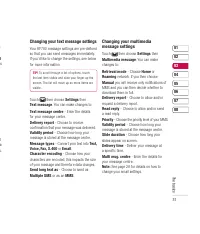
31 01 02 03 04 05 06 07 08 The basics e, M es xt a s. Changing your text message settings Your KF700 message settings are pre-defi ned so that you can send messages immediately. If you’d like to change the settings, see below for more information. TIP! To scroll through a list of options, touch the l...
Page 132 - Changing your other settings; Settings
LG KF700 | User Guide 32 The basics Changing your other settings Touch then choose Settings then: Videomail - If your operator supports this service you can create a new account. Voicemail - Your voicemail service has already been set up although you can add new voicemail services here. Service mess...
Page 133 - Camera; Taking a quick photo; Viewing your saved photos
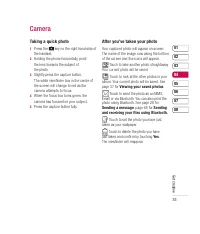
33 01 02 03 04 05 06 07 08 Get crea tive Camera Taking a quick photo 1 Press the key on the right hand side of the handset. 2 Holding the phone horizontally, point the lens towards the subject of the photo. 3 Slightly press the capture button. The white viewfi nder box in the centre of the screen wil...
Page 134 - Getting to know the viewfi nder
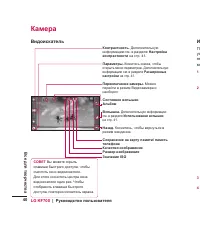
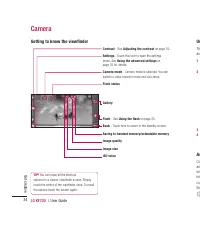
LG KF700 | User Guide 34 Get crea tive Getting to know the viewfi nder Camera Contrast - See Adjusting the contrast on page 35. Settings - Touch this icon to open the settings menu. See Using the advanced settings on page 35 for details. Camera mode - Camera mode is selected. You can switch to video ...
Page 135 - Using the fl ash
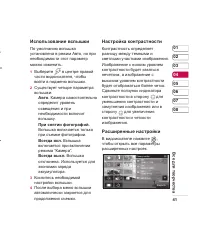
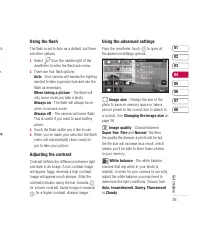
35 01 02 03 04 05 06 07 08 Get crea tive 35. n ry Using the fl ash The fl ash is set to Auto as a default, but there are other options. 1 Select from the middle right of the viewfi nder to enter the fl ash sub-menu. 2 There are four fl ash options: Auto - Your camera will assess the lighting needed to ta...
Page 136 - Changing the image size
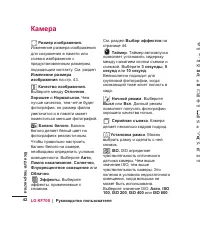
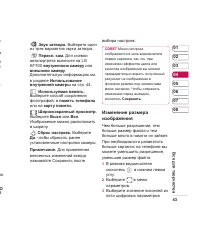
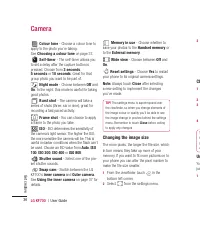
LG KF700 | User Guide 36 Get crea tive Camera Colour tone - Choose a colour tone to apply to the photo you’re taking. See Choosing a colour tone on page 37. Self-timer - The self-timer allows you to set a delay after the capture button is pressed. Choose from 3 seconds , 5 seconds or 10 seconds . Gr...
Page 137 - Choosing a colour tone
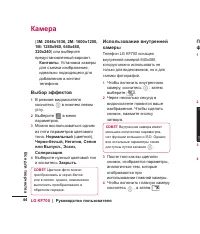
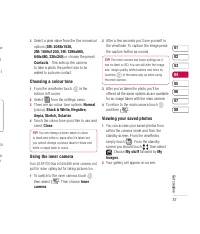
37 01 02 03 04 05 06 07 08 Get crea tive or d rt ch to o 3 Select a pixel value from the fi ve numerical options ( 3M: 2048x1536, 2M: 1600x1200, 1M: 1280x960, 640x480, 320x240 ) or choose the preset: Contacts - This sets up the camera to take a photo the perfect size to be added to a phone contact. C...
Page 138 - Viewing the details of a photo; Touch the photo once then touch the; Sh
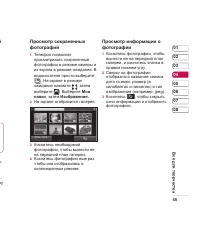
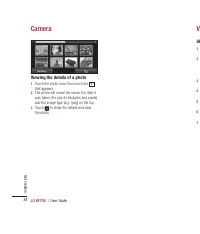
LG KF700 | User Guide 38 Get crea tive Camera Viewing the details of a photo 1 Touch the photo once then touch the i that appears. 2 The photo will reveal the name, the date it was taken, the size (in kilobytes and pixels) and the image type (e.g. jpeg) on the top. 3 Touch to close the details and v...
Page 139 - Video camera; Shooting a quick video; REC; After you’ve shot your video; Watching your
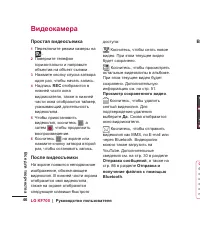
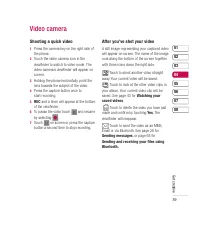
39 01 02 03 04 05 06 07 08 Get crea tive Video camera Shooting a quick video 1 Press the camera key on the right side of the phone. 2 Touch the video camera icon in the viewfi nder to switch to video mode. The video camera’s viewfi nder will appear on screen. 3 Holding the phone horizontally, point th...
Page 140 - Ad; vid
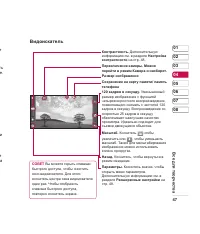
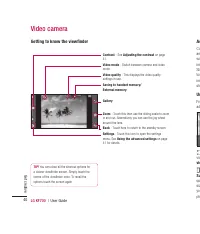
LG KF700 | User Guide 40 Get crea tive Getting to know the viewfi nder Video camera Contrast - See Adjusting the contrast on page 41. Video mode - Switch between camera and video mode. Video quality - This displays the video quality settings in use. Saving to handset memory/External memory Gallery Zo...
Page 141 - Adjusting the contrast
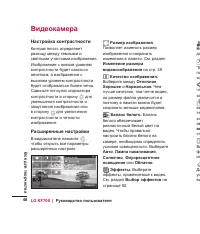
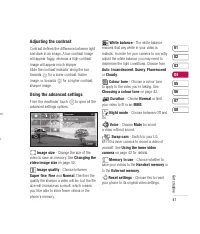
41 01 02 03 04 05 06 07 08 Get crea tive om e Adjusting the contrast Contrast defi nes the difference between light and dark in an image. A low contrast image will appear foggy, whereas a high contrast image will appear much sharper.Slide the contrast indicator along the bar, towards for a lower cont...
Page 142 - Changing the video image size
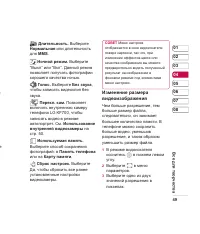
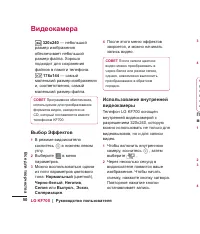
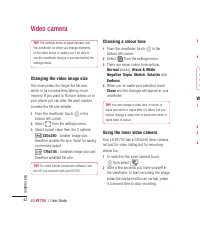
LG KF700 | User Guide 42 Get crea tive Video camera TIP! The settings menu is superimposed over the viewfi nder, so when you change elements of the video colour or quality you’ll be able to see the viewfi nder change in preview behind the settings menu. Changing the video image size The more pixels, t...
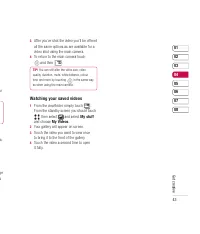
Page 143 - Watching your saved videos; My stuff
43 01 02 03 04 05 06 07 08 Get crea tive ur r a, ge s 3 After you’ve shot the video you’ll be offered all the same options as are available for a video shot using the main camera. 4 To return to the main camera touch and then . TIP! You can still alter the video size, video quality, duration, mute, ...
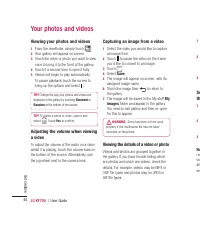
Page 144 - Your photos and videos; Viewing your photos and videos; Capturing an image from a video; Save; Viewing the details of a video or photo
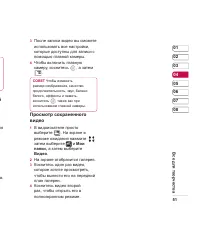
LG KF700 | User Guide 44 Get crea tive Your photos and videos Viewing your photos and videos 1 From the viewfi nder, simply touch . 2 Your gallery will appear on screen. 3 Touch the video or photo you want to view once to bring it to the front of the gallery. 4 Touch it a second time to open it fully...
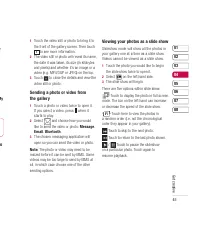
Page 145 - to; Message; Viewing your photos as a slide show
45 01 02 03 04 05 06 07 08 Get crea tive e My n to 1 Touch the video still or photo to bring it to the front of the gallery screen. Then touch i to see more information. 2 The video still or photo will reveal its name, the date it was taken, its size (in kilobytes and pixels) and whether it’s an ima...
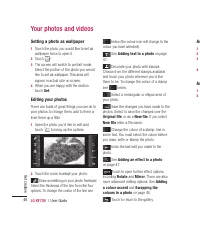
Page 146 - Setting a photo as wallpaper
LG KF700 | User Guide 46 Get crea tive Your photos and videos Setting a photo as wallpaper 1 Touch the photo you would like to set as wallpaper twice to open it. 2 Touch . 3 The screen will switch to portrait mode. Select the portion of the photo you would like to set as wallpaper. This area will ap...
Page 147 - Adding text to a photo; Adding a colour accent to a photo
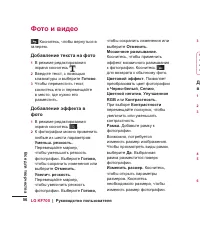
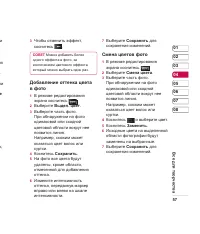
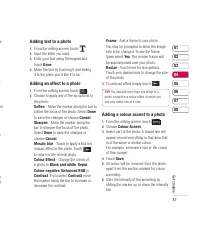
47 01 02 03 04 05 06 07 08 Get crea tive e p he t e o g Adding text to a photo 1 From the editing screen, touch . 2 Input the letter you want. 3 Enter your text using the keypad and touch Done . 4 Move the text by touching it and sliding it to the place you’d like it to be. Adding an effect to a pho...
Page 148 - Swapping the colours in a photo
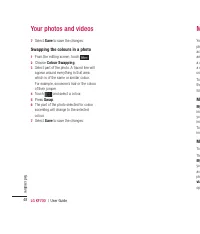
LG KF700 | User Guide 48 Get crea tive Your photos and videos 7 Select Save to save the changes. Swapping the colours in a photo 1 From the editing screen, touch . 2 Choose Colour Swapping . 3 Select part of the photo. A traced line will appear around everything in that area which is of the same or ...
Page 149 - Multimedia; My images; Sending a photo
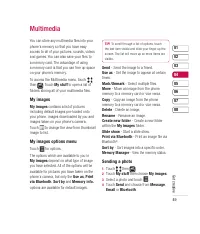
49 01 02 03 04 05 06 07 08 Get crea tive Multimedia You can store any multimedia fi les into your phone’s memory so that you have easy access to all of your pictures, sounds, videos and games. You can also save your fi les to a memory card. The advantage of using a memory card is that you can free up ...
Page 150 - Using an image; Moving or copying an image
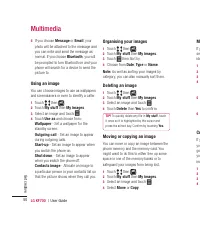
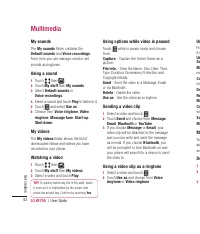
LG KF700 | User Guide 50 Get crea tive Multimedia 5 If you choose Message or Email , your photo will be attached to the message and you can write and send the message as normal. If you choose Bluetooth , you will be prompted to turn Bluetooth on and your phone will search for a device to send the pi...
Page 151 - Marking and unmarking images
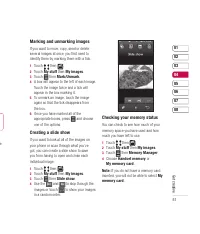
51 01 02 03 04 05 06 07 08 Get crea tive e Marking and unmarking images If you want to move, copy, send or delete several images at once, you fi rst need to identify them by marking them with a tick. 1 Touch then . 2 Touch My stuff then My images . 3 Touch then Mark/Unmark . 4 A box will appear to th...
Page 155 - Others; Creating a playlist
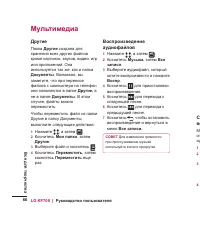
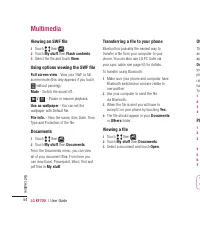
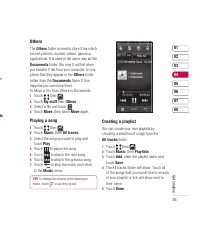
55 01 02 03 04 05 06 07 08 Get crea tive ve ts Others The Others folder is used to store fi les which are not pictures, sounds, videos, games or applications. It is used in the same way as the Documents folder. You may fi nd that when you transfer fi les from your computer to your phone that they appea...
Page 156 - Editing a playlist
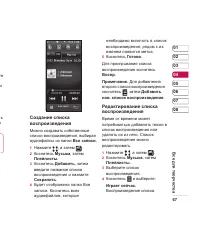
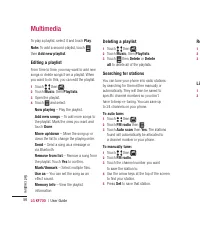
LG KF700 | User Guide 56 Get crea tive Multimedia To play a playlist, select it and touch Play . Note: To add a second playlist, touch then Add new playlist . Editing a playlist From time to time, you may want to add new songs or delete songs from a playlist. When you want to do this, you can edit t...
Page 157 - Resetting channels; Listening to the radio; FM radio
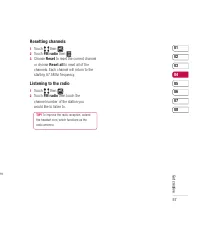
57 01 02 03 04 05 06 07 08 Get crea tive en Resetting channels 1 Touch then . 2 Touch FM radio then . 3 Choose Reset to reset the current channel or choose Reset all to reset all of the channels. Each channel will return to the starting 87.5Mhz frequency. Listening to the radio 1 Touch then . 2 Touc...
Page 158 - Accessing the web; Accessing a saved page
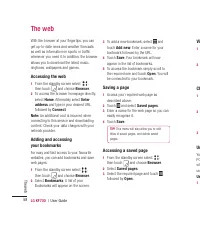
LG KF700 | User Guide 58 The web With the browser at your fi ngertips, you can get up-to-date news and weather forecasts as well as information on sports or traffi c whenever you need it. In addition, the browser allows you to download the latest music, ringtones, wallpapers and games. Accessing the w...
Page 159 - Viewing your browser history
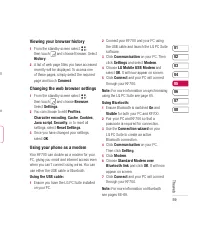
59 01 02 03 04 05 06 07 08 The web ll an Viewing your browser history 1 From the standby screen select , then touch and choose Browser. Select History . 2 A list of web page titles you have accessed recently will be displayed. To access one of these pages, simply select the required page and touch C...
Page 160 - Organiser; Adding an event to your calendar; Adding an item to your to do list; Sharing a to do item
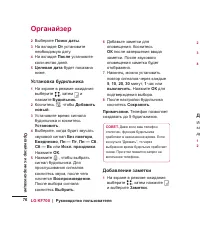
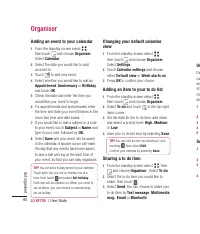
LG KF700 | User Guide 60 Get organised Organiser Adding an event to your calendar 1 From the standby screen select , then touch and choose Organiser . Select Calendar . 2 Select the date you would like to add an event to. 3 Touch to add new event. 4 Select whether you would like to add an Appointmen...
Page 161 - Using date fi nder; Adding a memo
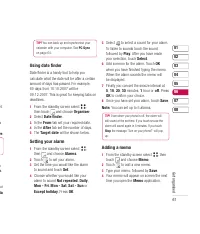
61 01 02 03 04 05 06 07 08 Get organised ht s m ve . n o . ur ia TIP! You can back up and synchronise your calendar with your computer. See PC Sync on page 64. Using date fi nder Date fi nder is a handy tool to help you calculate what the date will be after a certain amount of days has passed. For exa...
Page 162 - Sending the voice recording
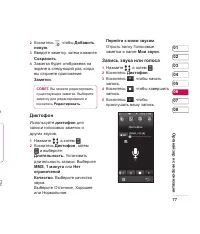
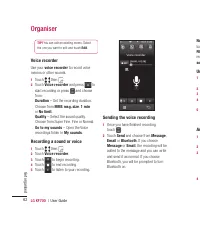
LG KF700 | User Guide 62 Get organised Organiser TIP! You can edit an existing memo. Select the one you want to edit and touch Edit . Voice recorder Use your voice recorder to record voice memos or other sounds. 1 Touch then . 2 Touch Voice recorder and press to start recording or press and choose f...
Page 163 - Using your calculator; Converting a unit
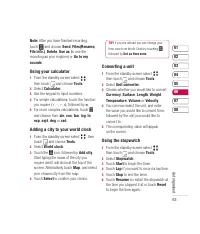
63 01 02 03 04 05 06 07 08 Get organised e Note: After you have fi nished recording, touch and choose Send , Files(Rename, File info.) , Delete , Use as (to use the recording as your ringtone) or Go to my sounds . Using your calculator 1 From the standby screen select , then touch and choose Tools . ...
Page 164 - Connecting your phone and PC; Sy
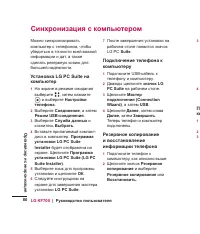
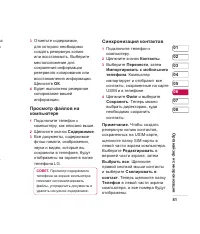
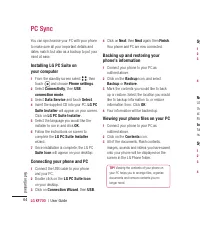
LG KF700 | User Guide 64 Get organised PC Sync You can synchronise your PC with your phone to make sure all your important details and dates match, but also as a backup to put your mind at ease. Installing LG PC Suite on your computer 1 From the standby screen select , then touch and choose Phone se...
Page 165 - PC
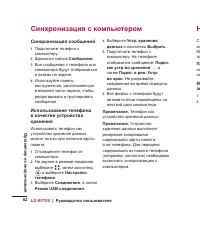
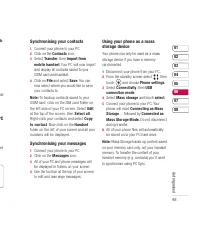
65 01 02 03 04 05 06 07 08 Get organised sh . k uld PC ed Using your phone as a mass storage device Your phone can only be used as a mass storage device if you have a memory card inserted. 1 Disconnect your phone from your PC. 2 From the standby screen select , then touch and choose Phone settings ....
Page 166 - Changing your screen settings
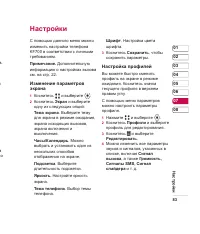
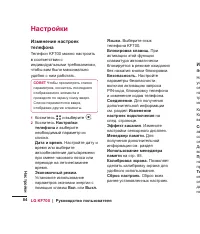
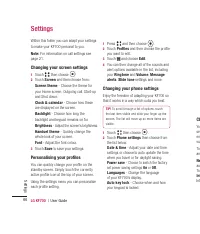
LG KF700 | User Guide 66 Settings Settings Within this folder you can adapt your settings to make your KF700 personal to you. Note: For information on call settings see page 21. Changing your screen settings 1 Touch then choose . 2 Touch Screen and then choose from: Screen theme - Choose the theme f...
Page 167 - Changing your connectivity settings
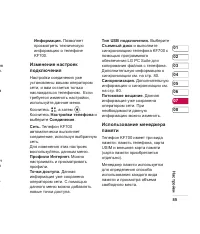
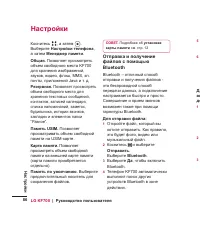
67 01 02 03 04 05 06 07 08 Settings file nd g so m e y Security - Adjust your security settings, including PIN codes and handset lock. Connectivity - See Changing your connectivity settings below for more information. Touchscreen effect - Change the touchscreen settings. Memory manager - See Using me...
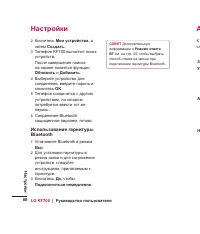
Page 169 - Pairing with another Bluetooth device
69 01 02 03 04 05 06 07 08 Settings ur e d ur Supported services - Choose how to use Bluetooth in association with different services. See Using your phone as a modem on page 59 or Using a Bluetooth headset below. Remote SIM mode - Choose On or Off . My address - Check your Bluetooth address. Pairin...
Page 170 - Accessories; Charger
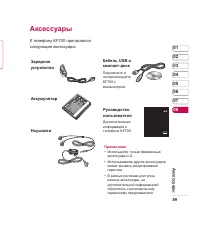
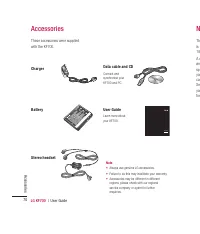
LG KF700 | User Guide 70 Accessories These accessories were supplied with the KF700. Accessories Charger Stereo headset User Guide Learn more about your KF700. Battery Data cable and CD Connect and synchronise your KF700 and PC. Note • Always use genuine LG accessories. • Failure to do this may inva...
Page 171 - Technical data; General; Network service; Network ser
y. Technical data General Product name : KF700System : GSM 900 / DCS 1800 / PCS 1900 / W-CDMA Ambient Temperatures Max : +55°C (discharging), +45°C (charging)Min : -10°C Network service The wireless phone described in this guide is approved for use on the GSM 900, DCS 1800, PCS 1900 and W-CDMA netwo...
Page 174 - Guidelines for safe and effi cient use; Exposure to radio frequency energy
LG KF700 | User Guide 74 Guidelines for safe and effi cient use Guidelines for safe and effi cient use Please read these simple guidelines. Not following these guidelines may be dangerous or illegal. Exposure to radio frequency energy Radio wave exposure and Specifi c Absorption Rate (SAR) informatio...
Page 175 - Effi cient phone operation; Electronics devices
75 Guidelines for safe and effi cient use s r of E), rk as • The unit should be kept away from heat sources such as radiators or cookers. • Do not drop. • Do not subject this unit to mechanical vibration or shock. • Switch off the phone in any area where you are required by special regulations. For ...
Page 176 - Give full attention to driving.
LG KF700 | User Guide 76 Guidelines for safe and effi cient use Guidelines for safe and effi cient use Road safety Check the laws and regulations on the use of mobile phones in the area when you drive. • Do not use a hand-held phone while driving. • Give full attention to driving. • Use a hands-free...
Page 177 - Children
77 Guidelines for safe and effi cient use e l ny . ng Children Keep the phone in a safe place out of the reach of small children. It includes small parts which may cause a choking hazard if detached. Emergency calls Emergency calls may not be available under all mobile networks. Therefore, you shoul...
Page 179 - MEMO






 LG G5310 User Manual
 LG G5400 User Manual
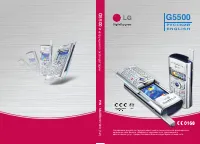 LG G5500 User Manual
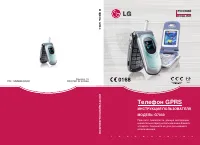 LG G7030 User Manual
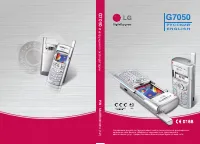 LG G7050 User Manual
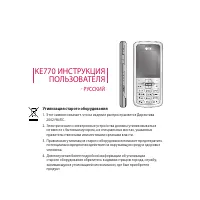 LG KE770 Shine User Manual
 LG KG110 User Manual
 LG KG200 User Manual
 LG KG225 User Manual
 LG KG245 User Manual
 LG KG300 User Manual
 LG KG320 User Manual
 LG KG800 User Manual
 LG KG810 User Manual
 LG KG920 User Manual
 LG L342i User Manual
 LG M4410 User Manual
 LG M6100 User Manual
 LG P7200 User Manual
 LG S5000 User Manual