Philips BT9810/40 - User Manual

This user manual covers Philips Norelco electric grooming devices like trimmers and clipper shavers, focusing on their operation, safety, maintenance, and care. The instructions emphasize essential topics such as proper usage–including handling power cords, batteries, and accessories–to prevent hazards like electrical shocks or fires. Maintenance routines include cleaning, lubricating blades, and storing components correctly to ensure longevity. Safety warnings address environmental conditions (e.g., temperature/humidity) and product limitations, while warranty details outline coverage terms for defects under normal use.


Table of Contents:
- Page 1 – Cleaning and Maintenance Procedures
- Page 2 – Safety Instructions and Product Diagram
- Page 3 – Power Handling and Component Introduction
- Page 4 – Charging and Trimming Operations
- Page 5 – Beard Trimmer Cleaning and Maintenance
- Page 6 – Operational Maintenance and Warranty Information
- Page 7 – Guarantee and Bilingual Safety Warnings
- Page 8 – General Electrical and Battery Safety
- Page 9 – Battery Charging and Identification
- Page 10 – Hair Clipper Usage Techniques
- Page 11 – Clipper Maintenance Procedures
- Page 12 – Warranty and Support Details
- Page 13 – Money-Back Guarantee Policy
BT9810
BC
Manufactured for: Philips Personal Health
a division of Philips North America LLC
P.O. Box 10313, Stamford, CT 06904, USA
This symbol on the product’s nameplate
means it is listed by Underwriters’
Laboratories, Inc.
Norelco is a registered trademark of Philips
North America LLC.
PHILIPS and Philips shield are registered
trademarks of Koninklijke Philips N.V.
©2020 Philips North America LLC. All rights
reserved.
4222.002.9335.1 (10/13/2020)
2
3
4
5
1
2
6
0.4
5.4
7
8
9
2
1
10
11
12
1
2
13
14
15
16
17
18
19
3 sec.
20
21
22
>75 % recycled paper
>75 % papier recyclé
"Loading the manual" means you need to wait until the file loads and becomes available for online reading. Some manuals are very large, and the time they take to appear depends on your internet speed.
Was this manual helpful?
About this manual
- Brand
- Philips
- Model
- BT9810/40
- Document type
- User Manual
- Category
- Trimmer
- Language(s)
- English, Spanish
- Pages
- 13
- File size
- 1 MB
- Format
Summary
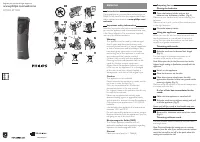
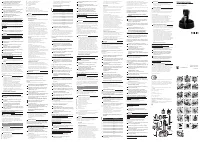
Instructions for cleaning, rinsing, drying, and lubricating the electric shaver blades, along with product information, trademarks, and recycling guidance.
Essential safety warnings regarding electric shock and burns, accompanied by a labeled diagram of the product and its accessories.
Safety guidelines for handling the power cord and batteries, along with an introduction to product components such as the beard guard, cutting unit, and power plug.
Ask a question
Related manuals
Popular Philips Trimmers

More Philips Trimmers models
 Philips BT3206/14 User Manual
 Philips BT5262 User Manual
 Philips BT5515 User Manual
 Philips BT7085/15 User Manual
 Philips BT9280 User Manual
 Philips BT9295 User Manual
 Philips HC3400/13 User Manual
 Philips HC3424/80 User Manual
 Philips HC5065 User Manual
 Philips HC5410/15 User Manual
 Philips HC5440/15 User Manual
 Philips HC5446/80 User Manual
 Philips HC5450/15 User Manual
 Philips HC5450/80 User Manual