Philips QG3270 - User Manual

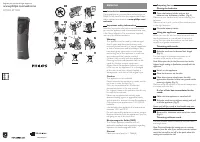
This user manual covers the Philips QG3270 beard trimmer, detailing its operation, accessories, and safety features. Key areas include adjusting trimming settings via a 2–18 mm scale for precise facial hair cuts, using compatible attachments (with waterproof and temperature-safe indicators), and proper charging and usage techniques to ensure safe and effective grooming. The guide also highlights essential maintenance practices like rinsing the device under running water when needed.


Table of Contents:
- Page 1 – Product Identification and Support Information
- Page 2 – Included Accessories and Safety Warnings
- Page 3 – Electric Trimmer Operation and Charging
- Page 4 – Clipper Usage and Blade Adjustment
- Page 5 – Beard Trimmer Assembly and Length Setting
- Page 6 – Attaching and Using Trimmer Heads
- Page 7 – Nasal Spray Application Technique
- Page 8 – Accessory Compatibility and Maintenance
Register your product and get support at
www.philips.com/welcome
QG3270
Usage Information
"Loading the manual" means you need to wait until the file loads and becomes available for online reading. Some manuals are very large, and the time they take to appear depends on your internet speed.
Was this manual helpful?
About this manual
- Brand
- Philips
- Model
- QG3270
- Document type
- User Manual
- Category
- Trimmer
- Language(s)
- English
- Pages
- 8
- File size
- 2.5 MB
- Format
Summary
Identification details, model reference, product registration, and support website resources.
List of included accessories, components, power adapter, carrying case, and safety warnings regarding manual review prior to use.
Step-by-step instructions for using the electric trimmer, charging procedures, and maximum runtime specifications.
Tips
- Always ensure the device is fully charged before first use to maximize battery life.
- When attaching attachments, listen for the CLICK sound to confirm a secure connection.
- Use the provided comb attachments to achieve specific hair lengths.
- Avoid using the device on wet skin or hair unless specified.
- Always consult the detailed manual for safety warnings and specific maintenance schedules.
Ask a question
Related manuals
Popular Philips Trimmers
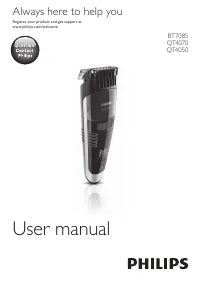
More Philips Trimmers models
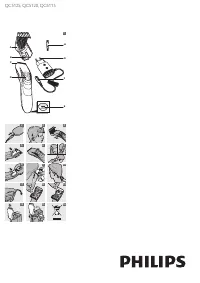 Philips QC5120 User Manual
 Philips QC5125 User Manual
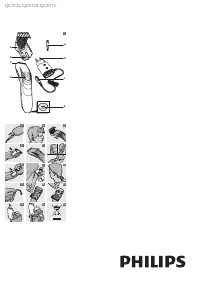 Philips QC5125/15 User Manual
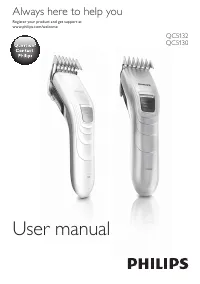 Philips QC5130/15 User Manual
 Philips QC5380/15 User Manual
 Philips QG3340/16 User Manual
 Philips QG3371/16 User Manual
 Philips QP2520/20 User Manual
- Philips QP2521 User Manual
- Philips QP2530 User Manual
 Philips QP6510/20 User Manual
 Philips QS6140/15 User Manual
 Philips QS6160 User Manual
 Philips QS6161 User Manual
 Philips QT4019 User Manual