Page 3 - Contents; Product overview (Fig
1 EN English Contents 1 Your air purifier ������������������������������������������������������������������� 2 Product overview (Fig a ) ������������������������������������������������������������������������� 2 Controls overview (Fig b ) �����������������������������������������������������������...
Page 4 - Your air purifier; Controls overview (Fig
2 EN 1 Your air purifier Congratulations on your purchase, and welcome to Philips!To fully benefit from the support that Philips offers, register your product at www�philips�com/welcome� Product overview (Fig a ) A Control panel B Air outlet C Particle sensor D NanoProtect filter Series 3 (FY2180/30...
Page 5 - Getting started; Installing the filter
3 EN English 2 Getting started Installing the filter Note: Make sure the air purifier is unplugged from the electrical outlet before installing the filter� 1 Pull the back cover and remove it from the appliance (fig c )� 2 Pull the filter from the appliance (fig d )� 3 Remove all packaging materials...
Page 6 - Using the air purifier; Air quality light; Turning On and Off
4 EN 3 Using the air purifier Air quality light After approximately 30 seconds, the particle sensor selects the color that corresponds to the surrounding air quality of airborne particles� Note: The color of the air quality light is determined by the highest risk index among PM2�5 and IAI readings� ...
Page 7 - Changing the mode setting; Using the light on/off function; Checking the filter status
5 EN English Changing the mode setting You can choose Auto mode, Turbo mode, Gentle mode or the Sleep mode by touching the button� 1 Auto mode ( ): The air purifier automatically adjust the fan speed in accordance with the ambient air quality (fig l )� 2 Turbo mode ( ): The air purifier operates on ...
Page 8 - Cleaning and maintenance; Cleaning the body of the air purifier
6 EN 4 Cleaning and maintenance Note: • Do not attempt to clean the particle sensor with a vacuum cleaner� • Switch off the air purifier and unplug from the power socket before following action� Cleaning the body of the air purifier Use a soft, dry cloth to clean both the interior and exterior of th...
Page 9 - Replacing the filter; Filter reset; Storage
7 EN English Replacing the filter Note: • The filter is not washable or reusable� • Do not smell the filter as it has collected pollutants from the air� When the filter need to be replaced, the filter replacement alert lights up red (fig | )� 1 Replace the filter with Philips NanoProtect filter Seri...
Page 10 - Troubleshooting
8 EN 6 Troubleshooting This chapter summarizes the most common problems you could encounter with the appliance� If you are unable to solve the problem with the information below, contact the Consumer Care Center in your country� Problem Possible solution The appliance does not work properly� • Check...
Page 13 - Indhold; Produktoversigt (fig�
11 DA Dansk Indhold 1 Din luftrenser ��������������������������������������������������������������������� 12 Produktoversigt (fig� a ) ��������������������������������������������������������������������������� 12 Oversigt over betjeningsknapper (fig� b ) ������������������������������������� 12 2 ...
Page 14 - Din luftrenser; Oversigt over betjeningsknapper (fig�
12 DA 1 Din luftrenser Tillykke med dit køb, og velkommen til Philips!For at få fuldt udbytte af den støtte, Philips tilbyder, skal du registrere dit produkt på www�philips�com/welcome� Produktoversigt (fig� a ) A Kontrolpanel B Luftudtag C Partikelsensor D NanoProtect-filter i 3-serien (FY2180/30) ...
Page 15 - Sådan kommer du i gang; Montering af filteret
13 DA Dansk 2 Sådan kommer du i gang Montering af filteret Bemærk: Sørg for, at stikket til luftrenseren er taget ud af stikkontakten, før filteret monteres� 1 Træk i bagdækslet, og fjern det fra apparatet (fig� c )� 2 Træk filteret ud af apparatet (fig� d )� 3 Fjern alle emballagematerialer fra luf...
Page 16 - Brug af luftrenseren; Luftkvalitetslys; Sådan tændes og slukkes apparatet
14 DA 3 Brug af luftrenseren Luftkvalitetslys Efter ca� 30 sekunder vælger partikelsensoren den farve, som svarer til den omgivende luftkvalitet af luftbårne partikler� Bemærk: Farven på luftkvalitetslyset bestemmes af højeste risikofortegnelse blandt aflæsninger af PM2�5 og IAI� IAI henviser til ni...
Page 17 - Ændring af tilstandsindstillingen; Sådan bruger du lampens tænd/sluk-funktion
15 DA Dansk Ændring af tilstandsindstillingen Du kan vælge automatisk tilstand, turbotilstand, blid tilstand eller sleep-tilstand ved at trykke på knappen � 1 Automatisk tilstand ( ): Luftrenseren juster automatisk blæserens hastighed i henhold til den omgivende luftkvalitet (fig� l )� 2 Turbotilsta...
Page 18 - Rengøring og vedligeholdelse; Rengøring af luftrenserens kabinet
16 DA 4 Rengøring og vedligeholdelse Bemærk: • Forsøg ikke at rengøre partikelsensoren med en støvsuger� • Sluk for luftrenseren, og tag stikket ud af stikkontakten, før du gør følgende� Rengøring af luftrenserens kabinet Brug en blød, tør klud til at rengøre luftrenseren og luftudtaget både indvend...
Page 19 - Udskiftning af filteret; Filternulstilling; Opbevaring
17 DA Dansk Udskiftning af filteret Bemærk: • Filteret må ikke vaskes og heller ikke genbruges� • Du må ikke lugte til filteret, da det har samlet forurenende stoffer fra luften� Når filteret skal udskiftes, lyser alarmen om udskiftning af filter rødt (fig� | )� 1 Udskift filteret med et Philips Nan...
Page 20 - Fejlfinding
18 DA 6 Fejlfinding I dette kapitel beskrives de mest almindelige problemer, der kan opstå med dit apparat� Hvis du ikke kan løse problemet ud fra nedenstående oplysninger, skal du kontakte kundecentret i dit land� Problem Mulig løsning Apparatet fungerer ikke korrekt� • Kontroller, om bagdækslet er...
Page 23 - Inhalt; Produktübersicht (Abb�
21 DE Deutsch Inhalt 1 Der Luftreiniger �����������������������������������������������������������������22 Produktübersicht (Abb� a ) ������������������������������������������������������������������� 22 Übersicht über die Bedienelemente (Abb� b ) ������������������������� 22 2 Erste Schritte ����...
Page 24 - Der Luftreiniger; Erste Schritte; Einsetzen des Filters
22 DE 1 Der Luftreiniger Herzlichen Glückwunsch zu Ihrem Kauf und willkommen bei Philips!Um das Kundendienstangebot von Philips vollständig nutzen zu können, sollten Sie Ihr Produkt hier registrieren: www�philips�com/welcome� Produktübersicht (Abb� a ) A Bedienfeld B Luftauslass C Partikelsensor D N...
Page 25 - Verwenden des Luftreinigers; Luftqualitätsanzeige
23 DE Deutsch 5 Setzen Sie die Rückseite wieder ein (Abb� g )� WLAN-Anzeige WLAN-Symbolstatus WLAN-Verbindungsstatus Blinkt orange Verbindung zum Smartphone wird aufgebaut Blinkt weiß Verbindung zum Router wird hergestellt Leuchtet weiß Mit dem Router verbunden Aus WLAN-Funktion deaktiviert WLAN-Ver...
Page 26 - Ändern der Modus-Einstellung
24 DE Hinweis: Die Farbe der Luftqualitätsanzeige ist vom höchsten Stand der PM2�5- und IAI-Werte abhängig� IAI steht für den Wert des Innenraumallergene-Index� IAI-Wert Farbe der Luftqualitätsanzeige Luftqualität 1 bis 3 Blau Gut 4 bis 6 Blau-Violett Mittelmäßig 7 bis 9 Violett-Rot Schlecht 10 bis ...
Page 27 - Wechseln der Display-Anzeige; Überprüfen des Filterstatus
25 DE Deutsch 2 Turbomodus ( ): Der Luftreiniger wird mit der höchsten Geschwindigkeit betrieben (Abb� m )� 3 Sanfter Modus ( ): Der Luftreiniger wird mit niedriger Lüftergeschwindigkeit betrieben (Abb� n )� 4 Ruhemodus ( ) : Der Luftreiniger wird leise und mit sehr niedriger Lüftergeschwindigkeit b...
Page 28 - Reinigung und Wartung; Reinigen des Luftreinigergehäuses
26 DE 4 Reinigung und Wartung Hinweis: • Versuchen Sie nicht, den Partikelsensor mit dem Staubsauger zu reinigen� • Schalten Sie den Luftreiniger aus und ziehen Sie den Netzstecker aus der Steckdose bevor Sie die folgenden Schritte ausführen� Reinigen des Luftreinigergehäuses Säubern Sie das Innere ...
Page 29 - Den Filter auswechseln; Filter zurücksetzen; Aufbewahrung
27 DE Deutsch Den Filter auswechseln Hinweis: • Der Filter ist weder abwaschbar noch wiederverwendbar� • Riechen Sie nicht am Filter, da dieser Schadstoffe aus der Luft gesammelt hat� Wenn der Filter ausgetauscht werden muss, leuchtet die Kontrollanzeige zum Austauschen des Filters rot auf (Abb� | )...
Page 30 - Fehlerbehebung
28 DE 6 Fehlerbehebung In diesem Kapitel sind die häufigsten Probleme aufgeführt, die beim Gebrauch Ihres Geräts auftreten können� Sollten Sie ein Problem mithilfe der nachstehenden Informationen nicht beheben können, wenden Sie sich bitte an das Philips Service-Center in Ihrem Land� Problem Möglich...
Page 34 - Contenido; Descripción del producto (fig�
32 ES Contenido 1 Purificador de aire �����������������������������������������������������������33 Descripción del producto (fig� a ) ����������������������������������������������������� 33 Descripción de los controles (fig� b ) ���������������������������������������������� 33 2 Introducción ����...
Page 35 - Purificador de aire; Introducción; Instalación del filtro
33 ES Español 1 Purificador de aire Le felicitamos por su compra y le damos la bienvenida a Philips�Para poder beneficiarse por completo de la asistencia que ofrece Philips, registre el producto en www�philips�com/welcome� Descripción del producto (fig� a ) A Panel de control B Salida de aire C Sens...
Page 36 - Uso del purificador de aire; Piloto de calidad del aire
34 ES 5 Vuelva a colocar la cubierta posterior (fig� g )� Indicador de Wi-Fi Estado del icono de Wi-Fi Estado de la conexión Wi-Fi Parpadeo en naranja Conectándose al smartphone Parpadeo en blanco Conectando con el router Estable en blanco Conectado con el router Desactivado Función Wi-Fi desactivad...
Page 37 - Encendido y apagado; Cambio de la configuración de modo
35 ES Español Nota: El color del piloto de calidad del aire lo determina el índice de riesgo más alto entre las lecturas de PM 2,5 y IAI� IAI se refiere al nivel de alérgeno de interior� Nivel IAI Color del piloto de calidad del aire Nivel de calidad del aire 1-3 Azul Bueno 4-6 Azul-morado Aceptable...
Page 38 - Cambiar el indicador de visualización; Uso de la función de encendido/apagado del piloto; Comprobación del estado del filtro
36 ES 2 Modo turbo ( ) : el purificador de aire funciona a la velocidad más alta (fig� j )� 3 Modo suave ( ): el purificador de aire funciona a velocidad baja (fig� n )� 4 Modo de reposo ( ): el purificador de aire funciona de forma silenciosa a una velocidad muy baja� Después de 3 segundos, la pant...
Page 39 - Limpieza y mantenimiento; Limpieza del cuerpo del purificador de aire
37 ES Español 4 Limpieza y mantenimiento Nota: • No intente limpiar el sensor de partículas con un aspirador� • Apague el purificador de aire y desconéctelo de la toma de corriente antes de llevar a cabo ninguna acción� Limpieza del cuerpo del purificador de aire Utilice un paño suave y seco para li...
Page 40 - Sustitución del filtro; Restablecimiento de filtros; Almacenamiento
38 ES Sustitución del filtro Nota: • El filtro no es lavable ni reutilizable� • No huela el filtro, dado que se ha utilizado para recoger agentes contaminantes del aire� Cuando se deba sustituir el filtro, la alerta de sustitución del filtro se iluminará en rojo (fig� | )� 1 Sustituya el filtro por ...
Page 41 - Solución de problemas
39 ES Español 6 Solución de problemas Este capítulo resume los problemas más comunes que podría encontrarse con el aparato� Si no puede resolver el problema con la información que aparece a continuación, póngase en contacto con el Servicio de Atención al Cliente en su país� Problema Posible solución...
Page 45 - Sisältö; Tuotteen yleiskuvaus (kuva
43 FI Suomi Sisältö 1 Ilmanpuhdistimesi ���������������������������������������������������������� 44 Tuotteen yleiskuvaus (kuva a ) ���������������������������������������������������������� 44 Säätimien yleiskuvaus (kuva b ) �������������������������������������������������������� 44 2 Alkutoimet ...
Page 46 - Ilmanpuhdistimesi; Alkutoimet; Suodattimen asentaminen
44 FI 1 Ilmanpuhdistimesi Olet tehnyt erinomaisen valinnan ostaessasi Philipsin laitteen�Hyödynnä Philipsin tuki ja rekisteröi tuotteesi osoitteessa www�philips�com/welcome� Tuotteen yleiskuvaus (kuva a ) A Ohjauspaneeli B Ilmanpoistoaukko C Hiukkastunnistin D NanoProtect Series 3 -suodatin (FY2180/...
Page 47 - Ilmanpuhdistimen käyttäminen; Ilmanlaadun merkkivalo
45 FI Suomi 5 Kiinnitä takakansi takaisin paikalleen (kuva g )� Wi-Fi-merkkivalo Wi-Fi-kuvakkeen tila Wi-Fi-yhteyden tila Vilkkuu oranssina Muodostaa yhteyttä älypuhelimeen Vilkkuu valkoisena Yhteyttä reitittimeen muodostetaan Palaa valkoisena Yhteys reitittimeen muodostettu Pois Wi-Fi-toiminto pois...
Page 48 - Virran kytkeminen ja katkaiseminen; Tila-asetuksen vaihtaminen
46 FI Huomautus: Ilmanlaadun merkkivalon väri määräytyy korkeimman tason mukaan PM2�5- ja IAI- lukemien perusteella� IAI tarkoittaa sisäilman allergeenitasoa� IAI-taso Ilmanlaadun merkkivalon väri Ilmanlaatu 1–3 Sininen Hyvä 4-6 Sininen–violetti Kohtalainen 7 - 9 Violetti–punainen Heikko 10–12 Punai...
Page 49 - Näyttötilan vaihto; Valotoiminnon käyttäminen; Suodattimen tilan tarkistaminen
47 FI Suomi 3 Hellävarainen tila ( ): Ilmanpuhdistin toimii hitaalla nopeudella (kuva n )� 4 Lepotila ( ) : Ilmanpuhdistin toimii hiljaisesti hitaalla nopeudella� Näytön valot sammuvat 3 sekunnin kuluttua (kuva o )� Näyttötilan vaihto Huomautus: • Laitteen näytössä on oletusarvoisesti IAI-taso (kuva...
Page 50 - Puhdistus ja huolto; Ilmanpuhdistimen rungon puhdistaminen
48 FI 4 Puhdistus ja huolto Huomautus: • Älä yritä puhdistaa hiukkastunnistinta pölynimurilla� • Katkaise ilmanpuhdistimesta virta ja irrota virtajohto pistorasiasta ennen kuin aloitat seuraavat toimet� Ilmanpuhdistimen rungon puhdistaminen Puhdista ilmanpuhdistimen ulko- ja sisäpuoli sekä ilmanpois...
Page 51 - Suodattimen vaihto; Suodattimen nollaus; Säilytys
49 FI Suomi Suodattimen vaihto Huomautus: • Suodatinta ei voi pestä eikä käyttää uudelleen� • Älä haistele suodatinta� Se on kerännyt epäpuhtauksia ilmasta� Kun suodatin on vaihdettava, suodattimen vaihdon hälytys syttyy palamaan punaisena (kuva | )� 1 Vaihda suodatin Philips NanoProtect Series 3 -s...
Page 52 - Vianmääritys
50 FI 6 Vianmääritys Tämä osio esittää lyhyesti yleisimmät ongelmat, joita saatat kohdata käyttäessäsi laitetta� Jos ongelma ei ratkea alla olevien ohjeiden avulla, ota yhteyttä maasi kuluttajapalvelukeskukseen� Ongelma Mahdollinen ratkaisu Laite ei toimi oikein� • Tarkista, että takakansi on kunnol...
Page 55 - Contenu; Présentation du produit (Fig�
53 FR Fr ançais Contenu 1 Votre purificateur d'air �������������������������������������������������� 54 Présentation du produit (Fig� a ) ������������������������������������������������������ 54 Vue des commandes (Fig� b ) ������������������������������������������������������������� 54 2 Mise en ...
Page 56 - Votre purificateur d'air; Mise en route; Installation du filtre
54 FR 1 Votre purificateur d'air Félicitations pour votre achat et bienvenue dans le monde de Philips !Pour profiter pleinement de l'assistance Philips, enregistrez votre produit à l'adresse www�philips�com/welcome� Présentation du produit (Fig� a ) A Panneau de commande B Sortie d'air C Capteur de ...
Page 58 - Utilisation du purificateur d'air; Voyant de qualité de l'air; Mise en marche et arrêt
56 FR 3 Utilisation du purificateur d'air Voyant de qualité de l'air Au bout de 30 secondes environ, le capteur de particules sélectionne la couleur correspondant à la qualité de l'air ambiant quant aux particules en suspension� Remarque : la couleur du voyant de qualité de l'air est déterminée par ...
Page 59 - Changer de mode; Changer le voyant d'affichage; Utilisation de la fonction d'activation/de désactivation
57 FR Fr ançais 3 Le purificateur d'air fonctionne en mode Automatique et l'afficheur indique le niveau d'IAI (Fig� j )� 4 Maintenez le bouton enfoncé pendant 3 secondes pour éteindre le purificateur d'air (Fig� k )� Changer de mode Sélectionnez les modes Automatique, Turbo, Calme ou Veille en appuy...
Page 60 - Consulter l'état du filtre; Nettoyage et entretien; Nettoyage du boîtier du purificateur d'air
58 FR Consulter l'état du filtre • Appuyez sur le bouton de réinitialisation / vérification de l'état du filtre pour consulter l'état du filtre (Fig� t )� Couleur de l'icône Affichage (%) Bleu 16-100 Bleu-violet 9-15 Violet-rouge 4-8 Rouge 0-3 Remarque : l'affichage normal de l'appareil se rétablit ...
Page 61 - Remplacement du filtre; Réinitialisation du filtre
59 FR Fr ançais 4 Placez le filtre dans l'appareil (Fig� f )� 5 Remettez le cache arrière en place (Fig� g )� 6 Appuyez sur le bouton pour allumer l'appareil (Fig� h )� 7 Appuyez sur le bouton de réinitialisation / vérification de l'état du filtre pendant 3 secondes pour réinitialiser l'intervalle d...
Page 62 - Stockage; Dépannage
60 FR 5 Stockage 1 Éteignez le purificateur d'air et débranchez-le de la prise de courant� 2 Nettoyez le purificateur d'air, le capteur de particules et la surface du filtre (reportez-vous au chapitre « Nettoyage et entretien »)� 3 Laissez toutes les pièces sécher entièrement à l'air libre avant de ...
Page 66 - Indice; Panoramica del prodotto (fig
64 IT Indice 1 Purificatore d'aria ����������������������������������������������������������� 65 Panoramica del prodotto (fig a ) ������������������������������������������������������ 65 Panoramica dei comandi (fig b ) ������������������������������������������������������ 65 2 Operazioni prelimin...
Page 67 - Purificatore d'aria; Panoramica dei comandi (fig; Operazioni preliminari; Installazione del filtro
65 IT Italiano 1 Purificatore d'aria Congratulazioni per l'acquisto e benvenuti in Philips!Per usufruire di tutti i vantaggi offerti dall'assistenza Philips, effettuare la registrazione del prodotto su www�philips�com/welcome� Panoramica del prodotto (fig a ) A Pannello di controllo B Uscita dell'ar...
Page 69 - Utilizzo del purificatore d'aria; Spia della qualità dell'aria
67 IT Italiano 3 Utilizzo del purificatore d'aria Spia della qualità dell'aria Dopo circa 30 secondi, il sensore di particelle seleziona il colore che corrisponde alla qualità delle particelle sospese nell'aria circostante� Nota: il colore della spia della qualità dell'aria è stabilito dall'indice d...
Page 71 - Controllo dello stato del filtro; Pulizia e manutenzione; Pulizia del corpo del purificatore d'aria
69 IT Italiano Controllo dello stato del filtro • Toccare il pulsante reset/stato del filtro per controllare lo stato del filtro (fig t )� Colore icona Display (%) Blu 16-100 Blu-viola 9-15 Viola-rosso 4-8 Rosso 0-3 Nota: l'apparecchio torna alla visualizzazione normale se non vengono eseguite opera...
Page 72 - Reimpostazione del filtro
70 IT Pulizia della superficie del filtro Pulire la superficie del filtro con un aspirapolvere quando sullo schermo viene visualizzato l'avviso di pulizia del filtro (fig x )� 1 Tirare il coperchio posteriore e rimuoverlo dall'apparecchio (fig c )� 2 Estrarre il filtro dall'apparecchio (fig e )� 3 P...
Page 73 - Conservazione; Risoluzione dei problemi
71 IT Italiano 5 Conservazione 1 Spegnere il purificatore d'aria e scollegarlo dalla presa di alimentazione� 2 Pulire il purificatore d'aria, il sensore di particelle e la superficie del filtro (vedere il capitolo "Pulizia e manutenzione")� 3 Lasciare asciugare tutte le parti accuratamente p...
Page 77 - Inhoud; Productoverzicht (afb�
75 NL N ederlands Inhoud 1 Uw luchtzuiveraar ������������������������������������������������������������76 Productoverzicht (afb� a ) ���������������������������������������������������������������������� 76 Overzicht bedieningspaneel (afb� b ) �������������������������������������������� 76 2 Aan ...
Page 78 - Uw luchtzuiveraar; Aan de slag; Het filter plaatsen
76 NL 1 Uw luchtzuiveraar Gefeliciteerd met uw aankoop en welkom bij Philips!Wilt u volledig profiteren van de ondersteuning die Philips u kan bieden? Registreer dan uw product op www�philips�com/welcome� Productoverzicht (afb� a ) A Configuratiescherm B Luchtuitlaat C Deeltjessensor D NanoProtect s...
Page 79 - De luchtzuiveraar gebruiken; Luchtkwaliteitsindicator
77 NL N ederlands 5 Maak de achterplaat opnieuw vast (afb� g )� Wi-Fi-indicator Wi-Fi-pictogramstatus Wi-Fi-verbindingsstatus Knippert oranje Maakt verbinding met de smartphone Knippert wit Maakt verbinding met de router Brandt wit Verbonden met de router Uit Wi-Fi-functie uitgeschakeld Wi-Fi-verbin...
Page 80 - De modusinstelling wijzigen
78 NL IAI staat voor de hoeveelheid allergenen in de lucht in huis� IAI-niveau Kleur luchtkwaliteitsindicator Luchtkwaliteitsniveau 1 - 3 Blauw Goed 115 - 170 Blauw-paars Redelijk 7-9 Paars-rood Slecht 10-12 Rood Zeer slecht PM2�5 staat voor de hoeveelheid vervuilende stofdeeltjes in de lucht die kl...
Page 81 - Van displayindicator wisselen; De aan-uitfunctie voor licht gebruiken; De filterstatus controleren
79 NL N ederlands 3 Rustige modus ( ): de luchtzuiveraar werkt op lage snelheid (afb� n )� 4 Slaapmodus ( ): de luchtzuiveraar werkt heel stil op lage snelheid� Het scherm wordt na 3 seconden gedimd (afb� o )� Van displayindicator wisselen Opmerking: • Het apparaat geeft standaard het IAI-niveau wee...
Page 82 - Schoonmaken en onderhoud; De behuizing van de luchtzuiveraar schoonmaken
80 NL 4 Schoonmaken en onderhoud Opmerking: • Probeer de deeltjessensor niet schoon te maken met een stofzuiger� • Schakel de luchtzuiveraar uit en haal de stekker uit het stopcontact voordat u verdergaat� De behuizing van de luchtzuiveraar schoonmaken Gebruik een zachte, droge doek voor het schoonm...
Page 83 - Filter resetten; Opbergen
81 NL N ederlands 1 Vervang het filter door een Philips NanoProtect serie 3-filter ( FY2180/30 )� Volg hierbij de stap in het hoofdstuk 'Het filter plaatsen'� 2 Raak de knop aan om het apparaat in te schakelen (afb� h )� 3 Houd de knop voor het controleren/resetten van de filterstatus 3 seconden ing...
Page 87 - Innhold; Produktoversikt (fig�
N or sk 85 NO Innhold 1 Luftrenseren din �������������������������������������������������������������� 86 Produktoversikt (fig� a ) ��������������������������������������������������������������������������86 Oversikt over kontrollknapper (fig� b ) �������������������������������������������86 2 Ko...
Page 88 - Luftrenseren din; Komme i gang; Montering av filteret
86 NO 1 Luftrenseren din Gratulerer med kjøpet, og velkommen til Philips!Hvis du vil dra full nytte av støtten som Philips tilbyr, kan du registrere produktet ditt på www�philips�com/welcome� Produktoversikt (fig� a ) A Kontrollpanel B Åpning for utluft C Partikkelsensor D NanoProtect-filter, serie ...
Page 89 - Bruke luftrenseren; Lampe for luftkvalitet
N or sk 87 NO Wi-Fi-indikator Wi-Fi-ikonstatus Status for Wi-Fi-tilkoblingen Blinkende oransje Kobler til smarttelefonen Blinkende hvitt NanoProtect-filter, serie 3 (FY2180/30) Vedvarende hvitt Koblet til ruteren Av Wi-Fi-funksjon deaktivert Wi-Fi-tilkobling Førstegangs forbindelse1 Last ned og inst...
Page 90 - Slå av og på; Endring av modusinnstillingene
88 NO IAI referer til allergennivået i inneluften IAI-nivå Farger for luftkvalitet Luftkvalitetsnivå 1–3 Blå God 4–6 Blålilla Middels 7–9 Lilla-rød Dårlig 10–12 Rød Svært dårlig PM2�5 referer til luftbårne forurensende stoffer som er mindre enn 2,5 mikrometer� PM2�5-nivå Farger for luftkvalitet Luft...
Page 91 - Bytte displayindikatoren; Kontroll av filterstatus; Rengjøring og vedlikehold; Rengjøring av luftrenserkabinettet
N or sk 89 NO Bytte displayindikatoren Merk: • Apparatet viser IAI-nivået som standard (fig� p og (fig� q ))� Bruke av/på-funksjonen for lampen Du kan trykke på av/på-knappen manuelt for å slå av alle lys og kontrollpanelet� Trykk på en hvilken som helst knapp for å aktivere alle lampene (fig� r og ...
Page 93 - Tilbakestilling av filteret; Lagring
N or sk 91 NO Tilbakestilling av filteret Du kan bytte ut filteret før varselet om filterbytte ( ) vises på skjermen� Når du har byttet ut et filter, må du tilbakestille levetidtelleren for filteret manuelt� 1 Trykk på -knappen i tre sekunder for å slå av apparatet, og trekk ut støpselet fra stikkon...
Page 97 - Innehåll; Produktöversikt (bild
95 SV Sv ensk a Innehåll 1 Din luftrenare ������������������������������������������������������������������� 96 Produktöversikt (bild a ) ������������������������������������������������������������������������96 Översikt av reglage (bild b ) ��������������������������������������������������������...
Page 98 - Din luftrenare; Komma igång; Installera filtret
96 SV 1 Din luftrenare Vi tycker att det är roligt att du har köpt en Philips-produkt!Dra nytta av Philips support genom att registrera din produkt på www�philips�com/welcome� Produktöversikt (bild a ) A Kontrollpanel B Luftutblås C Partikelsensor D NanoProtect-filter serie 3 (FY2180/30) E Bakre sky...
Page 99 - Använda luftrenaren; Luftkvalitetslampa
97 SV Sv ensk a Wi-Fi-indikator Wi-Fi-ikonstatus Wi-Fi-anslutningsstatus Blinkar orange Ansluter till smarttelefonen Blinkar vitt Ansluter till routern Lyser vitt Ansluten till routern Av Wi-Fi-funktionen är inaktiverad Wi-Fi-anslutning Första tidsanslutningen1 Ladda ned och installera Philips ”Clea...
Page 100 - Slå på och av; Ändra autolägesinställningen
98 SV IAI avser nivån på allergener i inomhusluften� IAI-nivå Färg på luftkvalitetslampan Luftkvalitetsnivå 1–3 Blå Bra 4–6 Blå–lila Måttlig 7–9 Lila–röd Dålig 10–12 Röd Mycket dålig PM2�5 avser luftburna partikelföroreningar som är mindre än 2,5 mikrometer� Nivå PM2,5 Färg på luftkvalitetslampan Lu...
Page 101 - Växla skärmindikator; Använda funktionen för att slå på/stänga av lampan; Kontrollera filtrets status; Rengöring och underhåll; Rengöra luftrenaren
99 SV Sv ensk a Växla skärmindikator Obs! • Apparaten visar IAI-nivån som standard (bild p och (bild q ))� Använda funktionen för att slå på/stänga av lampan Du kan trycka på lampans på/av-knapp manuellt för att stänga av alla lampor och kontrollpanelen� Tryck på valfri knapp för att tända alla lamp...
Page 102 - Återställa filter
100 SV Rengöra partikelsensorn Rengör partikelsensorn varannan månad för att apparaten ska fungera optimalt� 1 Rengör partikelsensorn intag och utlopp med en mjuk borste (bild v )� 2 Rengör partikelsensorn med en fuktig bomullspinne� Torka alla delar ordentligt med en torr bomullspinne (bild w )� Re...
Page 103 - Förvaring
101 SV Sv ensk a 1 Håll strömknappen nedtryckt i tre sekunder för att stänga av apparaten och dra ut sladden ur vägguttaget (bild h )� 2 Sätt i kontakten i vägguttaget (bild ~ )� 3 Inom 15 sekunder efter påslagning håller du knapparna och nedtryckta i tre sekunder för att återställa räknaren för fil...
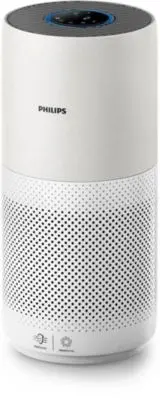


 Philips AC2729/13R1 User Manual
 Philips AC2729/50 User Manual
 Philips AC2882/10 User Manual
 Philips AC2887/10 User Manual
 Philips AC2889/10 User Manual
 Philips AC2936/33 User Manual
 Philips AC2958/53 User Manual
 Philips AC2959/53 User Manual
 Philips AC3021/10 User Manual
 Philips AC3033/10 User Manual
 Philips AC3033/30 User Manual
 Philips AC3036/10 User Manual