Page 3 - Contents
1 EN English 6 Replace the filter and wick 12 Understanding the healthy air protect lock 12 ReplacingtheNanoProtectfilter (fig. ‹ ) 12 Replacing the NanoCloud rotary humidificationwick 12 7 Troubleshooting 13 8 Guarantee and service 15 Orderpartsoraccessories 15 9 Notices 15 Electrom...
Page 4 - Important; Safety; Danger
2 EN 1 Important Safety Readthisusermanualcarefullybeforeyouuse theappliance,andsaveitforfuturereference. Danger • Donotletwateroranyotherliquidor flammabledetergententertheappliance toavoidelectricshockand/orafirehazard. • Donotcleantheappliancewithwater,any otherliquid,ora(flammable)detergentto av...
Page 5 - You air purifier
3 EN English • Whentheapplianceisnotusedforalong time,bacteriamaygrowonthefilters. Checkthefiltersafteralongperiodof disuse.Ifthefiltersareverydirty,replace them(seethechapter"Replacethefilter andwick"). • Theapplianceisonlyintendedfor household use under normal operating conditions. • Donot...
Page 6 - Get started; Installing the NanoProtect filter
4 EN Controls overview (fig. b ) Control buttons Poweron/offbutton Child lock button Auto mode button Fanspeedbutton Humiditysettingbutton Light dimming button 2-in-1modeon/offbutton Timer/Reset button Display panel Sleep mode Auto mode Allergen mode PurificationONLYmode 2-in-1mode Filterreplacement...
Page 7 - Preparing for humidification
5 EN English Preparing for humidification 1 Pulloutthewatertank(fig. j ) . 2 Liftthewatertrayupwardsandpullitout horizontally(fig. k ). 3 Removeallpackagingmaterialofthe NanoCloudrotaryhumidificationwick (fig. l ). Note • Thehumidificationwickhasbeen assembledonthewickwheelupon purchase. 4 Placethew...
Page 8 - Use the appliance; Understanding the air quality; IAI
6 EN 4 Use the appliance Understanding the air quality light PM2.5 level Air quality light color Air quality level ≤12 Blue Good 13-35 Blue-Purple Fair 36-55 Purple-Red Poor >55 Red Verypoor The air quality light automatically goes on whentheapplianceisswitchedon,andlights upallcolorsinsequence.I...
Page 9 - Switching on and off; Setting the humidity level; Switching the operation mode; Using the light dimming
7 EN English Switching on and off 1 Putthepluginthepowersocket. » Theappliancebeeps. 2 Touch toswitchontheappliance. » The appliance operates under the 2-in-1modebydefaultwith displayedonthescreen. » Whentheapplianceiswarmingup, " "displaysonthescreen.After measuring the particulate matter o...
Page 10 - Changing the Auto mode setting; Changing the fan speed; Switching the display mode
8 EN Changing the Auto mode setting YoucanchoosetheAutomode( ),the Allergenmode( ) and the Sleep mode ( ). Auto mode Inautomode,theapplianceselectsthefan speedinaccordancewiththeambientair humidityandairquality. • Touchthefanspeedbutton to select Automode(fig. y ). » Auto ( ) and display on the sc...
Page 11 - Cleaning
9 EN English Turbo (t) InTurbomode,theairpurifieroperatesonthe highestspeed. • Touchthefanspeedbutton to select the Turbo mode ( ) (fig. } ) . Setting the timer Withthetimer,youcanlettheappliance operateforasetnumberofhours.When thesettimehaselapsed,theappliancewill automaticallyswitchoff. • Touch t...
Page 12 - Cleaning the air quality sensor
10 EN Cleaning the water tank, water tray and NanoCloud rotary humidification wick Note • Cleaningthewatertank,watertrayand NanoCloudrotaryhumidificationwick everyweektokeepthemhygienic. 1 Pulloutthewatertank(fig. j ) . 2 Liftthewatertrayupwardsandpullitout horizontally(fig. k ). 3 Takethewickwheelo...
Page 13 - Cleaning the pre-filter
11 EN English Cleaning the pre-filter Note • Ifthepre-filterisdamaged,wornor broken,donotuse.Visit www.philips.com/supportorcontactthe ConsumerCareCenterinyourcountry. Filter alert light status Follow this F0displaysonthe screenandwick&pre- filtercleaningalert goes on Cleanthepre-filter 1 Pullth...
Page 14 - Replace the filter and; Understanding the healthy air
12 EN 2 Removeallpackagingmaterialofthenew filters(fig. f ). 3 Placethenewfiltersintotheappliance (fig. g ). 4 Touch and hold for3 secondstoreset theNanoProtectfilterlifetimecounter. Replacing the NanoCloud rotary humidification wick Filter alert light status Follow this F1isdisplayedandthe filterre...
Page 15 - Troubleshooting
13 EN English 7 Troubleshooting Thischaptersummarizesthemostcommonproblemsyoucouldencounterwiththeappliance.Ifyou areunabletosolvetheproblemwiththeinformationbelow,contacttheConsumerCareCenterinyour country. Problem Possible solution The appliance does not workeventhoughitis pluggedin. • Thefilterre...
Page 17 - Notices; Recycling; Notice; Guarantee and; Order parts or accessories
15 EN English 9 Notices Electromagnetic fields (EMF) ThisPhilipsappliancecomplieswithall applicable standards and regulations regarding exposuretoelectromagneticfields. Recycling This symbol means that this product shall not bedisposedofwithnormalhouseholdwaste (2012/19/EU). Followyourcountry’srules...
Page 18 - Indhold
16 DA 6 Udskift filteret og vægen 27 Sådan virker beskyttelseslåsen til sund luft 27 UdskiftningafNanoProtect-filteret (fig. ‹ ) 27 UdskiftningafNanoCloudroterende befugtningsvæge 27 7 Fejlfinding 28 8 Garanti og service 30 Bestillingafdeleellertilbehør 30 9 Bemærkninger 30 Elektrom...
Page 19 - Vigtigt; Sikkerhed; Fare; Forsigtig
17 DA Dansk 1 Vigtigt Sikkerhed Læsdennebrugsvejledningomhyggeligt igennem,indenapparatettagesibrug,oggem dentileventueltsenerebrug. Fare • Ladikke vandellernogenandrevæsker ellerbrandbarerengøringsmidlerkomme iberøringmedapparatetforatundgå elektriskstødog/ellerbrandfare. • Undladatrengøreapparatet...
Page 20 - Din luftrenser
18 DA • Nårapparatetikkebrugesilængere tid,kandervoksebakterierpåfiltrene. Kontrollerfiltreneefterenlængerepause ianvendelsen.Hvisfiltreneermeget snavsede,skaldeudskiftes(sekapitlet "Udskiftfilteretogvægen"). • Apparatet er kun beregnet til husholdningsbrugunder normale driftsforhold. • Brug...
Page 21 - Sådan kommer du i; Montering af NanoProtect-filter
19 DA Dansk Oversigt over betjeningsknapper (fig. b ) Kontrolknapper Afbryderknap Børnesikringsknap Knaptilautomatisktilstand Blæserhastighedsknap Knaptilindstillingafluftfugtighed Lysdæmpningsknap Knaptil2-i-1-tilstandtil/fra Timer/reset-knap Skærmpanel Sleep-tilstand Automatisk tilstand Allergent...
Page 22 - Forberedelse til befugtning
20 DA Forberedelse til befugtning 1 Trækvandbeholderenud(fig. j ) . 2 Løftvandbakkenopad,ogtrækden vandretud(fig. k ). 3 Fjernalemballagefradenfugtgivende NanoCloud-rotationsvæge(fig. l ). Bemærk • Befugtningsvægenersamletpå vægehjuletvedkøbet. 4 Sætvægehjuletpåvægestøtten(fig. m ). Bemærk • Vedanbr...
Page 23 - Brug af apparatet; Forklaring af luftkvalitetslyset
21 DA Dansk 4 Brug af apparatet Forklaring af luftkvalitetslyset PM2.5- niveau Luftkva- litetslysets farve Luftkva- litetsniveau ≤12 Blå God 13-35 Blå-lilla Ganskegod 36-55 Lilla-rød Dårlig >55 Rød Megetdårlig Luftkvalitetslysettændesautomatisk,når apparatetertændt,oglyserallefarver opirækkefølg...
Page 24 - Indstilling af; Skift af driftstilstand; Sådan bruges funktionen til
22 DA Tænd/sluk 1 Sætstikketistikkontakten. » Apparatetbipper. 2 Tryk på forattændeforapparatet. » Apparatetersomstandardi2-i-1- tilstand,mens visespåskærmen. » Nårapparatetopvarmes,vises" " påskærmen.Eftermålingafpartikler udelukkendeiluftenangiver apparatetPM2.5-niveauetogkører somstandard...
Page 25 - Ændring af indstillingen; Ændring af blæserhastighed; Skift af visningstilstand
23 DA Dansk Ændring af indstillingen Automatisk tilstand DukanvælgeAutomatisktilstand( ),Allergentilstand( ) og Dvaletilstand ( ). Automatisk tilstand IAutomatisktilstandvælgerapparatetden blæserhastighed,derpassertildenomgivende luftfugtighedogluftkvalitet. • Trykpåblæserhastighedsknappen forat v...
Page 26 - Rengøring; Rengøringsskema; Rengøring af selve apparatet
24 DA Turbo (t) ITurbotilstandkørerluftrenserenmedden højestehastighed. • Trykpåblæserhastighedsknappen forat vælgeTurbotilstand( ) (fig. | ) . Indstilling af timeren Medtimerenkanduladeapparatetkøreiet indstilletantaltimer.Nårdenindstilledetider udløbet,slukkerapparatetautomatisk. • Tryk på Timer/r...
Page 27 - Rengøring af vandbeholder,; Rengøring af
25 DA Dansk Rengøring af vandbeholder, vandbakke og NanoCloud roterende befugtningsvæge Bemærk • Rengøringafvandbeholder,vandbakkeog NanoCloudroterendebefugtningsvæge skalforetageshverugeforatholdedem hygiejniske. 1 Trækvandbeholderenud(fig. j ) . 2 Løftvandbakkenopad,ogtrækden vandretud(fig. k ). 3...
Page 28 - Rengøring af forfilteret; Afkalkning af NanoCloud
26 DA Rengøring af forfilteret Bemærk • Forfilteretmåikkebruges,hvisdeter beskadiget,slidtellergåetistykker.Besøg www.philips.com/support,ellerkontaktdit lokalekundecenter. Lysindikator for filterstatus Gør følgende F0visespåskærmen, ogadvarslenfor rengøringafvægeog forfilter lyser Rensforfilteret 1...
Page 29 - Udskiftning af NanoCloud; Udskift filteret og; Sådan virker beskyttelseslåsen til
27 DA Dansk 2 Fjernalemballagefradenyefiltre(fig. f ). 3 Sætdenyefiltreiapparatet(fig. g ). 4 Hold nedei3sekunderforatnulstille NanoProtect-filteretslevetidstæller. Udskiftning af NanoCloud roterende befugtningsvæge Lysindikator for filterstatus Gør følgende F1vises,og lysindikatorenfor filterskift ...
Page 30 - Fejlfinding
28 DA 7 Fejlfinding Idettekapitelbeskrivesdemestalmindeligeproblemer,derkanopståmedditapparat.Hvisduikke kanløseproblemetudfranedenståendeoplysninger,skaldukontaktekundecentretiditland. Problem Mulig løsning Apparatetvirkerikke, selvom det er tilsluttet stikkontakten. • Lysindikatorenforfilterskift ...
Page 32 - Bemærkninger; Genbrug; Garanti og service; Bestilling af dele eller tilbehør
30 DA 9 Bemærkninger Elektromagnetiske felter (EMF) Dette Philips-apparat overholder alle branchens gældendestandarderogreglerangående eksponeringforelektromagnetiskefelter. Genbrug Dettesymbolbetyder,atproduktetikke måbortskaffessammenmedalmindeligt husholdningsaffald(2012/19/EU). Følgditlandsregle...
Page 33 - Inhalt
31 DE Deutsch 6 Wechseln Sie den Filter und das Befeuchtungselement aus 43 Informationenzur Verriegelungsfunktionbezüglichder ErhaltunggesunderLuft 43 AuswechselndesNanoProtect-Filters (abb. ‹ ) 43 Auswechselndesrotierenden NanoCloud-Befeuchtungselements 44 7 Fehlerbehebung 45 8 Garantie ...
Page 34 - Wichtige Hinweise; Sicherheit; Achtung; Vorsicht
32 DE 1 Wichtige Hinweise Sicherheit Lesen Sie diese Bedienungsanleitung vor dem GebrauchdesGerätsaufmerksamdurch,und bewahrenSiesiefüreinespätereVerwendung auf. Achtung! • AchtenSiedarauf,dasskeinWasser, andereFlüssigkeitenoderentzündbare ReinigungsmittelindasGerätgelangen, um das Risiko eines Stro...
Page 36 - Der Luftreiniger; Übersicht über die
34 DE 2 Der Luftreiniger HerzlichenGlückwunschzuIhremKaufund willkommenbeiPhilips! UmdasKundendienstangebotvonPhilips vollständignutzenzukönnen,solltenSieIhr Produkthierregistrieren: www.philips.com/welcome DerPhilipsLuftreinigerversorgtIhrZuhause mitfrischer,befeuchteterLuftfürdie GesundheitIhrerFa...
Page 37 - Erste Schritte; Einsetzen des NanoProtect-; Vorbereitungen zur
35 DE Deutsch 3 Erste Schritte Einsetzen des NanoProtect- Filters EntfernenSievorderVerwendungdesGeräts sämtlicheVerpackungsmaterialienvomFilter, undsetzenSieihnwieuntenbeschriebenin dasGerätein. Hinweis • VergewissernSiesich,dassdieSeitemit demEtikettzuIhnengerichtetist. 1 ZiehenSiedenoberenTeilder...
Page 39 - Einstellen der Luftfeuchtigkeit; Verwendung des; Informationen zur
37 DE Deutsch Ein- und Ausschalten 1 SteckenSiedenSteckerindieSteckdose. » DasGerätpiept. 2 BerührenSie ,umdasGerät einzuschalten. » DasGerätbefindetsich standardmäßigim2-In-1-Modus, undaufdemBildschirmwird angezeigt. » WährenddasGerätaufwärmt, wird" "aufdemDisplay angezeigt.NachderMessungde...
Page 40 - Wechseln des Betriebsmodus; Nutzen der Dimm-Funktion; Wechseln des Anzeigemodus
38 DE Hinweis • WenndieeingestellteLuftfeuchtigkeit erreichtist,hörtdasDrehradfürdas Befeuchtungselementauf,sichzu drehen.EssetztsichwiederinBewegung, wenndieLuftfeuchtigkeitunterden eingestelltenWertsinkt. • WennSiedieLuftfeuchtigkeitschnell erhöhenmöchten,könnenSieeinehöhere Lüftergeschwindigkeita...
Page 41 - Ändern der; Den Timer einstellen
39 DE Deutsch Automatischer Modus ImautomatischenModuswähltdasGerät dieentsprechendeLüftergeschwindigkeit gemäßderFeuchtigkeitundQualitätder Umgebungsluft. • BerührenSiedieTaste ,umdenAuto- Modusauszuwählen(abb. y ) . » AufdemBildschirmwerdenAuto( ) und angezeigt. » DasGerätwirdstandardmäßigim autom...
Page 42 - Reinigen; Reinigungszeitplan; Wasserstand
40 DE 5 Reinigen Hinweis • Ziehen Sie vor dem Reinigen immer den NetzsteckerausderSteckdose. • TauchenSiedasGerätniemalsinWasser oderandereFlüssigkeiten. • VerwendenSiekeineScheuermittel oderaggressivebzw.brennbare ReinigungsmittelwiezumBeispielBleiche oderAlkohol,umdieTeiledesGerätszu reinigen. • N...
Page 44 - Entkalken des; Reinigen des Vorfilters
42 DE Hinweis • VergewissernSiesich,dassderVorfilter vollständigtrockenist.Wennernochnass ist,könnensichdarinBakterienvermehren, unddieLebensdauerdesVorfilterskann sichverkürzen. 5 WennderVorfiltervollständigtrockenist, setzenSieihnwiederindieRückwandein (abb. h ). 6 HaltenSie 3 Sekundenlanggedrückt...
Page 45 - Wechseln Sie den
43 DE Deutsch Hinweis • VerwendenSieeinenmildenoder Säurereiniger. • Haushaltsessig(5 %Säuregehalt) vermischtmitderselbenMenge Wasser • 24 gZitronensäurevermischtmit 4 LiterWasser • WennweißeAblagerungen(Kalk)auf demFiltervorhandensind,vergewissern Siesich,dassSiedieSeitemitdenweißen Ablagerungenind...
Page 46 - Auswechseln des
44 DE 1 Nehmen Sie das Drehrad von der HalterungfürdasBefeuchtungselement (abb. † ) . 2 DrehenSiedieSchaftschraube aufderanderenSeitedesRads gegendenUhrzeigersinn,umdas BefeuchtungselementvomRadzulösen (abb. ). 3 LösenSiedieVerriegelungenam RanddesRads,umdasDrehrad fürdasBefeuchtungselement ausein...
Page 47 - Fehlerbehebung
45 DE Deutsch 7 Fehlerbehebung IndiesemKapitelsinddiehäufigstenProblemeaufgeführt,diebeimGebrauchIhresGerätsauftreten können.SolltenSieeinProblemmithilfedernachstehendenInformationennichtbehebenkönnen, wendenSiesichbitteandasService-CenterinIhremLand. Problem Mögliche Lösung DasGerätfunktioniert nic...
Page 49 - Garantie und; Hinweise
47 DE Deutsch 8 Garantie und Kundendienst BenötigenSieweitereInformationenoder tretenProblemeauf,besuchenSiediePhilips Websitewww.philips.com,odersetzenSie sich mit einem Philips Service-Center in Ihrem LandinVerbindung(Telefonnummersiehe Garantieschrift).SollteesinIhremLandkein Service-Centergeben,...
Page 50 - Contenido
48 ES 6 Sustitución del filtro y la mecha 59 Explicacióndelbloqueodeprotección deairesaludable 59 SustitucióndelfiltroNanoProtect(fig. ‹ ) 59 Sustitucióndelamechagiratoriade humidificaciónNanoCloud 60 7 Solución de problemas 61 8 Garantía y servicio 63 Solicituddepiezasyaccesorios 63 9...
Page 51 - Importante; Seguridad; Peligro
49 ES Español 1 Importante Seguridad Antesdeusarelaparato,leadetenidamente estemanualdeusuarioyconsérveloporsi necesitaraconsultarloenelfuturo. Peligro • No deje que entre agua ni cualquier otro líquidoodetergenteinflamableenel aparato para evitar el riesgo de incendio o dedescargaseléctricas. • No ...
Page 52 - Su purificador de aire; Descripción del producto
50 ES • Paraevitarinterferencias,coloqueel aparatoaunadistanciadealmenos2 mde otrosaparatoseléctricosqueutilicenondas deradioaéreas,comotelevisores,radiosy relojesdecontrolporradio. • Sinoutilizaelaparatoduranteunperíodo prolongado,puedengenerarsebacteriasy mohoenlosfiltros.Compruebelosfiltros despu...
Page 53 - Descripción de los controles; Primeros pasos; Instalación del filtro
51 ES Español Descripción de los controles (fig. b ) Botones de control Botóndeencendido/apagado Botóndebloqueoinfantil Botóndemodoautomático Botóndevelocidaddelventilador Botóndeconfiguracióndehumedad Botóndeatenuacióndelaluz Botóndeencendidodelmodo2en1 Botóndeltemporizador/dereinicio Paneldevisua...
Page 55 - Uso del aparato; Explicación del piloto de calidad
53 ES Español 4 Uso del aparato Explicación del piloto de calidad del aire Nivel PM2,5 Color del piloto de calidad del aire Nivel de calidad del aire ≤12 Azul Bueno 13-35 Azul-morado Aceptable 36-55 Morado-rojo Deficiente >55 Rojo Muymalo El piloto de calidad del aire se ilumina automáticamente c...
Page 56 - Encendido y apagado; Establecimiento del nivel de; Cambio del modo de
54 ES Encendido y apagado 1 Introduzcalaclavijaenlatomade corriente. » Elaparatoemiteunpitido. 2 Pulse paraencenderelaparato. » Deformapredeterminada,el aparatofuncionaenelmodo2en1 mostrando enlapantalla. » Cuando el aparato se está calentando," " se muestra en lapantalla.Despuésdemedirun ag...
Page 59 - Limpieza
57 ES Español Limpieza del sensor de calidad del aire Limpie el sensor de calidad del aire cada dos mesesparaobtenerunfuncionamientoóptimo delpurificador.Limpieestoselementoscon másfrecuenciasiutilizaelpurificadorenun ambienteconmuchopolvo. Nota • Cuando el nivel de humedad de la habitaciónseamuyele...
Page 60 - Limpieza del prefiltro; Eliminación de los depósitos
58 ES 3 Quite la rueda de la mecha del soporte de lamisma(fig. † ). 4 Enjuagueeldepósitodeagua,labandeja para agua y la mecha giratoria de humidificaciónNanoCloudbajoelagua delgrifo. Nota • No saque la mecha giratoria de humidificaciónNanoClouddelarueda durantelalimpieza. • Nofrotelamechagiratoriad...
Page 61 - Sustitución del filtro; Explicación del bloqueo de
59 ES Español 1 Extraigaeldepósitodeagua(fig. j ) . 2 Levante la bandeja para agua hacia arriba ysáquelaenposiciónhorizontal(fig. k ). 3 Quite la rueda de la mecha del soporte de lamisma(fig. † ). 4 Ponga la mecha giratoria de humidificaciónNanoCloudenremojoen unlimpiador(porejemplo,vinagreblanco d...
Page 62 - Sustitución de la mecha giratoria
60 ES Nota • Notoquelasuperficieplegadadelosfiltros niloshuela,dadoquesehanutilizadopara recogeragentescontaminantesdelaire. • Láveselasmanosdespuésdedesecharlos filtrosutilizados. 2 Retire todos los materiales de embalaje de losnuevosfiltros(fig. f ). 3 Coloquelosfiltrosnuevosenelaparato (fig. g )....
Page 63 - Solución de problemas
61 ES Español 7 Solución de problemas Estecapítuloresumelosproblemasmáscomunesquepodríaencontrarseconelaparato.Sinopuede resolverelproblemaconlainformaciónqueapareceacontinuación,póngaseencontactoconel ServiciodeAtenciónalClienteensupaís. Problema Solución posible Elaparatonofunciona a pesar de que ...
Page 65 - Avisos
63 ES Español 9 Avisos Campos electromagnéticos (CEM) Este aparato de Philips cumple los estándares ylasnormativasaplicablessobreexposicióna camposelectromagnéticos. Reciclaje Estesímbolosignificaqueesteproductono debe desecharse con la basura normal del hogar(2012/19/UE). Siga la normativa de su pa...
Page 66 - Sisältö
64 FI 6 Suodattimen ja kostutuslevyn vaihtaminen 75 Automaattinensuojalukitus 75 NanoProtect-suodattimen vaihtaminen(kuva. ‹ ) 75 NanoCloud-kostutuslevynvaihtaminen 75 7 Vianmääritys 76 8 Takuu ja huolto 78 Osientaitarvikkeidentilaaminen 78 9 Lausunnot 78 Sähkömagneettisetkentät(EMF)...
Page 67 - Tärkeää; Turvallisuus; Vaara
65 FI Suomi 1 Tärkeää Turvallisuus Luetämäkäyttöopashuolellisestiennen käyttöäjasäilytäsemyöhempäätarvetta varten. Vaara • Äläpäästävettätaimuutanestettätai tulenarkaapuhdistusainettalaitteeseen, silläsevoiaiheuttaasähköiskunja/tai tulipalonvaaran. • Äläpuhdistalaitettavedellätaimuulla nesteellätai(...
Page 68 - Ilmanpuhdistin
66 FI • Joslaitettaeikäytetäpitkäänaikaan, suodattimiinvoikertyäbakteereja.Tarkista suodattimet,joslaitettaeiolekäytetty pitkäänaikaan.Jossuodattimetovat likaisia,vaihdane(katsokohtaSuodattimen jakostutuslevynvaihtaminen). • Laite on tarkoitettu vain kotitalouksien normaaleihinkäyttöolosuhteisiin. •...
Page 69 - Aloitus
67 FI Suomi Säätimien yleiskuvaus (kuva. b ) Ohjauspainikkeet Virtakytkin Lapsilukon painike Automaattitilapainike Tuulettimen nopeuspainike Kosteustasonasetuspainike Valonhimmennyspainike 2-in-1-tilanpainike Ajastin-/nollauspainike Näyttö Lepotila Automaattitila Allergeenitila Pelkkäpuhdistus-tila ...
Page 70 - Ilmankostutuksen valmistelu
68 FI Ilmankostutuksen valmistelu 1 Vedävesisäiliöulos(kuva. j ) . 2 Nostavesialustaajavedäseulos vaakatasossa(kuva. k ). 3 Poistakaikkipakkausmateriaalitpyörivästä NanoCloud-kostutuslevystä(kuva. l ). Huomautus • Kunlaitetoimitetaan,kostutuslevyon asennettukostutuspyörään. 4 Asetakostutuspyöräsille...
Page 71 - Laitteen käyttö; Ilmanlaadun merkkivalojen
69 FI Suomi 4 Laitteen käyttö Ilmanlaadun merkkivalojen selitykset PM2.5- taso Ilmanlaadun merkkivalon väri Ilmanlaatu ≤12 Sininen Hyvä 13-35 Sininen–violetti Tyydyttävä 36-55 Violetti– punainen Välttävä >55 Punainen Huono Ilmanlaadunmerkkivalosyttyyautomaattisesti, kunlaitekytketäänkäyttöön.Täll...
Page 72 - Käynnistys ja sammutus; Kosteustason määrittäminen; Käyttötilan vaihtaminen; Himmennystoiminnon
70 FI Käynnistys ja sammutus 1 Työnnäpistokepistorasiaan. » Laitteestakuuluumerkkiääni. 2 Käynnistälaite -painikkeella. » Laitekäynnistyyoletuksena2-in-1- tilassa.Näytössänäkyy . » Kunlaitelämpenee,näytössänäkyy " ".Kunlaiteonmitannutilman hiukkastason,senäyttääPM2.5- tasonjatoimiiautomaatti...
Page 73 - Tuulettimen nopeuden; Näyttötilan vaihto; Automaattitilan vaihtaminen
71 FI Suomi Allergeenitila Erittäinherkkäallergeenitilaonsuunniteltu reagoimaanpieniinkinmuutoksiinympäröivän ilmanallergeenitasossa. • Voitvalitaallergeenitilan (kuv a. z ) koskettamalla automaattitilapainiketta . » Näytössänäkyyautomaattitilan merkki ( ) ja . Lepotila (SL) Lepotilassa ilmanpuhdis...
Page 74 - Puhdistaminen; Puhdistusaikataulu; Laitteen rungon puhdistaminen
72 FI Ajan asettaminen Ajastimenavullavoitsäätäälaitteentoimimaan tietynajan.Kunasetettuaikaonkulunut, laitteenvirtakatkeaaautomaattisesti. • Valitsekuinkamontatuntiahaluat laitteentoimivan,koskettamallaajastin-/ nollauspainiketta ( ) toistuvasti (kuva. ~ ) . » Ajastimen arvoksi voi asettaa 1–12 tun...
Page 75 - Vesisäiliön, vesialustan ja
73 FI Suomi Vesisäiliön, vesialustan ja NanoCloud-kostutuslevyn puhdistaminen Huomautus • Puhdistavesisäiliö,vesialustaja NanoCloud-kostutuslevyviikoittain,jotta nepysyväthygieenisinä. 1 Vedävesisäiliöulos(kuva. j ) . 2 Nostavesialustaajavedäseulos vaakatasossa(kuva. k ). 3 Irrotakostutuspyöräkannat...
Page 76 - Esisuodattimen puhdistaminen; Kalkin poistaminen NanoCloud-
74 FI Esisuodattimen puhdistaminen Huomautus • Äläkäytäesisuodatinta,josseon vahingoittunut,kulunuttairikki. Vieraileosoitteessawww.philips.com/ support tai ota yhteys oman maasi kuluttajapalvelukeskukseen. Suodattimen varoitusvalon tila Ohje NäytössänäkyyF0 ja kostutuslevyn ja suodattimen puhdistuk...
Page 77 - NanoCloud-kostutuslevyn; Suodattimen ja; Automaattinen suojalukitus
75 FI Suomi 2 Poista uusista suodattimista kaikki pakkausmateriaalit(kuva. f ). 3 Aseta uudet suodattimet laitteeseen (kuva. g ). 4 Nollaa NanoProtect-suodattimen käyttöaikalaskuripainamalla -painiketta 3 sekunninajan. NanoCloud-kostutuslevyn vaihtaminen Suodattimen varoitusvalon tila Ohje Näytöss...
Page 78 - Vianmääritys
76 FI 7 Vianmääritys Tässäosiossakuvataanlyhyestiyleisimmätongelmat,joitasaatatkohdatakäyttäessäsilaitetta.Jos ongelmaeiratkeaallaolevienohjeidenavulla,otayhteyttämaasikuluttajapalvelukeskukseen. Ongelma Mahdollinen ratkaisu Laiteeitoimi, vaikka se on liitetty verkkovirtaan. • Suodattimen vaihdon me...
Page 80 - Lausunnot; Takuu ja huolto
78 FI 9 Lausunnot Sähkömagneettiset kentät (EMF) TämäPhilips-laitevastaakaikkia sähkömagneettisiakenttiä(EMF)koskevia standardejajasäännöksiä. Kierrätys Tämämerkkitarkoittaa,ettätätätuotettaeisaa hävittäätavallisenkotitalousjätteenmukana (2012/19/EU). Noudatamaasisähkö-jaelektroniikkalaitteiden eril...
Page 81 - Contenu
79 FR Fr ançais 6 Remplacement du filtre et de la mèche 90 Fonctionnementduverrouillagede protectiondel'airsain 90 RemplacementdufiltreNanoProtect (fig. ‹ ) 90 Remplacement de la mèche d'humidificationrotativeNanoCloud 91 7 Dépannage 92 8 Garantie et service 94 Commandedepiècesoud'access...
Page 82 - Sécurité; Attention
80 FR 1 Important Sécurité Lisezattentivementcemoded'emploiavant d'utiliserl'appareiletconservez-lepourun usageultérieur. Danger • Veillezànepasfairepénétrerd'eau,de détergentinflammableoutoutautre liquidedansl'appareilafind'évitertoute électrocutionet/outoutrisqued'incendie. • Nenettoyezpasl'appare...
Page 83 - Votre purificateur
81 FR Fr ançais • Débrancheztoujoursl'appareilaprèsl'avoir utiliséetavantdeleremplird'eau,dele nettoyeroud'effectuerd'autresopérations d'entretien. • N'utilisezpasl'appareildansunepièce dontlatempératureconnaîtd'importantes fluctuations. • Pouréviterlesinterférences,placez l'appareilàunedistancemini...
Page 84 - Guide de démarrage; Installation du filtre NanoProtect
82 FR Aperçu des commandes (fig. b ) Boutons de commande Boutonmarche/arrêt Bouton de verrouillage parental Bouton du mode automatique Bouton de vitesse du ventilateur Boutonderéglagedel'humidité Bouton de gradation de lumière Boutonmarche/arrêtdumode2-en-1 Boutonduminuteur/deréinitialisation Affich...
Page 85 - Préparation de l'humidification
83 FR Fr ançais Préparation de l'humidification 1 Retirezleréservoird'eau(fig. j ) . 2 Soulevezleplateauderécupérationversle hautetretirez-leàl'horizontale(fig. k ). 3 Retireztouslesmatériauxd'emballage delamèched'humidificationrotative NanoCloud(fig. l ). Note • Lamèched'humidificationaétéassemblée...
Page 86 - Utilisation de; Compréhension du voyant de
84 FR 4 Utilisation de l'appareil Compréhension du voyant de qualité de l'air Niveau PM2.5 Couleur du voyant de qualité de l'air Niveau de qualité de l'air ≤12 Bleu Bon 13-35 Bleu-violet Acceptable 36-55 Violet-rouge Mauvais >55 Rouge Très mauvaise Levoyantdequalitédel'airs'allume automatiquement...
Page 87 - Changer le mode de; Mise sous tension et hors; Réglage du taux d'humidité
85 FR Fr ançais Note • Lorsqueletauxd'humiditécibleestatteint, larouedelamèchearrêteradetourner. Ellerecommenceraàtournerlorsque letauxd'humiditédevientinférieurau niveaucible. • Sivousvoulezaugmenterrapidementle tauxd'humidité,vouspouvezsélectionner unevitessedeventilateurplusélevée. Changer le mod...
Page 88 - Modification du réglage de
86 FR Utilisation de la fonction d'atténuation de la lumière Avecleboutond'atténuationdelalumière, vouspouvezallumerouéteindrelevoyant dequalitédel'air,l'afficheuretlevoyantde fonction,sinécessaire. 1 Touchezleboutond'atténuation de la lumière ;laluminositéduvoyantde qualitédel'airs'atténue. 2 Touc...
Page 89 - Modification de la vitesse du; Réglage du minuteur
87 FR Fr ançais Modification de la vitesse du ventilateur Plusieurs vitesses de ventilateur sont disponibles. Manuel • Touchezplusieursfoisleboutondevitesse du ventilateur poursélectionnerla vitessedeventilateursouhaitée( 1 , 2 ou 3 ) (fig. | ) . Turbo (t) Enmode Turbo,lepurificateurd'airfonctionne ...
Page 90 - Nettoyage
88 FR Nettoyage du capteur de qualité de l'air Nettoyezlecapteurdequalitédel'airtousles 2 moispourunfonctionnementoptimaldu purificateur.Nettoyez-lesplusfréquemment sivousutilisezlepurificateurdansun environnementpoussiéreux. Note • Siletauxd'humiditédelapièceest trèsélevé,ilestpossiblequedela conde...
Page 91 - Nettoyage du préfiltre; Détartrage de la mèche
89 FR Fr ançais 3 Retirezlarouedelamèchedusupportde lamèche(fig. † ). 4 Rincezleréservoird'eau,leplateaude récupérationetlamèched'humidification rotativeNanoCloudsousl'eaudurobinet. Note • Neretirezpaslamèched'humidification rotative NanoCloud de la roue pendant le nettoyage. • Nefrottezpaslamèched'...
Page 92 - Fonctionnement du verrouillage
90 FR 6 Remplacement du filtre et de la mèche Fonctionnement du verrouillage de protection de l'air sain Cetappareilestéquipéd'unsystèmede verrouillagedeprotectiondel'airsainqui garantitquelefiltreNanoProtectetlamèche d'humidificationsontdansunétatoptimal lorsquel'appareilfonctionne.Lorsquelefiltre ...
Page 94 - Dépannage
92 FR 7 Dépannage Cetterubriqueprésentelesproblèmeslespluscourantsquevouspouvezrencontreravecvotre appareil.Sivousneparvenezpasàrésoudreleproblèmeàl'aidedesinformationsci-dessous,contactez leService Consommateursdevotrepays. Problème Solution possible L'appareilne fonctionnepasalors qu'ilestbranché....
Page 97 - Indice
95 IT Italiano 6 Sostituzione del filtro e del tampone 106 Bloccodiprotezionediariasalutare 106 SostituzionedelfiltroNanoProtect (fig. ‹ ) 106 Sostituzionedeltamponedi umidificazionerotanteNanoCloud 107 7 Risoluzione dei problemi 108 8 Garanzia e assistenza 110 Comeordinarepartioaccessor...
Page 98 - Sicurezza; Pericolo
96 IT 1 Importante Sicurezza Primadiutilizzarel'apparecchio,leggere attentamente il presente manuale utente e conservarlopereventualiriferimentifuturi. Pericolo • Evitareinfiltrazionidiacqua,altre sostanzeliquideodetergentiinfiammabili nell'apparecchioperevitarescosse elettrichee/oilpericolodiincend...
Page 99 - Purificatore d'aria; Panoramica del prodotto
97 IT Italiano • Nonutilizzarel'apparecchioinstanze soggette a notevoli cambiamenti della temperatura. • Perevitareinterferenze,posizionare l'apparecchioadalmeno2mdidistanza dagliapparecchielettricicheutilizzano onderadiopropagatenell'ariacomeTV, radioeorologiradiocontrollati. • Senonsiutilizzal'app...
Page 100 - Introduzione; Installazione del filtro
98 IT Panoramica dei comandi (fig. b ) Pulsanti di controllo Pulsante di accensione/spegnimento Pulsante del blocco bambini Pulsantedellamodalitàautomatica PulsantedellavelocitàdellaventolaPulsanteperl'impostazione dell'umiditàPulsantedellafunzionedi attenuazioneluminosa Pulsantemodalità2in1on/off ...
Page 101 - Preparazione per
99 IT Italiano Connessione Wi-Fi Configurazione della connessione Wi-Fi per la prima volta 1 Scaricareeinstallarel’applicazionePhilips " Clean Home+ "dall’ App Store o da Google Play . 2 Inserirelaspinadelpurificatored'arianella presa di corrente e accenderlo toccando . » L'indicatoreWi-Fi l...
Page 102 - Utilizzo; Spie della qualità dell'aria
100 IT 4 Utilizzo dell'apparecchio Spie della qualità dell'aria Livello PM2.5 Colore della spia della qualità dell'aria Livello della qualità dell'aria ≤12 Blu Buona 13-35 Blu-viola Sufficiente 36-55 Viola-rossa Scarsa >55 Rosso Moltoscarsa Laspiadellaqualitàdell'ariasiillumina automaticamentequa...
Page 103 - Accensione e spegnimento; Impostazione del livello di; Modifica della modalità di
101 IT Italiano Accensione e spegnimento 1 Inserirelaspinanellapresadicorrente. » L'apparecchioemetteunsegnale acustico. 2 Toccare peraccenderel'apparecchio. » Perimpostazionepredefinita, l'apparecchiofunzionainmodalità 2in1con visualizzatosullo schermo. » Quandol'apparecchioèinfase diriscaldamento,...
Page 105 - Modifica della velocità della; Impostazione del timer
103 IT Italiano Modifica della velocità della ventola Sonodisponibilipiùvelocitàdellaventola. Manuale • Toccareilpulsantedellavelocitàdella ventola piùvolteperselezionarela velocitàdellaventoladesiderata( 1 , 2 o 3 ) (fig. | ) . Turbo (t) Inmodalitàturbo,ilpurificatored'ariafunziona allamassimaveloc...
Page 106 - Pulizia
104 IT 5 Pulizia Nota • primadipulirel'apparecchio,scollegate semprel'apparecchiodallapresadi corrente. • Nonimmergeremail'apparecchioinacqua oinaltriliquidi. • Nonutilizzaremaidetergentiabrasivi, aggressivioinfiammabiliqualicandeggina oalcolperpulirelepartidell'apparecchio. • Soloilpre-filtroeiltam...
Page 107 - Pulizia del prefiltro; Rimozione del calcare dal
105 IT Italiano 1 Estrarreilserbatoiodell'acqua(fig. j ) . 2 Sollevareilvassoiodell'acquaversol'alto edestrarloinposizioneorizzontale (fig. k ). 3 Smontare il disco del tampone dal supportodeltampone(fig. † ). 4 Sciacquareilserbatoio,ilvassoio dell'acquaeiltamponediumidificazione rotanteNanoCloudsot...
Page 108 - Blocco di protezione di aria
106 IT 6 Sostituzione del filtro e del tampone Blocco di protezione di aria salutare Questo apparecchio è dotato del blocco di protezionediariasalutarechegarantiscela condizioneottimaledelfiltroNanoProtect edeltamponediumidificazionequando l'apparecchioèinfunzione.Quandoilfiltro NanoProtecteiltampon...
Page 109 - Sostituzione del tampone
107 IT Italiano Sostituzione del tampone di umidificazione rotante NanoCloud Stato della spia di allarme filtro Seguire questa procedura VienevisualizzatoF1e laspiadisostituzione delfiltro lampeggia suldisplay(fig. ). Sostituire il tampone di umidificazione rotante NanoCloud 1 Smontare il disco de...
Page 110 - Risoluzione dei problemi
108 IT 7 Risoluzione dei problemi Inquestocapitolovengonoriportatiiproblemipiùcomunilegatiall'usodell'apparecchio.Senonè possibilerisolvereilproblemaconleinformazionifornitediseguito,contattareilcentroassistenza clientidelpropriopaese. Problema Possibile soluzione L'apparecchionon funzionaanche se è...
Page 112 - Garanzia e assistenza; Come ordinare parti o accessori; Note; Riciclaggio
110 IT - Intuttiglialtricasi,atteneteviallenormative diraccoltadifferenziatadeiprodottielettrici edelettroniciinvigorenelvostropaese:un corretto smaltimento consente di evitare conseguenzenegativeperl’ambienteeper lasalute. Avviso AppStoreèunmarchiodiserviziodiAppleInc. GooglePlayèunmarchiodiGoogleI...
Page 113 - Inhoud
111 NL Nederlands 6 Het filter en bevoch- tigingsfilter vervangen 122 WerkingvanhetHealthyAirProtect Lock 122 HetNanoProtect-filtervervangen (afb. ‹ ) 122 HetNanoCloudroterend bevochtigingsfiltervervangen 123 7 Problemen oplossen 124 8 Garantie en service 126 Onderdelenofaccessoiresbeste...
Page 114 - Belangrijk; Veiligheid; Gevaar
112 NL 1 Belangrijk Veiligheid Leesdezegebruiksaanwijzingzorgvuldigdoor voordatuhetapparaatgaatgebruiken.Bewaar degebruiksaanwijzingomdezezonodiglater tekunnenraadplegen. Gevaar • Zorg ervoor dat er geen ontvlambare schoonmaakmiddelen,waterofandere vloeistoffeninhetapparaatkomen.Zo voorkomtuelektris...
Page 115 - Uw luchtzuiveraar
113 NL Nederlands • Haalaltijddestekkeruithetstopcontact nagebruikenvoordatuhetreservoirvult, voorreinigingofanderonderhoud. • Gebruikhetapparaatnietineenruimte waarzichgrotetemperatuurverschillen voordoen. • Plaatshetapparaatoptenminste2meter afstandvanelektrischeapparatendie radiogolvenontvangen(b...
Page 116 - Overzicht bedieningspaneel; Aan de slag; Het NanoProtect-filter plaatsen
114 NL Overzicht bedieningspaneel (afb. b ) Bedieningsknoppen Aan-uitknop Kinderslotknop Knopautomatischemodus Knopvoorventilatorsnelheid Knopvochtigheidsstand Dimknop Knopmodus2-in-1aan/uit Timer-/resetknop Display Slaapmodus Automatische modus Allergeenmodus ModusALLEENluchtzuiveren Modus2-in-1 W...
Page 117 - Luchtbevochtiging voorbereiden
115 NL Nederlands Luchtbevochtiging voorbereiden 1 Trekhetwaterreservoiruithetapparaat (afb. j ) . 2 Tildewaterbakomhoogenhaaldeze horizontaaluithetapparaat(afb. k ). 3 Verwijderalhetverpakkingsmateriaal van het NanoCloud roterend bevochtigingsfilter(afb. l ). Opmerking • Hetbevochtigingsfilterisbij...
Page 118 - De luchtkwaliteitsindicator
116 NL 4 Het apparaat gebruiken De luchtkwaliteitsindicator PM2.5- niveau Kleur luchtkwa- liteitsindicator Luchtkwa- liteitsniveau ≤12 Blauw Goed 13-35 Blauw-paars Redelijk 36-55 Paars-rood Slecht >55 Rood Zeer slecht Deluchtkwaliteitsindicatorgaatautomatisch brandenwanneerhetapparaatwordt ingesc...
Page 119 - De bedieningsmodus wisselen; De luchtvochtigheidsgraad
117 NL Nederlands Opmerking • Wanneerdegewenstevochtigheidsgraad isbereikt,stopthetbevochtigingsfilterwiel metdraaien.Hijgaatweerdraaien wanneerdeluchtvochtigheidonderhet ingesteldeniveaudaalt. • Als u de vochtigheidsgraad snel wiltverhogen,kuntueenhogere ventilatorsnelheidkiezen. De bedieningsmodus...
Page 120 - De instelling van de
118 NL De dimfunctie voor licht gebruiken Metdedimknopkuntude luchtkwaliteitsindicator,hetschermende functieweergavenin-ofuitschakelenindien nodig. 1 Drukéénkeeropde dimknop om de luchtkwaliteitsindicatortedimmen. 2 Drukopnieuwopdedimknop om de luchtkwaliteitsindicatorenhetdisplayuit teschakelen. 3 ...
Page 121 - De ventilatorsnelheid wijzigen; De timer instellen
119 NL Nederlands De ventilatorsnelheid wijzigen Erzijnverschillendeventilatorsnelheden beschikbaar. Handleiding • Druk herhaaldelijk op de ventilatorsnelheidsknop om de gewensteventilatorsnelheidtekiezen( 1 , 2 of 3 ) (afb. | ) . Turbo (t) Indeturbomoduswerktdeluchtzuiveraarop dehoogstesnelheid. • ...
Page 122 - Schoonmaken; Schoonmaakschema
120 NL De behuizing van het apparaat schoonmaken Maakregelmatigdebinnen-enbuitenkantvan hetapparaatschoonomophopingvanstofte voorkomen. 1 Stofdebehuizingvanhetapparaatafmet eenzachte,drogedoek. 2 Maakdeluchtuitlaatuitsluitendschoon meteenzachte,drogedoek. De luchtkwaliteitsensor reinigen Reinigdeluc...
Page 123 - Het waterreservoir, de; Het voorfilter schoonmaken
121 NL Nederlands Het waterreservoir, de waterbak en het NanoCloud roterend bevochtigingsfilter schoonmaken Opmerking • Maakhetwaterreservoir,de waterbakenhetNanoCloudroterend bevochtigingsfilterelkeweekschoonvoor hygiëne. 1 Trekhetwaterreservoiruithetapparaat (afb. j ) . 2 Tildewaterbakomhoogenhaal...
Page 124 - Het filter en; Werking van het HealthyAir; Het NanoCloud roterend
122 NL Opmerking • Plaats het NanoCloud roterend bevochtigingsfilternietindirectzonlicht. 7 Houd 3secondeningedruktomde schoonmaaktijd voor het NanoCloud roterendbevochtigingsfilterteresetten. 6 Het filter en bevoch-tigingsfilter vervangen Werking van het HealthyAir Protect Lock Ditapparaatisvoorzie...
Page 126 - Problemen oplossen
124 NL 7 Problemen oplossen Dithoofdstukbehandeltinhetkortdeproblemendieukunttegenkomentijdenshetgebruikvanuw apparaat.Alsuernietinslaagthetprobleemoptelossenmetbehulpvandeonderstaandeinformatie, neemdancontactopmethetConsumerCareCentreinuwland. Probleem Mogelijke oplossing Hetapparaatwerkt niet,maa...
Page 129 - Innhold
127 NO Norsk 6 Bytte ut filter og hjul 138 Forståbeskyttelseslåsenforsunnluft 138 SlikbytterduNanoProtect-filteret (fig. ‹ ) 138 Slik bytter du det roterende NanoCloud-filteret 138 7 Feilsøking 139 8 Garanti og service 141 Bestilldelerellertilbehør 141 9 Merknader 141 Elektromagneti...
Page 130 - Viktig; Sikkerhet
128 NO 1 Viktig Sikkerhet Lesdennebrukerhåndbokennøyeførdu brukerapparatet,ogtavarepådenfor fremtidigbruk. Fare • Ikkeladetkommevannellerannenvæske ellerbrennbartvaskemiddelinniapparatet. Detkanforårsakeelektriskstøtog/eller brannfare. • Ikkerengjørapparatetmedvanneller noenannenvæskeelleret(brennba...
Page 131 - Luftrenseren din
129 NO Norsk • Plasser apparatet minst to meter unna elektriske apparater som bruker radiobølgergjennomluften,foreksempel TV-er,radioerogradiokontrollerteklokker. • Hvisikkeapparatetbrukespålangtid,kan bakteriersamlesegpåfiltrene.Kontroller filtrenenårdeterlengesidenduharbrukt apparatet.Hvisfiltrene...
Page 132 - Oversikt over kontrollknapper; Komme i gang; Slik monterer du NanoProtect-
130 NO Oversikt over kontrollknapper (fig. b ) Kontrollknapper Av/på-knapp Knappforbarnelås Knappforautomodus Turboknappforvifte Knappforluftfuktighet Lysdimmeknapp 2-i-1-modusav/på-knapp Timer-/tilbakestillingsknapp Displaypanel Dvalemodus Automodus Allergenmodus Modusforkunluftrensing 2-i-1-modus ...
Page 133 - Forberede damptilførsel
131 NO Norsk Forberede damptilførsel 1 Trekk ut vannbeholderen (fig. j ) . 2 Løftvannskuffenoppoverogtrekkdetut horisontalt(fig. k ). 3 Fjernallemballasjenfradetroterende NanoCloud-filteret(fig. l ). Merk • Fuktighetshjuletermontertpåwick-hjulet vedinnkjøp. 4 Settfilterhjuletpåstøttenforfilteret (fi...
Page 134 - Forstå lampen for luftkvalitet
132 NO 4 Slik bruker du apparatet Forstå lampen for luftkvalitet PM2.5- nivå Farger for luftkvalitet Luftkva- litetsnivå ≤12 Blå God 13-35 Blålilla Ganskegod 36-55 Lilla-rød Dårlig >55 Rød Veldigdårlig Lampenforluftkvalitetenlyserautomatisknår apparatetslåspå,oglyseroppmedallefargenei rekkefølge...
Page 135 - Slå av og på; Stille inn fuktighetsnivå; Bytte driftsmodus; Bruke dimmefunksjonen
133 NO Norsk Slå av og på 1 Settstøpseletinnistikkontakten. » Apparatetpiper. 2 Trykk på foråslåpåapparatet. » Apparatetbruker2-i-1-modussom standard,og visespåskjermen. » Nårapparatetvarmesopp,vises" "påskjermen.Ettermålingav partikleriluftenviserapparatet PM2.5 -nivået og bruker automodus ...
Page 136 - Slik endrer du viftehastigheten; Bytte visningsmodus; Endre innstillinger for
134 NO Allergenmodus Densværtsensitiveallergenmodusener utvikletforåreagerepåselvsmåendringeri allergennivåetiluftentilomgivelsene. • Trykkpåknappenforautomodus forå velge allergenmodus (fig. z ) . » Auto ( ) og visespåskjermen. Hvilemodus ( SL ) Ihvilemodusbrukerluftrenserenen stillegående,veldigla...
Page 137 - Rengjøring
135 NO Norsk 5 Rengjøring Merk • Koblealltidfraapparatetførdurengjør det. • Senk aldri apparatet ned i vann eller annen væske. • Brukaldriskuremidler,sterkeeller brennbarerengjøringsmidlersom blekemidlerelleralkoholtilårengjøre noendeleravapparatet. • Bareforfilteretogdetroterende NanoCloud-filteret...
Page 138 - Rengjøring av; Rengjør vannbeholderen,
136 NO Merk • IkkefjerndetroterendeNanoCloud-filteret frahjuletunderrengjøringen. • Du må ikke skrubbe det roterende NanoCloud-filteretellerutsettedetfor direktesollys. • Omnødvendigrengjørerdu vannbeholderen med et mildt rengjøringsmiddel.Isliketilfellermådu skyllevannbeholderenogvannskuffen grundi...
Page 139 - Rengjøre forfilteret
137 NO Norsk Rengjøre forfilteret Merk • Hvisforfiltereterskadet,slittellerødelagt, måduikkebrukedet.Gåtil www.philips.com/support,ellertakontakt medforbrukerstøttenilandetderdubor. Status for filterets varsellampe Gjør som følger F0visespåskjermen,og rengjøringsvarseletfor rundtfilterogforfilter te...
Page 140 - Bytte ut filter og hjul; Forstå beskyttelseslåsen for sunn
138 NO 2 Fjernallemballasjentildenyefiltrene (fig. f ). 3 Settdenyefiltreneiapparatet(fig. g ). 4 Trykk og hold inne i tre sekunder foråtilbakestillelevetidtellerenfor NanoProtect-filteret. Slik bytter du det roterende NanoCloud-filteret Status for filterets varsellampe Gjør som følger F1vises,oglam...
Page 141 - Feilsøking
139 NO Norsk 7 Feilsøking Dettekapitteletoppsummererdevanligsteproblemenedukanopplevemedapparatet.Hvisduikke fårløstproblemetmedinformasjonenunder,kontakterduforbrukerstøttenderdubor. Problem Mulig løsning Apparatetfungerer ikke selv om det er koblettil. • Lampenforfilterbytte harblinket,menduharikk...
Page 143 - Merknader; Gjenvinning; Merknad; Bestill deler eller tilbehør
141 NO Norsk 9 Merknader Elektromagnetiske felt (EMF) Dette Philips apparatet overholder alle aktuelle standarderogforskrifterforeksponeringfor elektromagnetiskefelt. Gjenvinning Dette symbolet betyr at produktet ikke må avhendessomvanligrestavfall(2012/19/EU). Følgnasjonalereglerforegeninnsamlingav...
Page 144 - Innehåll
142 SV 6 Byt filter och veke 153 Förståskyddslåsetförhälsosamluft 153 BytautNanoProtect-filtret(bild. ‹ ) 153 Byta ut NanoClouds roterande befuktningsveke 153 7 Felsökning 154 8 Garanti och service 156 Beställdelarochtillbehör 156 9 Meddelanden 156 Elektromagnetiskafält(EMF) 156 Å...
Page 145 - Viktigt; Säkerhet; Fara
143 SV Svensk a • Standard-WiFi-gränssnittbaseratpå 802.11b/g/npå2,4GHzmedenmaximal uteffektpå31,62mWEIRP. Varning! • Denhärapparatenersätterinteordentlig ventilation,regelbundendammsugning elleranvändningavspiskåpaellerfläktvid matlagning. • Omeluttagetsomdriverapparatenär dåligt anslutet blir appa...
Page 146 - Din luftrenare
144 SV • Närapparateninteanvändsunderen längretidkanbakterierväxapåfiltren. Kontrollerafiltrenefterenlångtidutan användning.Omfiltrenärväldigtsmutsiga skadubytautdem(merinformationfinnsi kapitlet " Bytautfilterochveke " ). • Apparatenärendastavseddför hemmabrukundernormalaförhållanden. • Anv...
Page 147 - Komma igång; Installera NanoProtect-filtret
145 SV Svensk a Översikt av kontroller (bild. b ) Kontrollknappar På/av-knapp Knappförbarnlås Knappförautoläge Knappförfläkthastighet Inställningsknappförluftfuktighet Ljusdimmerknapp Knappför2-i-1-lägepå/av Timer/återställningsknapp Teckenfönster Viloläge Autoläge Allergenläge LägetENDASTrening 2-i...
Page 148 - Förbereda för fuktning
146 SV Förbereda för fuktning 1 Dra ut vattentanken (bild. j ) . 2 Lyftvattenbrickanuppåtochdrasedanut denhorisontellt(bild. k ). 3 Tabortalltförpackningsmaterialfrån NanoCloudsroterandebefuktningsveke (bild. l ). Obs! • Befuktningsvekenlevererasmonteradpå vekhjuletvidköpet. 4 Placeravekhjuletpåveke...
Page 149 - Använda apparaten; Så här fungerar
147 SV Svensk a 4 Använda apparaten Så här fungerar luftkvalitetslampan PM2.5- nivå Färg på luftkva- litetslampan Luftkva- litetsnivå ≤12 Blå Bra 13-35 Blå–lila Ganskabra 36-55 Lila–röd Dålig >55 Röd Mycket dålig Luftkvalitetslampantändsautomatisktnär apparatenslåspåochallafärgertändsiföljd. Efte...
Page 151 - Ändra autolägesinställningen; Ändra fläkthastigheten; Växla visningsläge
149 SV Svensk a Ändra autolägesinställningen Dukanväljaautoläget( ),allergenläget( ) ochviloläget( ). Autoläge Iautolägetväljerapparatenfläkthastighet efterdenomgivandeluftfuktighetenoch luftkvaliteten. • Tryckpåfläkthastighetsknappen föratt väljaautoläget(bild. y ) . » Auto ( ) och visaspåskärmen....
Page 152 - Rengöring; Rengöringsschema; Rengöra apparatens utsida
150 SV Turbo (t) Iturbolägekörsluftrenarenpåhögsta hastighet. • Tryckpåfläkthastighetsknappen föratt väljaturboläge( ) (bild. } ) . Ställa in timern Medtimernkanapparatenkörasunderett bestämtantaltimmar.Närdeninställdatiden hargåttstängsapparatenautomatisktav. • Tryckpåtimer-/återställningsknappen u...
Page 153 - Rengöra vattentanken,
151 SV Svensk a Rengöra vattentanken, vattenbrickan och NanoClouds roterande befuktningsveke Obs! • Rengörvattentanken,vattenbrickanoch NanoCloudsroterandebefuktningsveke varjeveckaföratthållademhygieniska. 1 Dra ut vattentanken (bild. j ) . 2 Lyftvattenbrickanuppåtochdrasedanut denhorisontellt(bild...
Page 155 - Byt filter och veke; Förstå skyddslåset för hälsosam
153 SV Svensk a 6 Byt filter och veke Förstå skyddslåset för hälsosam luft Apparatenärutrustadmedettskyddslåsför hälsosamluftsomsertillattNano-skyddsfiltret ochbefuktningsvekenärioptimaltskicknär apparatenkörs.NärNano-skyddsfiltretoch befuktningsvekennästanhargåttutbörjar lampanförbyte blinkaföratti...
Page 156 - Felsökning
154 SV 7 Felsökning Idethärkapitletsammanfattasdevanligasteproblemensomdukanråkautförmedapparaten.Omdu intekanlösaproblemetmedinformationennedankontaktardudenlokalakundtjänsten. Problem Möjlig lösning Apparatenfungerar intetrotsattdenär inkopplad. • Lampanförfilterbyte harblinkat,menduharintebyttut ...
Page 158 - Meddelanden; Återvinning; Förenklade EU-försäkran om; Garanti och service; Beställ delar och tillbehör
156 SV 9 Meddelanden Elektromagnetiska fält (EMF) DenhärPhilips-produktenuppfylleralla tillämpligastandarderochreglergällande exponeringavelektromagnetiskafält. Återvinning Denhärsymbolenbetyderattprodukteninte skaslängasblandhushållssoporna (2012/19/EU). Följdereglersomgälleridittlandför återvinnin...
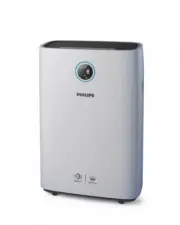


 Philips AC1217/50 User Manual
 Philips AC1715/30 User Manual
 Philips AC2729/10 User Manual
 Philips AC2729/10R1 Quick Guide
 Philips AC2729/11 User Manual
 Philips AC2729/13 User Manual
 Philips AC2729/50 User Manual
 Philips AC2882/10 User Manual
 Philips AC2887/10 User Manual
 Philips AC2889/10 User Manual
 Philips AC2936/33 User Manual
 Philips AC2939/10 User Manual