Philips AC1715/30 - User Manual
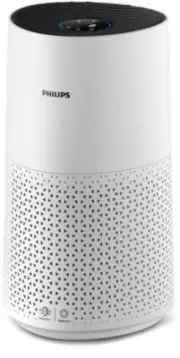
Philips AC1715/30 – User Manual, read for free online in PDF format. We hope this helps you resolve any issues you may have. If you have further questions, please contact us through the contact form.


Table of Contents:
- Page 2 – Contents
- Page 3 – Important; Safety; Danger
- Page 5 – Recycling
- Page 6 – Your air purifier; Product overview
- Page 7 – Controls overview
- Page 8 – Getting started; Installing the filter
- Page 9 – Connecting power; Setting up the Wi-Fi connection for the first time; Reset the Wi-Fi connection
- Page 10 – Using the air purifier; Understanding the air quality light
- Page 12 – Switching the display indicator; Using the light on/off function
- Page 13 – Cleaning and maintenance; Cleaning schedule; Cleaning the body of the air purifier
- Page 14 – Cleaning the particle sensor; Cleaning the surface of the filter
- Page 15 – Replacing the filter; Understanding the healthy protection lock
- Page 16 – Filter reset
- Page 20 – Warranty and support; Order parts or accessories
User manual
AC1715
"Loading the manual" means you need to wait until the file loads and becomes available for online reading. Some manuals are very large, and the time they take to appear depends on your internet speed.
Was this manual helpful?
About this manual
- Brand
- Philips
- Model
- AC1715/30
- Document type
- User Manual
- Language(s)
- English
- Pages
- 22
- File size
- 3.8 MB
- Format
Summary
Contents 1 Important �������������������������������������������������������������������������������� 1 Safety ��������������������������������������������������������������������������������������������������������1 Electromagnetic fields (EMF) ������������������������������������������������...
1 EN 1 Important Safety Read this user manual carefully before you use the appliance, and save it for future reference� To ensure the best performance, please ensure your purifier is upgraded to the latest version. You can do this upgrade via the Air+ app. Danger • Do not clean the appliance with wa...
3 EN • The appliance does not remove carbon monoxide (CO) or radon (Rn). It cannot be used as a safety device in case of accidents with combustion processes and hazardous chemicals. Electromagnetic fields (EMF) This appliance complies with the applicable standards and regulations regarding exposure ...
Ask a question
Related manuals
Popular Philips Other


More Philips Other models
 Philips AC1214/10 User Manual
 Philips AC1214/10R1 User Manual
 Philips AC1214/41 User Manual
 Philips AC1215/10 User Manual
 Philips AC1215/50 User Manual
 Philips AC1217/50 User Manual
 Philips AC2729/10 User Manual
 Philips AC2729/10R1 Quick Guide
 Philips AC2729/11 User Manual
 Philips AC2729/13 User Manual
 Philips AC2729/13R1 User Manual
 Philips AC2729/50 User Manual