Page 2 - Your GIGA X8
2 Table of contents Your GIGA X8 IMPORTANT SAFEGUARDS 4 Control elements 8 1 Preparing and using for the first time 10 JURA on the Internet ....................................................................................................................................10Operation with touchscreen...
Page 3 - This symbol means that you are being prompted to; Symbol description
3 Table of contents Symbols used T Prompt to take action. This symbol means that you are being prompted to perform some action. E Information and tips to make it even easier to use your GIGA. ‘Espresso’ Display Symbol description 5 Maintenance 36 Rinsing the machine ....................................
Page 4 - IMPORTANT SAFEGUARDS; CAUTION
4 IMPORTANT SAFEGUARDS IMPORTANT SAFEGUARDS Failure to observe the instructions for use may result in serious injuries or damage to property. Safety information is therefore indicated as follows: J This is the safety alert symbol. lt is used to alert you to potential personal injury hazards. Obey al...
Page 5 - SAVE THESE INSTRUCTIONS. Pass them on to any subsequent user.; This appliance has a 3-pin grounded plug.
5 IMPORTANT SAFEGUARDS SAVE THESE INSTRUCTIONS. Pass them on to any subsequent user. This machine is intended for use by specialist or trained staff in businesses, light industry and agricultural facilities or for commercial use by non-professionals. It should only be used for coffee preparation and...
Page 6 - Do not immerse base in water or try to disassemble.
6 IMPORTANT SAFEGUARDS To reduce the risk of fire or electric shock, DO NOT remove any service covers. DO NOT modify the appliance in any way that is not described in these instructions. NO user serviceable parts included. Repair MUST be done by authorized personnel only. In the event of signs of da...
Page 7 - are inexperienced or lack knowledge
7 IMPORTANT SAFEGUARDS Z Never fill instant coffee, chocolate mix etc. into the bean container or ground coffee funnel (filler funnel for ground coffee). It will damage the functioning of the brewing chamber. Z Never fill sugar coated coffee beans into the bean container. In case of doubt, call your...
Page 8 - Control elements; HOT
8 Control elements Control elements 2 8 10 14 13 11 3 12 16 15 7 6 1 9 4 5 J HOT J HOT 1 Bean container with aroma preservation cover 2 Water tank cover 3 Water tank 4 Power switch (back of the machine)5 Plug-in power cord (back of the machine)6 Coffee grounds container7 Drip tray 8 Cup platform 9 F...
Page 9 - Back of the machine
9 Control elements 1 2 3 1 Rotary Switch 2 On/Off button Q (under cover) 3 Touchscreen display 1 23 4 Back of the machine 1 Service cover (open by pressing with your finger) 2 Locking device 3 Sliding catch 4 Service socket with JURA Smart Connect Accessories Container for milk system cleaning Span...
Page 10 - Preparing and using for the first time; Touch; JURA on the Internet
10 1 Preparing and using for the first time 1 Preparing and using for the first time Visit us on the Internet. On the JURA website (jura.com) you will find interesting and up-to-date information on your GIGA and on every aspect of coffee. Your GIGA features an intuitive touchscreen display. There ar...
Page 11 - Setting up the machine; NOTICE
11 1 Preparing and using for the first time When setting up your GIGA, please note the following: U Place the GIGA on a horizontal surface that is not sensitive to water (minimum height of 31.5 in. (80 cm)). U Choose a spot for your GIGA which protects the machine against overheating. Ensure that th...
Page 12 - Level
12 1 Preparing and using for the first time Level Display German Degree (°dH) Degrees of general hardness (°dGH) Parts per million (ppm) Indicator Strip number of ‘ reddish ’ fields Not active – – – – Very soft water <3 <3 < 53.4 None Soft water > 4 > 4 > 71 1 Hard water > 8.4 &...
Page 14 - Connecting milk
14 1 Preparing and using for the first time ‘Filter is being rinsed’ , the filter is rinsed. Water flows directly into the drip tray. ‘System is filling’ , water flows out of the dual spout and the hot-water spout. ‘Empty drip tray’ T Empty the drip tray and put it back into the machine. ‘Filter o...
Page 15 - Preparation; Basic information about preparing drinks:
15 2 Preparation 2 Preparation Hot coffee, hot steam and hot water can cause scalding. Scalding is a serious burn. T Use extreme care when handling hot liquid or steam. T Allow liquid to cool down before drinking. T In the event of scalding, rinse affected area with cold water and seek medical...
Page 16 - Preparation using the start screen:
16 2 Preparation The GIGA offers various ways of preparing a specialty coffee, milk or hot water. Preparation using the start screen: Simply touch the desired product. The following products are displayed as standard on the start screen: Page ‘1/2’ Page ‘2/2’ ‘Espresso’‘Coffee’‘Americano’‘Hot water’...
Page 17 - ‘Coffee’
17 2 Preparation E The product selector view disappears automatically after 10 seconds if no preparation is started. E The last product selected always appears first in the product selector view. E You can move any of the standard products programed in your GIGA to your preferred position on the sta...
Page 18 - ‘Latte macchiato’
18 2 Preparation Your GIGA prepares latte macchiato, cappuccino, flat white and other specialty coffees with milk at the touch of a button. There is no need to move the glass or cup. Example: Proceed as follows to prepare one latte macchiato. Precondition: The start screen is displayed. Milk is co...
Page 19 - Basic information about ground coffee:; Ground coffee
19 2 Preparation E For products with a set bypass amount of water, it is not possible to change the fill volume during the preparation process. You can choose to use another coffee variety, for example decaffeinated coffee, with the filter funnel for ground coffee. Basic information about ground cof...
Page 20 - Preparation of a specialty
20 2 Preparation You have the option of configuring the start screen such that the grinder selection ( ‘Beans à la carte’ ) is always displayed. Before each preparation, you can select which grinder is to be used and therefore which coffee beans are to be used. E If the grinder selection is activate...
Page 21 - Hot water
21 2 Preparation T Touch ‘Espresso’ . Preparation starts. The preset amount of water for espresso flows into the cup.Preparation stops automatically. Your GIGA is once more ready for use. The GIGA allows you to prepare different variants of hot water: U ‘Hot water’ U ‘Hot water for green tea’ U ‘H...
Page 22 - Daily operation; Filling the water tank
22 3 Daily operation 3 Daily operation Daily maintenance of the machine and hygiene when handling milk, coffee and water are key to a perfect coffee result in the cup every time. You should therefore change the water daily. Milk, sparkling mineral water or other liquids can damage the water tank or ...
Page 23 - ‘Maintenance; Daily maintenance
23 3 Daily operation To ensure that you get many years of reliable service out of your GIGA and to guarantee the optimum coffee quality, the machine requires daily maintenance. T Pull out the drip tray. T Empty the coffee grounds container and the drip tray. Rinse them both with warm water. E Al...
Page 24 - The start screen is displayed.
24 3 Daily operation U Clean the inside of the water tank, e.g. with a brush. Further information about the water tank is provided in these instructions for use (see Chapter 5 ‘Maintenance – Descaling the water tank’). U Traces of milk and coffee may stick to the top and bottom of the cup platform. ...
Page 25 - Permanent settings in programming mode; Program item
25 4 Permanent settings in programming mode 4 Permanent settings in programming mode Hot coffee, hot steam and hot water can cause scalding. Scalding is a serious burn. T Use extreme care when handling hot liquid or steam. T Allow liquid to cool down before drinking. T In the event of scalding...
Page 26 - Product settings
26 4 Permanent settings in programming mode Program item Sub-item Explanation ‘Units’ T Select the unit for the amount of water and the time format. ‘Display’ T Change the display brightness. ‘Water hardness’ T You can set the water hardness of the water used. ‘Choose language’ T Select your languag...
Page 27 - approximately 2 seconds
27 4 Permanent settings in programming mode Hot coffee, hot steam and hot water can cause scalding. Scalding is a serious burn. T Use extreme care when handling hot liquid or steam. T Allow liquid to cool down before drinking. T In the event of scalding, rinse affected area with cold water an ...
Page 29 - Time and date
29 4 Permanent settings in programming mode T Touch ‘Save’ . ‘Saved’ appears briefly on the display. ‘Switch off after’ T Touch ‘Back’ the number of times needed to display the start screen again. You already set the time and date during first-time use. You can change this setting in programming...
Page 30 - Mondays
30 4 Permanent settings in programming mode Example: Proceed as follows to set the GIGA to switch on on Mondays at a time defined by you. Precondition: The start screen is displayed. T Touch ‘ P ’ . ‘Maintenance status’ T Turn the Rotary Switch until ‘Machine settings’ is displayed. T Pr...
Page 32 - during
32 4 Permanent settings in programming mode In the program item ‘Machine settings’ / ‘Save energy’ you can set an energy-saving mode: U ‘1’ U Soon after the last preparation, the GIGA stops heating up. After approximately 5 minutes, the ‘ESM’ symbol (E.S.M. © , Energy Save Mode) is displayed. U Befo...
Page 33 - Product selector view; Language
33 4 Permanent settings in programming mode U ‘Rotary Selection’ : Product selector view with additional products can be started by turning the Rotary Switch. U ‘Alarm displays’ : The start screen displays messages such as ‘Clean machine’ or ‘Clean the milk system’ . Example: Proceed as follows to ...
Page 34 - All user settings; Display brightness
34 4 Permanent settings in programming mode T Move your finger across the display until ‘Choose language’ is displayed in the center. T Touch ‘Choose language’ . ‘Choose language’ T Move your finger across the display until the desired language, e.g. ‘Deutsch’ , is displayed in the center. T ...
Page 35 - Querying information
35 4 Permanent settings in programming mode Precondition: The start screen is displayed. T Touch ‘ P ’ . ‘Maintenance status’ T Turn the Rotary Switch until ‘Machine settings’ is displayed. T Press the Rotary Switch. ‘Machine settings’ T Press the Rotary Switch. ‘Switch off after’ T M...
Page 36 - Maintenance; daily; Rinsing the machine
36 5 Maintenance 5 Maintenance Use of maintenance products that are harmful to health and discharge of liquids during maintenance program. Harmful if swallowed. Irritating to eyes and skin. T Keep children AWAY. T Keep children away from the machine while it is performing a maintenance program. ...
Page 37 - automatically; Cleaning the milk system; WARNING
37 5 Maintenance T Touch ‘Rinse’ to start the rinse operation. ‘Machine is rinsing’ , ‘Milk system is being rinsed’ , water flows out of the dual spout.The rinse stops automatically. Your GIGA is once more ready for use. 15 minutes after milk preparation, the milk system is automatically rinsed. T...
Page 38 - ‘Start’
38 5 Maintenance T Touch ‘Start’ again. ‘Milk system cleaner’ / ‘Connect the milk tube’ T Remove the milk pipe from the milk container. T Pour one dosing unit of milk system cleaner to the rear part of the container. T Place the container under the dual spout and connect the milk pipe with t...
Page 40 - ‘Change the filter’
40 5 Maintenance T Connect the milk pipe to the dual spout. Your GIGA no longer must be descaled if you are using the CLEARYL Pro Smart filter cartridge. E Once the filter cartridge stops working (depending on the water hardness setting), the GIGA will prompt you to change the filter. E CLEARYL Pr...
Page 41 - Cleaning the machine
41 5 Maintenance After 180 preparations or 80 switch-on rinses, the GIGA will prompt you to clean it. Non-recommended (e.g. liquid) cleaning agents may contain substances that could damage the machine or leave residues. T Use only original JURA cleaning tablets. These are specially formulated for ...
Page 42 - ‘Machine is being cleaned’; Descaling the machine
42 5 Maintenance T Place a receptacle under the dual spout. T Press the Rotary Switch. ‘Machine is being cleaned’ , water flows out of the dual spout. The operation is interrupted, ‘Add cleaning tablet’ . T Open the cover of the filler funnel for ground coffee. T Insert a JURA cleaning table...
Page 44 - empty
44 5 Maintenance T Completely dissolve 4 JURA descaling tablets in a receptacle holding 800 ml of water. This may take several minutes. T Pour the solution into the empty water tank and insert it into the machine. ‘Press the Rotary Switch’ T Place one receptacle under the dual spout and anothe...
Page 45 - Descaling the water tank
45 5 Maintenance T Press the On/Off button Q to switch the GIGA off. T Switch the machine off at the power switch. T Open the service cover on the back of the machine by press- ing above the JURA logo. T Push the red sliding catch completely to the rear to close the bean container. T Turn ...
Page 46 - Display messages; Message
46 6 Display messages 6 Display messages Message Cause/Result Action ‘Fill water tank’ The water tank is empty. You cannot prepare any products. T Fill the water tank (see Chapter 3 ‘Daily operation – Filling the water tank’). ‘Empty coffee grounds container’ / ‘Empty drip tray’ The coffee grounds c...
Page 48 - Troubleshooting; Problem
48 7 Troubleshooting 7 Troubleshooting Problem Cause/Result Action Insufficient foam is produced when the milk is frothed or milk sprays from the dual spout. The dual spout is dirty. T Clean the milk system in the dual spout (see Chapter 5 ‘Maintenance – Cleaning the milk system’). T Dismantle and r...
Page 50 - Transport and environmentally friendly disposal; Disposal
50 8 Transport and environmentally friendly disposal 8 Transport and environmentally friendly disposal Keep the packaging for your GIGA. It should be used to protect the machine during transport. In order to protect the GIGA from frost during transport, the system must be emptied. Precondition: The...
Page 51 - Technical data; ‘Save energy’
51 9 Technical data 9 Technical data Voltage 120 V ~, 60 Hz Power 1500 W Airborne noise emitted L P ≤ 70 dB (A) Ambient conditions Humidity max. 80%Ambient temperature 10 – 35 °C Conformity mark Energy consumption ‘Save energy’ / ‘1’ approx. 9 Wh Energy consumption ‘Save energy’ / ‘0’ approx. 2...
Page 58 - 1 JURA contact details / Legal information; USA
58 11 JURA contact details / Legal information J74528/GIGA X8 G2 (NAA) /US-en/202210 11 JURA contact details / Legal information JURA Elektroapparate AGKaffeeweltstrasse 10CH-4626 NiederbuchsitenSwitzerland USA : JURA Inc. Canada: FAEMA Customer ServicePhoneE-Mail 1-800-220-5701[email protected] 1-(...


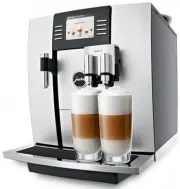 Jura 13629
User Manual
Jura 13629
User Manual
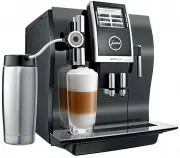 Jura 13734
User Manual
Jura 13734
User Manual
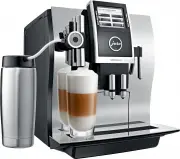 Jura 13748
User Manual
Jura 13748
User Manual
 Jura 13781
User Manual
Jura 13781
User Manual
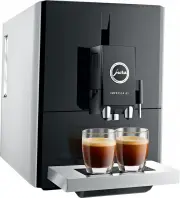 Jura 15027
User Manual
Jura 15027
User Manual
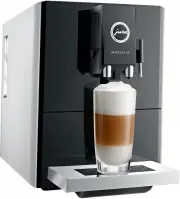 Jura 15045
User Manual
Jura 15045
User Manual
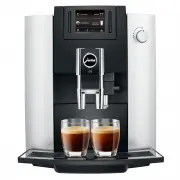 Jura 15079
User Manual
Jura 15079
User Manual
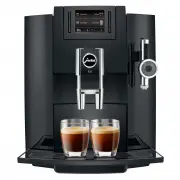 Jura 15094
User Manual
Jura 15094
User Manual
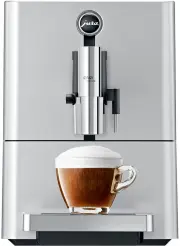 Jura 15115
User Manual
Jura 15115
User Manual
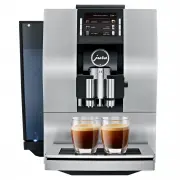 Jura 15134
User Manual
Jura 15134
User Manual
 Jura 15145
User Manual
Jura 15145
User Manual
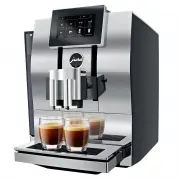 Jura 15147
User Manual
Jura 15147
User Manual
 Jura 15177
User Manual
Jura 15177
User Manual
 Jura 15212
User Manual
Jura 15212
User Manual
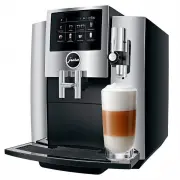 Jura 15228
User Manual
Jura 15228
User Manual
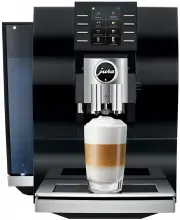 Jura 15263
User Manual
Jura 15263
User Manual
 Jura 15268
User Manual
Jura 15268
User Manual
 Jura 15278
User Manual
Jura 15278
User Manual
 Jura 15280
User Manual
Jura 15280
User Manual
 Jura 15305
User Manual
Jura 15305
User Manual