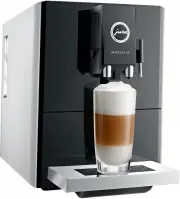
Page 2 - Your IMPRESSA A9 One Touch
34 Table of contents Your IMPRESSA A9 One Touch Control elements 36 Important information 38 Proper use ...............................................................................................................................................................38For your safety ......................
Page 3 - Symbol description; Warnings; ‘Espresso’
35 pt es nl it fr ru en de Table of contents Symbol description Warnings J WARNING J CAUTION Always take note of any information marked with the words CAUTION or WARNING and a warning sign. The signal word WARNING draws your attention to potential serious injury, and the signal word CAUTION to poten...
Page 4 - Control elements
36 Control elements Control elements 2 3 5 4 6 7 1 9 8 1 Water tank 2 Mains cable (back of the machine) 3 Milk pipe 4 Coffee grounds container 5 Drip tray 6 Bean container with aroma preservation cover 7 Hot-water spout 8 Height-adjustable dual spout 9 Cup grille
Page 5 - Menu
37 Control elements pt es nl it fr ru en de 5 1 2 6 7 4 3 1 Cover for powder chute for ground coffee 2 Powder chute for ground coffee (removable) 3 Touchscreen display 4 t Menu symbol 5 Cover cap for grinder adjustment switch 6 Grinder adjustment switch 7 Q On/Off button
Page 6 - Important information; Proper use
38 Important information Important information Proper use The machine is designed and intended for private domestic use. It should only be used for coffee preparation and to heat milk and water. Use for any other purpose will be deemed improper. JURA Elektroapparate AG cannot accept any responsibili...
Page 8 - Do not open filter cartridges.; JURA on the Internet; Visit us on the Internet. You can download; Touchscreen display; Touch
40 1 Preparing and using for the first time People, including children, who U do not have the physical, sen-sory or mental capabilities to use the machine safely or U are inexperienced or lack knowl-edge in how to use the machine safely must be supervised by a responsi-ble person when using it, or m...
Page 9 - Setting up the machine
41 1 Preparing and using for the first time pt es nl it fr ru en de Setting up the machine When setting up your IMPRESSA, please note the following: U Place the IMPRESSA on a horizontal surface that is not sensitive to water. U Choose a spot for your IMPRESSA which protects the machine against overh...
Page 10 - CAUTION
42 1 Preparing and using for the first time T Open the filter holder and insert the filter cartridge into the water tank, exerting slight pressure. T Close the filter holder. It will click into place audibly. E After two months, the filter will cease to work. Set the date on the date plate on the fi...
Page 11 - Determining the water hardness
43 1 Preparing and using for the first time pt es nl it fr ru en de Determining the water hardness You can find out what the water hardness is by using the Aquadur® test strip supplied as standard. T Hold the test strip briefly (for 1 second) under flowing water. Shake off the water. T Wait for abou...
Page 12 - Preparation; Ways of preparing a beverage
44 2 Preparation 2 Preparation E You can stop preparation of a speciality coffee, speciality coffee with milk or hot water at any time. To do this, touch ‘Cancel’ . E After a speciality coffee is selected and during grinding, the coffee strength is briefly displayed. You can change the coffee streng...
Page 13 - product selector view:; Latte macchiato and Cappuccino; two espressi
45 2 Preparation pt es nl it fr ru en de U Using the product selector view: U In the product selector view, move your finger from left to right (or vice versa) across the touchscreen display until the required double product ‘2 ristretti’ , ‘2 espressi’ or ‘2 coffees’ is displayed. Then touch ‘Prepa...
Page 14 - Ground coffee
46 2 Preparation T Touch the ‘Coffee’ box for about 2 seconds until ‘Enough coffee?’ appears. Preparation starts and the coffee flows into the cup. T Touch ‘Save’ as soon as there is sufficient coffee in the cup.Preparation stops. ‘Saved’ appears briefly on the display. The set amount of water for o...
Page 15 - Hot water; Daily; Switching on the machine
47 3 Daily operation pt es nl it fr ru en de T Place a cup under the coffee spout. T Open the cover of the grinder adjustment switch. T Touch ‘Espresso’ . The coffee strength is briefly displayed.The grinder starts up. T Turn the grinder adjustment switch to the desired position while the grinder is...
Page 16 - Daily maintenance; regularly; Switching off the machine; ‘Machine is rinsing’
48 3 Daily operation Daily maintenance To ensure that you get many years of reliable service out of your IMPRESSA and to guarantee the optimum coffee quality, the machine requires daily maintenance. T Pull out the drip tray. T Empty the coffee grounds container and the drip tray. Rinse them both wit...
Page 17 - Permanent settings in pro-; Replacing products on the start screen
49 4 Permanent settings in programming mode pt es nl it fr ru en de 4 Permanent settings in pro- gramming mode Touch the Menu symbol t for about 2 seconds to view the list of maintenance programmes and switch to programming mode. The following settings can be made: U Deactivate start screen U Water ...
Page 18 - Automatic switch-off; about; about; Language; about; Maintenance
50 5 Maintenance T Touch the Menu symbol t to exit program- ming mode.The start screen is displayed. Automatic switch-off By instructing your IMPRESSA to automatically switch itself off, you can cut down your energy consumption. Your IMPRESSA switches off automatically after the preset time followin...
Page 19 - Rinsing the machine; daily
51 5 Maintenance pt es nl it fr ru en de E Clean or descale the machine, rinse the milk system or change the filter when you are prompted to do so. E Touch the Menu symbol t for about 2 seconds to view the list of maintenance programmes. By referring to the bar you can see which maintenance programm...
Page 20 - Dismantling and rinsing the dual spout
52 5 Maintenance T Touch ‘Start’ again. ‘Milk system cleaner’ T Pour 250 ml of fresh water into a receptacle and add one capful of milk system cleaner. T Immerse the milk pipe in the receptacle. T Place another receptacle under the dual spout. T Touch ‘Next’ . ‘Cleaning milk system’ , the dual spout...
Page 21 - Inserting and activating the filter
53 5 Maintenance pt es nl it fr ru en de T Dismantle the milk system into its individual parts. T Rinse all the parts under running water. If there are severely dried-on milk residues, firstly immerse the individual parts in a solution of 250 ml cold water and 1 capful of JURA milk system cleaner. T...
Page 22 - Changing the filter; new
54 5 Maintenance T Open the filter holder and insert the filter cartridge into the water tank, exerting slight pressure. T Close the filter holder. It will click into place audibly. E After two months, the filter will cease to work. Set the date on the date plate on the filter holder in the water ta...
Page 23 - Cleaning the machine
55 5 Maintenance pt es nl it fr ru en de T Fill the water tank with fresh, cold water and reinsert the tank. T Place a receptacle (at least 300 ml) under the hot-water spout. T Touch ‘Next’ . ‘Filter is being rinsed’ , water flows out of the hot-water spout. E The water may be slightly discoloured. ...
Page 24 - Descaling the machine
56 5 Maintenance Descaling the machine The IMPRESSA builds up deposits of limescale over time and automatically prompts you to descale it when necessary. The degree of calcification depends on the hardness of your water. J CAUTION If the descaling agent comes into contact with the skin or eyes, th...
Page 25 - Cleaning the bean container
57 5 Maintenance pt es nl it fr ru en de T Empty the drip tray and coffee grounds container and put them back into the machine. ‘Fill water tank’ T Place a receptacle under the dual spout and the hot-water spout. T Remove the water tank and rinse it thoroughly. T Fill the water tank with fresh, cold...
Page 26 - Display; Message; ‘Fill water tank’
58 6 Display messages 6 Display messages Message Cause/Result Action ‘Fill water tank’ The water tank is empty. You cannot prepare any products. T Fill the water tank (see Chapter 1 ‘Preparing and using for the first time – Filling the water tank’). ‘Empty grounds’ The coffee grounds container is fu...
Page 27 - Troubleshooting; Problem
59 7 Troubleshooting pt es nl it fr ru en de 7 Troubleshooting Problem Cause/Result Action Insufficient foam is produced when the milk is frothed, or milk sprays from the dual spout. The dual spout is dirty. T Clean the milk system in the dual spout (see Chapter 5 ‘Maintenance – Cleaning the milk sy...
Page 28 - Transport and environmentally; Transport / Emptying the system; ‘Hot water’; Disposal; Technical
60 8 Transport and environmentally friendly disposal 8 Transport and environmentally friendly disposal Transport / Emptying the system In order to protect the IMPRESSA from frost during transport, the system must be emptied. Precondition: The start screen is displayed. T Touch the ‘Rotary Selection...
Page 32 - 1 JURA contact details / Legal; Directives
64 11 JURA contact details / Legal information 11 JURA contact details / Legal information JURA Elektroapparate AGKaffeeweltstrasse 10CH-4626 NiederbuchsitenTel. +41 (0)62 38 98 233 @ You will find additional contact details for your country at www.jura.com. Directives The machine complies with the ...