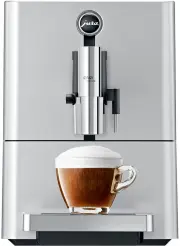
Page 2 - Your ENA Micro 90
32 Table of contents Your ENA Micro 90 Control elements 34 Important information 36 Proper use ...............................................................................................................................................................36For your safety ...............................
Page 3 - Symbol description; Warnings; READY
33 pt es nl it fr ru en de Table of contents Symbol description Warnings J WARNING J CAUTION Always take note of any information marked with the words CAUTION or WARNING and a warning sign. The signal word WARNING draws your attention to potential serious injury, and the signal word CAUTION to poten...
Page 4 - Control elements; Bean container with aroma preservation cover
34 Control elements Control elements 2 3 5 4 6 8 1 10 9 7 1 Water tank2 Mains cable (back of the machine)3 Milk pipe4 Coffee grounds container5 Drip tray 6 Bean container with aroma preservation cover 7 Q On/Off button 8 Hot-water spout9 Height-adjustable dual spout10 Cup grille
Page 5 - Rotary Switch status display; Accessories
35 Control elements pt es nl it fr ru en de 8 10 3 4 1 2 7 9 11 5 6 12 13 1 Cover for powder chute for ground coffee2 Powder chute for ground coffee3 Display 4 é Milk Foam button 5 / Cappuccino button 6 ( Latte Macchiato button 7 Rotary Switch status display 8 Cover cap for grinder adjustment switch...
Page 6 - Important information; Proper use
36 Important information Important information Proper use The machine is designed and intended for private domestic use. It should only be used for coffee preparation and to heat milk and water. Use for any other purpose will be deemed improper. JURA Elektroapparate AG cannot accept any responsibili...
Page 8 - Do not open filter cartridges.; JURA on the Internet
38 1 Preparing and using for the first time U Do not allow children to play with the machine. U Keep children under the age of 8 away from the machine, or supervise them constantly. U Children aged 8 and over may only operate the machine with-out supervision if they have been instructed in how to us...
Page 9 - Filling the bean container
39 1 Preparing and using for the first time pt es nl it fr ru en de Filling the bean container CAUTION Coffee beans which have been treated with additives (e.g. sugar), ground coffee or freeze-dried coffee will damage the grinder. T Only use roasted, untreated coffee beans to fill the bean contain...
Page 10 - INSERT FILTER
40 1 Preparing and using for the first time T Fill the water tank with fresh, cold water and reinsert it. INSERT FILTER T Place a receptacle (at least 500 ml) under the hot-water and dual spout. T Press the Rotary Switch. FILTER RINSING , water flows out of the hot-water spout. E You can interrupt r...
Page 11 - Connecting milk; no higher; Preparation; coffee strength
41 2 Preparation pt es nl it fr ru en de Connecting milk Your ENA creates fine, creamy, feather-light milk foam with a perfect consistency. The most important requirement for frothing milk is a milk temperature of 4–8 °C. We would therefore recommend using a milk cooler or a vacuum milk container. T...
Page 12 - Milk foam
42 2 Preparation Precondition: READY is displayed. Milk is connected to the dual spout. T Place a glass under the dual spout. ( T Press the Latte Macchiato button. LATTE MAC. , the milk foam is prepared. Preparation stops automatically when the preset amount of milk is reached. PAUSE E There is...
Page 13 - Permanently setting the amount of water
43 2 Preparation pt es nl it fr ru en de Permanently setting the amount of water for the cup size It is easy to make permanent settings for the amount of water for all speciality coffees and hot water according to the cup size. Adjust the amount once as shown in the following example. Every time you...
Page 14 - Daily operation; Filling the water tank; CAUTION; Switching on the machine; regularly; Switching off the machine
44 3 Daily operation 3 Daily operation Filling the water tank Daily maintenance of the machine and hygiene when handling milk, coffee and water are key to a perfect coffee result in the cup every time. You should therefore change the water daily. CAUTION Milk, sparkling mineral water or other liquid...
Page 15 - Permanent settings in pro-; Products
45 4 Permanent settings in programming mode pt es nl it fr ru en de E If milk has been prepared, you will be prompted to clean the milk system ( M-CLEAN / START ? ). After 10 seconds the switch-off process continues automati-cally. RINSING , the system rinses itself. The operation stops automaticall...
Page 16 - Unit for amount of water; and hold; Language
46 4 Permanent settings in programming mode The water hardness can be adjusted on a continu-ous scale between 1 °dH and 30 °dH. Precondition: READY is displayed. T Press and hold the Rotary Switch until RINSE appears. T Turn the Rotary Switch until HARDNESS is displayed. T Press the Rotary Switch t...
Page 17 - Maintenance; daily; Rinsing the machine; Rinsing the milk system
47 5 Maintenance pt es nl it fr ru en de T Press and hold the Rotary Switch until RINSE appears. T Turn the Rotary Switch until LANGUAGE is displayed. T Press the Rotary Switch to enter the programme item. ENGLISH T Turn the Rotary Switch until DEUTSCH is displayed. T Press the Rotary Switch to conf...
Page 18 - Cleaning the milk system; RINSE
48 5 Maintenance Cleaning the milk system To ensure that the milk system in the dual spout always works properly, you must clean it daily when you have been preparing milk. CAUTION If the wrong cleaning agent is used, the machine could be damaged and/or traces could be left behind in the milk. T U...
Page 19 - Inserting and activating the filter
49 5 Maintenance pt es nl it fr ru en de T Press the releasing devices and pull the dual spout down and off. T Push the milk system down and remove it. T Dismantle the milk system into its individual parts. T Rinse all parts under running water. If a lot of milk residue has dried on, first soak the ...
Page 20 - YES p
50 5 Maintenance T Turn the Rotary Switch until YES p is displayed. T Press the Rotary Switch to confirm the setting. OKINSERT FILTER T Remove and empty the water tank. T Open the filter holder. T Insert the filter cartridge into the water tank, exerting slight pressure. T Close the filter holder. I...
Page 21 - Cleaning the machine
51 5 Maintenance pt es nl it fr ru en de T Place a receptacle (at least 500 ml) under the hot-water spout. T Press the Rotary Switch. FILTER RINSING , water flows out of the hot-water spout. E You can interrupt rinsing of the filter at any time by pressing any button. Press the Rotary Switch to cont...
Page 22 - Descaling the machine
52 5 Maintenance Descaling the machine The ENA builds up deposits of limescale over time and automatically prompts you to descale it when necessary. The degree of calcification depends on the hardness of your water. E If you use a CLARIS Blue filter cartridge and this is activated, you will not be p...
Page 23 - PRESS ROTARY
53 5 Maintenance pt es nl it fr ru en de T Empty the receptacle and place it under the dual and hot-water spout. T Remove the water tank, rinse thoroughly, fill with fresh, cold water and reinsert. PRESS ROTARY T Press the Rotary Switch. DE-SCALING , water flows out of the dual and hot-water spout.T...
Page 24 - Display messages; Message
54 6 Display messages 6 Display messages Message Cause/Result Action FILL WATER TANK The water tank is empty or not correctly inserted. You cannot prepare any products. T Fill the water tank (see Chapter 3 ‘Daily operation – Filling the water tank’). T Insert the water tank. EMPTY GROUNDS The coffee...
Page 25 - Troubleshooting; Problem; FILL WATER TANK
55 7 Troubleshooting pt es nl it fr ru en de 7 Troubleshooting Problem Cause/Result Action Insufficient foam is produced when the milk is frothed, or milk sprays from the dual spout. The dual spout is dirty. T Clean the dual spout (see Chapter 5 ‘Maintenance – Cleaning the milk system’). T Dismantle...
Page 26 - Transport and environmentally; Transport / Emptying the system; Technical data
56 8 Transport and environmentally friendly disposal 8 Transport and environmentally friendly disposal Transport / Emptying the system Keep the packaging for your ENA. It should be used to protect the machine during transport. In order to protect the ENA from frost during transport, the system must ...
Page 29 - 1 JURA contact details / Legal; Directives
59 11 JURA contact details / Legal information pt es nl it fr ru en de 11 JURA contact details / Legal information JURA Elektroapparate AGKaffeeweltstrasse 10CH-4626 NiederbuchsitenTel. +41 (0)62 38 98 233 @ You will find additional contact details for your country at www.jura.com. Directives The ma...




 Jura IMPRESSA X7-S Manual
 Jura IMPRESSA X9 Manual
 Jura JURAFOURTHCAREPACK User Manual
 Jura WE8 User Manual
 Jura 15371 User Manual
 Jura 15465 User Manual
 Jura 72166 User Manual
 Jura E60 Manual
 Jura ENA 3 Manual
 Jura ENA 5 Manual
 Jura F9 User Manual
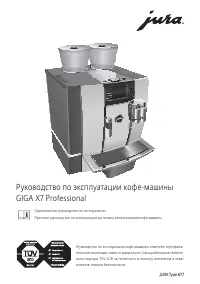 Jura GIGA X7 Professional Manual
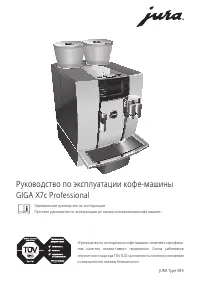 Jura GIGA X7c Professional Manual
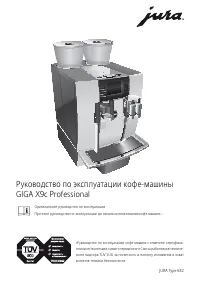 Jura GIGA X9c Professional Manual