Page 2 - Your IMPRESSA J5
2 Table of contents Your IMPRESSA J5 Important Safeguards 4 Control elements and accessories 8 Proper use 10 For your safety ............................................................................................................................................ 10 The IMPRESSA J5 Manual 13 Model...
Page 4 - Important Safeguards
4 Important Safeguards These safeguards apply for machines with UL safety test (see rating plate and Chapter 15, ‘Technical data and guide values’). When using electrical appliances, basic safety precautions should always be followed, to reduce the risk of fire, electric shock, and/or injury to pers...
Page 6 - Never fill instant coffee, chocolate mix etc. into the grinder or
6 Important Safeguards Never fill instant coffee, chocolate mix etc. into the grinder or ground coffee funnel (grunder by-pass). It will damage the functioning of the brewing chamber Never fill sugar coated coffee beans into the bean hopper. In case of doubt, call your dealer. Never fill anything ot...
Page 10 - Proper use; For your safety
10 Important information The machine has been designed and built for domestic use. It should only be used to prepare coffee and to heat milk and water. Use for any other purpose will be deemed improper. JURA cannot accept any responsibility for the consequences of improper use. Keep this manual clos...
Page 13 - The IMPRESSA J5 Manual
13 The IMPRESSA J5 Manual You are holding the manual for your IMPRESSA J5 in your hand. It will help you to familiarize yourself with your IMPRESSA safely and quickly and teach you the full range of facilities it offers. Chapter 2, ‘Preparing and using your IMPRESSA for the first time’, explains ste...
Page 14 - CAUTION; Symbol description
14 The IMPRESSA J5 Manual covers all J series IMPRESSA models. Model variants Model variants Warnings CAUTION Always take note of any information marked with the CAUTION or WARNING symbol. The signal word WARNING points out potential risks of injury, and the signal word CAUTION potential risk of mat...
Page 15 - Welcome to the world of IMPRESSA!
15 Welcome to the world of IMPRESSA! Dear customer, We thank you for the trust that you have placed in us by purchasing a JURA IMPRESSA coffee machine. The machines, which are pro- duced in Switzerland, have already impressed independent, critical testers of goods and design award juries. We will do...
Page 16 - IMPRESSA J5 – Perfect Enjoyment, Perfect Aesthetics
16 1 IMPRESSA J5 – Perfect Enjoyment, Perfect Aesthetics JURA develops superior fully automatic coffee/Espresso machines which get the best taste and aroma out of every coffee blend and roast. It delivers this through a unique, intelligent pre-brew system combined with loving attention to detail and...
Page 17 - JURA on the Internet
17 1 IMPRESSA J5 – Perfect Enjoyment, Perfected Aesthetics Height and width-adjustable coffee spout Another JURA innovation is the height and width-adjustable coffee spout. It allows precise adaptation to different cup heights and diameters. This prevents coffee splashing and guarantees a fantastic ...
Page 18 - Preparing and using your IMPRESSA for the first time; Supplied as standard
18 2 Preparing and using your IMPRESSA for the first time This chapter provides you with the information you need to use your IMPRESSA without any problems. You will prepare your IMPRESSA step-by-step for your first coffee experience using it. The following items are supplied as standard: Your JURA ...
Page 19 - Filling the water tank
19 2 Preparing and using your IMPRESSA for the first time To enjoy perfect coffee, we recommend that you change the water every day. Only use fresh, cold water to refill the water tank and never milk, mineral water or other liquids. Open the cover of the water tank. Remove the water tank and rinse i...
Page 20 - Precondition; e l; WARNING
20 2 Preparing and using your IMPRESSA for the first time If the machine is operated with a defective power cable, there is a danger of electric shock. Never use a machine which has a defective power cable. Precondition : The water tank must be full. Insert the mains plug into a power socket. e l Sw...
Page 21 - h l; READY; m l; until; RINSE; ä l; YES
21 2 Preparing and using your IMPRESSA for the first time Place a receptacle under the coffee spout. h l Press the maintenance button. The machine will rinse itself, stopping automatically. READY appears on the display. Your IMPRESSA is ready to use. After the first time that a coffee speciality has...
Page 22 - OK; FILTER RIN SIN G
22 2 Preparing and using your IMPRESSA for the first time m l Press the Rotary Switch to confirm this setting. OK appears briefly on the display to confirm the setting. INSERT , the maintenance button h lights up. Remove the CLARIS plus filter cartridge and the filter car- tridge extension from the ...
Page 23 - Example
23 2 Preparing and using your IMPRESSA for the first time The water hardness can be adjusted between 1° dH and 30° dH. This can also be deactivated, which means that the IMPRESSA won’t let you know when it has to be descaled. You can find out what the water hardness is by using the Aquadur® test str...
Page 24 - d l; COFFEE; while; Adjusting grinder
24 2 Preparing and using your IMPRESSA for the first time You can adjust the grinder to suit the roast of your coffee. Our recommendations: Select a fine setting for a light roast. Select a coarse setting for a darker roast. If you adjust the fineness of grind when the grinder is not operating, the ...
Page 25 - Switching on
25 2 Preparing and using your IMPRESSA for the first time When the IMPRESSA is switched on, a prompt to perform a rinse operation automatically appears. Precondition : Your IMPRESSA is switched on at the power switch and the On/Off button g is illuminated (standby). g l Press the On/Off button to sw...
Page 26 - before; Familiarising yourself with the control options
26 3 Familiarising yourself with the control options With the IMPRESSA, you can prepare an excellent coffee speciality at the touch of a button. You also have the option of adjusting the coffee strength and temperature, as well as the amount of water to your personal taste. This chapter will allow y...
Page 27 - a l
27 3 Familiarising yourself with the control options a l Press the 1 Espresso button. 1 ESPRESSO appears on the display. After this, the coffee strength is briefly displayed. The pre-set amount of water flows into the cup and the process stops automatically. READY appears on the display. You can cha...
Page 28 - Ä l; hold; ESPRESSO; Hold; ENOUGH
28 3 Familiarising yourself with the control options Ä l Turn the Rotary Switch until 110 ML is displayed. The set amount of water flows into the cup. The preparation stops automatically. READY appears on the display. It is easy to make permanent settings for the amount of water for all coffee speci...
Page 29 - Programme item
29 3 Familiarising yourself with the control options You can easily adjust your IMPRESSA to your personal coffee blends and specialities. Simply by turning and pressing the Rotary Switch, you can navigate through the easy-to-understand program steps and make permanent settings. You can make the foll...
Page 32 - CLEAN
32 3 Familiarising yourself with the control options M l Press the Rotary Switch. The number of executed cleanings appears on the display. You can switch between the number of executed mainte- nance programmes and the respective care status by turning the Rotary Switch. The filled out fields show th...
Page 34 - self with the control options’.; Melt white chocolate in a bain marie.; Café Chocolat Blanc; Ingredients; Distribute the cinnamon syrup into Cappuccino cups.; Cappuzino
34 4 Recipes You can use your IMPRESSA to create coffee classics or extraordinary specialities in your home. You can find additional coffee recipes online at www.jura.com. Further information on how to operate your IMPRESSA can be found in Chapter 3, ‘Familiarising your- self with the control option...
Page 39 - Prepare Espresso and allow to cool.; Latte Macchiato Frio; Froth the milk and add to the Espressos.; Winter’s dream coffee
39 4 Recipes 2 cold Espressi200 ml cold milk1 small cup crushed ice20 ml maple syrupMilk foam Ingredients (for two people) Prepare Espresso and allow to cool. Put cold milk, the maple syrup and crushed ice in a glass and mix. Add the cold Espresso. l l l Latte Macchiato Frio 2 strong Espressi200 ml ...
Page 40 - Preparation at the touch of a button; Barista tips
40 5 Preparation at the touch of a button In this chapter, you will find out how to prepare coffee specialities, milk and hot water without making further settings. Chapter 3, ‘Familiarising yourself with the control options’, will teach you how to adjust the settings to your personal preferences. A...
Page 42 - k l; STEAM; seconds
42 5 Preparation at the touch of a button Precondition : The Professional Cappuccino Frother is mounted. Take the milk pipe out of the Welcome Pack. Take the protective cap off the Professional Cappuccino Frother. Attach the milk pipe to the nozzle. Insert the other end in a milk carton/bottle or co...
Page 43 - NOT; Pre-ground coffee
43 5 Preparation at the touch of a button To ensure that the Professional Cappuccino Frother works perfectly, you should rinse and clean it regularly. You can find more informa- tion about this in Chapter 8, ‘Maintenance – Professional Cappuc- cino Frother’. The high-quality milk containers availabl...
Page 44 - SELECT BUTTON; Warm milk
44 5 Preparation at the touch of a button Place one level measuring spoon of pre-ground coffee in the filler funnel. Close the cover for pre-ground coffee again. SELECT BUTTON d l Press the 1 Coffee button. 1 COFFEE appears on the display. After this, PRE- GROUND is briefly displayed. The pre-set am...
Page 45 - q l; WATER; During; Hot water
45 5 Preparation at the touch of a button To ensure that the Professional Cappuccino Frother works perfectly, you should rinse and clean it regularly. The description for this can be found in Chapter 8, ‘Maintenance – Professional Cappuccino Frother’. To obtain a perfect water flow, attach the excha...
Page 46 - Permanent settings according to cup size
46 6 Permanent settings according to cup size It is easy to make permanent settings for the amount of water for all coffee specialities, the hot water and steam according to cup size. As in the following example, adjust the amount of water once. Every time you prepare a drink in the future, this amo...
Page 47 - M l; Permanent settings in programming mode; Buttons
47 7 Permanent settings in programming mode Buttons Temp. Strength Amount 1 Espresso NORMAL , HIGH MILD , NORMAL , STRONG , XSTRONG 15 ML – 240 ML 2 Espressi NORMAL , HIGH – 15 ML – 240 ML (per cup) 1 coffee NORMAL , HIGH MILD , NORMAL , STRONG , XSTRONG 15 ML - 240 ML 2 coffees NORMAL , HIGH – 15 M...
Page 48 - Energy save mode
48 7 Permanent settings in programming mode A L Press the 1 Espresso button. WATER Ä L Turn the Rotary Switch until TEMP. appears. M l Press the Rotary Switch to enter the programme item. NORMAL Ä L Turn the Rotary Switch until HIGH appears. M l Press the Rotary Switch to confirm the setting. OK app...
Page 49 - Time
49 7 Permanent settings in programming mode M l Press the Rotary Switch to enter the programme item. SAVE - Ä L Turn the Rotary Switch until SAVE √ appears. M l Press the Rotary Switch to confirm this selection. OK appears briefly on the display. ENERGY √ Ä L Turn the Rotary Switch until EXIT appear...
Page 52 - Language
52 7 Permanent settings in programming mode You set the language when you used the machine for the first time. You can choose among the following languages. German English French Italian Dutch Example : To change the language from ENGLISH to FRANCAIS proceed as follows. Precondition : READY appears ...
Page 53 - Maintenance; Maintenance tips
53 8 Maintenance Your IMPRESSA has the following integrated maintenance pro- grammes: Rinse machine Changing the filter Clean machine Descale machine Clean or descale the machine or change the filter whenever the appropriate indicator is lit up. To ensure that you get many years’ reliable service ou...
Page 54 - RINSING; CHANGE; Changing the filter
54 8 Maintenance Precondition : READY appears on the display. Place a receptacle under the coffee spout. M l Keep the Rotary Switch pressed until RINSE appears. M l Press the Rotary Switch to enter the programme item. RINSE M l Press the Rotary Switch to initiate the rinse operation. RINSING , rinsi...
Page 56 - Clean machine; Cleaning following a
56 8 Maintenance After 200 coffee preparations or 80 switch-on rinses, the IMPRESSA will prompt you to clean it. If the wrong cleaning agent is used, the machine could be damaged and/or traces of detergent could be left behind in the water. Use only original JURA care products. The cleaning programm...
Page 57 - EMPTY TRAY; Descale machine
57 8 Maintenance The cleaning operation is now complete. The IMPRESSA is ready for use again. You can initiate the ‘Cleaning the machine’ operation manually. Precondition : READY appears on the display. M l Keep the Rotary Switch pressed until RINSE appears. M l Press the Rotary Switch to enter the ...
Page 58 - Descaling following a
58 8 Maintenance The descaling programme lasts approx. 40 minutes. JURA descaling tablets are available from your stockist. If you use a CLARIS plus filter cartridge and this is activated, you will not be prompted to change the filter. You can also try out the ‘Descale machine’ operation online. Vis...
Page 60 - daily
60 8 Maintenance Remove the milk pipe from the milk carton/bottle or the milk container. Fill the receptacle with 250 ml of fresh water and immerse the milk pipe in it. Place a receptacle under the Professional Cappuccino Frother. Turn the selection lever to the milk or milk foam position. k l Press...
Page 62 - counterclockwise; FILL BEANS
62 8 Maintenance Even in the case of the best bean coffee, it can happen that foreign objects can be found in the beans. These can block the grinder. g l Switch your machine off with the On/Off button. e l Switch your machine off at the power switch. Open the cover of the bean container and remove t...
Page 65 - CLARIS plus filter cartridge – Water for perfect coffee; Water
65 9 CLARIS plus filter cartridge – Water for perfect coffee Anyone who has ever drunk fresh spring water knows: There is a world of difference between the elixir of life in its natural form and the processed fluid that comes out of our taps. Very few of us have ready access to a spring. The answer ...
Page 68 - CLARIS plus filter cartridges should be kept out of the reach of; Safe handling
68 9 CLARIS plus filter cartridge – Water for perfect coffee CLARIS plus filter cartridges should be kept out of the reach of children. Store them dry in the sealed package. Protect them from heat and direct sunlight. Do NOT use damaged CLARIS plus filter cartridges. Do NOT open CLARIS filter cartri...
Page 73 - 0 ‘The milk makes the difference’
73 10 ‘The milk makes the difference’ Coffee specialities are taking the entire planet by storm. Up until a few years ago, classics, such as Espresso and Café Crème were the most popular choices. Today, Cappuccino, Latte Macchiato & co. have well surpassed them. More and more often, one finds mi...
Page 75 - 1 Accessories and Service
75 11 Accessories and Service 1 Coffee specialities made with milk are very fashionable these days. The Connector System © and the wide range of accessories open the door to the world of trendy drinks. Any accessories that do not come supplied with your IMPRESSA can be obtained from authorised stock...
Page 76 - Care products
76 11 Accessories and Service 8 Original JURA care products are optimally tailored to the main- tenance programmes. You should therefore use only original JURA care products. Your IMPRESSA will thank you for it. 9 The CLARIS plus filter cartridge was developed specially for JURA coffee machines. It ...
Page 85 - 2 Messages on plain text display; Message
85 12 Messages on plain text display 12 Messages on plain text display Message Cause Action EMPTY TRAY The drip tray is full.You cannot prepare any coffee or hot water or milk products. l Empty the drip tray. FILL WATER TANK Water tank is empty. You cannot prepare any coffee specialities or hot wate...
Page 86 - CLOSE COVER
86 12 Messages on plain text display Message Cause Action CLOSE COVER The cover for pre-ground coffee is open. l Close the cover for pre-ground coffee. NOT ENOUGH PRE-GROUND There is too little pre-ground coffee in the filler funnel. The IMPRESSA stops the operation. l The next time you prepare coff...
Page 87 - 3 Troubleshooting; Problem
87 13 Troubleshooting 13 Troubleshooting Problem Cause Action Grinder is making a very loud noise. There are foreign objects in the grinder. l Remove the foreign objects (see Chapter 8, ‘Maintenance – Removing foreign objects’). The frother does not produce enough milk foam. The Professional Cappucc...
Page 88 - ERROR 2
88 13 Troubleshooting If you have not been able to solve the problem, contact Customer Support in your country. You will find the phone number in Chapter 17, ‘JURA contact details ’. Problem Cause Action ERROR 2 is displayed. If the device was exposed to the cold for a long period of time, it is dis...
Page 89 - EMPTYING; 4 Transport and environmentally neutral disposal; Disposal
89 14 Transport and environmentally neutral disposal Keep the packaging for your IMPRESSA. It is used to protect the machine during transportation. In order to protect the IMPRESSA from frost during transportation, the system must be emptied. Precondition : The IMPRESSA must be switched off (standby...
Page 90 - SAVE √; vary; 5 Technical data; Technical data
90 15 Technical data Voltage 230 V AC, 50 Hz 120 V AC, 60 Hz 220 – 240 V AC, 50 Hz 220 V AC, 50 Hz Safety test Power 1450 W Power consumption SAVE - 12 W/h Power consumption SAVE √ 7 W/h Pump pressure Static max. 15 bar Holding capacity of water tank 2.1 l Holding capacity of bean container 250 g Ho...
Page 91 - Rating plate
91 15 Technical data Please only plug the machine into the power supply according to the technical data, which you can find on the rating plate. The rating plate is located on the bottom of your IMPRESSA. The information shown on this should be interpreted as follows: V AC = alternating current in v...
Page 92 - 6 Key technologies and products
92 16 Key technologies 1 Intelligent Pre Brew Aroma System (I.P.B.A.S. © ). Perfect coffee is no accident. The Intelligent Pre Brew Aroma System © produces the very best in flavour from every coffee blend and roast. 1a The freshly ground coffee beans are delivered to the infusing cylinder as a powde...
Page 97 - 7 JURA contact details
97 17 JURA contact details A Australia Global Coffee Solutions Pty Ltd Customer Service Phone +61 1300 552 883Fax +61 0242 846 099E-mail [email protected] Opening Hours Monday to Friday8:00 am – 5:00 pm Distributor Address/Service Address Global Coffee Solutions Pty Ltd5/77 Jardine Street Fai...
Page 99 - Israel
99 17 JURA contact details Israel J.Feffer l.t.d. Customer Service Phone +972 353 350 38Fax +972 353 305 54E-mail [email protected] Opening Hours Sunday–Thursday 08:00 – 18:00Friday 09:00 – 13:00 Distributor Address/Service Address J.Feffer l.t.d.9,Simtat Ma‘ale HachomaInd. Zone Or-Yehuda 60...


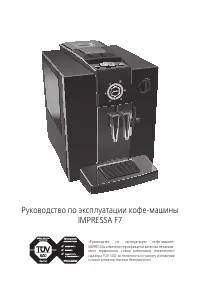


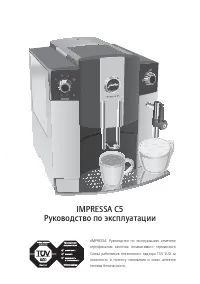
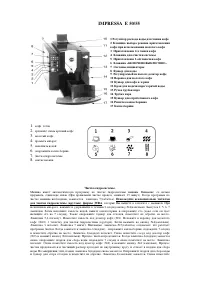 Jura IMPRESSA E50 Manual
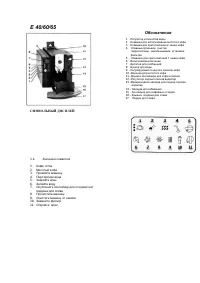 Jura IMPRESSA E60 Manual
 Jura IMPRESSA F9 Manual
 Jura IMPRESSA S9 Manual
 Jura IMPRESSA X7 Manual
 Jura IMPRESSA X7-S Manual
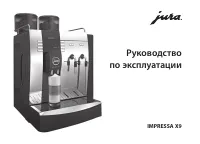 Jura IMPRESSA X9 Manual
 Jura JURAFOURTHCAREPACK User Manual
 Jura WE8 User Manual
 Jura 15115 User Manual
 Jura 15371 User Manual
 Jura 15465 User Manual