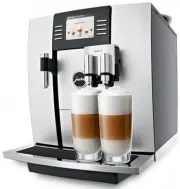
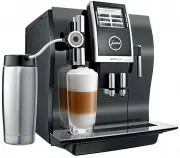
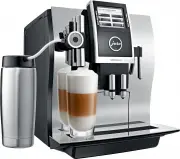
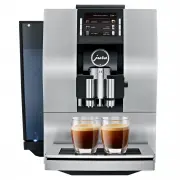
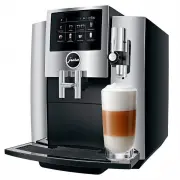
Page 2 - Your WE8
2 Table of contents Your WE8 IMPORTANT SAFEGUARDS 4 Control elements 8 1 Preparing and using for the first time 10 JURA on the Internet ....................................................................................................................................10Setting up the machine ..........
Page 3 - Symbol description; This symbol means that you are being prompted to
3 Table of contents Cleaning the milk system .......................................................................................................................... 30Dismantling and rinsing the fine foam frother........................................................................................
Page 4 - IMPORTANT SAFEGUARDS; Pass them on to any subsequent user.
4 IMPORTANT SAFEGUARDS IMPORTANT SAFEGUARDS SAVE THESE INSTRUCTIONS. Pass them on to any subsequent user. When using electrical appliances, basic safety precautions shall always be followed, to reduce the risk of fire, electric shock, and/or injury to persons, including the following: Z Read all ins...
Page 5 - This appliance has a 3-pin grounded plug.
5 IMPORTANT SAFEGUARDS This machine is intended for use by specialist or trained staff in businesses, light industry and agricultural facilities or for commercial use by non-professionals. It should only be used for coffee preparation and to heat milk and water. Use for any other purpose will be dee...
Page 6 - Do not immerse base in water or try to disassemble.
6 IMPORTANT SAFEGUARDS Any servicing other than cleaning and user maintenance shall be performed by an authorized service representative: Z Do not immerse base in water or try to disassemble. Z Do not put the appliance or any individual parts in the dishwasher. Z Check voltage to be sure that the vo...
Page 7 - NEVER DO
7 IMPORTANT SAFEGUARDS Z Never fill instant coffee, chocolate mix etc. into the bean container or ground coffee funnel (filler funnel for ground coffee). It will damage the functioning of the brewing chamber. Z Never fill sugar coated coffee beans into the bean container. In case of doubt, call your...
Page 8 - Control elements; HOT
8 Control elements Control elements 13 12 3 4 5 7 6 8 14 9 10 11 1 2 J HOT J HOT 1 Filler funnel cover 2 Filler funnel for ground coffee 3 Bean container with aroma preservation cover 4 Water tank cover 5 Water tank 6 Power cord (back of the machine) 7 Coffee grounds container 8 Drip tray 9 Cover ...
Page 9 - Display
9 Control elements 1 2 1 Display 2 Multi-function buttons (button function depends on what is shown in the display) Professional fine foam frother (optional) Accessories Container for milk system cleaning Measuring spoon for ground coffee Hot-water nozzle é è 6
Page 10 - Preparing and using for the first time; JURA on the Internet; NOTICE
10 1 Preparing and using for the first time 1 Preparing and using for the first time Visit us on the Internet (www.jura.com). You will find interesting and up-to-date information on your JURA and on every aspect of coffee. When setting up your JURA, please note the following: U Place the JURA on a h...
Page 11 - Level
11 1 Preparing and using for the first time T You will then be able to read the degree of water hardness from the discoloration of the Aquadur® test strip and the description on the packaging. Level Display German Degree (°dH) Degrees of general hardness (°dGH) Parts per million (ppm) Indicator St...
Page 13 - First-time use without filter
13 1 Preparing and using for the first time T Insert the filter cartridge with its extension into the water tank. T Close the filter holder. It will click into place audibly. T Fill the water tank with fresh, cold water and reinsert the tank. E The machine automatically detects that you have j...
Page 14 - ‘System is filling’; Connecting milk
14 1 Preparing and using for the first time T Place one receptacle under the coffee spout and another under the fine foam frother. T Remove the water tank and rinse it with cold water. T Fill the water tank with fresh, cold water and reinsert the tank. ‘System is filling’ , the system fills up...
Page 15 - Preparation; ‘Cancel’
15 2 Preparation 2 Preparation Hot coffee, hot steam and hot water can cause scalding. Scalding is a serious burn. T Use extreme care when handling hot liquid or steam. T Allow liquid to cool down before drinking. T In the event of scalding, rinse affected area with cold water and seek medical...
Page 16 - professional fine foam frother
16 2 Preparation Your JURA prepares latte macchiato, cappuccino and flat white at the touch of a button. There is no need to move the glass or cup. E This chapter applies to the professional fine foam frother and the fine foam frother. Example: Proceed as follows to prepare one latte macchiato. Pre...
Page 17 - two; Milk foam
17 2 Preparation To prepare two specialty coffees, press the appropriate preparation button twice (within approximately 1 second). Example: Proceed as follows to prepare two espressi. T Place two cups under the coffee spout. T Press the ‘Espresso’ button twice (within 1 second) to start prepara...
Page 18 - single
18 2 Preparation E The desired specialty coffee must be prepared within approximately one minute after filling with the ground coffee. Otherwise the JURA stops the operation and is once more ready for use. All specialty coffees with ground coffee are always prepared following the same model. Example...
Page 19 - during; Adjusting the grinder; Hot water; CAUTION
19 2 Preparation E You can also permanently set the amounts for all single products in programming mode (see Chapter 4 ‘Permanent settings in programming mode – Adjusting the product settings’). You can adjust the grinder on a continuous scale to suit the degree of roast of your coffee. If you adjus...
Page 20 - Daily; Filling the water tank; Switching on the machine
20 3 Daily operation 3 Daily operation Daily maintenance of the machine and hygiene when handling coffee and water are key to a perfect coffee result in the cup every time. You should therefore change the water daily. Milk, sparkling mineral water or other liquids can damage the water tank or the ma...
Page 21 - regularly; Regular maintenance
21 3 Daily operation T Rinse the water tank with clean water. T Clean the fine foam frother (see Chapter 5 ‘Maintenance – Cleaning the milk system’). T Remove the milk pipe and rinse it thoroughly under running water. T Dismantle and rinse the fine foam frother (see Chapter 5 ‘Maintenance – ...
Page 22 - Permanent settings in programming mode; Explanation
22 4 Permanent settings in programming mode 4 Permanent settings in programming mode Hot coffee, hot steam and hot water can cause scalding. Scalding is a serious burn. T Use extreme care when handling hot liquid or steam. T Allow liquid to cool down before drinking. T In the event of scalding...
Page 24 - around 2 seconds
24 4 Permanent settings in programming mode Example: Proceed as follows to change the coffee strength for one coffee. T Press the ‘ P c ’ button. T Press the ‘ > ’ button several times until ‘3/6’ is displayed. T Press the ‘Expert mode’ button. ‘Expert mode’ E Next select the button of th...
Page 26 - Automatic switch-off
26 4 Permanent settings in programming mode T Press the ‘Hot water’ button. The lock is closed. Hot water preparation is now disabled. T Press the ‘ ’ button for around 2 seconds to exit program- ming mode. By instructing your JURA to automatically switch itself off, you can cut down your ener...
Page 27 - Unit for amount of water
27 4 Permanent settings in programming mode The harder the water is, the more frequently the JURA needs to be descaled. It is therefore important to set the water hardness accurately. The water hardness was set when the machine was first used. You can change this setting at any time. The total water...
Page 29 - Maintenance; WARNING; Rinsing the machine
29 5 Maintenance 5 Maintenance Use of maintenance products that are harmful to health and discharge of liquids during maintenance program. Harmful if swallowed. Irritating to eyes and skin. T Keep children AWAY. T Keep children away from the machine while it is performing a maintenance program. ...
Page 30 - ‘Rinse the milk system’; Rinsing the milk system
30 5 Maintenance After each milk preparation, the JURA prompts you to perform a milk system rinse. E In programming mode, you can set whether the milk system rinsing is to be prompted 10 minutes after preparation or initiated automatically (see Chapter 4 ‘Permanent settings in programming mode – Mil...
Page 31 - bottom mark
31 5 Maintenance T Press the ‘Clean the milk system’ button. ‘Clean the milk system’ T Press the ‘Start’ button. T Press the ‘Next’ button. ‘Clean the milk system’ / ‘Milk system cleaner’ T Remove the milk pipe from the milk container or carton. T Add milk system cleaner to the front part ...
Page 32 - ‘Saved’; Inserting the filter
32 5 Maintenance T Dismantle the fine foam frother into its individual parts. T Rinse all the parts under running water. If there are severely dried-on milk residues, firstly immerse the individual parts in a solution of 8.5 oz (250 ml) cold water and 1 capful of JURA milk system cleaner. Then r...
Page 33 - new; Changing the filter
33 5 Maintenance E Once the filter cartridge stops working (depending on the water hardness setting), the JURA will prompt you to change the filter. E CLEARYL Smart and CLEARYL Pro Smart filter cartridges are available from specialized dealers. Precondition: The filter symbol at the bottom of the d...
Page 34 - Cleaning the machine
34 5 Maintenance After 180 preparations or 80 switch-on rinses, the JURA will prompt you to clean it. Non-recommended (e.g. liquid) cleaning agents may contain substances that could damage the machine or leave residues. T Use only original JURA cleaning tablets. These are specially formulated for ...
Page 35 - ‘Next’; Descaling the machine
35 5 Maintenance T Open the cover of the filler funnel for ground coffee. T Insert a JURA cleaning tablet into the filler funnel. T Close the cover of the filler funnel. T Press the ‘Next’ button. ‘Machine is being cleaned’ , water flows repeatedly out of the coffee spout and the fine foam f...
Page 37 - Descaling the water tank
37 5 Maintenance T Place one receptacle under the coffee spout and another under the fine foam frother. T Press the ‘Next’ button. ‘Machine is being descaled’ , The descaling operation is continued.The operation is interrupted, ‘Empty drip tray’ . T Empty the drip tray and coffee grounds conta...
Page 38 - Display; Message
38 6 Display messages 6 Display messages Message Cause/Result Action ‘Fill water tank’ The water tank is empty. You cannot prepare any products. T Fill the water tank (see Chapter 3 ‘Daily operation – Filling the water tank’). ‘Empty coffee grounds container’ The coffee grounds container is full. Yo...
Page 39 - Troubleshooting; Problem
39 7 Troubleshooting 7 Troubleshooting Problem Cause/Result Action Insufficient foam is produced when the milk is frothed or milk sprays out of the fine foam frother. The fine foam frother is dirty. T Clean the fine foam frother (see Chapter 5 ‘Maintenance – Cleaning the milk system’). T Dismantle a...
Page 40 - Transport and environmentally friendly disposal; ‘Milk foam’; Disposal
40 8 Transport and environmentally friendly disposal 8 Transport and environmentally friendly disposal Keep the packaging for your JURA. It should be used to protect the machine during transport. In order to protect the JURA from frost during transport, the system must be emptied. T Remove the mil...
Page 41 - Technical; Directives
41 9 Technical data 9 Technical data Voltage 120 V ~, 60 Hz Power 1450 W Ambient conditions Humidity max. 80%Ambient temperature 50–95 °F (10–35 °C) Conformity mark Pump pressure static, max. 15 bar Holding capacity of water tank (without filter) 105 oz (3 l) Holding capacity of bean container 17 oz...
Page 45 - – intentionally blank –
Page 48 - 1 JURA contact details / Legal information; Customer Service
48 11 JURA contact details / Legal information J72953/WE8/US-en/201702 11 JURA contact details / Legal information JURA Elektroapparate AGKaffeeweltstrasse 10CH-4626 NiederbuchsitenSwitzerland USA: JURA Inc. Canada: FAEMA Customer Service PhoneE-Mail 1-800-220-5701[email protected] 1-(855)-544-8600[...