Page 3 - ‘Coffee’; Symbol description
3 Table of contents Warnings J WARNING J CAUTION Always take note of any information marked with the words CAUTION or WARNING and a warning sign. The signal word WARNING draws your attention to potential serious injury, and the signal word CAUTION to potential minor injury. CAUTION CAUTION draws you...
Page 4 - Control elements
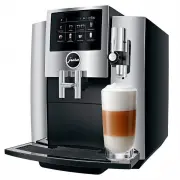
4 Control elements Control elements 9 8 3 5 10 7 6 4 2 1 1 Bean container with aroma preservation cover 2 Water tank cover 3 Water tank 4 Plug-in mains cable (back of the machine) 5 Coffee grounds container 6 Drip tray 7 Touchscreen display 8 Milk system with professional fine foam frother 9 Height...
Page 5 - Accessories
5 Control elements 3 1 2 4 5 1 Filler funnel cover 2 Filler funnel for ground coffee 3 Cover cap for grinder adjustment switch 4 Grinder adjustment switch 5 On/Off button Q Service socket for optional JURA Smart Connect Accessories Container for milk system cleaning Measuring spoon for ground coffee...
Page 6 - Important information; To avoid danger of potentially fatal electric shock:
6 Important information Important information The machine is designed and intended for private domestic use. It should only be used for coffee preparation and to heat milk and water. Use for any other purpose will be deemed improper. JURA Elektroapparate AG cannot accept any responsi-bility for the ...
Page 7 - Place the machine out of the reach of children.
7 Important information U Never open and repair the machine yourself. Do not modify the machine in any way that is not described in these instructions for use. The machine contains live parts. If opened, there is a danger of potentially fatal injury. Repairs may only be carried out by authorised JUR...
Page 8 - Only fill the water tank with fresh, cold water.
8 Important information U Do not put the S8/S80 or any individual parts in the dishwasher. U Before cleaning, switch the S8/S80 off with the On/Off button. Always wipe the S8/S80 with a damp cloth rather than a wet one, and protect it from prolonged exposure to water splash. U Only connect the machi...
Page 9 - Do not use damaged filter cartridges.
9 Important information U Children aged 8 and over may only operate the machine without supervision if they have been instructed in how to use it safely. Chil-dren must be able to recognise and under-stand the potential dangers arising from incor-rect use. People, including children, who U do not ha...
Page 10 - Preparing and using for the first time; Visit us on the Internet. You can download; JURA on the Internet
10 1 Preparing and using for the first time 1 Preparing and using for the first time Visit us on the Internet. You can download short operating instruc- tions for your machine from the JURA website (www.jura.com). You will also find interesting and up-to-date information on your S8/S80 and on every ...
Page 11 - Filling the bean container; CAUTION
11 1 Preparing and using for the first time Coffee beans which have been treated with additives (e.g. sugar), ground coffee or freeze-dried coffee will damage the grinder. T Only use roasted, untreated coffee beans to fill the bean con- tainer. T Remove the aroma preservation cover. T Remove a...
Page 13 - ‘Filter operation’; Connecting milk
13 1 Preparing and using for the first time T Fill the water tank with fresh, cold water and reinsert the tank. E The machine automatically detects that you have just inserted the filter cartridge. ‘Filter operation’ / ‘Saved’ ‘Filter is being rinsed’ , the filter is rinsed. Water flows out of the...
Page 15 - Preparation
15 2 Preparation 2 Preparation Basic information about preparing drinks: U During the grinding operation you can change the coffee strength of single products. To do this, move your finger across the display. U During preparation you can change the preset amounts (e.g. amount of water or milk foam)....
Page 16 - Proceed as follows to prepare one coffee.
16 2 Preparation Move your finger across the display to bring the desired product into focus. Touch the product to start preparation. The following addi-tional products are shown in the product selector view: U ‘Milk’ U ‘Caffè latte’ U ‘Hot water for green tea’ U ‘2 x Ristretto’ U ‘2 x Espresso’ U ‘...
Page 17 - two ristretti
17 2 Preparation Example: Proceed as follows to prepare two ristretti (using product selector view). Precondition: The start screen is displayed. T Place two cups under the coffee spout. T Touch the product selector symbol (top right) to go to the product selector view. T Move your finger ac...
Page 18 - daily; Ground coffee
18 2 Preparation E 15 minutes after preparation, the fine foam frother is automat-ically rinsed (see Chapter 5 ‘Maintenance – Automatic milk system rinsing’). Therefore always place a receptacle under the fine foam frother after preparing milk. To ensure that the fine foam frother always works prope...
Page 19 - ‘Not enough ground coffee’; Adjusting the grinder
19 2 Preparation E Use ground coffee which is not ground too finely. Very fine coffee can block up the system so that the coffee only comes out in drips. E If you did not fill the machine with a sufficient amount of ground coffee, ‘Not enough ground coffee’ is displayed and the S8/S80 stops the oper...
Page 20 - while; Hot water
20 2 Preparation Precondition: The start screen is displayed. T Place a cup under the coffee spout. T Open the cover of the grinder adjustment switch. T Touch ‘Espresso’ to start preparation. T Turn the grinder adjustment switch to the desired position while the grinder is running. The pres...
Page 21 - Daily; Filling the water tank; Daily maintenance
21 3 Daily operation 3 Daily operation Daily maintenance of the machine and hygiene when handling milk, coffee and water are key to a perfect coffee result in the cup every time. You should therefore change the water daily. Milk, sparkling mineral water or other liquids can damage the water tank or ...
Page 22 - ‘Maintenance; Regular maintenance
22 3 Daily operation T Clean the milk system (see Chapter 5 ‘Maintenance – Clean- ing the milk system’). T Remove the milk pipe and rinse it thoroughly under running water. T Dismantle and rinse the milk system (see Chapter 5 ‘Main- tenance – Dismantling and rinsing the professional fine foam ...
Page 23 - Place one receptacle under the coffee spout and another
23 3 Daily operation When the S8/S80 is switched off, the system is automatically rinsed if a speciality coffee has been prepared. If milk has been prepared, you will also be prompted to clean the milk system. T Place one receptacle under the coffee spout and another under the milk system. T Pre...
Page 24 - Permanent settings in programming mode; Explanation
24 4 Permanent settings in programming mode 4 Permanent settings in programming mode Touch ‘ P ’ to enter programming mode. Move your finger across the display to navigate through the programme items and permanently save the desired settings. The following settings can be made: Programme item Sub-it...
Page 25 - Product settings
25 4 Permanent settings in programming mode Touch a product on the start screen for about 2 seconds to view the list of setting options: U ‘Product settings’ : Specify individual settings such as coffee strength, amount of water, etc. U ‘Product name’ : Change the name of the product. U ‘Delete’ : R...
Page 26 - Product; Automatic switch-off
26 4 Permanent settings in programming mode Product Coffee strength Amount More settings Milk foam,milk – Milk: 1 sec. – 120 sec. Product name, delete/replace/copy product Hot water,hot water for green tea – Water: 25 ml – 450 ml Temperature (low, normal, high), product name, delete/replace/copy pro...
Page 28 - Operating instructions
28 4 Permanent settings in programming mode In the programme item ‘Machine settings’ / ‘Operating instructions’ you can define whether the operating instructions on how to use the professional fine foam frother and hot-water nozzle should be dis-played during preparation. Example: How to stop the ...
Page 29 - Unit for amount of water
29 4 Permanent settings in programming mode In the programme item ‘Machine settings’ / ‘Units’ you can select the unit used for the amount of water. Example: Proceed as follows to change the unit for the amount of water from ‘ml’ to ‘oz’ . Precondition: The start screen is displayed. T Touch ‘...
Page 30 - Language
30 4 Permanent settings in programming mode T Touch ‘Back’ the number of times needed to display the start screen again. The harder the water is, the more frequently the S8/S80 needs to be descaled. It is therefore important to set the water hardness accu-rately. The water hardness was set when th...
Page 31 - Querying information
31 4 Permanent settings in programming mode T Move your finger across the display until ‘Choose language’ is displayed in the centre. T Touch ‘Choose language’ . ‘Choose language’ T Move your finger across the display until the desired lan- guage, e.g. ‘Deutsch’ , is displayed in the centre. T...
Page 32 - Maintenance; Rinsing the machine
32 5 Maintenance 5 Maintenance Your S8/S80 has the following integrated maintenance programmes: U Rinsing the machine ( ‘Rinse’ ) U Cleaning the milk system ( ‘Clean the milk system’ ) U Changing the filter ( ‘Change filter’ ) (only if filter is fitted) U Cleaning the machine ( ‘Clean’ ) U Descaling...
Page 33 - Cleaning the milk system
33 5 Maintenance To ensure that the milk system always works properly, you must clean it daily when you have been preparing milk. If the wrong cleaning agent is used, the machine could be damaged and/or traces could be left behind in the water. T Use only original JURA maintenance products. E JURA...
Page 34 - Inserting the filter
34 5 Maintenance To make sure the professional fine foam frother works properly, and in the interests of hygiene, it must be dismantled and rinsed daily if you have been preparing milk. T Remove the milk pipe and rinse it thoroughly under running water. T Remove the professional fine foam frothe...
Page 35 - new; Changing the filter
35 5 Maintenance T Remove and empty the water tank. T Fit the filter cartridge extension supplied on top of a CLARIS Smart filter cartridge. T Insert the filter cartridge with its extension into the water tank. T Turn the filter cartridge clockwise until it audibly clicks into place. T Fil...
Page 36 - Cleaning the machine
36 5 Maintenance T Insert the filter cartridge with its extension into the water tank. T Turn the filter cartridge clockwise until it audibly clicks into place. T Fill the water tank with fresh, cold water and reinsert the tank. ‘Saved’ appears briefly on the display. The machine has automatic...
Page 37 - Descaling the machine
37 5 Maintenance T Empty the drip tray and coffee grounds container and put them back into the machine. T Place one receptacle under the coffee spout and another under the fine foam frother. T Touch ‘Next’ . ‘Machine is being cleaned’ appears and water flows out of the coffee spout and the fin...
Page 38 - empty
38 5 Maintenance If the descaling agent comes into contact with sensitive surfaces (e.g. marble), damage cannot be ruled out. T Clean up any splashes immediately. E The descaling programme lasts approximately 45 minutes. E JURA descaling tablets are available from specialised dealers. Precondition...
Page 39 - ‘Next’; Descaling the water tank
39 5 Maintenance T Place one receptacle under the coffee spout and another under the fine foam frother. T Touch ‘Next’ . ‘Machine is being descaled’ , the descaling operation is con- tinued.The operation is interrupted, ‘Empty drip tray’ . T Empty the drip tray and coffee grounds container and...
Page 40 - Display; Message
40 6 Display messages 6 Display messages Message Cause/Result Action ‘Fill water tank’ The water tank is empty. You cannot prepare any products. T Fill the water tank (see Chapter 3 ‘Daily operation – Filling the water tank’). ‘Empty coffee grounds container’ The coffee grounds container is full. Yo...
Page 41 - Troubleshooting; Problem
41 7 Troubleshooting 7 Troubleshooting Problem Cause/Result Action Insufficient foam is produced when the milk is frothed or milk sprays out of the fine foam frother. The fine foam frother is dirty. T Clean the fine foam frother (see Chapter 5 ‘Maintenance – Cleaning the milk system’). T Dismantle a...
Page 42 - Transport and environmentally friendly disposal; ‘Milk foam’; Disposal
42 8 Transport and environmentally friendly disposal 8 Transport and environmentally friendly disposal Keep the packaging for your S8/S80. It should be used to protect the machine during transport. In order to protect the S8/S80 from frost during transport, the sys-tem must be emptied. Precondition:...
Page 43 - Technical
43 9 Technical data 9 Technical data Voltage 220–240 V ~, 50 Hz Power 1450 W Conformity mark A Pump pressure static, max. 15 bar Holding capacity of water tank (without filter) 1.9 l Holding capacity of bean container 280 g Holding capacity of coffee grounds container max. 16 portions Cable length a...
Page 48 - 1 JURA contact details / Legal information; You will find additional contact details for your country at
48 11 JURA contact details / Legal information 11 JURA contact details / Legal information JURA Elektroapparate AGKaffeeweltstrasse 10CH-4626 NiederbuchsitenTel. +41 (0)62 38 98 233 @ You will find additional contact details for your country at www.jura.com. @ If you need assistance with using your ...