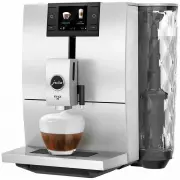
Page 2 - Your ENA 8
34 Table of contents Your ENA 8 Control elements 36 Important information 38 Proper use ...............................................................................................................................................................38For your safety ......................................
Page 3 - Symbol description; Warnings; ‘Coffee’
35 pt es nl it fr ru en de Table of contents Symbol description Warnings J WARNING J CAUTION Always take note of any information marked with the words CAUTION or WARNING and a warning sign. The signal word WARNING draws your attention to potential serious injury, and the signal word CAUTION to poten...
Page 4 - Control elements; depends on what is shown in the display)
36 Control elements Control elements 2 1 7 8 9 10 3 6 5 4 1 Display2 Mains cable (back of the machine)3 Height-adjustable dual spout4 Coffee grounds container5 Drip tray6 Cup grille 7 Water tank (with cover)8 Multi-function buttons (button function depends on what is shown in the display) 9 Hot-wate...
Page 5 - Grinding wheel; Accessories; Filler funnel for ground coffee
37 Control elements pt es nl it fr ru en de 1 2 3 4 1 Bean container with aroma preservation cover2 Powder chute for ground coffee 3 On/Off button Q 4 Grinding wheel Back of the machine: Service socket for JURA Smart Connect (behind cover). Smart Connect is not included with all models. Accessories ...
Page 6 - Important information; Proper use
38 Important information Important information Proper use The machine is designed and intended for private domestic use. It should only be used for coffee preparation and to heat milk and water. Use for any other purpose will be deemed improper. JURA Elektroapparate AG cannot accept any responsibili...
Page 7 - if you are going
39 Important information pt es nl it fr ru en de U Place the machine out of the reach of children. U Do not touch any hot parts. Use the handles provided. U Be careful to ensure that the dual spout is correctly installed and clean. If it is incorrectly fitted or becomes blocked, its parts might come...
Page 8 - Do not open filter cartridges.; JURA on the Internet; CAUTION
40 1 Preparing and using for the first time safely. Children must be able to recognise and understand the potential dangers arising from incorrect use. People, including children, who U do not have the physical, sensory or mental capabilities to use the machine safely or U are inexperienced or lack ...
Page 9 - Determining the water hardness; WARNING
41 1 Preparing and using for the first time pt es nl it fr ru en de Determining the water hardness When you use the machine for the first time, you must set the water hardness. If you do not know the hardness of your water, you can find this out first. Use the Aquadur® test strips supplied with the ...
Page 10 - ‘Empty drip tray’; Connecting milk
42 1 Preparing and using for the first time T Insert the filter cartridge with its extension into the water tank. T Fill the water tank with fresh, cold water and reinsert the tank. E The machine automatically detects that you have just inserted the filter cartridge. ‘Saved’‘Filter is being rinsed’ ...
Page 11 - Preparation; Espresso, coffee and other speciality
43 2 Preparation pt es nl it fr ru en de T Press the ‘ P ’ button for approximately 2 seconds to enter programming mode. T Press the ‘ ’ button. T Press the ‘Machine settings’ button. T Press the ‘ ’ button several times until page ‘4/5’ is displayed. T Press the ‘Connect accessory’ button. ...
Page 12 - daily; Ground coffee; Basic information about ground coffee:
44 2 Preparation T Press the ‘Latte macchiato’ button. ‘Latte macchiato’ , the preset amount of milk foam flows into the glass. E There is a short interval while the hot milk separates from the milk foam. This allows the typical layers of a latte macchiato to form. Coffee preparation starts. The pre...
Page 13 - Adjusting the grinder; ‘Espresso’; Hot water; ‘Hot water’; Daily operation; Filling the water tank
45 3 Daily operation pt es nl it fr ru en de Adjusting the grinder You can adjust the grinder to suit the degree of roast of your coffee. CAUTION If you adjust the consistency of grind when the grinder is not operating, the grinding wheel could be damaged. T Only adjust the consistency of grind wh...
Page 14 - Switching on the machine; regularly; Switching off the machine
46 3 Daily operation Switching on the machine T Place a receptacle under the dual spout. T Press the On/Off button Q to switch the ENA on. ‘Welcome to JURA’‘Machine is heating’‘Machine is rinsing’ The rinse stops automatically. Your ENA is ready for use. Daily maintenance To ensure that you get many...
Page 15 - Permanent settings in pro-; Explanation; Here you can start
47 4 Permanent settings in programming mode pt es nl it fr ru en de E If milk has been prepared, you will be prompted to clean the milk system ( ‘Do you want to clean the milk system now?’ ). After 10 seconds the switch-off process continues automatically. ‘Machine is rinsing’ , the system rinses it...
Page 16 - Adjusting the product settings; Product
48 4 Permanent settings in programming mode Adjusting the product settings Press the button of a product on the start screen for about 2 seconds to view the list of setting options. The following permanent settings can be made: Product Coffee strength Amount More settings Ristretto,Espresso 10 level...
Page 17 - Restore factory settings
49 4 Permanent settings in programming mode pt es nl it fr ru en de T Press the ‘Save’ button. ‘Saved’ appears briefly on the display. ‘Machine settings’ T Press the ‘Back’ button for approximately 2 seconds to return to the start screen. Energy-saving mode In the programme item ‘Machine settings’ /...
Page 18 - Language; Maintenance; Rinsing the machine
50 5 Maintenance Precondition: The start screen is displayed. T Press the ‘ P ’ button for approximately 2 seconds to enter programming mode. T Press the ‘ ’ button. T Press the ‘Machine settings’ button. T Press the ‘ ’ button several times until page ‘3/5’ is displayed. T Press the ‘Water...
Page 19 - Automatic milk system rinsing
51 5 Maintenance pt es nl it fr ru en de T Press the ‘Rinse’ button. ‘Machine is rinsing’ , ‘Milk system is being rinsed’ , water flows out of the dual spout. The rinse stops automatically. Your ENA is once more ready for use. Automatic milk system rinsing 15 minutes after milk preparation, the milk...
Page 20 - Dismantling and rinsing the dual spout
52 5 Maintenance Dismantling and rinsing the dual spout The dual spout must be dismantled and rinsed daily if milk has been prepared to make sure it functions perfectly and also in the interests of hygiene. T Remove the milk pipe and rinse it thor- oughly under running water. T Pull the cover of the...
Page 21 - Inserting/changing the filter; new
53 5 Maintenance pt es nl it fr ru en de T Fit the assembled individual parts back in the dual spout and press it firmly. T Refit the cover of the dual spout. Inserting/changing the filter Your ENA no longer has to be descaled if you are using the CLARIS Smart / Smart mini filter cartridge. E Once t...
Page 22 - Cleaning the machine; Descaling the machine
54 5 Maintenance Cleaning the machine After 160 preparations or 80 switch-on rinses, the ENA will prompt you to clean it. CAUTION If the wrong cleaning agent is used, the machine could be damaged and/or traces could be left behind in the water. T Use only original JURA maintenance products. E The ...
Page 24 - ‘Next’; Descaling the water tank; ‘Fill bean container’
56 5 Maintenance T Fill the water tank with fresh, cold water and reinsert the tank. T Press the ‘Next’ button. ‘Machine is being descaled’ , the descaling operation is continued, water flows out of the dual spout and the hot-water spout. ‘Empty drip tray’ T Empty the drip tray and coffee grounds co...
Page 25 - Display messages; Message; ‘Fill water tank’
57 6 Display messages pt es nl it fr ru en de 6 Display messages Message Cause/Result Action ‘Fill water tank’ The water tank is empty. You cannot prepare any products. T Fill the water tank (see Chapter 3 ‘Daily operation – Filling the water tank’). ‘Empty coffee grounds container’ The coffee groun...
Page 26 - Troubleshooting; Problem
58 7 Troubleshooting 7 Troubleshooting Problem Cause/Result Action Insufficient foam is produced when the milk is frothed or milk sprays from the dual spout. The dual spout is dirty. T Clean the milk system in the dual spout (see Chapter 5 ‘Maintenance – Cleaning the milk system’). T Dismantle and r...
Page 27 - Transport and environmentally; Transport / Emptying the system; Disposal; Technical data; Wireless connections:
59 8 Transport and environmentally friendly disposal pt es nl it fr ru en de 8 Transport and environmentally friendly disposal Transport / Emptying the system Keep the packaging for your ENA. It should be used to protect the machine during transport. In order to protect the ENA from frost during tra...
Page 30 - 1 JURA contact details / Legal; Directives
62 11 JURA contact details / Legal information 11 JURA contact details / Legal information JURA Elektroapparate AGKaffeeweltstrasse 10CH-4626 NiederbuchsitenTel. +41 (0)62 38 98 233 @ You will find additional contact details for your country at jura.com . @ If you need assistance with using your mac...