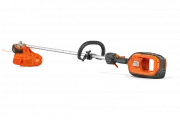
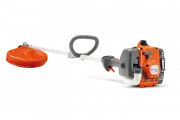
Page 2 - Product description
Contents Introduction..................................................................... 2Safety..............................................................................4Assembly...................................................................... 11Operation....................................
Page 3 - Symbols on the product
5. Power trigger lockout6. Power trigger7. Speed mode button8. Start/stop button9. User interface10. Operator's manual11. Locking pin12. Combination tool13. Charger cable14. Charger15. Power on and Warning indicator (LED)16. Ergo feed button17. Cutting attachment guard18. Drive disc19. Battery20. Ba...
Page 4 - Safety; Safety definitions; Work area safety
Keep all parts of your body away from the hot surfaces. If the product features Bluetooth ® wireless technology. The Bluetooth ® symbol will be marked on the product name label. yyyywwxxxxx The rating plate shows the serial number. yyyy is the production year, ww is the production week and xxxxx is ...
Page 7 - Other general safety information
Blade thrust can increase the risk of injury due to the machine moving unexpectedly. Blade thrust can be controlled by the operator if proper precautions are taken. • If the blade binds, or when interrupting a cut for any reason, switch the machine off and hold the machine motionless in the material...
Page 8 - Personal protective equipment
• The only accessories you can operate with this product are the cutting attachments recommended in the technical data chapter. • Never use a product that has been modified in any way from its original specification • Never use a product that is faulty. Carry out the safety checks, maintenance and s...
Page 9 - Safety devices on the product
• Use protective boots with steel toe-cap and non-slip soles. • Use clothing made of a strong fabric. Always use heavy, long pants and long sleeves. Do not use loose clothing that can catch on twigs and branches. Do not use jewelry, short pants or sandals. Do not go with bare feet. Put your hair up ...
Page 10 - Trimmer head; Safety instructions for assembly
4. Start the product, refer to To start the product on page 13. 5. Push the power trigger fully to apply full speed.6. Release the power trigger and make sure that the cutting attachment stops and remains still. To do a check of the user interface1. Press and hold the start/stop button (A). a) The p...
Page 11 - Assembly; To assemble the loop handle
Assembly To assemble the loop handle 1. Attach the loop handle onto the shaft between the arrows. Do not place loop handle or suspension ring on label. 2. Move the spacer into the slot of the loop handle.3. Attach the nut, the knob and the screw, do not make it to tight. 4. Adjust the product to a c...
Page 12 - To remove the trimmer head E35B; Operation; Introduction; Bluetooth; To connect the battery to the product
5. Install the nut (G). H B C G 6. Install the line chute and the trimmer head cover (F). “Click” F To remove the trimmer head E35B 1. Put the locking pin in the hole to lock the shaft. 2. Press the snap-in clips on the trimmer head and remove the trimmer head and trimmer line chute. 3. Remove the n...
Page 14 - To trim the grass
when you hit objects, for example, stones and/or hard surfaces.• Push the ErgoFeed button to start the automatic adjustment of the trimmer line. Automatic shutdown function The product has a shutdown function that stops the product if the product is not used. The green LED for start/stop indication ...
Page 15 - To stop the product; Maintenance
To stop the product 1. Release the power trigger or the power trigger lockout. 2. Press the stop button. 3. Push the release buttons on the battery and pull the battery out. Maintenance Introduction WARNING: Before you do any maintenance work you must read and understand the safety chapter. Maintena...
Page 17 - Troubleshooting; User interface; Transportation, storage and disposal; Transportation and storage
Troubleshooting User interface Problem Possible faults Possible action Battery LED indicator flashes or- ange Low battery voltage. Charge the battery. Error LED flashes red Overload. The cutting attachment is jammed. Stop the product. Remove the battery. Clean the cut- ting attachment from unwanted ...
Page 18 - Technical data
Technical data Technical data 525iLXT Motor Motor type Husqvarna e-torq BLDC Speed of output shaft. Trimmer head/blade, n 0 5500/7200 Cutting width, mm/in 460/18.1 Weight Weight without battery, kg/lb 3.2/7.1 Noise emissions 1 Sound power level, measured dB (A) 91 Sound power level, guaranteed L WA ...
Page 19 - Approved battery chargers; Accessories; Registered trademarks
Battery BLi300 40-B330X Weight, kg (lb) 1.9 (4.2) 2 (4.4) Approved battery chargers Battery charger QC500 Input voltage, V 100-240 Frequency, Hz 50-60 Power, W 500 Accessories Accessories Approved accessories Accessory type Cutting attachment guard, art. no. Centre hole in blades/knives, Ø 25.4 mm O...
Page 20 - Declaration of Conformity; EU Declaration of Conformity
Declaration of Conformity EU Declaration of Conformity We, Husqvarna AB, SE-561 82 Huskvarna, Sweden, tel: +46-36-146500, declare on our sole responsibility that the product: Description Battery-operated grass trimmer Brand Husqvarna Type / Model 525iLXT Identification Serial numbers dating from 202...
Page 21 - UK Declaration of Conformity
UK Declaration of Conformity We, Husqvarna AB, SE-561 82 Huskvarna, Sweden, tel: +46-36-146500, declare on our sole responsibility that the product: Description Battery-operated grass trimmer Brand Husqvarna Type / Model 525iLXT Identification Serial numbers dating from 2023 and onwards complies ful...