Page 2 - Instrukcja obsługi odkurzacza Robot Dreame D9; SA; Usage Restrictions; Safety Information; Dreame D9
1 EN Dreame Robot Vacuum D9 User ManualBedienungsanleitung Dreame Saugroboter D9Manuel d'utilisation du robot aspirateur Dreame D9Manuale d'Utente Dreame Robot Aspirapolvere D9Manual de Usuario del Robot Aspirador Dreame D9Робот-пылесос Dreame D9 Руководство пользователя Instrukcja obsługi odkurzacz...
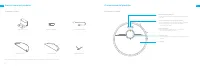
Page 3 - Batteries and Charging; Do not place the charging dock near a heat source.; Accessories; Product Overview
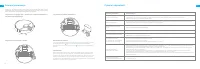
2 3 EN EN Hereby, Dreame Trading (Tianjin) Co., Ltd. declares that the radio equipment type RLS5-WH0 is in compliance with Directive 2014/53/EU. The full text of the EU declaration of conformity is available at the following internet address: www.dreame-technology.com For detailed e-manual, please g...
Page 4 - Robot
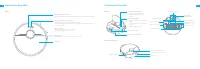
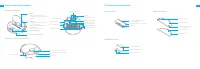
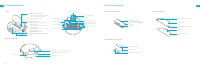
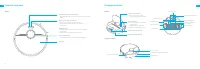
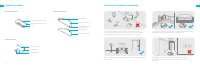
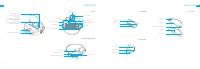
4 5 EN EN Robot Product Overview Spot Clean Button • Press briefly to start Spot Clean Mode Power/Clean Button • Press and hold for 3 seconds • Press to start cleaning after the robot is powered on Status Indicator • White: Cleaning, or cleanup is completed • Blinking orange: Error Dock Button • Pre...
Page 5 - Clearing Home Environment; Dust Bin
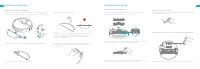
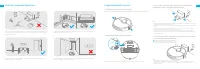
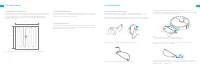
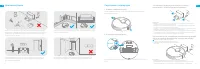
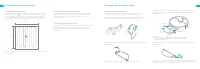
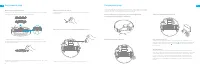
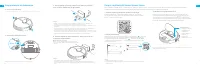
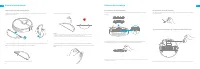
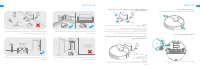
6 7 EN EN Clearing Home Environment To prevent your robot from getting tangled or trapped, tidy up any loose cord (including power cord of charging dock), dishcloth, slipper, toy, etc. Open the door of the room to be cleaned, and put the furniture into proper place to make more space. To prevent the...
Page 6 - Connecting with Mi Home/Xiaomi Home App; Click; Preparation
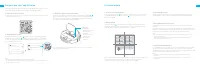
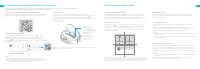
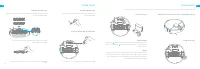
8 9 EN EN xxxxxxx’home No home environment info Devices Rooms Scanning for devices nearby...What should I do if I cannot scan for devices? 1. Download Mi Home/Xiaomi Home App 3. Reset Wi-Fi This product works with Mi Home/Xiaomi Home app *. Connecting with Mi Home/Xiaomi Home App Scan the QR code to...
Page 7 - Do Not Disturb Mode; How to Use
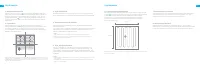
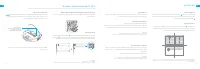
10 11 EN EN 6. Spot Clean mode 7. Scheduled Cleaning 8. More APP Functions How to Use When the robot is in standby mode or paused, press and hold the button for 3 seconds to start Spot Clean mode. In this mode, it will clean a square-shaped area of 1.5 ×1.5 meters directly around the robot. When the...
Page 8 - Clean the Dust Bin and Filter; Routine Maintenance; Use the Mopping Function
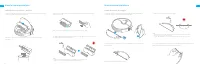
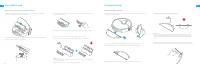
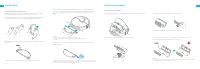
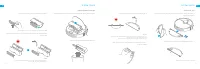
12 13 EN EN Clean the Dust Bin and Filter Routine Maintenance 1. Open the robot cover, then press the dust bin clip to remove the dust bin. 2. Open the dust bin cover as indicated by the diagram. 3. Remove the filter and tap it basket gently. 4. Rinse the dust bin and filter with water until it is c...
Page 9 - Clean the Mopping Module
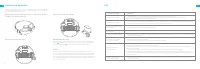
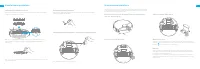
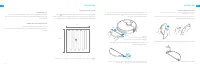
14 15 EN EN Clean the Main Brush Clean the Side Brush Clean the Main Wheel / Omnidirectional Wheel Routine Maintenance Press the brush guard clips inwards to remove the brush guard and lift the brush out of the robot. Pull out the side brushes and use the included cleaning tool to remove any hair ta...
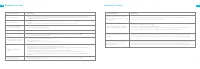
Page 11 - WEEE Information; Specifications; FAQ; Problem Type
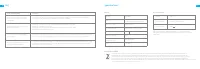
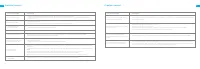
18 19 EN EN Model RCS0 100-240 V ~ 50/60 Hz 0.5 A Under normal use of condition, this equipment should be kept a separation dis tance of at least 20cm between the antenna and the body of the user. 19.8 V 1 A Rated Input Rated Output WEEE Information All products bearing this symbol are waste electri...
Page 12 - Akkus und Ladung; Nutzungseinschrän-kungen; Sicherheitsinformationen
20 21 DE DE Akkus und Ladung Sicherheitsinformationen Warnung: Verwenden Sie keine Akkus, Ladegeräte oder Ladestationen von Drittanbietern. Bitte ausschließlich mit RCS0 Netzgerät verwenden. Versuchen Sie nicht, den Akku oder die Ladestation selbst zu zerlegen, zu reparieren oder zu modifizieren. St...
Page 13 - Roboter; Zubehör; Produktübersicht
22 23 DE DE Roboter Produktübersicht Zielreinigungstaste • Kurz drücken, um den Zielreinigungsmodus zu starten Ein-/Aus- und Reinigungstaste • Drücken und 3 Sekunden lang gedrückt halten • Drücken, um die Reinigung nach dem Einschalten des Roboters zu starten Statusanzeige • Weiß: Reinigung im Proze...
Page 15 - Bereitstellen zum Laden; Wohnumgebung aufräumen
26 27 DE DE > 1,5 m > 0,5 m > 0,5 m 1. Entfernen Sie die Schutzfolie 3. Platzieren Sie die Ladestation auf ebenen Boden gegen die Wand und schließen Sie sie einer Steckdose an. 2. Seitenbürste installieren Klick 4. Platzieren Sie den Roboter zum Aufladen. in der Ladestation. Der Roboter schaltet sic...
Page 16 - Mit der Reinigung beginnen; Gebrauchsanleitung; Fügen Sie das Gerät hinzu; Laden Sie die Mi Home/Xiaomi Home App herunter; Mit der Mi Home/Xiaomi Home App verbinden
28 29 DE DE 1. Einschalten/Ausschalten 3. Reinigungsmodus 4. Pausiert/Energiesparmodus 5. Nicht-Stören-Modus 2. Mit der Reinigung beginnen Gebrauchsanleitung Drücken und halten Sie die Taste 3 Sekunden lang um den Roboter anzuschalten. Sobald die Betriebsanzeige ständig weiß leuchtet, befindet sich ...
Page 17 - Verwenden der Wischfunktion; Zielreinigungsmodus
30 31 DE DE 9. Verwenden der Wischfunktion Gebrauchsanleitung Zur Erzielung eines besseren Reinigungseffekts, wird empfohlen, alle Boden mindestens dreimal vor der ersten Mopp-Reinigung zu saugen. 1) Befeuchten Sie das Wischer-Pad und wringen Sie überschüssiges Wasser aus. Schieben Sie das Wischer-P...
Page 18 - Reinigen Sie das Wischmodul; Staubbehälter und Filter reinigen; Regelmäßige Wartung
32 33 DE DE Reinigen Sie das Wischmodul Regelmäßige Wartung 1. Drücken Sie die Freigabetaste des Wischmoduls nach innen und ziehen Sie das Modul heraus. Ziehen Sie den Wischlappen vom Wischmodul ab. 3. Die Wischlappen ausschließlich mit Wasser reinigen und vor Reinstallieren an der Luft trocknen las...
Page 20 - Problemtyp
36 37 DE DE FAQ Problemtyp Roboter lässt sich nicht einschalten Roboter lädt sich nicht auf Roboter kehrt nicht zur Ladestation zurück Roboter gibt ein merkwürdiges Geräusch ab Der Roboter reinigt nicht mehr wirksam, oder er hinterlässt Staub Roboter kann nicht mit dem WLAN verbinden Der Roboter füh...
Page 21 - Spezifikationen; Restrictions d’utilisation; Informations sur la sécurité; N’utilisez pas le robot pour nettoyer des substances brûlantes.
38 39 FR DE Modell RCS0 100-240 V ~ 50/60 Hz 0,5 A Unter normalen Einsatzbedingungen muss dieses Gerät einen Abstand von mindestens 20 cm zwischen der Antenne und dem Körper des Benutzers einhalten. 19.8 V 1 A Nenneingang Nennausgang WEEE-Informationen Alle mit diesem Symbol gekennzeichneten Produkt...
Page 22 - Accessoires; Présentation du produit; Batteries et charge; d’approvisionnement RCS0.
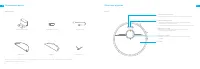
40 41 FR FR Accessoires Présentation du produit Note : Les illustrations de ce manuel sont fournies à titre de référence uniquement, veuillez vous référer au produit pour l'aspect réel. Socle de charge Réservoir d’eau Brosse latérale Outil de nettoyage Cordon d’alimentation Serpillière Par la présen...
Page 24 - Nettoyage domestique; Bac à poussière
44 45 FR FR Nettoyage domestique Pour éviter que votre robot ne s'emmêle ou ne soit piégé, rangez tout cordon mal fixé (y compris le cordon d'alimentation de la station de chargement), torchon, pantoufle, jouet, etc. Ouvrez la porte de la pièce à nettoyer, et rangez les meubles dans un endroit appro...
Page 25 - Ce produit fonctionne avec l’application Mi Home/Xiaomi Home*.; Connexion avec l’application Mi Home/Xiaomi Home; Préparation
46 47 FR FR xxxxxxx’home No home environment info Devices Rooms Scanning for devices nearby...What should I do if I cannot scan for devices? 1. Téléchargez l'application Mi Home / Xiaomi Home 3. Réinitialiser le Wi-Fi Ce produit fonctionne avec l’application Mi Home/Xiaomi Home*. Connexion avec l’ap...
Page 26 - Mode Ne pas déranger; Mode d’utilisation
48 49 FR FR 6. Mode Nettoyage Concentré 7. Nettoyage programmé 8. Plus de fonctionnalités concernant l'APP Mode d’utilisation Lorsque le robot est en pause ou en mode veille, appuyez sur le bouton pendant 3 secondes pour activer le mode Nettoyage ponctuel. Dans ce mode, il nettoiera une surface carr...
Page 27 - Nettoyez le bac à poussière et le filtre; Maintenance de routine; Utilisation de la fonction de nettoyage
50 51 FR FR Nettoyez le bac à poussière et le filtre Maintenance de routine 1. Ouvrez le couvercle du robot , puis pincez les clips du bac à poussière pour le retirer. 2. Ouvrez le couvercle du bac à poussière comme indiqué par le diagramme. 3. Retirez le filtre, rincez-le plusieurs fois et tapez su...
Page 28 - Nettoyer le module de nettoyage
52 53 FR FR Nettoyez la brosse principale Nettoyer la brosse latérale Nettoyer la roue principale et la roue multi-directionnelle Maintenance de routine Appuyez sur les clips de protection de la brosse vers l'intérieur pour retirer la protection de la brosse et faites sortir la brosse du robot. Sort...
Page 30 - Spécifications
56 57 FR FR Modèle RCS0 100-240 V ~ 50/60 Hz 0,5 A Dans des conditions normales d’utilisation, cet équipement doit être maintenu à une distance d’au moins 20 cm entre l’antenne et le corps de l’utilisateur. 19,8 V 1 A Entrée nominale Sortie nominale Spécifications Robot Socle de charge Informations ...
Page 31 - Batterie e Ricarica; Restrizioni per l'utilizzo; Informazioni di sicurezza
58 59 I T I T Batterie e Ricarica Informazioni di sicurezza Avvertenza: Non utilizzare batterie, alimentatori o stazioni di ricarica non originali. Utilizzare soltanto con l'unità di alimentazione RCS0. Non tentare di smontare, riparare o modificare la batteria o la stazione di ricarica da soli. Non...
Page 32 - Dispositivo principale; Lista degli accessori; Presentazione del prodotto
60 61 I T I T Dispositivo principale Presentazione del prodotto Modalità di Pulizia Macchia • Premere velocemente per attivare la modalità Pulizia Macchia Pulsante di accensione/spegnimento/pulizia • Tenere premuto per 3 secondi per accentere/spegnere • Premere il pulsante per iniziare a pulire dopo...
Page 33 - Modulo di lavaggio
62 63 I T I T Raccogli-polvere Modulo di lavaggio Stazione di ricarica Presentazione del prodotto Ingresso d'acqua Serbatoio d'acqua Panno di lavaggio Area di attacco Filtro Coperchio del raccogli-polvere Pulsante di sblocco del raccogli-polvere Area di segnalazione Contatti di ricarica Porta di ali...
Page 34 - Clic; Preparazione della ricarica; Ordinare l'ambiente domestico
64 65 I T I T 1. Rimozione della pellicola protettiva > 1,5 m > 0,5 m > 0,5 m 3. Posizionare la stazione di ricarica contro la parete sul pavimento piatto e collegare l'alimentazione 2. Installazione delle spazzole laterali Clic 4. Posizionare il robot sulla stazione di ricarica. Si accenterà e si r...
Page 35 - Modalità di pulizia; Istruzioni utente; Questo prodotto è stato inserito nell'app Mi Home e potrà essere; Connessione con l'app Mi Home; Aggiungi dispositivo
66 67 I T I T 1. Accensione/Spegnimento 3. Modalità di pulizia 4.Pausa/Risparmio Energetico 5. Modalità Non Disturbare 2. Avvio pulizia Istruzioni utente Premere il pulsante power fino a quando la spia non è accessa e il robot sarà in modalità di standby; Premere il pulsante per 3 secondi quando il ...
Page 36 - Usare la funzione di lavaggio; Modalità di Pulizia Macchia
68 69 I T I T 9. Usare la funzione di lavaggio Istruzioni utente Si raccomanda di procedere all’aspirazione del pavimento almeno tre volte prima della prima sessione di lavaggio per avere una migliore pulizia. 1) Inumidire il panno di lavaggio e strizzare l'acqua in eccesso. Far scorrere il panno fi...
Page 37 - Pulizia del modulo di lavaggio; Pulizia del raccogli-polvere e del filtro; Manutenzione quotidiana
70 71 I T I T Pulizia del modulo di lavaggio Manutenzione quotidiana 1. Premere i pulsanti di sblocco laterali del serbatoio, tirare all'indietro il modulo di lavaggio e rimouvere il panno di lavaggio. 3. Pulire e far asciugare il panno di lavaggio. 2. Svuotare l'acqua rimanente nel serbatoio d'acqu...
Page 39 - Problemi comuni; Problemi comuni
74 75 I T I T Tipo di Problema Se il robot viene lasciato sulla stazione di ricarica, consumerà energia Dal modulo di lavaggio non esce acqua o ne esce poca Il robot non riprende a pulire dopo la ricarica dopo tornato alla stazione a causa della batteria scarsa durante una pulizia Il robot non ritor...
Page 40 - Informazioni RAEE; Specifiche tecniche; Restricciones de uso; Información de Seguridad
76 77 ES I T Modello RCS0 100-240 V~50/60 Hz 0.5 A In condizioni d'uso normali, questa apparecchiatura deve essere tenuta a una distanza minima di 20 cm tra l'antenna e il corpo dell'utente. 19.8 V 1 A Ingresso nominale Uscita nominale Informazioni RAEE Tutti i prodotti contrassegnati da questo simb...
Page 41 - Accesorios; Descripción general del producto; Baterías y carga; No coloque la base de carga cerca de una fuente de calor.
78 79 ES ES Accesorios Descripción general del producto Nota: las ilustraciones del presente manual son sólo de referencia, por favor consulte la apariencia real en el producto adquirido. Base de carga Depósito de agua Cepillo lateral Herramienta de limpieza Cable de alimentación Mopa Por la present...
Page 43 - Ordenar el entorno doméstico; Depósito de basura
82 83 ES ES Ordenar el entorno doméstico Para evitar que su robot se enrede o quede atrapado, recoja cualquier cable suelto (incluido el cable de alimentación de la base de carga), paño de cocina, zapatilla, juguete, etc. Abra la puerta de la habitación que va a limpiar y coloque los muebles en el l...
Page 44 - Este producto funciona con la aplicación Mi Home / Xiaomi Home*.; Conectar con la aplicación Mi Home / Xiaomi Home; Preparación
84 85 ES ES >1,5m >0,5m >0,5m xxxxxxx’home No home environment info Devices Rooms Scanning for devices nearby...What should I do if I cannot scan for devices? 1. Descargue la Aplicación Mi Home/Xiaomi Home 3. Restablecer Wi-Fi Este producto funciona con la aplicación Mi Home / Xiaomi Home*....
Page 45 - Modo de uso
86 87 ES ES 6. Modo Limpieza Localizada 7. Limpieza programada 8. Más Funciones de la Aplicación Modo de uso Cuando el robot con mopa esté en modo de espera o en pausa, mantenga pulsado el botón durante 3 segundos para activar el modo Limpieza de manchas. En este modo, limpiará una zona cuadrada de ...
Page 46 - Contenedor de polvo y filtro; Mantenimiento rutinario; Usar la función de fregado
88 89 ES ES Contenedor de polvo y filtro Mantenimiento rutinario 1. Abra la tapa del robot, apriete las pinzas del contenedor para retirar el contenedor de polvo. 2. Abra la tapa del contenedor como lo indica el diagrama. 3. Retire el filtro, enjuague repetidamente y golpee suavemente el marco del f...
Page 47 - Limpiar el módulo de limpieza
90 91 ES ES Limpiar el cepillo principal Limpiar el cepillo lateral Limpiar la rueda principal y la rueda omnidireccional Mantenimiento rutinario Presione la cubierta del cepillo hacia dentro para retirar la cubierta de y elévelo para sacarlo del robot. Saque los cepillos laterales y use la herramie...
Page 49 - Especificaciones; Preguntas Frecuentes
94 95 ES ES Modelo RCS0 100-240 V ~ 50/60 Hz 0,5 A En condiciones normales de uso, este equipo debe mantenerse a una distancia de, al menos, 20 cm entre la antena y el cuerpo del usuario. 19,8 V 1 A Entrada nominal Salida nominal Especificaciones Robot Base de carga Información sobre RAEE Todos los ...
Page 50 - Ограничения на эксплуатацию; Аккумулятор и зарядка; Информация по технике безопасности
96 97 RU RU Ограничения на эксплуатацию Информация по технике безопасности Это устройство предназначено только для очистки пола в домашних условиях. Не используйте его на открытом воздухе, на поверхностях без пола, а также в коммерческих или промышленных условиях. Не используйте робот в областях, ра...
Page 51 - Аксессуары; Робот; Описание изделия
98 99 RU RU Аксессуары Описание изделия Примечание. Все иллюстрации в данном руководстве приведены исключительно для справки. По внешним параметрам изделия ориентируйтесь на его фактический вид. Зарядная док-станция Водяной бак Боковая щетка Чистящий инструмент Шнур питания Швабра Робот Описание изд...
Page 52 - Контейнер для пыли
100 101 RU RU Робот Датчики робота Описание изделия Кнопка сброса настроек • Нажмите и удерживайте в течение 3 секунд, чтобы восстановить заводские настройки Индикатор Wi-Fi • Мигание (медленное): ожидает подключения. • Мигание (быстрое): выполняется подключение. • Световой индикатор (постоянный): W...
Page 53 - Домашняя уборка; Щелчок; Подготовка к подзарядке
102 103 RU RU Домашняя уборка Перед началом уборки уберите с пола шнуры (включая шнур питания зарядной док-станции), полотенца, тапки, игрушки и другие посторонние предметы, чтобы исключить возможность спутывания, наезда и удара робота в процессе уборки. Откройте дверь помещения, в котором будет про...
Page 54 - Загрузка приложения Mi Home/Xiaomi Home; Подключение к приложению Mi Home/Xiaomi Home; Добавление устройства; Руководство по эксплуатации
104 105 RU RU xxxxxxx’home No home environment info Devices Rooms Scanning for devices nearby...What should I do if I cannot scan for devices? 1. Загрузка приложения Mi Home/Xiaomi Home 3. Сброс Wi-Fi Данное изделие поддерживается приложением Mi Home/Xiaomi Home*. Управляйте своим устройством и взаи...
Page 55 - Функция уборки шваброй
106 107 RU RU 6. Режим локальной уборки 7. Режим "Запланированная уборка" 8. Больше функций приложения Руководство по эксплуатации Если робот находится в режиме ожидания или приостановлен, нажмите и удерживайте кнопку в течение 3 секунд, чтобы перейти в режим локальной уборки. В этом режиме ...
Page 56 - Очистка контейнера для пыли и фльтра; Очистка модуля швабры; Регулярный уход
108 109 RU RU Очистка контейнера для пыли и фльтра Регулярный уход 1. Откройте верхнюю крышку робота-пылесоса и надавите на зажимы контейнера для пыли, чтобы извлечь его. 2. Откройте крышку контейнера для пыли так, как показано на стрелке, и освободите содержимое контейнера. 3. Снимите фильтр, посту...
Page 58 - Тип проблемы; Вопросы и ответы
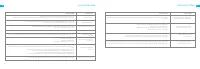
112 113 RU RU Тип проблемы Робот не включается Робот не заряжается Робот не возвращается на зарядную док-станцию Посторонние звуки во время уборки Робот стал хуже убирать или оставляет после себя грязь Робот не подключается к Wi-Fi Не работает режим "Запланированная уборка" Сбой в работе роб...
Page 59 - Основные параметры; Ograniczenia w uż-ytkowaniu; Informacje dotyczące bezpieczeństwa; bezpiecznej odległości od odkurzacza z mopem podczas jego pracy.
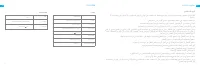
114 115 PL RU Модель RCS0 100–240 В ~ 50/60 Гц 0,5 А 19,8 В 1 А Номинальная входная мощность Номинальная выходная мощность Информация об утилизации и переработке отходов электрического и электронного оборудования Все изделия, обозначенные символом раздельного сбора отработанного электрического и эле...
Page 60 - Akcesoria; Przegląd produktu; Akumulator i ładowanie
116 117 PL PL Akcesoria Przegląd produktu Uwaga: Ilustracje w niniejszej instrukcji mają charakter wyłącznie informacyjny. Prosimy zapoznać się z aktualnym wyglądem produktu. Stacja ładująca Zbiornik na wodę Szczotka boczna Przyrząd do czyszczenia Kabel zasilania Wkład myjący Akumulator i ładowanie ...
Page 62 - Czyszczenie środowiska domowego; Pojemnik na kurz
120 121 PL PL Czyszczenie środowiska domowego Aby zapobiegać zaplątywaniu się, utknięciu lub kolizji odkurzacza, uporządkuj luźne przewody (w tym przewód zasilający stację ładującą), ścierki, kapcie, zabawki dziecięce i inne rzeczy rozrzucone po ziemi. Otwórz drzwi do sprzątanego pomieszczenia i umi...
Page 63 - Połącz z aplikacją Mi Home/Xiaomi Home; Kliknij; Przygotowanie do ładowania
122 123 PL PL Otwórz aplikację Mi Home/Xiaomi Home, naciśnij przycisk “ ”w górnym prawym rogu ekranu, aby przejść do interfejsu dodawania urządzenia. Ponownie kliknij w prawym górnym rogu“ ”, zeskanuj kod QR, dodaj “Odkurzacz Robot Dreame D9” i postępuj zgodnie z instrukcjami, aby zakończyć połączeni...
Page 64 - Tryb „Nie przeszkadzać”; Użytkowanie
124 125 PL PL 6. Tryb czyszczenia punktowego 7. Zaplanowane czyszczenie 8. Więcej funkcji aplikacji Użytkowanie Gdy robot jest wstrzymany lub przełączony w tryb czuwania, należy wcisnąć przycisk i przytrzymać go przez 3 sekundy, aby uruchomić tryb czyszczenia punktowego. W tym trybie robot oczyści k...
Page 65 - Pojemnik na kurz i filtr; Dzienna konserwacja; Użycie funkcji mopowania
126 127 PL PL Pojemnik na kurz i filtr Dzienna konserwacja 1. Otwórz pokrywę robota i naciśnij zatrzask, aby wyjąć pojemnik na kurz. 2. Otwórz pokrywę pojemnika zgodnie z diagramem. 3. Wyjmij filtr i delikatnie postukaj, aby usunąć brud. 4. Wypłucz pojemnik na kurz i filtr, aż będą czyste. Przed pon...
Page 66 - Czyszczenie modułu mopującego
128 129 PL PL Czyszczenie szczotki głównej Czyszczenie szczotki bocznej Czyszczenie koła głównego i koła wielokierunkowego Dzienna konserwacja Naciśnij zatrzaski zwalniające pokrywę szczotki głównej i wyjmij ją ruchem do góry. Wyciągnij szczotkę boczną i wyczyść ją za pomocą dołączonego narzedzia do...
Page 68 - Dane techniczne; Pytania i odpowiedzi
132 133 PL PL Model RCS0 100-240 V~50/60 Hz 0.5 A 19.8 V 1 A Wejście Wyjście Dane techniczne Robot Stacja ładująca Informacje dotyczące europejskiej dyrektywy WEEE Wszystkie produkty oznaczone tym symbolem są uznane za odpady sprzętu elektrycznego i elektronicznego (WEEE zgodnie z Dyrektywą 2012/19/...
Page 69 - שומיש תולבגה; יתוחיטב עדימ; הניעטו תוללוס
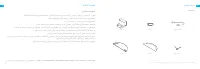
134 135 HE HE הביבסב וא הפצר םניאש םיחטשמ יבג לע ,חותפ םוקמב שומיש וב תושעל ןיא .דבלב תיתיב הביבסב הפצר יוקינל דעונ הז רצומ .תיתיישעת וא תירחסמ .הנגה םוסחמ אלל הפצרה הבוג לעמ יולתש חטשב טובורב שומיש תושעל ןיא .ןויקינה תלועפ עוציב ןמזב םהלש הרירג עונמל תנמ לע תאזו טובורב שומישה םרט הפצרהמ םילבכ ומירה...
Page 70 - רצומה תריקס; טובור
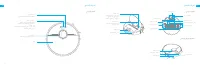
136 137 HE HE .לעופב הארמה יבגל ומצע רצומל וסחייתה אנא ,דבלב ןויעל ודעונ הז ךירדמב םיעיפומה םירויאה:םכביל תמושתל הניגע תנחת יוקינ ילכ םימ לכימ טוטרמס תידדצ תשרבמ למשח לבכ רצומה תריקס םיוולנ םירזיבא רצומה תריקס טובור יתדוקנ יוקינ ןצחל .יתדוקנ יוקינ בצמ ליחתהל תנמ לע הרצקב ץחל הלקת :בהבהמ םותכ תנחתל ה...
Page 71 - בוגינ ביכר
138 139 HE HE רצומה תריקס טובור םינשייחו קבא באוש לוחתא ןצחל תוינש 3 ךשמב וקיזחהו וצחל ןרציה תורדגה רוזחשל Wi-Fi תשר ןווחמ ןיתממ :יטיא בוהבה תורבחתהל רבחתמ :ריהמ בוהבה תרבוחמ Wi-Fi תשר :לעפומ יוקינ ילכ לוקמר / ריווא תאיצי חתפ תווצק ןשייח ינוויכ בר לגלג תישאר תשרבמ LDS ןשייח הניעט יעגמ תידדצ תשרבמ תו...
Page 72 - תיב תביבס יוקינ; קילק
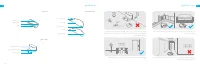
140 141 HE HE םכלש טובורהמ עונמל תנמ לעתופס וא תוגרדמ תוצקב יזיפ םוסחמ וחינה ,ןויקינה ינפל .דועמל וא ךבתסהל ,טובורה לומ חווטב ודמעת לא ,יוקינל רוזיאה תא תוהזל תלוכי יא טובורהמ עונמל תנמ לע .םירצ תומוקמ וא תונורדסמ תונפל תנמ לע יואר םוקמב )תואסיכ ןוגכ(םיטיהר וחינהו ,תוקנל שיש רדחה תלד תא וחתפ .םוקמ ר...
Page 73 - Mi Home / Xiaomi Home םושייל רוביח; םושייה לש הנקתהלו הדרוהל; שומישה ןפוא
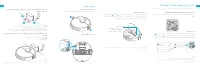
142 143 HE HE xxxxxxx’home No home environment info Devices Rooms Scanning for devices nearby...What should I do if I cannot scan for devices? ו םירותפכה תא וקיזחהו וצחל,WI-FI-ה תשר ןווחמ יוליגלןוילעה הסכמה תא וחתפ בהבהמ Wi-Fi -ה תשר יוויחש עגרב ."תשרה תרוצתל ןיתממ "רמואש לוק עמשייש דע .החלצ...
Page 74 - יתדוקנ ןויקינ לש בצמ .; בוגינ תייצקנופב שומיש .
144 145 HE HE תנמ לע ןצחל לע תוינש 3 ךשמב וצחל ,ההשומ וא ןכה בצמב אצמנ טובורה רשאכ ביבסמ 1.5x1.5 לש לדוגב עוביר תרוצב חטש הקני אוה ,הז בצמב .יתדוקנ יוקינ בצמ ליעפהל .הבכייו ירוקמה ומוקימל יטמוטוא ןפואב רוזחי טובורה יתדוקנה ןויקינה םויס רחאל .ומוקמל ליחתי טובורה .Mi Home/Xiaomi Home םושייב ןויקינה ןמ...
Page 75 - ןנסמהו תלוספה לכימ יוקינ; תיתרגש הקוזחת; בוגינה ביכר יוקינ
146 147 HE HE תיתרגש הקוזחת ןנסמהו תלוספה לכימ יוקינ תלוספה לכימ תא איצוהל ידכ םינספותה לע וצחל ןכמ רחאלו ,טובורה הסכמ תא וחתפ . 1 םישרתב גצומש יפכ תלוספה לכימ הסכמ תא וחתפ . 2 .תשרבמ תרזעב וא םכעבצא תרזעב ןנסמה תא תוקנל וסנת לא :בל ומיש ךולכלה תאצוהל תונידעב לסה לע ושיקהו ןנסמה תא וריסה . 3 םרטב ןי...
Page 76 - LDS
148 149 HE HE תיתרגש הקוזחת תישארה תשרבמה יוקינ תידדצה תשרבמה יוקינ ינוויכ-ברה לגלגהו ישארה לגלגה יוקינ תשרבמה ןגמ תא ריסהל תנמ לע םידדצה ינשמ המינפ תשרבמה ןגמ יקדהמ לע וצחיל .טובורהמ תשרבמה תא וריסהו רעיש תרסהל לולכה יוקינה ילכב ושמתשהו תידדצה תשרבמה תא ואיצוה .תשרבמה ביבס רשקנש לולכה יוקינה ילכב ו...
Page 77 - תוצופנ תויעבו תולאש; היעבה גוס
150 151 HE HE היעבה גוס היעבה ןורתפ תוצופנ תויעבו תולאש .בוש וסנו ,הניגעה תנחתב טובור תא שדחמ וניעטה .השלח הללוסה תמר .תולעמ 40ל 0 ןיב איה טובורה לש הלועפה תרוטרפמט .)40°C לעמ( ידמ ההובג וא )0°Cל תחתמ( ידמ הכומנ הביבסה תרוטרפמט .יוארכ םמוקמל םירבוחמ למשחה לבכ תווצק ינש יכ ואדוו אנא .ילמשח קפסה תלבקמ...
Page 78 - ינכט טרפמ; ةملاسلا; مادختسلاا
152 153 SA HE ינכט טרפמ טובור הניגע תנחת רפמא 0.5 ץרה 50/60 ~ טלוו 100-240 רפמא 19.8 טלוו 1 םגד גרודמ טלק גרודמ טלפ RCS0 RLS5-WH0 םגד )תילנימונ תלוביק( 5200mAh הללוס תועש 6 .רעושמ הניעט ןמז Wi-Fi IEEE 802.11b/g/n 2.4 GHz יטוחלא רוביח טלוו 14 גרודמ חתמ טאוו 40 גרודמ קפסה ץרהגמ 2400-2483.5 הלעפה רדת d...
Page 79 - جتنلماب; نحشلاو
154 155 SA SA . ﺔﻴﻘﻴﻘﺤﻟﺍ ﺓﺭﻮﺼﻟﺍ ﲆﻋ ﻝﻮﺼﺤﻠﻟ ﲇﻌﻔﻟﺍ ﺞﺘﻨﳌﺍ ﱃﺇ ﻉﻮﺟﺮﻟﺍ ﻰﺟﺮﻳ ،ﻉﻼﻃﻼﻟ ﻊﺟﺮﻣ ﻢﺨﺘﺴﺗ ﻞﻴﻟﺪﻟﺍ ﺍﺬﻫ ﰲ ﺓﺩﺭﺍﻮﻟﺍ ﺕﺎﻣﻮﺳﺮﻟﺍ : ةﻈﺣﻼم ﻦحشلﺍ دعﻘم ﻩايﳌﺍ ﻥﺍﺰﺧ ةحسمﳌﺍ ةيبﻧاﺠلﺍ ﺓاشرﻔلﺍ ﻒيﻈنتلﺍ ﺓﺍﺩﺃ ةيﺋابرهكلﺍ ةلصولﺍ ﺞتنﳌاب ﻒيرعت ﺕﺎﻘﺤﻠﳌﺍ ﺔﲚﺎﻗ .RCS0 ﺩﺍدمﻹﺍ ﺓدﺣﻭ ﻊم ﻂﻘف ﻡدﺨتست . ﻯرﺧﺃ ةكﴩل ةعبات ﻦحش ﺓدعاﻗ ﻭﺃ ﻦﺣاش ﻭﺃ ة...
Page 81 - لنزلما
158 159 SA SA ﱶعت ﺐﺠتل ةﻀﻔﺨنﳌﺍ ﻭﺃ ةيلاعلﺍ قﻃانﳌﺍ ةفاﺣ لىع ﻱﺩام ﺰجاﺣ ﻡدﺨتسﺍ ىجري ﻒيﻈنتلﺍ ةيلمع ﻞبﻗ . ﴘيﺋرلﺍ ﺯاهﺠلﺍ ﻁوﻘس ﻭﺃ ﴘيﺋرلﺍ ﺯاهﺠلﺍ ﻊيطسي ﱴﺣ ،ةﻘيﻀلﺍ ﺕﺍرمﳌﺍﻭ ةبتعلﺍ دنع ،ﴘيﺋرلﺍ ﺯاهﺠلﺍ ﻡامﺃ ﻑوﻗولﺍ ﺐنﺠت ىجري . اهﻔيﻈنت ﺩﺍرﳌﺍ ةﻘطنﳌﺍ لىع ﻑرعتلﺍ ﻦم . ﻒيﻈنتلل ةﺣاسم ﱪكﺃ ﲑفوتل ﺐسانم ﻥاكم ﰲ ﺙاﺛﻷﺍ ﻊﺿ ﰒ ،اهﻔ...
Page 82 - Mi Home / Xiaomi Home; نشحلل; ةعقرط
160 161 SA SA > 1.5 m > 0.5 m > 0.5 m ﻂﻐﻀلاب رﳣسﺍﻭ ﻭ ﺡاتﻔﳌﺍ لىع لاوطم ﻂﻐﺿﺍﻭ ، Wi-Fi ﴍؤم ﻦع ﻒشكلل ﻱولعلﺍ ﺀاطﻐلﺍ ﺢتفﺍ Wi-Fi ﴍؤم ﺀوﺿ ﺃدبي ﱴﺣ رﻈتﻧﺍ ، " ةكبشلﺍ ﻦيوكت رﻈتﻧﺍﻭ " ةيتوص ةلاسﺭ رهﻈت ﱴﺣ ﺖﻗولﺍ سﻔﻧ ﰲ . ةكبشلﺍ ﻦيوكت ﻊﺿﻭ ﰲ ﻞﺧﺩ ﴘيﺋرلﺍ ﺯاهﺠلﺍ ﻥﺃ ﱃﺇ ﺍًﲑشم ﺀﻂبب ﺾيمولﺍ ﰲ xxxxxxx’home No home envi...
Page 84 - ةينيتورلا
164 165 SA SA ةينيتﻭرلﺍ ةﻧايصلﺍ ﱰﻠﻔﻟﺍﻭ ﺭﺎﺒﻐﻟﺍ ﺔﻠﺳ ﻒﻴﻈﻨﺗ . ﺭابﻐلﺍ ةلس ﻊلﺨل ﺭابﻐلﺍ ةلس ﺢتف ﺭﺯ لىع ﻂﻐﺿﺍ ﰒ ،ﴘيﺋرلﺍ ﺯاهﺠلﺍ ﺀاطﻏ ﺢتفﺍ . 1 . ﺥاسﻭلاﺍ يمرل اﳢلﻗﺍ ﻭ ﺭابﻐلﺍ ةلس ﺀاطﻏ ﺢتفﺍ .2 . ﻊﺒﺻﻹﺍ ﻭﺃ ﺓﺎﺷﺮﻔﺑ ﱰﻠﻔﻟﺍ ﻒﻴﻈﻨﺗ ﻝﻭﺎﺤﺗ ﻻ : ةﻈﺣﻼم . ﻒطلب ﻪب ةصاﺨلﺍ ةلسلﺍ لىع ﺏﴐﺍﻭ ،ﱰلﻔلﺍ ةلﺍﺯﺈب مﻗ .3 . ﻪبيكرت ﺓﺩاعﺇ ﻞبﻗ ا ًم...
Page 86 - ةعئاشلا
168 169 SA SA ﺔﻠﻜﺸﳌﺍ ﻉﻮﻧ ﻞﺤﻟﺍ ﺔﻘﻳﺮﻃ ةعﺋاشلﺍ ةلﺌسﻷﺍ . ةلﻭاحﳌﺍ دعﺃ ﰒ ،ﻦحشلﺍ دعﻘم ﰲ ﴘيﺋرلﺍ ﺯاهﺠلﺍ ﻦحش دعﺃ . ﺾﻔﺨنم ةيﺭاطبلﺍ ﻯوتسم . ةيﯯم ةجﺭﺩ 40 ﱃﺇ 0 ﻦم ةﺌيب ﰲ ﻡﺍدﺨتسلاﺍ ىجري ، ( ةيﯯم ةجﺭﺩ 40 ﻕوف ) ﺍ ًدج ةعﻔترم ﻭﺃ ( ةيﯯم ةجﺭﺩ 0 ﻦم ﻞﻗﺃ ) ﺍ ًدج ةﻀﻔﺨنم ةطيحﳌﺍ ﺓﺭﺍرحلﺍ ةجﺭﺩ . ﺭدصﳌاب ﻦحشلﺍ ﺓدعاﻗ ﺭدصم ﻚلس ﰲرﻃ ...
Page 87 - تافصاولما
170 171 SA SA ﺕاﻔصﺍوﳌﺍ ﴘﻴﺋﺮﻟﺍ ﺯﺎﻬﺠﻟﺍ ﻦﺤﺸﻟﺍ ﺪﻌﻘﻣ ﲑبمﺃ 0.5 ﺰتره 50/60~ ﻑ 100-240 ﲑبمﺃ 1 ﺖلوف 19.8 ﺯﺍرطلﺍ مﻗﺭ ﺭدﻘﳌﺍ ﻝاﺧﺩﻹﺍ ﺭدﻘﳌﺍ ﺝﺍرﺧﻹﺍ RCS0 RLS5-WH0 ﺯﺍرطلﺍ مﻗﺭ ( ةيﲰلاﺍ ةيﺭاطبلﺍ ةعس ) ةعاس / ﲑبمﺃ ﲇلم 5200 ةيﺭاطبلﺍ ﺐيرﻘت ﺕاعاس 6 ﻦحشلﺍ ﺓدم ﺰترهاﺠيج Wi-Fi IEEE 802.11 b/g/n 2.4 ﲄلسﻼلﺍ ﻝاصتلاﺍ ﺖلوف 14.4 ﺭد...
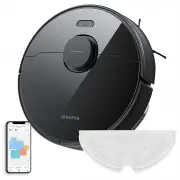







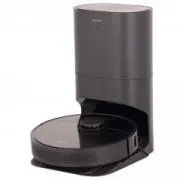 DREAME Bot Auto-Empty Robot Vacuum And Mop Z10 Pro Black (RLS5D)
User Manual
DREAME Bot Auto-Empty Robot Vacuum And Mop Z10 Pro Black (RLS5D)
User Manual
 DREAME Bot Robot Vacuum and Mop D9 Max Black (RLS5-BL1)
User Manual
DREAME Bot Robot Vacuum and Mop D9 Max Black (RLS5-BL1)
User Manual
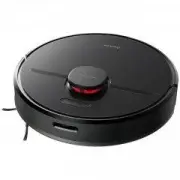 DREAME Bot Robot Vacuum and Mop D9 Pro Black (RLS5-BL0)
User Manual
DREAME Bot Robot Vacuum and Mop D9 Pro Black (RLS5-BL0)
User Manual
 DREAME Bot W10 White (RLS5C)
User Manual
DREAME Bot W10 White (RLS5C)
User Manual
 DREAME D10S Plus
User Manual
DREAME D10S Plus
User Manual
 DREAME D10S Pro
User Manual
DREAME D10S Pro
User Manual
 DREAME DRE-D10P
User Manual
DREAME DRE-D10P
User Manual
 DREAME DRE-D10SP
User Manual
DREAME DRE-D10SP
User Manual
 DREAME DRE-L10P
User Manual
DREAME DRE-L10P
User Manual
 DREAME DRE-L10SU
User Manual
DREAME DRE-L10SU
User Manual
 DREAME L10S PRO
User Manual
DREAME L10S PRO
User Manual
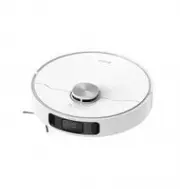 DREAME L10S Ultra
User Manual
DREAME L10S Ultra
User Manual
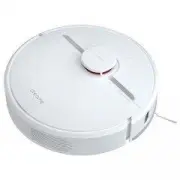 DREAME Robot Vacuum D9 White (RLS5-WH0)
User Manual
DREAME Robot Vacuum D9 White (RLS5-WH0)
User Manual
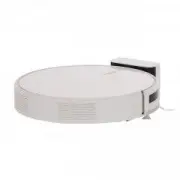 DREAME Robot Vacuum-Mop F9 White (RVS5-WH0)
User Manual
DREAME Robot Vacuum-Mop F9 White (RVS5-WH0)
User Manual
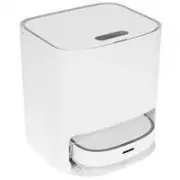 DREAME W10
User Manual
DREAME W10
User Manual