Page 2 - Risk of damaging the appliance
4 - PRECAUTIONS 91477A147/B • Children must not play with the appliance. • Keep children under the age of 8 at a safe distance unless they are constantly supervised. • Keep children under the age of 8 away from the appliance when it is in use. • Cleaning and maintenance must not be carried out by un...
Page 3 - MUST NOT
PRECAUTIONS - 5 91477A147/B e removed must face downwards and towards the back of the oven cavity. • Do not use steam jets to clean the appliance. • Do not spray any spray product near the appliance. • Do not obstruct ventilation openings and heat dispersal slots. • Fire hazard: never leave objects ...
Page 5 - Appliance purpose; This user manual; • This user manual is an integral part of the; Manufacturer’s liability; • failure to comply with the instructions in the; Identification plate
PRECAUTIONS - 7 91477A147/B e provided or recommended by the manufacturer. Temperature probe (if present) • Do not touch the rod or the tip of the temperature probe after use. • Wear oven gloves when handling the temperature probe. • Take care not to scratch or damage enamelled or chrome-plated surf...
Page 6 - Disposal; Fan forced mode; Energy efficiency technical data; Power voltage
8 - PRECAUTIONS 91477A147/B appliance. Do not remove the identification plate for any reason. Disposal This appliance conforms to the WEEE European directive (2012/19/EU) and must be disposed of separately from other waste at the end of its service life.The appliance does not contain substances in q...
Page 7 - How to read the user manual; DESCRIPTION; General Description
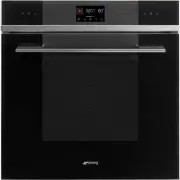
DESCRIPTION - 9 91477A147/B e efficiency class "G". How to read the user manual This user manual uses the following reading conventions: DESCRIPTION General Description 1 Control panel 2 Seal3 Temperature probe socket (on some models only) 4 Light bulb 5 Door6 Fan Frame shelf Warning/Caution...
Page 8 - Control panel; Touch keys/Function knob; Other parts; Shelves
10 - DESCRIPTION 91477A147/B Control panel 1 Touch keys/Function knob By means of these touch keys or this knob you can:• turn the appliance on and off;• select a function. 2 Digital programmer Displays the current time, the selected cooking temperature, power and function and any time set. 3 Touch ...
Page 9 - functions; Accessories; • Not all accessories are available on some
DESCRIPTION - 11 91477A147/B e Cooling fan The fan cools the appliance and comes into operation during cooking.The fan causes a steady outflow of air from above the door which may continue for a short period of time even after the appliance has been turned off. Oven lighting The appliance’s interior...
Page 10 - USE; Preliminary operations; First heating; Using the accessories; Racks and trays
12 - USE 91477A147/B Temperature probe (on some models only) With the temperature probe, you can cook according to the temperature measured at the centre the food. PPR2 or STONE(refractory stone) Ideal accessory for baking bread (pizza, bread, focaccia...), but you can also use it for more delicate ...
Page 11 - Tray rack; Digital programmer; Time setting
USE - 13 91477A147/B e Tray rack The tray rack has to be inserted into the tray. In this way fat can be collected separately from the food which is being cooked. Digital programmer The parameters and values for the currently selected function will be indicated on the display. To use it, simply turn ...
Page 12 - Modifying the time; Using the oven; Traditional cooking
14 - USE 91477A147/B 5. Press the button to set the current time and go to the selection of minutes. 6. Turn the temperature knob to select the minutes of the current time. 7. Press the button to confirm. Modifying the time 1. In the main menu, hold down the button for a few seconds. 2. Modify the t...
Page 17 - Cooking advice; General advice
USE - 19 91477A147/B e 2. Turn the temperature knob to set the cooking temperature (for example "190°C"). 3. Press the button to start the function. The appliance will begin preheating.At the end of preheating:4. Open the appliance door.5. Insert the tray on which the food has been placed in...
Page 18 - Cooking information table
20 - USE 91477A147/B • If the dessert collapses when it comes out of the oven, on the next occasion reduce the set temperature by about 10°C, selecting a longer cooking time if necessary. Advice for defrosting and proving • Place frozen foods without their packaging in a lidless container on the fir...
Page 20 - Multi-level cooking instructions; Place the moulds at the centre of the racks.; Information for Supervisory Bodies
22 - USE 91477A147/B Multi-level cooking instructions 1 Place the moulds at the centre of the racks. 2 Since it is a frozen product, do not cook more than 4-5 brioches per shelf. Information for Supervisory Bodies Fan forced mode The ECO function used to establish the energy efficiency class is comp...
Page 21 - Conventional heating mode; Special functions; DEFROSTING
USE - 23 91477A147/B e See the “To save energy ” section in the INSTRUCTIONS chapter. Conventional heating mode To use the STATIC mode, you have to skip the preheating stage (see the section “Preheating stage” in the USE chapter. See the “To save energy ” section in the INSTRUCTIONS chapter. Special...
Page 23 - AIRFRY
USE - 25 91477A147/B e 5. Press the button to confirm. 6. Turn the temperature knob to select the required temperature (from 50°C to 280°C). 7. Press the button to start the function. 8. After preheating, open the door and place the food to be cooked on the accessory. 9. Close the door.10. At the en...
Page 24 - Secondary functions; Minute minder timer
26 - USE 91477A147/B 1. After entering the special functions menu, press the button until the function is selected. 2. Press the button to confirm. 3. Turn the temperature knob to select the required temperature (from 50°C to 250°C). 4. Press the button to start the function. 5. When preheating is c...
Page 25 - Settings
USE - 27 91477A147/B e 5. Press the button to set the current time and go to the selection of minutes. 6. Turn the temperature knob to select the minutes of the current time. 7. Press the button to confirm. Settings • Press the button on the main menu. Control lock (children safety) 1. After enterin...
Page 27 - Sound; CLEANING AND MAINTENANCE; Cleaning the appliance; Cleaning the surfaces; Cleaning the door; Door disassembly
CLEANING AND MAINTENANCE - 29 91477A147/B e 2. Turn the temperature knob to the right or left to select the desired brightness, from value 1 (low brightness) to value 5 (high brightness). 3. Press the button to go to the next setting or press the button to confirm. Sound 1. After entering the settin...
Page 29 - Cleaning the oven cavity; Drying
CLEANING AND MAINTENANCE - 31 91477A147/B e 6. Insert the front grommets into their seats. The feet of the grommets must be facing the outer glass 7. Clean the external glass pane and the panes removed previously. 8. Use absorbent kitchen roll. In case of stubborn dirt, wash with a damp sponge and n...
Page 30 - Special cleaning functions
32 - CLEANING AND MAINTENANCE 91477A147/B Special cleaning functions • From position 0, turn the function knob to the left by one position. The button flashes. Vapor Clean (on some models only) Preliminary operations Before starting the Vapor Clean cycle: • Completely remove all accessories from ins...
Page 32 - Extraordinary maintenance; Seal maintenance tips
34 - CLEANING AND MAINTENANCE 91477A147/B minimum of 2:30 hours to maximum of 3:30 hours. 3. Press the button to confirm. 4. Two minutes after the Pyrolytic cycle starts, the indicator light comes on to indicate that the door is locked by a device that prevents the door from being opened. At the end...
Page 33 - INSTALLATION; Electrical connection; General information
INSTALLATION - 35 91477A147/B e 3. Use a tool (e.g. a spoon) to remove the bulb cover. 4. Slide out and remove the light bulb. 5. Replace the light bulb with one of the same type (40 W). 6. Refit the cover. Ensure the moulded part of the glass (A) is facing the door. 7. Press the cover completely do...
Page 34 - Positioning
36 - INSTALLATION 91477A147/B regulations. For the Australian/New Zealand market: The circuit breaker incorporated in the fixed connection must comply with AS/NZS 3000. Connection with plug and socket Make sure that the plug and socket are of the same type.Avoid using adapters, gang sockets or shunt...
Page 35 - Make sure that the cabinet top/rear
INSTALLATION - 37 91477A147/B e Mounting into a column (mm) * Make sure that the cabinet top/rear section has an opening approx. 35-40 mm deep.
Page 37 - Make sure that the piece of furniture
INSTALLATION - 39 91477A147/B e Mounting under worktops (mm) If the appliance is to be built-in under a worktop, a wooden bar has to be installed order to use the seal that is glued to the back of the front panel to prevent water or other liquids leaking in. * Make sure that the piece of furniture t...