Page 2 - Contents; Cleaning and maintenance
Contents 4 4 Cleaning and maintenance 60 4.1 Instructions 60 4.2 Cleaning the hob 60 4.3 Cleaning the oven cavity 61 4.4 Pyrolytic 62 4.5 Removing the door 66 4.6 Cleaning the door glazing 66 4.7 Extraordinary maintenance 68 5 Installation 70 5.1 Minimum clearance to combustible surfaces 70 5.2 Gas ...
Page 3 - Instructions; General safety instructions
Instructions 5 EN 1 Instructions 1.1 General safety instructions Risk of personal injury • During use the appliance becomes hot. Care should be taken to avoid touching heating elements inside the oven. • Protect your hands by wearing oven gloves when handling food inside the oven cavity. • Never try...
Page 5 - Risk of damaging the appliance
Instructions 7 EN • If the power supply cable is damaged, contact technical support immediately and they will replace it. Risk of damaging the appliance • Do not use abrasive or corrosive detergents (e.g. scouring powders, stain removers and metallic sponges) on glass parts. • Use wooden or plastic ...
Page 6 - Installation
Instructions 8 • If any liquid does boil over or spill, remove the excess from the cooktop. • Take care not to spill acidic substances such as lemon juice or vinegar onto the cooktop. • Do not put empty pans or frying pans on switched on cooking zones. • Do not use steam jets to clean the appliance....
Page 7 - For this appliance
Instructions 9 EN check that the tightening torque of gas connections is between 10 Nm and 15 Nm. • At the end of the installation, check for any leaks with a soapy solution, never with a flame. • Have the electrical connection performed by authorised persons. • The appliance must be connected to ea...
Page 8 - • Place the supplied data plate to a; How to read the user manual
Instructions 10 • Place the supplied data plate to a suitable adjacent surface or within the instruction manual for future reference. 1.3 Manufacturer liability The manufacturer declines all liability for damage to persons or property caused by:• use of the appliance other than the one envisaged; • ...
Page 9 - Information for European Control; Fan forced mode
Instructions 11 EN 1.7 To save energy • Only preheat the appliance if the recipe requires you to do so. • Unless otherwise indicated on the package, defrost frozen foods before placing them in the oven. • When cooking several types of food it is recommended to cook the foods one after the other to m...
Page 10 - Description; General Description; Cooking hob
Description 12 2 Description 2.1 General Description 1 Cooking hob 2 Control panel 3 Light 4 Seal 5 Door 6 Fan 7 Storage compartment Rack/tray support frames 2.2 Control panel
Page 11 - Hob burner knobs
Description 13 EN 1 Hob burner knobs Used for lighting and adjusting the hob burners.Press and turn the knobs anti-clockwise to in order to light the relative burners. Turn the knobs to the zone between the maximum and minimum setting to adjust the flame. Return the knobs to the position to turn off...
Page 12 - Shelves; Available accessories; Wok ring
Description 14 2.4 Other parts Shelves The appliance features shelves to position trays and racks at different heights. The insertion heights are indicated from the bottom upwards (see “2.1 General Description”). Cooling fan The fan cools the oven and comes into operation during cooking.The fan caus...
Page 13 - Tray
Description 15 EN Tray Useful for collecting fat from foods placed on the rack above. Deep tray Useful for collecting fat from foods placed on the rack above. Rack Useful for supporting containers with food during cooking. Some models are not provided with all accessories. The accessories intended t...
Page 14 - Use; Danger of burns
Use 16 3 Use 3.1 Instructions High temperature inside the oven during use Danger of burns • Keep the door closed during cooking.• Protect your hands by wearing oven mitts when moving food inside the oven cavity. • Do not touch the heating elements inside the appliance. • Do not pour water directly o...
Page 15 - A gas leak can cause an explosion.
Use 17 EN 3.2 Precautions A gas leak can cause an explosion. If you smell gas or there are faults in the gas system:• Immediately turn off the gas supply or close the valve on the gas cylinder. • Extinguish all open flames and cigarettes. • Do not turn on power switches or appliances and do not remo...
Page 16 - Using the accessories; Ring reducers
Use 18 3.4 Using the accessories Ring reducers The ring reducers have to be placed on the hob grids. Make sure they are placed properly. Tray rack The tray rack has to be inserted into the tray. In this way fat can be collected separately from the food which is being cooked. Racks and trays Racks an...
Page 17 - Practical tips for using the hob
Use 19 EN 3.5 Using the hob All the appliance’s control and monitoring devices are located on the front panel. The burner controlled by each knob is shown next to the dedicated knob. The appliance is equipped with an electronic ignition device. Simply press the knob and turn it anti-clockwise to the...
Page 18 - Correct position of the hob racks; Using the storage compartment
Use 20 Correct position of the hob racks Before lighting the hob burners on, make sure that the racks are in place on the same hob.Remember that:• The appliance has two side racks ( A ) and a centre one ( B ). • The side racks ( A ) have a thicker edge that should be facing the side of the appliance...
Page 19 - First use
Use 21 EN 3.7 Using the oven First use On the first use, or after a power failure, will be flashing on the appliance’s display. In order to be able to start any cooking operation, the current time must be set (if the oven is being turned on for the first time, it is also recommended you set the requ...
Page 20 - yes
Use 22 2. Press and hold down the control knob for a few seconds. 3. Select yes if you wish to delete the memory. Cooking functions 1. On the clock screen, press the control knob to access the main menu. 2. Turn the control knob to the right or left to select cooking functions from the main menu. 3....
Page 21 - Interrupting a function
Use 23 EN The appliance will begin pre-heat. The display will show the selected function, the preset temperature, the current time and the progress bar of the temperature reached. When the pre-heat stage is over a buzzer will sound to indicate that the food can be placed inside the oven. Interruptin...
Page 22 - List of cooking functions
Use 24 List of cooking functions ECO This function is particularly suitable for cooking on a single shelf with low energy consumption.Ideal for cooking meat, fish and vegetables. It is not recommended for leavened food.To obtain maximum energy saving and reduce cooking times, it is recommended to pl...
Page 23 - Fan with grill; Circular + fan with grill
Use 25 EN Fan with grill The air produced by the fan softens the strong heatwave generated by the grill, grilling perfectly even very thick food. Perfect for large cuts of meat (e.g. shin of pork). Fan + lower element The combination of the fan with just the bottom heating element allows cooking to ...
Page 24 - Timer during a function
Use 26 Timer during a function 1. Press the control knob during a cooking function. 2. Turn the control knob right or left to set the duration (from 1 minute to 4 hours). After a few seconds, the symbol stops flashing and the countdown starts. 3. Wait for the buzzer to indicate that the time has ela...
Page 26 - Programmed cooking
Use 28 Programmed cooking 1. After selecting a function and a cooking temperature, press the control knob to set the cooking time. 2. Press the control knob before the symbol stops flashing to set the cooking end time. 3. The symbol flashes. Turn the knob right or left to set the end of cooking time...
Page 28 - General advice
Use 30 3.8 Cooking advice General advice • Use a fan assisted function to achieve consistent cooking at several levels. • It is not possible to shorten cooking times by increasing the temperature (the food could be overcooked on the outside and undercooked on the inside). • For the same total weight...
Page 29 - Special functions; special functions
Use 31 EN • To defrost meat, use the rack placed on the second level and a tray on the first level. In this way, the liquid from the defrosting food drains away from the food. • Bread and fruit, if cut into pieces, will take the same amount of time to defrost, regardless of the total weight and quan...
Page 30 - Timer
Use 32 Timer 1. Turn the control knob to the right or left to select timer from the “special functions” menu. 2. Press the control knob to confirm. 3. Turn the control knob right or left to set the duration (from 1 minute to 4 hours). After a few seconds, the symbol stops flashing and the countdown ...
Page 31 - Defrost by weight
Use 33 EN Defrost by weight 1. Place the food inside the appliance.2. Turn the control knob to the right or left to select defrost by weight from the “special functions” menu. 3. Press the control knob to confirm. 4. Turn the control knob to select the type of food to defrost. 5. Turn the control kn...
Page 32 - Defrost by time
Use 34 8. At the end of the function, “function ended” is shown on the display and a buzzer will sound that can be deactivated by pressing the control knob. Pre-set parameters: *Defrosting times can vary according to the shape and size of the food to be defrosted. Defrost by time 1. Place the food i...
Page 33 - Proving
Use 35 EN 5. Press the control knob to confirm the set parameters. 6. Press it again to start defrosting. 7. While the function is in progress, it is possible to further modify the defrosting duration. Turn the control knob to the right or left to make the required changes. 8. Press the control knob...
Page 34 - Press the control knob to make the
Use 36 5. The appliance will begin pre-heat... 6. ... and it will then proceed with the selected function. While the function is in progress, it is possible to set a timer for a maximum of 4 hours (see “Timer during a function”), a proving duration (see “Timed cooking”) or delayed proving (see “Prog...
Page 35 - Plate warmer
Use 37 EN Plate warmer 1. Position the tray on the first shelf and place the plates to be warmed on it. 2. Turn the control knob to the right or left to select food warming (plate warmer) from the “special functions” menu. 3. Press the control knob to confirm. 4. Press the control knob to activate t...
Page 36 - Sabbath mode
Use 38 While the function is in progress, it is possible to set a timer for a maximum of 4 hours (see “Timer during a function”), a warming duration (see “Timed cooking”) or a delayed warming (see “Programmed cooking”).7. Press the control knob to make the desired changes. 8. At the end of the funct...
Page 37 - preset recipes
Use 39 EN 2. Press the control knob to confirm. 3. Turn the control knob to the right or left to change the heating temperature. 4. Press the control knob to start the Sabbath function. 5. When finished, keep the control knob pressed in for at least 5 seconds to go back to the main menu. 3.10 Preset...
Page 38 - Select the food group of the dish to cook
Use 40 2. Press the control knob to confirm. 3. Select the food group of the dish to cook and press the control knob to confirm. 4. Select the type of cooking (where possible, depending on the dish chosen) and press the control knob to confirm. 5. Turn the control knob to select the weight of the fo...
Page 39 - End of a program
Use 41 EN 7. A specific message will indicate when you can put the dish in the oven and start cooking. 8. Press the control knob to start cooking. End of a program 1. When the program has finished, the appliance will warn the user with buzzers and the symbol flashing. 2. To perform a new cooking ope...
Page 40 - Permanently modifying a program
Use 42 Permanently modifying a program 1. In the selected program, turn the control knob to the right or left to select change from the menu of the selected dish. 2. Press the control knob to confirm. 3. Turn the control knob to the right or left to select the function to associate with the program....
Page 41 - temperature
Use 43 EN 9. Turn the control knob to the right or left to select the cooking temperature to associate with the program. 10. Press the control knob to confirm. 11. Turn the control knob to the right or left to select the shelf to associate with the program. 12. Press the control knob to confirm. 13....
Page 42 - Table of programs
Use 44 Table of programs MEAT (1) When grilling, it is recommended to cook food on both sides, making reference to the times given in the table. The greater time always refers to the first side to be cooked, starting with raw foodstuffs. Food group Cooking Weight (kg) Level Function Temp. (°C) Time ...
Page 43 - FISH
Use 45 EN FISH VEGETABLES (1) When grilling, it is recommended to cook food on both sides, making reference to the times given in the table. The greater time always refers to the first side to be cooked, starting with raw foodstuffs. Food group Cooking Weight (kg) Level Function Temp. (°C) Time (min...
Page 44 - BREAD
Use 46 CAKES/PASTRIES BREAD Food group Cooking Weight (kg) Level Function Temp. (°C) Time (minutes) Bundt cake - 1.5 2 160 50 Biscuits - 0.5 2 160 23 Muffins - 0.5 2 160 21 Beignets - 0.5 2 180 70 Meringue - 0.4 2 130 93 Sponge-cake - 1 2 150 60 Strudel - 0.8 2 170 45 Jam tart - 1 2 170 43 Brioche b...
Page 45 - PIZZA
Use 47 EN PIZZA (2) The stone must be positioned on the base of the oven cavity. (3) Frozen pizza baked on stone does not require different baking times depending on the weight. PASTA/RICE PIES/FLANS Food group Cooking Weight (kg) Level Function Temp. (°C) Time (minutes) Pan pizza - 0.9 2 280 12 Sto...
Page 47 - Personal recipes; personal recipes
Use 49 EN 3.11 Personal recipes 1. On the clock screen, press the control knob to access the main menu. 2. Turn the control knob to the right or left to select personal recipes from the main menu. 3. Press the control knob to confirm. Adding a recipe 1. Select add from the “personal recipes” menu. 2...
Page 48 - weight
Use 50 4. Turn the control knob to the right or left to select the weight of the food to associate with the recipe. 5. Press the control knob to confirm. 6. Turn the control knob to the right or left to select the cooking duration to associate with the recipe. 7. Press the control knob to confirm. 8...
Page 52 - Delay cooking
Use 54 Delay cooking 1. Turn the control knob to the right or left to select a previously stored personal recipe from the “personal recipes” menu (in the example, the recipe test has been stored). 2. Press the control knob to confirm. 3. Turn the control knob to the right or left to select function ...
Page 53 - settings
Use 55 EN 3.12 Settings 1. On the clock screen, press the control knob to access the main menu. 2. Turn the control knob to the right or left to select settings from the main menu. 3. Press the control knob to confirm. Language Sets the interface language from those available.1. Turn the control kno...
Page 54 - Clock
Use 56 Clock Allows you to change time displayed. 1. Turn the control knob to the right or left to set the hours. 2. Press the control knob to switch to changing the minutes. 3. Turn the control knob to the right or left to set the minutes. 4. Press the return knob to confirm. Controls lock Allows t...
Page 55 - OFF
Use 57 EN Demo mode (for showrooms only) This mode allows the appliance to deactivate all heating elements, while keeping the control panel active. • To confirm the activation of the demo mode, select yes. Eco-logic (on some models only) This mode allows the power to the appliance to be limited. Sui...
Page 56 - Sound
Use 58 Sound Whenever one of the knobs is pressed, the appliance buzzes. This setting disables these sounds. • To disable sounds when the knobs are pressed, select no. Keep warm This mode allows the applianceto keep cooked food warm (atlow temperatures) after cookingfinishes with a cooking cycle for...
Page 57 - • To confirm the activation of eco-light
Use 59 EN eco-light For greater energy savings, the light is automatically deactivated one minute after the start of cooking. • To confirm the activation of eco-light mode, select yes. Digital clock Displays the time in digital format. • To confirm the activation of the digital clock, select yes. Wh...
Page 58 - Cleaning and maintenance; Cleaning the igniters and thermocouples
Cleaning and maintenance 60 4 Cleaning and maintenance 4.1 Instructions 4.2 Cleaning the hob To keep the surfaces in good condition, they should be cleaned regularly after use. Let them cool first.1. Pour some non-abrasive detergent on a damp cloth and wipe the surface. 2. Rinse thoroughly. 3. Dry w...
Page 59 - Cleaning the oven cavity; Removing racks/trays support frames; Door lock lever activated; Improper use
Cleaning and maintenance 61 EN 4.3 Cleaning the oven cavity In order to keep your oven in the best possible condition, clean it regularly after letting it cool down.Avoid letting food residue dry inside the oven cavity, as this could damage the enamel.Take out all removable parts before cleaning.For...
Page 60 - Preliminary operations
Cleaning and maintenance 62 (view from above) 1. Move the door lock lever to the right until it stops. (view from above) 2. Gently release the door lock lever. The mechanism’s spring will return the door lock lever to the deactivated position.To prevent damage to the mechanism, never attempt to deac...
Page 61 - Pyrolytic function setting
Cleaning and maintenance 63 EN Pyrolytic function setting 1. Turn the control knob to the right or left to select ECO pyrolytic or pyrolytic from the “special functions” menu. Then press it to confirm. 2. Turn the control knob to set the cleaning cycle duration from a minimum of 2 hours to a maximum...
Page 62 - Pyrolytic cycle
Cleaning and maintenance 64 Pyrolytic cycle 1. The display shows “cleaning in progress” and the remaining time to indicate that the appliance is carrying out the automatic cleaning cycle. Two minutes after the pyrolytic cycle has started the door is locked (the symbol is displayed) by a device that ...
Page 63 - Wait for the appliance to cool down; remain lit steadily and the appliance
Cleaning and maintenance 65 EN 4. Wait for the appliance to cool down and collect the residues deposited inside with a damp microfibre cloth. Setting of programmed pyrolytic cycle It is possible to program the pyrolytic cycle start time like all other cooking functions.1. After selecting the pyrolyt...
Page 64 - Removing the door; Grasp the door on both sides with both; Cleaning the door glazing; Removing the internal door glazing
Cleaning and maintenance 66 4.5 Removing the door For easier cleaning, it is recommended to remove the door and to place it on a tea towel.To remove the door proceed as follows:1. Open the door completely and insert two pins into the holes on the hinges shown in the figure. 2. Grasp the door on both...
Page 66 - Extraordinary maintenance; Replacing the internal light bulb
Cleaning and maintenance 68 4.7 Extraordinary maintenance Replacing the internal light bulb 1. Completely remove all accessories from inside the oven. 2. Remove the rack/tray support frames. 3. Remove the bulb cover using a tool (e.g. a screwdriver). 4. Slide out and remove the light bulb. 5. Fit th...
Page 68 - Installation; Minimum clearance to combustible surfaces; Freestanding cooker
Installation 70 5 Installation 5.1 Minimum clearance to combustible surfaces Freestanding cooker A 600 mm (Overhead) measured from the highest part of the highest burner and 750 mm for an exhaust fan. B 200 mm (Vertical combustible surface) measured form the edge of the nearest burner. C 10 mm (Hori...
Page 69 - The regulator must be fitted to the 1⁄2
Installation 71 EN fitting in the case of ULPG (propane) appliances.Connection of the appliance to the gas supply must be in accordance with the requirements of AS5601. A ½” BSP connector at the inlet is recommended and the gas supply line to the appliance must be of adequate length to allow suffici...
Page 70 - Gas connection extension cord
Installation 72 Make sure that the supply pressure complies with the values indicated in section “ Burner and nozzle characteristics table”. Gas connection extension cord For pyrolytic models, the supplied gas connection extension cord must be installed:1. undo the screw A at the back of the applian...
Page 71 - Carefully screw the assembled
Installation 73 EN 4. Carefully screw the assembled extension cord C to the gas connector D of the appliance, placing the seal 2 between them. Apply some insulating material on the thread of the assembled extension cord C , then tighten the hose E . Room ventilation The room containing the appliance...
Page 72 - Extractor fan; Adaptation to different types of gas
Installation 74 1 Extraction using a hood. 2 Extraction without a hood. A Single natural draught chimney. B Single chimney with extractor fan. C Directly outdoors with wall- or window- mounted extractor fan. D Directly outdoors through wall. Air Combustion products Extractor fan Adaptation to differ...
Page 73 - Adjusting the minimum setting for LPG
Installation 75 EN Adjusting the minimum setting for LPG Tighten the screw located at the side of the valve rod clockwise all the way. Lubricating the gas valves Over time the gas valves can become difficult to turn and get blocked. Clean them internally and replace the lubrication grease. Dimension...
Page 74 - Dimensions
Installation 76 5.3 Positioning Dimensions 1 Minimum distance from side walls or other flammable material. 2 Minimum cabinet width ( =A ). Heavy appliance Crushing hazard • Position the appliance into the base cabinet cutout with the help of a second person. Pressure on the door Risk of damage to th...
Page 75 - General information; B - Class 2 subclass 1
Installation 77 EN General information This appliance can be installed next to walls, one of which must be higher than the worktop, at a minimum distance of 50 from the side of the appliance, as shown in figures A and C relative to the installation classes.Any wall units positioned above the worktop...
Page 76 - Positioning and levelling
Installation 78 Positioning and levelling The appliance must sit level on the floor to ensure stability.• After making the gas and electrical connections, level and stabilise the appliance on the floor by screwing the foot in or out. Assembling the upstand The upstand must always be positioned and s...
Page 78 - Electrical connection
Installation 80 5.4 Electrical connection General information Check that the mains characteristics match the data indicated on the plate.The identification plate bearing the technical data, serial number and brand name is visibly positioned on the appliance.Do not remove this plate for any reason.Th...
Page 79 - Access to the terminal board
Installation 81 EN Access to the terminal board To connect the power supply cable, you must access the terminal board on the rear casing:1. Remove the screws fastening the plate to the rear casing. 2. Gently rotate the plate and remove it from its seat. 3. Proceed with installation of the power supp...
Page 80 - Fixed connection; For the installer
Installation 82 Fixed connection Fit the power line with an all-pole circuit breaker with a contact separation distance sufficient to provide complete disconnection in category III overvoltage conditions, pursuant to installation regulations. The disconnection incorporated in the fixed wiring must b...



 Smeg A11X-7
User Manual
Smeg A11X-7
User Manual
 Smeg A1PYID-7
User Manual
Smeg A1PYID-7
User Manual
 Smeg A1PYID-9
User Manual
Smeg A1PYID-9
User Manual
 Smeg A3AU-81
User Manual
Smeg A3AU-81
User Manual
 Smeg A5AU-81
User Manual
Smeg A5AU-81
User Manual
 Smeg ALFA1035EH
User Manual
Smeg ALFA1035EH
User Manual
 Smeg ALFA1035EHDS
User Manual
Smeg ALFA1035EHDS
User Manual
 Smeg ALFA1035EHT
User Manual
Smeg ALFA1035EHT
User Manual
 Smeg ALFA1035H
User Manual
Smeg ALFA1035H
User Manual
 Smeg ALFA1035H-2
User Manual
Smeg ALFA1035H-2
User Manual
 Smeg ALFA420EH
User Manual
Smeg ALFA420EH
User Manual
 Smeg ALFA420EHDS
User Manual
Smeg ALFA420EHDS
User Manual
 Smeg ALFA420EHT
User Manual
Smeg ALFA420EHT
User Manual
 Smeg ALFA625EH
User Manual
Smeg ALFA625EH
User Manual
 Smeg ALFA625EHDS
User Manual
Smeg ALFA625EHDS
User Manual
 Smeg ALFA625EHT
User Manual
Smeg ALFA625EHT
User Manual
 Smeg ALFA625H
User Manual
Smeg ALFA625H
User Manual
 Smeg ALFA625H-2
User Manual
Smeg ALFA625H-2
User Manual
 Smeg ALFA625HR-2
User Manual
Smeg ALFA625HR-2
User Manual
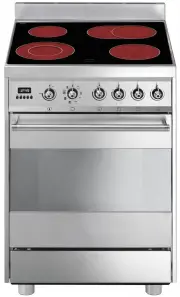 Smeg C6CMXA8
User Manual
Smeg C6CMXA8
User Manual