Page 2 - General instructions; INSTRUCTIONS FOR USE
General instructions 50 1. INSTRUCTIONS FOR USE This manual is an integral part of the appliance. It must be kept in its entirety and in anaccessible place for the whole working life of the appliance. We recommend reading thismanual and all information it contains carefully before using the applianc...
Page 4 - SAFETY PRECAUTIONS
General instructions 52 2. SAFETY PRECAUTIONS Consult the installation instructions for safety standards on electrical or gas appliancesand for ventilation functions. In your interests and for your safety the law requires that theinstallation and servicing of all electrical and gas appliances be car...
Page 6 - Instructions for disposal; ENVIRONMENTAL CARE; Our environmental care; Your old appliance also needs to be disposed of correctly.; Important; : hand over your appliance to the local agency authorised for the
Instructions for disposal 54 3. ENVIRONMENTAL CARE 3.1 Our environmental care Pursuant to Directives 2002/95/EC, 2002/96/EC and 2003/108/EC relating tothe reduction of the use of hazardous substances in electrical and electronicappliances, as well as to the disposal of refuse, the crossed out bin sy...
Page 7 - Instructions for the user; GET TO KNOW YOUR APPLIANCE
Instructions for the user 55 4. GET TO KNOW YOUR APPLIANCE Multifunction models Pyrolytic Model 1 Cooking hob 5 Fan 2 Control panel 6 Oven light 3 Oven seal 7 Storage compartment 4 Door Frame shelf
Page 8 - Description of the controls on the front panel; Programming clock
Instructions for the user 56 4.1 Description of the controls on the front panel Multifunction models Pyrolytic Model 1 Programming clock The programming clock makes it possible to display the current time or to set atimer or a programmed cooking operation. 2 Temperature selection knob The cooking te...
Page 9 - Thermostat indicator light
Instructions for the user 57 3 Thermostat indicator light (On multifunction models only)The indicator light comes on to indicate that the oven is heating up. When thislight goes out, the preset heating temperature has been reached. When the lightflashes regularly, it means that the temperature insid...
Page 10 - AVAILABLE ACCESSORIES; Rotisserie supports:
Instructions for the user 58 5. AVAILABLE ACCESSORIES NOTE: Some models are not provided with all accessories. Wide rack: useful for holding cooking containers. It can be placed on top of a tray forcooking foods which may drip. Narrow rack: useful for cooking small sized food, such as meat. It can b...
Page 11 - • Use only original accessories supplied by the manufacturer.; Using the oven racks and trays
Instructions for the user 59 • The oven accessories intended to come into contact with food are made of materials that comply with the provisions of Directive 89/109/EEC, dated 21/12/88, and of Legislative Decree 108, dated 25/01/92. • Accessories available on request: Original supplied and optional...
Page 12 - Using the rotisserie rod; Keep the oven door closed during cooking.
Instructions for the user 60 5.2 Using the rotisserie rod Keep the oven door closed during cooking. Use the clip forks provided to prepare the rotisserie rod with the food. The clipforks can be tightened using the fastening screws. Place the rotisserie supports into theinserts at the corners of the ...
Page 13 - Pour a little water in the drip tray to prevent smoke from forming.
Instructions for the user 61 After having prepared the rotisserie rod, place the tray on the first runner (see 4.GET TO KNOW YOUR APPLIANCE).Rocking the rotisserie supports, insert the tip of the rotisserie rod into the hole ofthe rotisserie motor on the side of the oven. At the end of cooking, scre...
Page 14 - USING THE COOKING HOB; General warnings and advice; Zone
Instructions for the user 62 6. USING THE COOKING HOB 6.1 General warnings and advice On first connection to the electrical mains, an operating check will be carried outautomatically and all indicator lights will come on for a few seconds. After use, turn off the hot plates used returning the approp...
Page 15 - Cookware suitable for use in induction cooking; Use only cookware with bases suitable for induction hot plates.
Instructions for the user 63 To prevent damage to the appliance or adjacent units, all pans or griddles mustbe placed inside the perimeter of the hob. 6.3 Cookware suitable for use in induction cooking On first connection to the electrical mains, an operating check will be carried outautomatically a...
Page 16 - Limiting the cooking duration; turns off, a short alert is sounded and if the zone is hot the symbol; Protection from hob overheating; of the cooking zone.
Instructions for the user 64 6.4 Limiting the cooking duration The hob has an automatic device which limits the duration of use. If the cooking zone settings are not changed, the maximum duration ofoperation of each zone depends on the power level selected.When the device for limiting the duration o...
Page 17 - Power levels; Suitable for; Cookware recognition; Cookware recognition limits:
Instructions for the user 65 6.7 Power levels The power in the cooking zone can be adjusted to various levels. The tableshows the levels suitable for various types of cooking. Power level Suitable for 0 OFF position U Dishwarming 1 - 2 Cooking small amounts of food (minimum power) 3 - 4 Cooking 5 - ...
Page 18 - Residual heat; will appear; Heating accelerator; seconds. The selected power and symbol; Booster function; the symbol
Instructions for the user 66 6.9 Residual heat If the cooking zone is still hot after being switched off, the symbol will appear on the display. The symbol clears once the temperature drops below 60°C. Supervise children carefully as they cannot readily see the residual heatindicator. The cooking zo...
Page 19 - Power management; Priority is given to the last zone set.
Instructions for the user 67 6.12 Power management The hob is fitted with a power management module thatoptimises/limits consumption. If the overall set powerlevels surpass the maximum limits permitted, theelectronic circuit board will automatically manage thepower supplied by the hot plates.The mod...
Page 20 - Before using the appliance; pans and the cooking compartment.; Heat the empty appliance to the maximum temperature; in order to remove; Cooling system; The oven lights switch on by selecting any function.
Instructions for the user 68 7. USING THE OVEN 7.1 Before using the appliance • Remove any labels (apart from the technical data plate) from trays, dripping pans and the cooking compartment. • Remove any protective film from the outside or inside of the appliance, including accessories such as trays...
Page 21 - General warnings and advice for use
Instructions for the user 69 7.5 General warnings and advice for use All cooking operations must be carried out with the door closed. Thedissipation of heat may cause hazards. During cooking, do not cover the bottom of the oven with aluminium or tin foiland do not place pans or oven trays on it as t...
Page 22 - Programming clock; Time setting and reset; Analogue clock operation; Setting the time
Instructions for the user 70 7.6 Programming clock Timer End of cooking Time setting and reset Value decrease Value increase The buzzer that sounds at the end of each programming will be made up of 10buzzes repeated 3 times at intervals of about 1 minute. It can be stopped at anytime by pressing any...
Page 23 - It is not possible to set a cooking time of more than 4 hours.
Instructions for the user 71 7.7.2 Timer This function only activates the buzzer, withoutstopping cooking. • Press and the display will light up as shown in figure 1; • Within 5 seconds press key or to set the timer. Each time a key is pressed, an outersegment representing 1 minute of cooking is lit...
Page 24 - Programming; It is not possible to set a cooking time of more than 12 hours.
Instructions for the user 72 7.7.3 Programming Cooking time: the 2 nd key can be pressed to set the cooking time. Before it can be set, the thermostat knob must be turned to the required cookingtemperature and the function selector knob to any setting. To set the cookingtime, proceed as follows: • P...
Page 25 - Display brightness reduction
Instructions for the user 73 Cooking start: as well as setting a cooking time, the cooking start time can also be set (with a maximum delay of 12 hours in relation to the current time). To setthe cooking start/end time, proceed as follows: • Set the cooking time as described in the previous point. •...
Page 28 - Cooking advice and instructions; General advice; to achieve uniform cooking at all heights.; Advice for cooking meat; quality of the food and to consumer taste.; Advice for cooking desserts and biscuits; consistency of the dough.; Advice for defrosting and proving
Instructions for the user 76 8.1 Cooking advice and instructions 8.1.1 General advice We recommend preheating the oven before putting food in. • For cooking on several levels, we recommend using a fan-assisted function to achieve uniform cooking at all heights. • In general, it is not possible to sh...
Page 29 - Advice for cooking with the Grill and the Fan-assisted grill; recommend that you preheat the oven before grilling.; To save energy
Instructions for the user 77 8.1.5 Advice for cooking with the Grill and the Fan-assisted grill • Using the Grill function (where present), meat can be grilled even when it is put into the cold oven; preheating is recommended if you wish to change theeffect of the cooking. • With the Fan-assisted gr...
Page 30 - TYPES OF FOOD; FIRST COURSES
Instructions for the user 78 8.3 Cooking tables TYPES OF FOOD WEIGHT FUNCTION FIRST COURSES LASAGNE 3-4 kg Static OVEN-BAKED PASTA 2 kg Static MEAT ROAST VEAL 1.2 kg Fan-assisted static PORK LOIN 1.2 kg Fan-assisted static PORK SHOULDER 1.2 kg Turbo ROAST RABBIT 1.2 kg Circular TURKEY BREAST 1.5 kg ...
Page 31 - RUNNER POSITION; SURFACE 2; SURFACE
Instructions for the user 79 RUNNER POSITION FROM BOTTOM TEMPERATURE °C TIME IN MINUTES 1 220 - 230 50 - 60 1 220 - 230 40 2 180 - 190 70 - 80 2 180 - 190 70 - 80 2 180 - 190 90 - 100 2 180 - 190 70 - 80 2 180 - 190 80 - 90 2 180 - 190 190 - 210 2 180 - 190 60 - 70 1 ST SURFACE 2 ND SURFACE 3 250 - ...
Page 32 - PIZZA
Instructions for the user 80 TYPES OF FOOD WEIGHT FUNCTION PIZZA 1 kg Pizza BREAD 1 kg Circular FOCACCIA 1 kg Turbo DESSERTS RING CAKE 1 kg Fan-assisted static FRUIT TART 1 kg Fan-assisted static SHORT PASTRY 0.5 kg Fan-assisted bottom JAM TARTS 1.2 kg Turbo PARADISE CAKE 1.2 kg Fan-assisted static ...
Page 34 - CLEANING AND MAINTENANCE; Cleaning the surfaces; pour the product onto a damp cloth and wipe the surface, rinse; Food stains or residues
Instructions for the user 82 9. CLEANING AND MAINTENANCE Do not use steam jets to clean the appliance. The steam could reach theelectronics, damaging them and causing short-circuits. WARNING: For your safety, you are advised to wear protective gloveswhile performing any cleaning or extraordinary mai...
Page 35 - Cleaning the glass ceramic hob; Dirt; do not affect the functioning and stability of the glass; Shiny surfaces; can form due to the bases of saucepans, especially aluminium; Weekly cleaning
Instructions for the user 83 9.4 Cleaning the glass ceramic hob The glass ceramic hob should be cleaned regularly, preferably after every use,once the residual heat indicator lights have gone off. Smudges from aluminium-based pans can be easily cleanedoff with a cloth dampened in vinegar.After cooki...
Page 36 - Cleaning the oven; • For easier cleaning, the door can be removed (see “10.2 Removing the; Removing guide frames; it out of the seats; Cleaning the door glazing
Instructions for the user 84 9.6 Cleaning the oven For the best oven upkeep, clean it regularly after having allowed it to cool. Takeout all removable parts. • Clean the oven racks with warm water and non-abrasive detergent. Rinse and dry. • For easier cleaning, the door can be removed (see “10.2 Re...
Page 37 - Removing the door seal (not on pyrolitic models); If the self-cleaning panels are dirty, primarily with; small amounts; , after the regeneration cycle, remove them
Instructions for the user 85 9.8 Removing the door seal (not on pyrolitic models) To permit thorough cleaning of the oven, thedoor seal may be removed.There are fasteners on all four sides to attach itto the edge of the oven. Pull the edges of theseal outwards to detach the fasteners. The sealmust b...
Page 38 - Before starting the automatic cleaning cycle; , it should be cleaned in
Instructions for the user 86 9.11 Pyrolysis: automatic oven cleaning Pyrolysis may be carried out at any time of the day or night (if you wish to benefitfrom the lower cost of electricity overnight). During the first automatic cleaning cycle, unpleasant odours may occur due tothe normal evaporation ...
Page 40 - EXTRAORDINARY MAINTENANCE; Replacing the light bulbs; Remove the bulb protector
Instructions for the user 88 10.EXTRAORDINARY MAINTENANCE The oven requires periodic minor maintenance or replacement of parts subjectto wear, such as gaskets, light bulbs, etc. Specific instructions for each operationof this kind are given below. Before any intervention that requires access to live...
Page 41 - Removing the door; are resting completely in
Instructions for the user 89 10.2 Removing the door Open the door completely.Insert two pins into the holes on the hingestowards the back of them until they engage. Grasp the door on both sides with both hands,lift it forming an angle of around 30° andremove it. To reassemble the door, put the hinge...
Page 42 - Instructions for the installer; INSTALLING THE APPLIANCE; Installing in kitchen units
Instructions for the installer 90 11.INSTALLING THE APPLIANCE 11.1 Installing in kitchen units Veneers, adhesives or plastic coatings on adjacent furniture should betemperature-resistant (no less than 90°C). If they are not sufficientlytemperature-resistant, they may warp over time. The appliance mu...
Page 43 - Electrical connection; NEVER UNPLUG BY PULLING ON THE CABLE.; accessible position close to the appliance.; The manufacturer declines all responsibility; for damage to persons or things
Instructions for the installer 91 11.2 Electrical connection Make sure the voltage and the cross-section of the power supply line match thespecifications indicated on the identification plate positioned on the appliance.Do not remove this plate for any reason. A copy of the plate is attached to thei...
Page 44 - POSSIBLE
Instructions for the installer 92 POSSIBLE CONNECTION TYPES CABLE TYPE (if not present) 380 - 415 V 3N~ 5-pole 5 x 1.5 mm² H05V2V2-F 380 - 415 V 2N~ 4-pole 4 x 4 mm² H05V2V2-F 220 - 240 V 1N~ 3-pole 3 x 6 mm² H05V2V2-F 220 - 240 V 3~ 4-pole 4 x 4 mm² H05V2V2-F 220 - 240 V 2~ 3-pole 3 x 6 mm² H05V2V2...
Page 45 - Positioning the skirt; • Position the skirt above the top, taking care; Positioning and levelling the appliance
Instructions for the installer 93 11.3 Positioning the skirt WARNING: The skirt provided is an integral part of the product; it must befastened to the appliance prior to installation. • Position the skirt above the top, taking care to align holes A with holes B . • Secure the skirt to the top by tig...
Page 46 - Wall mounting instructions; Attach the snap hook to the chain.
Instructions for the installer 94 11.5 Wall mounting instructions (some markets only) 1 Fasten a hook bolt (not supplied) into the wall ata height ( h ) of 800 mm from the floor. The installer must provide the hook bolt when installing the appliance. 2 Attach the snap hook to the chain. 3 Attach the...



 Smeg A11X-7
User Manual
Smeg A11X-7
User Manual
 Smeg A11XPY-9
User Manual
Smeg A11XPY-9
User Manual
 Smeg A1PYID-9
User Manual
Smeg A1PYID-9
User Manual
 Smeg A3AU-81
User Manual
Smeg A3AU-81
User Manual
 Smeg A5AU-81
User Manual
Smeg A5AU-81
User Manual
 Smeg ALFA1035EH
User Manual
Smeg ALFA1035EH
User Manual
 Smeg ALFA1035EHDS
User Manual
Smeg ALFA1035EHDS
User Manual
 Smeg ALFA1035EHT
User Manual
Smeg ALFA1035EHT
User Manual
 Smeg ALFA1035H
User Manual
Smeg ALFA1035H
User Manual
 Smeg ALFA1035H-2
User Manual
Smeg ALFA1035H-2
User Manual
 Smeg ALFA420EH
User Manual
Smeg ALFA420EH
User Manual
 Smeg ALFA420EHDS
User Manual
Smeg ALFA420EHDS
User Manual
 Smeg ALFA420EHT
User Manual
Smeg ALFA420EHT
User Manual
 Smeg ALFA625EH
User Manual
Smeg ALFA625EH
User Manual
 Smeg ALFA625EHDS
User Manual
Smeg ALFA625EHDS
User Manual
 Smeg ALFA625EHT
User Manual
Smeg ALFA625EHT
User Manual
 Smeg ALFA625H
User Manual
Smeg ALFA625H
User Manual
 Smeg ALFA625H-2
User Manual
Smeg ALFA625H-2
User Manual
 Smeg ALFA625HR-2
User Manual
Smeg ALFA625HR-2
User Manual
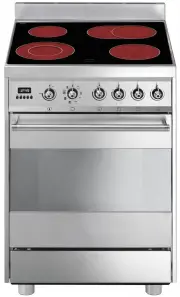 Smeg C6CMXA8
User Manual
Smeg C6CMXA8
User Manual