Page 2 - Contents; Electrical connection; Electrical connection
Contents 90 5 Installation 166 5.1 Positioning 166 5.2 Positioning 167 5.3 Electrical connection 171 5.4 Instructions for the installer 174 5 Installation 80 5.1 Positioning 80 5.2 Positioning 81 5.3 Electrical connection 85 5.4 Instructions for the installer 88 We advise you to read this manual car...
Page 3 - Instructions; General safety instructions
Instructions 91 EN 1 Instructions 1.1 General safety instructions Risk of personal injury • During use the appliance and its accessible parts become very hot. Never touch the heating elements during use. • Protect your hands by wearing oven gloves when moving food inside the oven. • Never try to put...
Page 5 - Risk of damaging the appliance
Instructions 93 EN Risk of damaging the appliance • Do not use abrasive or corrosive detergents (e.g. scouring powders, stain removers and metallic sponges) on glass parts. • Use wooden or plastic utensils.• Racks and trays should be inserted as far as they will go into the side guides. The mechanic...
Page 6 - Installation and maintenance
Instructions 94 • If any liquid does boil over or spill, remove the excess from the hob. • Take care not to spill acid substances such as lemon juice or vinegar on the hob. • Do not put empty pans or frying pans on switched on cooking zones. • Do not use steam jets to clean the appliance. • Do not u...
Page 7 - For this appliance
Instructions 95 EN • Use cables withstanding a temperature of at least 90°C. • The tightening torque of the screws of the terminal supply wires must be 1.5 - 2 Nm. For this appliance • After use, switch off the plates. Never rely solely on the cookware detector. • Supervise children carefully as the...
Page 8 - Appliance purpose; Identification plate; it along with the plug.
Instructions 96 1.2 Appliance purpose • This appliance is intended for cooking food in the home environment. Every other use is considered improper. • The appliance is not designed to operate with external timers or with remote-control systems. 1.3 Manufacturer’s liability The manufacturer declines ...
Page 9 - How to read the user manual; Danger of suffocation
Instructions 97 EN • Deliver the appliance to the appropriate recycling centre for electrical and electronic equipment waste, or return it to the retailer when purchasing an equivalent product, on a one for one basis. Our appliances are packaged in non-polluting and recyclable materials.• Deliver th...
Page 10 - Description; General Description; Upstand
Description 98 2 Description 2.1 General Description 1 Upstand 2 Hob 3 Control panel 4 Oven light 5 Seal 6 Door 7 Fan 8 Storage compartment Rack/tray support frames
Page 11 - Hob cooking zone knobs
Description 99 EN 2.2 Control panel 1 Hob cooking zone knobs Useful for controlling the cooking zones of the induction hob.Turn the knobs clockwise to adjust the operating power of the hot plate from a minimum of 1 to a maximum of 9 . The working power is indicated on the display on the hob. 2 Retur...
Page 12 - Advantages of induction cooking; Zone
Description 100 2.3 Hob * Power levels are approximate and can vary according to the pan used or the settings made. Advantages of induction cooking • Energy saving thanks to the direct transmission of energy to the pan (suitable magnetisable cookware is required) compared to traditional electric coo...
Page 13 - Shelves
Description 101 EN 2.4 Other parts Shelves The appliance features shelves to position trays and racks at different heights. The insertion heights are indicated from the bottom upwards (see 2.1, “General Description”). Cooling fan The fan cools the oven and comes into operation during cooking.The fan...
Page 14 - Available accessories; Tray rack
Description 102 2.5 Available accessories Tray rack To be placed over the top of the oven tray; for cooking foods which may drip. Deep tray Useful for collecting fat from foods placed on the rack above and for cooking pies, pizzas and baked desserts. Rack Useful for supporting containers with food d...
Page 15 - Use; High temperatures during use
Use 103 EN 3 Use 3.1 Instructions High temperatures during use Danger of burns • Keep the oven door closed during cooking. • Protect your hands by wearing oven gloves when moving food inside the oven. • Do not touch the heating elements inside the oven. • Do not pour water directly onto very hot tra...
Page 16 - Using the accessories
Use 104 3.2 First use 1. Remove any protective film from the outside or inside of the appliance, including accessories. 2. Remove any labels (apart from the technical data plate) from the accessories and from the oven cavity. 3. Remove and wash all the appliance accessories (see 4, “Cleaning and mai...
Page 17 - Racks and trays
Use 105 EN Racks and trays Racks and trays have to be inserted into the side guides until they come to a complete stop.The mechanical safety locks that prevent the rack from being removed accidentally must face downwards and towards the back of the oven cavity. Rotisserie (on some models only) 1. In...
Page 18 - Prepare the rotisserie rod with the food
Use 106 3. Prepare the rotisserie rod with the food using the clip forks provided. The clip forks can be tightened using the fastening screws. 4. Once you have prepared the rotisserie rod, place it on the supports. Insert the tip of the rod as far as it will go into the housing of the mechanism on t...
Page 19 - Improper use
Use 107 EN 7. To activate the rotisserie, turn the function knob to select the function and use the temperature knob to set a cooking temperature. 8. When cooking is complete, remove the tray with the rotisserie. 9. Screw on the handle provided so that you can handle the rotisserie rod more easily. ...
Page 20 - Cookware recognition
Use 108 Suitable cookware: • Enamelled steel cookware with thick bases. • Cast iron cookware with an enamelled base. • Cookware in multilayer stainless steel, ferritic stainless steel and aluminium with a special base. Unsuitable cookware: • Copper, stainless steel, aluminium, fireproof glass, wood,...
Page 21 - Limiting the cooking duration; Set power level
Use 109 EN Limiting the cooking duration The hob has an automatic device which limits the duration of use. If the cooking zone settings are not changed, the maximum duration of operation for each zone depends on the power level selected.When the device for limiting the duration of use is activated, ...
Page 22 - Power levels; * see booster function; Residual heat; Power level
Use 110 Power levels The power in the cooking zone can be adjusted to various levels. The table shows the levels suitable for various types of cooking. * see booster function Residual heat If the cooking zone is still hot after being switched off, the symbol will be displayed on the display. The sym...
Page 23 - Heating accelerator
Use 111 EN Heating accelerator This function allows the selected power to be achieved in the shortest amount of time.1. Turn the knob anticlockwise to position A and then release it. The display shows the symbol. 2. Select the required heating power ( 1 - 8 ) within 3 seconds. The selected power and...
Page 24 - Power control
Use 112 Power control The hob is fitted with a power control module that optimises/limits consumption. If the overall set power level exceeds the maximum limit permitted, the electronic circuit board will automatically manage the power supplied by the hot plates.The module tries to maintain the maxi...
Page 25 - First use
Use 113 EN 3.5 Using the oven First use When using the appliance for the first time, or after a power failure, the symbol will flash on the display. In order to be able to start any cooking operation, the current time must be set (if the oven is being turned on for the first time, it is also recomme...
Page 26 - Memory
Use 114 Memory Press the return knob from the clock screen to display the last preset recipes or personal recipes used. Deleting the memory If you wish to delete the memory:1. Press the return knob from the clock screen to display the last preset recipes or personal recipes used. 2. Press and hold d...
Page 27 - Press the knob to confirm the selection.
Use 115 EN 5. Press the knob to confirm the selection. The appliance will begin preheating. The display will show the selected function, the pre-set temperature, the current time and the progress bar of the temperature reached. When the preheating stage is over a buzzer will sound to indicate that t...
Page 28 - List of cooking functions
Use 116 List of cooking functions Eco This function is particularly suitable for cooking on a single shelf with low energy consumption.Ideal for cooking meat, fish and vegetables. It is not recommended for leavened foods.To obtain maximum energy savings and reduce cooking times, it is recommended to...
Page 29 - Fan with grill; Circulaire + fan with grill
Use 117 EN Fan with grill The air produced by the fan softens the strong heatwave generated by the grill, grilling perfectly even very thick foods. Perfect for large cuts of meat (e.g. shin of pork). Fan + lower element The combination of the fan with just the lower heating element allows cooking to...
Page 30 - Timer during a function
Use 118 Timer during a function 1. Press the control knob during a cooking function. 2. Turn the control knob right or left to set the duration (from 1 minute to 4 hours). After a few seconds, the symbol stops flashing and the countdown starts. 3. Wait for the buzzer to indicate that the time has fi...
Page 32 - Programmed cooking
Use 120 Programmed cooking 1. After selecting a function and a cooking temperature, press the control knob to set the cooking time. 2. Press the control knob before the symbol stops flashing to set the cooking end time. 3. The symbol flashes. Turn the knob right or left to set the cooking end time. ...
Page 34 - General advice
Use 122 3.6 Cooking advice General advice • Use a fan assisted function to achieve consistent cooking at several levels. • It is not possible to shorten cooking times by increasing the temperature (the food could be overcooked on the outside and undercooked on the inside). • For the same total weigh...
Page 35 - To save energy; Special functions; special functions
Use 123 EN • To defrost meat, use the rack placed on the second level and a tray on the first level. In this way, the liquid from the defrosting food drains away from the food. • Bread and fruit, if divided into pieces, will take the same amount of time to defrost, regardless of the total weight and...
Page 36 - List of special functions
Use 124 List of special functions Timer This function sounds a buzzer when the time set has elapsed. Defrost by weight This function defrosts foods according to the type and weight of the frozen product. Defrost by time This function allows you to defrost food on the basis of a selectable time. Prov...
Page 37 - Timer
Use 125 EN Timer 1. Turn the control knob to the right or left to select timer from the “special functions” menu. 2. Press the control knob to confirm. 3. Turn the control knob right or left to set the duration (from 1 minute to 4 hours). After a few seconds, the symbol stops flashing and the countd...
Page 38 - Defrost by weight
Use 126 Defrost by weight 1. Place the food inside the appliance.2. Turn the control knob to the right or left to select defrost by weight from the “special functions” menu. 3. Press the control knob to confirm. 4. Turn the control knob to select the type of food to defrost. 5. Turn the control knob...
Page 39 - Defrost by time
Use 127 EN 8. At the end of the function, “function ended” appears on the display and a buzzer will sound that can be deactivated by pressing the control knob. Pre-set parameters: *Defrosting times may vary according to the shape and size of the food to be defrosted. Defrost by time 1. Place the foo...
Page 40 - Proving
Use 128 5. Press the control knob to confirm the set parameters. 6. Press it again to start defrosting. 7. While the function is in progress, it is possible to further modify the defrosting duration. Turn the control knob to the right or left to make the required changes. 8. Press the control knob t...
Page 41 - It will then proceed with the selected
Use 129 EN 5. The appliance will begin preheating. 6. It will then proceed with the selected function. While the function is in progress, it is possible to set a timer for a maximum of 4 hours (see “Timer during a function”), a proving duration (see “Timed cooking”) or delayed proving (see “Programm...
Page 42 - Food warming
Use 130 Food warming 1. Position the tray on which the plates are to be warmed on the first shelf. 2. Turn the control knob to the right or left to select food warming from the “special functions” menu. 3. Press the control knob to confirm. 4. Press the control knob to activate the function, or turn...
Page 43 - Sabbath
Use 131 EN While the function is in progress, it is possible to set a timer for a maximum of 4 hours (see “Timer during a function”), a warming duration (see “Timed cooking”) or a delayed warming (see “Programmed cooking”).7. Press the control knob to make the desired changes. 8. At the end of the f...
Page 44 - preset recipes
Use 132 2. Press the control knob to confirm. 3. Turn the control knob to the right or left to change the heating temperature. 4. Press the control knob to start the Sabbath function. 5. When finished, keep the control knob pressed in for at least 5 seconds to return to the main menu. 3.8 Preset rec...
Page 45 - Select the sub-category of dish to cook
Use 133 EN 2. Press the control knob to confirm. 3. Select the sub-category of dish to cook and press the control knob to confirm. 4. Select the type of cooking (where possible, depending on the dish chosen) and press the control knob to confirm. 5. Turn the control knob to select the weight of the ...
Page 46 - A message will indicate when to place
Use 134 7. A message will indicate when to place the food in the oven and enable the start of cooking. 8. Press the control knob to start cooking. Preset recipe end 1. When the preset recipe has finished, the appliance will warn the user with buzzers and the flashing symbol. 2. Press the control kno...
Page 47 - Changing a preset recipe permanently
Use 135 EN Changing a preset recipe permanently 1. Inside the selected preset recipe, turn the control knob to the left or right to select change from the menu of the selected dish. 2. Press the control knob to confirm. 3. Turn the control knob to the right or left to select the function to associat...
Page 48 - temperature
Use 136 9. Turn the control knob to the right or left to select the cooking temperature to associate with the preset recipe. 10.Press the control knob to confirm. 11.Turn the control knob to the right or left to select the shelf to associate with the preset recipe. 12.Press the control knob to confi...
Page 49 - Predefined programs table
Use 137 EN Predefined programs table MEATS (1) When grilling, it is recommended to cook foods on both sides, making reference to the times given in the table. The greater time always refers to the first side to be cooked, starting with raw foodstuffs. Subcategory Cooking Weight (Kg) Level Function T...
Page 50 - FISH
Use 138 FISH VEGETABLES (1) When grilling, it is recommended to cook foods on both sides, making reference to the times given in the table. The greater time always refers to the first side to be cooked, starting with raw foodstuffs. Subcategory Cooking Weight (Kg) Level Function Temp. (°C) Time (min...
Page 51 - BREAD
Use 139 EN DESSERTS/PASTRIES BREAD Subcategory Cooking Weight (Kg) Level Function Temp. (°C) Time (minutes) Bundt cake - 1.5 2 160 50 Biscuits - 0.5 2 160 23 Muffins - 0.5 2 160 21 Profiteroles - 0.5 2 180 70 Meringues - 0.4 2 130 93 Sponge cake - 1 2 150 60 Strudel - 0.8 2 170 45 Tart - 1 2 170 43 ...
Page 52 - PIZZA
Use 140 PIZZA (2) The stone must be positioned on the base of the oven. (3) Frozen pizza cooked on the stone does not require different cooking times according to weight. PASTA/RICE PIES / FLANS Subcategory Cooking Weight (Kg) Level Function Temp. (°C) Time (minutes) Pan baked pizza - 0.9 2 280 12 S...
Page 53 - SLOW COOKING
Use 141 EN SLOW COOKING Subcategory Cooking Weight (Kg) Level Function Temp. (°C) Time (minutes) Veal - 1.5 2 90 540 Beef rare 1.4 2 90 190 well done 1 2 90 480 Pork loin - 1 2 90 420 Lamb - 1.5 2 90 480 The cooking times in the table refer to the food indicated in the recipe and are a guide only; t...
Page 54 - personal recipes
Use 142 3.9 Personal recipes 1. On the clock screen, press the control knob to access the main menu. 2. Turn the control knob to the right or left to select personal recipes from the main menu. 3. Press the control knob to confirm. Adding a recipe 1. Select add from the “personal recipes” menu. 2. T...
Page 55 - weight
Use 143 EN 4. Turn the control knob to the right or left to select the weight of the dish to associate with the recipe. 5. Press the control knob to confirm. 6. Turn the control knob to the right or left to select the cooking duration to associate with the recipe. 7. Press the control knob to confir...
Page 56 - YES
Use 144 12.Pressing the control knob again will return to point 2 of the change sequence. You must press the return knob to save the recipe. The appliance will ask you to enter a name for the recipe you have just created. 13.Enter the name of the recipe. Turn the control knob to select the character...
Page 59 - Delay cooking
Use 147 EN Delay cooking 1. Turn the control knob to the right or left to select a previously stored personal recipe from the “personal recipes” menu (in the example, the test recipe has been stored). 2. Press the control knob to confirm. 3. Turn the control knob to the right or left to select delay...
Page 60 - settings
Use 148 3.10 Settings 1. On the clock screen, press the control knob to access the main menu. 2. Turn the control knob to the right or left to select settings from the main menu. 3. Press the control knob to confirm. Language Sets the interface language from those available.1. Turn the control knob ...
Page 61 - Clock
Use 149 EN Clock Allows you to change time displayed. 1. Turn the control knob right or left to set the hours. 2. Press the control knob to switch to changing the minutes. 3. Turn the control knob right or left to set the minutes. 4. Press the return knob to confirm. Controls lock Allows the applian...
Page 63 - Sound
Use 151 EN Sound Whenever one of the knobs is pressed, the appliance beeps. This setting disables these sounds. • To disable sounds when the controls are pressed, select NO. Keep warm This mode allows the appliance to keep cooked food warm (at low temperatures) after cooking finishes with a cooking ...
Page 64 - • To confirm the activation of Eco-Light
Use 152 Eco-Light For greater energy savings, the light is automatically deactivated one minute from the start of cooking. • To confirm the activation of Eco-Light mode, select YES. • To stop the appliance from automatically deactivating the light after one minute, set this mode to OFF. If the Eco-L...
Page 65 - Digital clock
Use 153 EN Digital clock Displays the time in digital format. • To confirm the activation of the digital clock, select YES. When no appliance function is active, the display will show the current time in digital format.
Page 66 - Cleaning and maintenance; Cleaning the glass ceramic hob; Dirt
Cleaning and maintenance 154 4 Cleaning and maintenance 4.1 Instructions 4.2 Cleaning the glass ceramic hob To keep the surfaces in good condition, they should be cleaned regularly after use. Let them cool first.Light coloured marks from pans with aluminium bases can be easily cleaned off with a clo...
Page 67 - Ordinary daily cleaning; Cleaning the oven cavity
Cleaning and maintenance 155 EN Ordinary daily cleaning Always and only use specific products that do not contain abrasives or chlorine-based acids.Pour the product onto a damp cloth and wipe the surface, rinse thoroughly and dry with a soft cloth or a microfibre cloth. Weekly cleaning Clean and mai...
Page 68 - Door lock lever activated; Move the door lock lever to the right
Cleaning and maintenance 156 Deactivating the door lock lever manually The door lock lever is located in the first slot on the left under the control panel, in the upper part of the front of the oven. During normal cleaning operations, it is possible to accidentally activate the door lock lever. Doo...
Page 69 - Removing rack/tray support frames
Cleaning and maintenance 157 EN Removing rack/tray support frames Removing the rack/tray support frames enables the sides to be cleaned more easily.To remove the rack/tray support frames:• Pull the frame towards the inside of the oven to unhook it from its groove A , then slide it out of the seats B...
Page 70 - Pyrolytic function setting
Cleaning and maintenance 158 • Completely remove all accessories from inside the oven. • Remove the rack/tray support frames.• Remove the upper guard (when fitted).• Close the door. Pyrolytic function setting 1. Turn the control knob to the right or left to select eco pyrolytic or pyrolytic from the...
Page 71 - symbol
Cleaning and maintenance 159 EN 3. Press the control knob. The symbol will now be lit solidly. The display will show a warning to remove accessories from inside the oven. 4. Press the control knob to start the pyrolytic cycle. Pyrolytic cycle 1. The display shows “cleaning in progress” and the remai...
Page 72 - At the end of the pyrolytic cycle, the
Cleaning and maintenance 160 2. At the end of the pyrolytic cycle, the door remains locked as long as the temperature inside the oven cavity returns to safety levels. 3. The display will indicate that the cooling procedure is in progress. 4. Wait for the appliance to cool down and collect the residu...
Page 73 - Setting of programmed pyrolytic cycle; Cleaning the door; Removing the door
Cleaning and maintenance 161 EN Setting of programmed pyrolytic cycle It is possible to program the pyrolytic cycle start time like all other cooking functions.1. After selecting the pyrolytic cycle duration, press the control knob. The display shows the current time and the symbol comes on. 2. Turn...
Page 74 - To reassemble the door, put the hinges
Cleaning and maintenance 162 3. To reassemble the door, put the hinges in the relevant slots in the oven, making sure that grooved sections A are resting completely in the slots. Lower the door and once it is in place remove the retaining clips from the holes in the hinges. Cleaning the door glazing...
Page 75 - Extraordinary maintenance; Replacing the internal light bulb
Cleaning and maintenance 163 EN 5. Remove the intermediate glass panes by lifting them upwards. 6. Clean the external glass pane and the panes removed previously. Use absorbent kitchen roll. In case of stubborn dirt, wash with a damp sponge and neutral detergent. 7. When you have finished cleaning, ...
Page 76 - The appliance is not working properly:
Cleaning and maintenance 164 4. Slide out and remove the light bulb. 5. Fit the new light bulb. 6. Refit the cover. Ensure the moulded part of the glass (A) is facing the door. 7. Press the cover completely down so that it attaches perfectly to the bulb support. What to do if... The appliance is not...
Page 77 - The display is completely off:
Cleaning and maintenance 165 EN The display is completely off: • Check the mains power supply.• Check whether an all-pole switch upstream of the appliance supply line is in the “ON” position. The controls do not respond: • Check whether “controls lock” mode has been set (for further details see “Pre...
Page 78 - Installation; Dimensions
Installation 166 5 Installation 5.1 Positioning Dimensions 1 Minimum distance from side walls or other flammable material. 2 Minimum cabinet width ( =A ). Appliance dimensions (mm) Position of gas and electrical connections. Heavy appliance Crushing hazard • Position the appliance into the cabinet c...
Page 79 - General information
Installation 167 EN 5.2 Positioning General information This appliance can be installed next to walls, one of which can be higher than the worktop, at a minimum distance of X mm from the side of the appliance, as shown in figures A and C relative to the installation classes.Any wall units positioned...
Page 80 - B - Class 2 subclass 1; Positioning and levelling
Installation 168 B - Class 2 subclass 1 (Built-in appliance) C - Class 2 subclass 1 (Built-in appliance) Positioning and levelling The appliance must sit level on the floor to ensure stability.• After making the gas and electrical connections, level and stabilise the appliance on the floor by screwi...
Page 81 - Fastening to the wall
Installation 169 EN Fastening to the wall 1. Screw the wall fastening plate to the rear of the appliance. 2. Adjust the height of the 4 legs. 3. Assemble the fastening bracket. 4. Align the base of the hook on the fastening bracket with the base of the slot on the wall fastening plate. The anti-tip ...
Page 83 - Assembling the upstand
Installation 171 EN Assembling the upstand The upstand must always be positioned and secured correctly on the appliance.1. Place the upstand on the hob.2. Line up the slots of the upstand ( A ) with the holes on the rear edge of the hob ( B ). 3. With the aid of a screwdriver, fasten the upstand to ...
Page 84 - Replacement clamp
Installation 172 The appliance can work in the following modes:• 220-240 V 2 ~ 3 x 10 mm² three-core cable. • 3220-240 V 3 ~ 4 x 6 mm² four-core cable. • 220-240 V 1N ~ 3 x 10 mm² three-core cable. • 380-415 V 2N ~ 4 x 6 mm² four-core cable. • 380-415 V 3N ~ 5 x 2.5 mm² five-core cable. Replacement ...
Page 85 - Accessing the terminal board
Installation 173 EN Accessing the terminal board To connect the power supply cable, you must access the terminal board on the rear casing:1. Remove the screws fastening the plate to the rear casing. 2. Gently rotate the plate and remove it from its seat. 3. Proceed with installation of the power sup...
Page 86 - Instructions for the installer; • The plug must be accessible after
Installation 174 5.4 Instructions for the installer • The plug must be accessible after installation. Do not bend or trap the power cable. • The appliance must be installed according to the installation diagrams. • If the appliance does not work correctly after having carried out all the checks, con...



 Smeg ALFA625EHDS
User Manual
Smeg ALFA625EHDS
User Manual
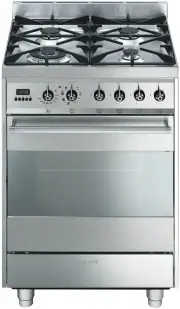 Smeg C6GMXA8
User Manual
Smeg C6GMXA8
User Manual
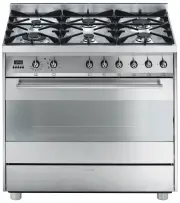 Smeg C9GMX
User Manual
Smeg C9GMX
User Manual
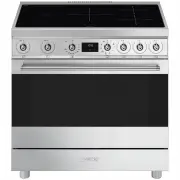 Smeg C9IMX2
User Manual
Smeg C9IMX2
User Manual
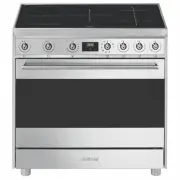 Smeg C9IMX9-1
User Manual
Smeg C9IMX9-1
User Manual
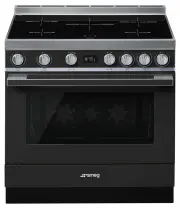 Smeg CPF9IPAN
User Manual
Smeg CPF9IPAN
User Manual
 Smeg CPF9IPBL
User Manual
Smeg CPF9IPBL
User Manual
 Smeg CPF9IPOG
User Manual
Smeg CPF9IPOG
User Manual
 Smeg CPF9IPOR
User Manual
Smeg CPF9IPOR
User Manual
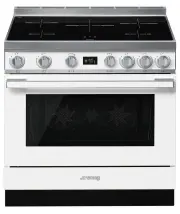 Smeg CPF9IPWH
User Manual
Smeg CPF9IPWH
User Manual
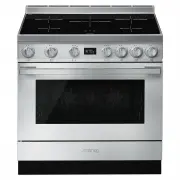 Smeg CPF9IPX
User Manual
Smeg CPF9IPX
User Manual
 Smeg CS6CMXA
User Manual
Smeg CS6CMXA
User Manual
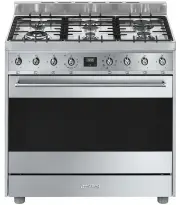 Smeg CS9GMXA
User Manual
Smeg CS9GMXA
User Manual
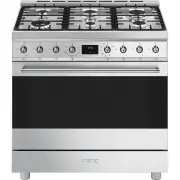 Smeg CS9GMXA2
User Manual
Smeg CS9GMXA2
User Manual
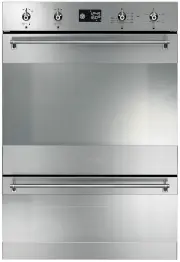 Smeg DOSPA38X
User Manual
Smeg DOSPA38X
User Manual
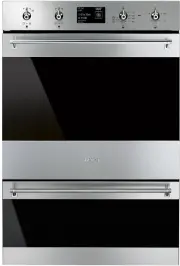 Smeg DOSPA6395X
User Manual
Smeg DOSPA6395X
User Manual
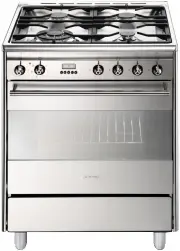 Smeg FS61XNG8
User Manual
Smeg FS61XNG8
User Manual
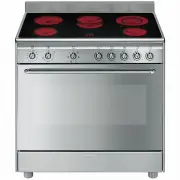 Smeg FS9010CER-1
User Manual
Smeg FS9010CER-1
User Manual
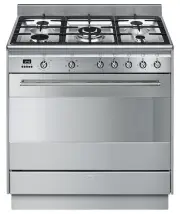 Smeg FS9606XS
User Manual
Smeg FS9606XS
User Manual
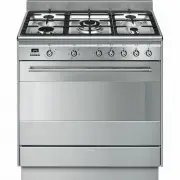 Smeg FS9606XS1
User Manual
Smeg FS9606XS1
User Manual