Page 2 - Instructions; 7Instructions; General safety instructions
Instructions 4 1 7Instructions 1.1 General safety instructions Risk of personal injury • During use the appliance becomes hot. Care should be taken to avoid touching heating elements inside the oven. • Protect your hands by wearing oven gloves when moving food inside the oven. • Never try to put out...
Page 4 - Risk of damaging the appliance
Instructions 6 • Do not try to repair the appliance yourself or without the intervention of a qualified technician. • Do not pull the cable to remove the plug. • In order to avoid hazard, if the power supply cable is damaged, contact technical support and they will replace it. Risk of damaging the a...
Page 5 - Installation
Instructions 7 EN • Do not use the open door to rest pans or trays on the internal glass pane. • Cooking vessels or griddle plates should be placed inside the perimeter of the hob. • All pans must have smooth, flat bottoms. • If any liquid does boil over or spill, remove the excess from the hob. • T...
Page 6 - For this appliance
Instructions 8 • The appliance must be connected to earth in compliance with electrical system safety standards. • Use cables withstanding a temperature of at least 90 °C. • The tightening torque of the terminal board screws for the power supply wires must be 1.5 - 2 Nm. • If the electrical supply i...
Page 7 - Identification plate
Instructions 9 EN 1.4 Identification plate The identification plate bears the technical data, serial number and brand name of the appliance. Do not remove the identification plate for any reason. 1.5 This user manual This user manual is an integral part of the appliance and must therefore be kept in...
Page 8 - How to read the user manual
Instructions 10 1.7 How to read the user manual This user manual uses the following reading conventions: 1. Sequence of instructions for use.• Standalone instruction. Instructions General information on this user manual, on safety and final disposal. Description Description of the appliance and its ...
Page 9 - Description; General Description; Backguard
Description 11 EN 2 Description 2.1 General Description 1 Backguard 2 Hob 3 Control panel 4 Oven light 5 Seal 6 Door 7 Storage compartment 8 Fan Rack/tray support frames
Page 10 - Hob cooking zone knobs; Zone
Description 12 2.2 Hob * power levels are approximate and may vary according to the settings made and the mains voltage. 2.3 Control panel 1 Hob cooking zone knobs Useful for switching on and adjusting the cooking zones of the hob. Press and turn the knob clockwise to adjust the power of each zone f...
Page 11 - from the
Description 13 EN 3 Temperature knob This knob allows you to select the cooking temperature. Turn the knob clockwise to the required value, between the minimum and maximum setting. 4 Programmer clock Useful for displaying the current time, setting programmed cooking operations and programming the mi...
Page 12 - Available accessories; Rack
Description 14 2.5 Available accessories Rack Useful for supporting containers with food during cooking. Tray rack To be placed over the top of the tray; for cooking foods which may drip. Tray Useful for collecting fat from foods placed on the rack above. Deep tray Useful for collecting fat from foo...
Page 13 - Use; Danger of burns
Use 15 EN 3 Use 3.1 Instructions High temperature inside the oven during use Danger of burns • Keep the oven door closed during cooking. • Protect your hands wearing heat resistant gloves when moving food inside the oven. • Do not touch the heating elements inside the oven. • Do not pour water direc...
Page 14 - First use; Using the accessories; Tray rack
Use 16 First use 1. Remove any protective film from the outside or inside of the appliance, including accessories. 2. Remove any labels (apart from the technical data plate) from the accessories and from the oven cavity. 3. Remove and wash all the appliance accessories (see 4 Cleaning and maintenanc...
Page 15 - Racks and trays; LIGHT; Improper use
Use 17 EN Racks and trays Racks and trays have to be inserted into the side guides until they come to a complete stop.• The mechanical safety locks that prevent the rack from being removed accidentally must face downwards and towards the back of the oven cavity. 3.3 Using the hob Residual heat The i...
Page 16 - Switching off the cooking zones; or; Practical advice for using the hob
Use 18 Switching off the cooking zones To switch off the cooking zones, turn the corresponding knobs to 0 . Double heating zones To turn on the double heating zones, turn the knob to the maximum value and then to the symbols or . When the knob is released, it automatically returns to the highest pow...
Page 17 - Functions list
Use 19 EN Functions list Static As the heat comes from above and below at the same time, this system is particularly suitable for certain types of food. Traditional cooking, also known as static cooking, is suitable for cooking just one dish at a time. Perfect for all types of roasts, bread and cake...
Page 18 - Fan with circulaire
Use 20 3.5 Programmer clock Value decrease key Clock key Increase key Fan with circulaire The combination of the fan and the circulaire heating element (incorporated in the rear of the oven) allows you to cook different foods on several levels, as long as they need the same temperatures and same typ...
Page 19 - Setting the time
Use 21 EN Setting the time On the first use, or after a power failure, the digits will be flashing on the appliance’s display. 1. Hold down the clock key for two seconds. The dot between the hours and the minutes flashes. 2. The time can be set via the value increase key and value decrease key . Kee...
Page 20 - Programmed cooking
Use 22 7. Press the clock key to reset the programmer clock. Programmed cooking 1. Set the cooking time as described in the previous point “Timed cooking”. 2. Hold the menu key down for 2 seconds. 3. Press the menu key again. The display will show the digits and the text in sequence, while the symbo...
Page 21 - Minute minder timer
Use 23 EN 10. Return the function and temperature knobs to 0 . 11. To turn off the buzzer just press any key of the programmer clock. 12. Press the and keys at the same time to reset the set program. Minute minder timer The minute minder timer can be activated at any time. 1. Keep the clock key pres...
Page 22 - Modifying the set data; Using the storage compartment; General advice
Use 24 Modifying the set data 1. Press the clock key . 2. Use the value increase and value decrease keys to set the number of minutes required. Deleting the set data 1. Press the clock key . 2. Hold down the value increase and value decrease keys at the same time. 3. Then switch off the oven manuall...
Page 23 - Advice for cooking with the Grill
Use 25 EN Advice for cooking with the Grill • Meat can be grilled even when it is put into the cold oven or into the preheated oven if you wish to change the effect of the cooking. • With the Fan with grill function, we recommend that you preheat the oven before grilling. • We recommend placing the ...
Page 24 - Cooking information table
Use 26 Cooking information table Food Weight (Kg) Function Shelf Temperature (°C) Time (minutes) Lasagne 3 - 4 Static 1 220 - 230 45 - 50 Pasta bake 3 - 4 Static 1 220 - 230 45 - 50 Veal roast 2 Turbo/Circulaire 2 180 - 190 90 - 100 Pork loin 2 Turbo/Circulaire 2 180 - 190 70 - 80 Sausages 1.5 Fan w...
Page 25 - Cleaning and maintenance; Cleaning the surfaces; Ordinary daily cleaning
Cleaning and maintenance 27 EN 4 Cleaning and maintenance 4.1 Instructions 4.2 Cleaning the surfaces To keep the surfaces in good condition, they should be cleaned regularly after use. Let them cool first. Ordinary daily cleaning Always and only use specific products that do not contain abrasives or...
Page 26 - which may have fallen on the hob
Cleaning and maintenance 28 4.3 Cleaning the hob Cleaning the glass ceramic hob Light coloured marks from pans with aluminium bases can be easily cleaned off with a cloth moistened in vinegar.After cooking, remove any burnt residues with the scraper provided; rinse with water and dry thoroughly with...
Page 27 - Cleaning the door; Removing the door
Cleaning and maintenance 29 EN 4.4 Cleaning the door Removing the door For easier cleaning it is recommended to remove the door and place it on a tea towel.To remove the door proceed as follows:1. Open the door completely and insert two pins into the holes on the hinges indicated in the figure. 2. G...
Page 28 - Removing the internal glass panes
Cleaning and maintenance 30 Removing the internal glass panes For easier cleaning the internal glass panes of the door can be removed.1. Remove the internal glass pane by pulling the rear part gently upwards, following the movement indicated by the arrows ( 1 ). This way, the 4 pins attached to the ...
Page 29 - Cleaning the oven cavity; Cleaning the racks and trays
Cleaning and maintenance 31 EN 4.5 Cleaning the oven cavity In order to keep your oven in the best possible condition, clean it regularly after letting it cool down.Avoid letting food residue dry inside the oven cavity, as this could damage the enamel.Take out all removable parts. Cleaning the racks...
Page 30 - Vapor Clean
Cleaning and maintenance 32 Vapor Clean Preliminary operations Before starting the Vapor Clean cycle:• Completely remove all accessories from inside the oven. The upper guard can be left inside the oven. • Pour approx. 40 cc of water onto the floor of the oven. Make sure it does not overflow out of ...
Page 31 - End of the Vapor Clean cycle; Extraordinary maintenance; Installing and removing the seal
Cleaning and maintenance 33 EN End of the Vapor Clean cycle 4. Open the door and wipe away the less stubborn dirt with a microfibre cloth. 5. Use a non-scratch sponge with brass filaments on hard to remove deposits. 6. In case of grease residues use specific oven cleaning products. 7. Remove the wat...
Page 32 - Replacing the internal light bulb
Cleaning and maintenance 34 Replacing the internal light bulb 1. Completely remove all accessories from inside the oven. 2. Remove the rack/tray support frames.3. Remove the bulb cover using a tool (e.g. a screwdriver). 4. Slide out and remove the light bulb. 5. Replace the light bulb with one of th...
Page 33 - Installation; Heavy appliance
Installation 35 EN 5 Installation 5.1 Positioning This appliance may be installed next to walls, one of which is higher than the worktop, at a minimum distance of X mm from the side of the appliance, as shown in figures “ A ” and “ C ” relative to the installation classes. Any wall units installed a...
Page 34 - B - Class 2 subclass 1; Appliance overall dimensions
Installation 36 B - Class 2 subclass 1 (Built-in appliance) C - Class 2 subclass 1 (Built-in appliance) Appliance overall dimensions 1 Minimum distance from side walls or other flammable material. 2 Minimum cabinet width ( =A ). The appliance must be installed by a qualified technician and according...
Page 35 - Electrical connection
Installation 37 EN Appliance dimensions: location of electrical connection (mm) E = Electrical connection Assembling the upstand The upstand must always be positioned and secured correctly on the appliance.1. Loosen the 4 screws ( A ) on the back of the hob (2 for each side) using a screwdriver. 2. ...
Page 36 - Positioning and levelling
Installation 38 Positioning and levelling After making the electrical and/or gas connections, screw the four adjustable legs supplied with the appliance. The appliance must sit level on the floor to ensure stability.Screw or unscrew the bottom part of the leg until the appliance is stable and level ...
Page 37 - Align the base of the hook on the
Installation 39 EN 3. Assemble the fastening bracket. 4. Align the base of the hook on the fastening bracket with the base of the slot on the wall fastening plate. 5. Align the base of the fastening bracket with the ground and tighten the screws to fix the measurements. 6. Use 50 mm for the distance...
Page 38 - Move the bracket onto the wall and; Electrical connection; General information
Installation 40 7. Move the bracket onto the wall and mark the position of the holes to be drilled in the wall. 8. After drilling the holes in the wall, use wall plugs and screws to fasten the bracket to the wall. 9. Push the cooker towards the wall, and at the same time, insert the bracket in the p...
Page 39 - Access to the terminal board
Installation 41 EN The appliance can work in the following modes:• 220-240 V 2 ~ 3 x 4 mm² three-core cable. • 220-240 V 3 ~ 4 x 2.5 mm² four-core cable. • 220-240 V 1N ~ 3 x 4 mm² three-core cable. • 380-415 V 2N ~ 4 x 2.5 mm² four-core cable. • 380-415 V 3N ~ 5 x 1.5 mm² five-core cable. Access to...
Page 40 - Fixed connection; Instructions for the installer
Installation 42 3. Proceed with installation of the power supply cable. 4. When you have finished, reposition the plate on the rear casing and fasten it in place with the previously removed screws. Fixed connection Fit the power line with an all-pole disconnection switch, with a clearance between it...
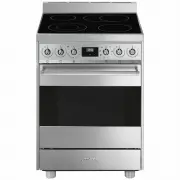


 Smeg CPF9IPAN User Manual
 Smeg CPF9IPBL User Manual
 Smeg CPF9IPOG User Manual
 Smeg CPF9IPOR User Manual
 Smeg CPF9IPWH User Manual
 Smeg CPF9IPX User Manual
 Smeg CS9GMXA User Manual
 Smeg CS9GMXA2 User Manual
 Smeg DOSPA38X User Manual
 Smeg DOSPA6395X User Manual
 Smeg FS61XNG8 User Manual
 Smeg FS9010CER-1 User Manual