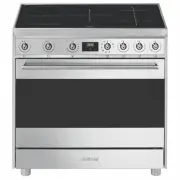
Page 2 - Instructions; General safety instructions
Instructions 60 1 Instructions 1.1 General safety instructions Risk of personal injury • During use the appliance becomes hot. Care should be taken to avoid touching heating elements inside the oven. • WARNING: if the surface is cracked, switch off the appliance to avoid the possibility of electric ...
Page 3 - Risk of damaging the appliance
Instructions 61 EN • Do not insert pointed metal objects (cutlery or utensils) into the slots in the appliance. • Do not pour water directly on very hot trays. • Keep the oven door closed during cooking. • WARNING - Ensure the appliance is switched off before replacing the lamp to avoid the possibil...
Page 5 - Installation
Instructions 63 EN regarding electromagnetic compatibility, the electromagnetic induction cooking hob comes under group 2 and class B (EN 55011). • Do not use steam jets to clean the appliance. • Do not use rough or abrasive materials or sharp metal scrapers. • Do not use cleaning products containin...
Page 6 - Manufacturer liability
Instructions 64 as they cannot readily see the indication of residual heat. After use the cooking zones remain hot for a certain period of time even if they have been turned off. Keep children away from the cooking zones. • The glass ceramic surface is highly resistant to impacts. However, avoid har...
Page 7 - How to read the user manual; Power voltage
Instructions 65 EN To dispose of the appliance:• Cut the power supply cable and remove it along with the plug. • Deliver the appliance to the appropriate recycling centre for electrical and electronic equipment waste, or return it to the retailer when purchasing an equivalent product, on a one for o...
Page 8 - Description; General Description; Cooking hob
Description 66 2 Description 2.1 General Description 1 Cooking hob 2 Control panel 3 Temperature probe socket (on some models only) 4 Light bulb 5 Seal 6 Door 7 Fan 8 Storage compartment Rack/tray support frame shelf
Page 9 - Advantages of induction cooking; Zone
Description 67 EN 2.2 Cooking hob * Power levels are approximate and can vary according to the pan used or the settings made. Advantages of induction cooking • Energy saving thanks to the direct transmission of energy to the pan (suitable magnetisable cookware is required) compared to traditional el...
Page 10 - to a maximum of
Description 68 2.3 Control panel 1 Hob cooking zone knobs Useful for controlling the cooking zones of the induction hob. Turn the knobs clockwise to adjust the operating power of the hot plate from a minimum of 1 to a maximum of 9 . The working power is indicated on the display on the hob. 2 Indicat...
Page 11 - Cooling fan; Available accessories; Rack
Description 69 EN Cooling fan The fan cools the ovens and comes into operation during cooking.The fan causes a steady outflow of air that exits from the rear of the appliance and which may continue for a brief period of time even after the appliance has been turned off. 2.5 Available accessories Rac...
Page 12 - Rotisserie
Description 70 Rotisserie Useful for cooking chicken and all foods that require uniform cooking over their entire surface. Temperature probe (on some models only) With the temperature probe, you can cook according to the temperature measured at the centre the food. Self-cleaning panels (on some mode...
Page 13 - Use
Use 71 EN 3 Use Instructions High temperature inside the oven during use Danger of burns • Keep the oven door closed during cooking. • Protect your hands by wearing oven gloves when moving food inside the oven. • Do not touch the heating elements inside the appliance. • Do not pour water directly on...
Page 14 - First use
Use 72 First use 1. Remove any protective film from the outside or inside of the appliance, including accessories. 2. Remove any labels (apart from the technical data plate) from the accessories and from the cooking compartments. 3. Remove and wash all the appliance's accessories (see 4 Cleaning and...
Page 15 - Using the accessories; Tray rack
Use 73 EN 3.2 Using the accessories Tray rack The tray rack has to be inserted into the tray. In this way fat can be collected separately from the food which is being cooked. Racks and trays Racks and trays have to be inserted into the side guides until they come to a complete stop. The mechanical s...
Page 18 - appears on the
Use 76 To see whether the pan is suitable, bring a magnet close to the bottom: if it is attracted, the pan is suitable for induction cooking. If you do not have a magnet, you can put a small amount of water in the pan, place it on a cooking zone and start the cooking zone. If the symbol appears on t...
Page 19 - Limiting the cooking duration; Set power level
Use 77 EN Limiting the cooking duration The hob has an automatic device which limits the duration of use. If the cooking zone settings are not changed, the maximum duration of operation for each zone depends on the power level selected.When the device for limiting the duration of use is activated, t...
Page 20 - Power levels; * see booster function; Residual heat; Power level; Improper use
Use 78 Power levels The power in the cooking zone can be adjusted to various levels. The table shows the levels suitable for various types of cooking. * see booster function Residual heat If the cooking zone is still hot after being switched off, the symbol will be displayed on the display. The symb...
Page 21 - Keep warm
Use 79 EN Keep warm To activate the keep warm function:• Turn the knob for the desired cooking zone until the symbol appears on the corresponding display. Multizone function To activate the Multizone function: 1. Turn the front left and rear left cooking zone knobs anticlockwise at the same time and...
Page 22 - Only for some zones
Use 80 Only for some zones : the Booster function is always enabled and has to be disabled manually using the corresponding knob. Power control The hob is fitted with a power control module that optimises/limits consumption. If the overall set power level exceeds the maximum limit permitted, the ele...
Page 23 - Controls lock; Using the storage compartment
Use 81 EN 7. Release the knob. Controls lock 1. With all cooking zones off, simultaneously turn the two front right and rear right cooking zone control knobs anti-clockwise (position A ). 2. Keep them turned until the symbols appear on the display. 3. Release the knobs. In order to remove the contro...
Page 24 - Switching on the oven
Use 82 3.5 Using the oven Switching on the oven To switch on the oven:1. Select the cooking function using the function knob. 2. Select the temperature using the temperature knob. Functions list Ensure that the programmer clock shows the cooking duration symbol , otherwise it will not be possible to...
Page 26 - Danger of burns
Use 84 3.6 Using the temperature probe (on some models only) With the temperature probe, roasts, pork loin and various cuts and sizes of meat can be cooked to perfection.The probe, in fact, allows foods to be cooked to perfection because it accurately monitors the core temperature of the food.The co...
Page 27 - Positioning the probe
Use 85 EN Positioning the probe 1. Place the food on a tray.2. Insert the tip of the probe into the food before placing it in the oven. 3. For best results, make sure that the temperature probe is placed transversely in the thickest part of the food and for least 3/4 of its length. Make sure that it...
Page 28 - Minimum target temperature:
Use 86 4. Close the door. 5. Press the button for a few seconds; Press the button again. The default target temperature is indicated on the display and the symbol flashes. 6. Use the and buttons to regulate the target temperature to a value between the minimum and a maximum. 7. Wait for a few second...
Page 29 - At the end of cooking
Use 87 EN At the end of cooking When the set target temperature for the temperature probe is reached, the heating elements are switched off and the appliance emits a series of beeps. 1. Press a button on the programmer clock to stop the buzzer. 2. Open the door. 3. Remove the probe from the food and...
Page 30 - Advice for defrosting and proving
Use 88 • The temperature and the cooking time depend on the quality and consistency of the dough. • To check whether the dessert is cooked right through: At the end of the cooking time, put a toothpick into the highest point of the dessert. If the dough does not stick to the toothpick, the dessert i...
Page 31 - Setting the time
Use 89 EN Setting the time On the first use, or after a power failure, the digits will be flashing on the appliance’s display. 1. Hold down the clock key for two seconds. The dot between the hours and the minutes flashes. 2. The time can be set via the value increase key and value decrease key . Kee...
Page 32 - Programmed cooking
Use 90 7. Press the clock key to reset the programmer clock. Programmed cooking 1. Set the cooking time as described in the previous point Timed cooking. 2. Hold the menu key down for 2 seconds. 3. Press the menu key again. The display will show the digits and the text in sequence, while the symbol ...
Page 33 - Minute minder timer
Use 91 EN 10. Return the function and temperature knobs to 0 . 11. To turn off the buzzer just press any key of the programmer clock. 12. Press the and keys at the same time to reset the set program. Minute minder timer The minute minder timer can be activated at any time. 1. Keep the clock key pres...
Page 34 - Modifying the set data
Use 92 Modifying the set data 1. Press the clock key . 2. Use the value increase and value decrease keys to set the number of minutes required. Deleting the set data 1. Press the clock key . 2. Hold down the value increase and value decrease keys at the same time. 3. Then switch off the oven manuall...
Page 35 - Cooking information table
Use 93 EN Cooking information table Food Weight (kg) Function Runner position from the bottom Temperature (°C) Time (minutes) Lasagne 3 - 4 Static 1 220 - 230 45 - 50 Pasta bake 3 - 4 Static 1 220 - 230 45 - 50 Roasted veal 2 Turbo/Fan assisted 2 180 - 190 90 - 100 Pork loin 2 Turbo/Fan assisted 2 1...
Page 36 - Temperature probe-cooking information table (on some models only); Type and cut of meat
Use 94 Temperature probe-cooking information table (on some models only) Type and cut of meat Target temperature (°C) Beef Roast beef: rare 50 - 53 Roast beef: medium 55 - 58 Roast beef: well done 65 - 70 Rib of beef: rare* 50 Rib of beef: medium* 58 Rib of beef: well done* 70 Pork Roast loin 70 - 8...
Page 37 - Cleaning and maintenance
Cleaning and maintenance 95 EN 4 Cleaning and maintenance Instructions Cleaning the surfaces To keep the surfaces in good condition, they should be cleaned regularly after use. Let them cool first. Ordinary daily cleaning Always use specific products only that do not contain abrasives or chlorine-ba...
Page 38 - which may have fallen on the hob
Cleaning and maintenance 96 4.1 Cleaning the hob Cleaning the glass ceramic hob Light coloured marks from pans with aluminium bases can be easily cleaned off with a cloth moistened in vinegar.After cooking, remove any burnt residues with the scraper provided; rinse with water and dry thoroughly with...
Page 39 - Cleaning the door; Removing the door
Cleaning and maintenance 97 EN 4.2 Cleaning the door Removing the door For easier cleaning it is recommended to remove the door and place it on a tea towel.To remove the door proceed as follows:1. Open the door completely and insert two pins into the holes on the hinges indicated in the figure. 2. G...
Page 40 - Removing the internal glass panes
Cleaning and maintenance 98 Removing the internal glass panes For easier cleaning the internal glass panes of the door can be removed.1. Open the door.2. Position the locking hooks in the hinge holes to prevent accidental closing of the door. 3. Remove the internal glazing pane by pulling the rear p...
Page 41 - Cleaning the oven cavity; Removing racks/trays support frames
Cleaning and maintenance 99 EN 4.3 Cleaning the oven cavity In order to keep your oven in the best possible condition, clean it regularly after letting it cool down.Avoid letting food residue dry inside the oven cavity, as this could damage the enamel.Take out all removable parts before cleaning.For...
Page 42 - Preliminary operations
Cleaning and maintenance 100 Regeneration of self-cleaning panels (catalysis cycle) (on some models only) The regeneration cycle of the self-cleaning panels is a cleaning method through heating suitable for removing small grease residues, not sugar-based ones.1. Clean the base and the upper section ...
Page 43 - Vapor Clean setting
Cleaning and maintenance 101 EN • Spray a water and washing up liquid solution inside the oven using a spray nozzle. Direct the spray against the side walls, upwards, downwards and towards the deflector. • Close the door. • During the assisted cleaning cycle, wash the self-cleaning panels (where fit...
Page 44 - Extraordinary maintenance; Replacing the internal light bulb
Cleaning and maintenance 102 For greater hygiene and to avoid food being affected by any unpleasant odours, we recommend that the oven is dried using a fan-assisted function at 160 °C for approximately 10 minutes. 4.5 Extraordinary maintenance Replacing the internal light bulb 1. Completely remove a...
Page 45 - Press the cover completely down so
Cleaning and maintenance 103 EN 7. Press the cover completely down so that it attaches perfectly to the bulb support. Installing and removing the seal To remove the seal:• Unhook the clips located in the 4 corners and in the centre, then pull the seal outwards. To refit the seal:• Hook the clips loc...
Page 46 - Installation; Heavy appliance
Installation 104 5 Installation 5.1 Positioning This appliance may be installed next to walls, one of which must be higher than the worktop, at a minimum distance of X mm from the side of the appliance, as shown in figures “ A ” and “ C ” relative to the installation classes. Any wall units position...
Page 47 - B - Class 2 subclass 1; Appliance overall dimensions
Installation 105 EN B - Class 2 subclass 1 (Built-in appliance) C - Class 2 subclass 1 (Built-in appliance) Appliance overall dimensions 1 Minimum distance from side walls or other flammable material. 2 Minimum cabinet width ( =A ). The appliance must be installed by a qualified technician and accor...
Page 48 - Electrical connection
Installation 106 Dimensions of the appliance: locations of gas and electric connections (mm) E = Electrical connection Positioning and levelling • After making the gas and electrical connections, screw on the four feet supplied with the appliance. The appliance must sit level on the floor to ensure ...
Page 49 - Fastening to the wall
Installation 107 EN Fastening to the wall 1. Screw the wall fastening plate to the rear of the appliance. 2. Adjust the height of the 4 feet. 3. Assemble the fastening bracket. 4. Align the base of the hook on the fastening bracket with the base of the slot on the wall fastening plate. The anti-tip ...
Page 50 - Align the base of the fastening bracket
Installation 108 5. Align the base of the fastening bracket with the ground and tighten the screws to fix the measurements. 6. Use 50 mm for the distance from the side of the appliance to the bracket holes. 7. Move the bracket onto the wall and mark the position of the holes to be drilled in the wal...
Page 51 - Electrical connection; General information
Installation 109 EN 5.2 Electrical connection General information Check the mains characteristics against the data indicated on the plate.The identification plate bearing the technical data, serial number and brand name is visibly positioned on the appliance.Do not remove this plate for any reason.P...
Page 52 - Fixed connection
Installation 110 Replacement U-bolt In the event of connection to a two- or three-phase supply, the installed U-bolt must be replaced with the one supplied in order to ensure correct fastening of the cable. Fixed connection Fit the power line with an all-pole disconnection switch, with a clearance b...
Page 53 - Instructions for the installer
Installation 111 EN 4. At the end, reposition the lid on the rear cover and secure it with the previously removed screws. 5.3 Instructions for the installer • The plug must be accessible after installation. Do not bend or trap the power cable. • The appliance must be installed according to the insta...