Page 2 - Instructions; General safety instructions
Instructions 4 1 Instructions 1.1 General safety instructions Risk of personal injury • During use the appliance and its accessible parts become very hot. • Never touch the heating elements during use. • Keep children under eight years of age at a safe distance if they are not constantly supervised....
Page 3 - For this appliance; Manufacturer liability; Power voltage
Instructions 5 EN For this appliance • Ensure that the appliance is switched off before replacing the bulb. • Do not rest any weight or sit on the open door of the appliance. • Take care that no objects are stuck in the doors. 1.2 Manufacturer liability The manufacturer declines all liability for da...
Page 4 - Identification plate; Danger of suffocation
Instructions 6 Our appliances are packed in non-polluting and recyclable materials.• Deliver the packing materials to the appropriate recycling centre. 1.5 Identification plate The identification plate bears the technical data, serial number and brand name of the appliance. Do not remove the identif...
Page 5 - Description; General Description; Control panel
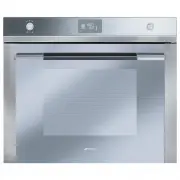
Description 7 EN 2 Description 2.1 General Description 1 Control panel 2 Oven light 3 Seal 4 Door 5 Fan 6 Rack/tray support frames Frame shelf
Page 7 - Available accessories; Rack
Description 9 EN 2.4 Available accessories Rack Useful for supporting containers with food during cooking. Tray rack To be placed over the top of the oven tray; for cooking foods which may drip. Oven tray Useful for collecting fat from foods placed on the rack above. Some models are not provided wit...
Page 8 - Use; Danger of burns
Use 10 3 Use 3.1 Instructions 3.2 First use 1. Remove any protective film from the outside or inside of the appliance, including accessories. 2. Remove any labels (apart from the technical data plate) from the accessories and from the oven cavity. 3. Remove and wash all the appliance accessories (se...
Page 9 - Using the accessories; Racks and trays
Use 11 EN 3.3 Using the accessories Racks and trays Racks and trays have to be inserted into the side guides until they come to a complete stop.• The mechanical safety locks that prevent the rack from being taken out accidentally have to face downwards and towards the oven back. Tray rack The tray r...
Page 10 - Display
Use 12 3.4 Using the oven Display Clock indicator light Minute minder timer indicator light Timed cooking with delayed start indicator light Timed cooking indicator light Child lock indicator light Showroom indicator light Eco logic indicator light Temperature level reached Operating modes Stand-by:...
Page 11 - Setting the time
Use 13 EN Setting the time On the first use, or after a power failure, will be flashing on the appliance's display. To be able to start any cooking function, the current time must be set.1. Turn the temperature knob to set the displayed time (keep the knob turned to produce a faster increase or decr...
Page 12 - Functions list; and
Use 14 Functions list Eco The combination of the fan and the circulaire heating element, in ECO mode, is particularly indicated for cooking on a single shelf, with reduced power consumption. Static As the heat comes from above and below at the same time, this system is particularly suitable for cert...
Page 13 - Minute minder
Use 15 EN Minute minder 1. Press the temperature knob once (twice if cooking is already in progress). The display shows and the indicator light flashes. 2. Turn the knob to set the duration (from 1 minute to 4 hours). After a few seconds, the indicator light stops flashing and the countdown starts. ...
Page 14 - Timed cooking
Use 16 Timed cooking 1. After selecting a cooking function and temperature, press the temperature knob three times. The display shows and the indicator light flashes. 2. Turn the temperature knob right or left to set the cooking duration from 00:01 to 12:59. Keep the knob turned to produce a faster ...
Page 15 - Programmed cooking
Use 17 EN Modifying the data set during timed cooking During operation, it is possible to modify timed cooking duration: 1. When the indicator light is steady and cooking is in progress inside the appliance, press the temperature knob twice. The indicator light starts flashing. 2. Turn the temperatu...
Page 17 - General advice
Use 19 EN 3.5 Cooking advice General advice • Use a fan assisted function to achieve consistent cooking at several levels. • It is not possible to shorten cooking times by increasing the temperature (the food could be overcooked on the outside and undercooked on the inside). Advice for cooking meat ...
Page 18 - Special functions and automatic; Timed defrosting
Use 20 3.6 Special functions and automatic programs Timed defrosting 1. Place the food inside the oven.2. Select the timed defrosting function, indicated by the symbol, using the function knob. 3. Press the temperature knob to set the duration. 4. Turn the knob to adjust the value (from 5 seconds to...
Page 19 - Shabbat
Use 21 EN Shabbat 1. Press the function knob to select the Shabbat function. 2. Press the temperature knob. 3. Turn the temperature knob to change the re-heating time. 4. Press the function knob to confirm the settings and start the Shabbat function. 5. Once completed press and hold the function kno...
Page 20 - Defrosting by weight
Use 22 Defrosting by weight 1. Place the food inside the oven.2. Press the function knob to select defrosting by weight, marked by “dE00” and the illuminated food symbols. 3. Turn the function knob to select the type of food to defrost. 4. Turn the temperature knob to select the weight (in grams) of...
Page 21 - Automatic programs table
Use 23 EN Automatic programs table MEATS (01 - 05) FISH (06 - 07) VEGETABLES (08 - 10) DESSERTS (11 - 13) The times indicated in the tables do not include the preheating times. Subcategory Weight (g) Level Function Temp. (°C) Time (minutes) 01 Roast beef 1000 2 Circulaire 200 50 02 Pork loin 1000 2 ...
Page 22 - ON
Use 24 BREAD - PIZZA - PASTA (14-20) 3.7 Secondary menu The appliance also has a drop-down secondary menu allowing the user to:• Activate or deactivate the Child Lock.• Activate or deactivate Showroom mode (which disables all the heating elements so that only the control panel works). • Activate or ...
Page 23 - OFF
Use 25 EN During normal operation it is indicated by the indicator light coming on. To release the lock temporarily during cooking, hold the temperature knob down for 5 seconds. One minute after the last setting the lock will become active again. Showroom mode (for exhibitors only): This mode allows...
Page 24 - Light timing mode
Use 26 Keep Warm Mode (some models only): This mode allows the appliance to keep cooked food warm (at low temperatures) for around an hour after cooking finishes with a cooking cycle for which a duration has been set (if this is not manually interrupted). Light timing mode For greater energy savings...
Page 25 - Cleaning and maintenance; Cleaning the surfaces; Improper use
Cleaning and maintenance 27 EN 4 Cleaning and maintenance 4.1 Instructions 4.2 Cleaning the surfaces To keep the surfaces in good condition, they should be cleaned regularly after use. Let them cool first. 4.3 Ordinary daily cleaning Always use only specific products that do not contain abrasives or...
Page 26 - To reassemble the door, put the hinges in; Cleaning the door glazing; Some models have an intermediate glass
Cleaning and maintenance 28 3. To reassemble the door, put the hinges in the relevant slots in the oven, making sure that grooved sections A are resting completely in the slots. Lower the door and once it is in place remove the pins from the holes in the hinges. 4.6 Cleaning the door glazing The gla...
Page 27 - Clean the external glass pane and the; Cleaning the inside of the oven
Cleaning and maintenance 29 EN 4. Clean the external glass pane and the panes previously removed. Use absorbent kitchen roll. In case of stubborn dirt, wash with a damp sponge and neutral detergent. 5. Refit the panes in the reverse order in which they were removed. 6. Reposition the internal glass ...
Page 28 - Removing racks/trays support frames; cleaning; Preliminary operations
Cleaning and maintenance 30 Removing racks/trays support frames Removing the rack/tray support frames enables the sides to be cleaned more easily. Removing the rack/tray support frames:• Pull the frame towards the inside of the oven to unhook it from its groove A , then slide it out of the seats B a...
Page 29 - • Spray a water and washing up liquid
Cleaning and maintenance 31 EN • Spray a water and washing up liquid solution inside the oven using a spray nozzle. Direct the spray against the side walls, upwards, downwards and towards the deflector. • Close the door. Vapour Clean setting 1. Select the symbol using the function knob. 2. The durat...
Page 30 - End of the Vapour Clean cycle; Extraordinary maintenance; Replacing the internal light bulb
Cleaning and maintenance 32 End of the Vapour Clean cycle 1. Open the door and wipe away the less stubborn dirt with a microfibre cloth. 2. Use an anti-scratch sponge with brass filaments on tougher encrustations. 3. In case of grease residues use specific oven cleaning products. 4. Remove the water...
Page 32 - Installation; Electrical connection; General information; Cable replacement
Installation 34 5 Installation 5.1 Electrical connection General information Check the grid characteristics against the data indicated on the plate.The identification plate bearing the technical data, serial number and brand name is visibly positioned on the appliance.Do not remove this plate for an...
Page 33 - Fixing
Installation 35 EN 5.3 Positioning Fixing To secure the appliance to the counter, screw in 4 screws through the holes in the frame. Appliance overall dimensions (mm) Heavy appliance Danger of crush injuries • Place the appliance into the piece of furniture with the aid of a second person. Pressure o...