Page 2 - Instructions; General safety instructions; Risk of personal injury
Instructions 4 1 Instructions 1.1 General safety instructions Risk of personal injury • During use the appliance and its accessible parts become very hot. • Never touch the heating elements during use. • Keep children under eight years of age at a safe distance if they are not constantly supervised....
Page 3 - For this appliance; Identification plate; • The identification plate bears the technical
Instructions 5 EN • Use wooden or plastic utensils.• Do not seat on the appliance.• Do not use steam jets to clean the appliance. • Do not obstruct ventilation openings and heat dispersal slots. • Never leave the appliance unattended during cooking operations where fats or oils could be released. • ...
Page 4 - Identification plate; Danger of suffocation
Instructions 6 Our appliances are packed in non-polluting and recyclable materials.• Deliver the packing materials to the appropriate recycling centre. 1.4 Identification plate The identification plate bears the technical data, serial number and brand name of the appliance. Do not remove the identif...
Page 5 - Description; General Description; Control panel
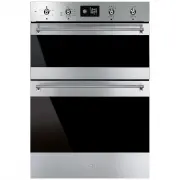
Description 7 EN 2 Description 2.1 General Description 1 Control panel 2 Oven light 3 Seal 4 Self-cleaning panels 5 Fan 6 Rack/tray support frames Frame shelf
Page 7 - Interior lighting; Available accessories; Rack
Description 9 EN Interior lighting The oven light comes on when the door is opened or any function is selected. 2.4 Available accessories Rack Useful for holding cooking vessels. Tray rack To be placed over the top of the oven tray; for cooking foods which may drip. Deep tray Useful for collecting f...
Page 8 - Use; Danger of burns
Use 10 3 Use 3.1 Instructions 3.2 First use 1. Remove any protective film from the outside or inside of the appliance, including accessories. 2. Remove any labels (apart from the technical data plate) from the accessories and from the cooking compartment. 3. Remove and wash all the appliance accesso...
Page 9 - Using the accessories; Racks and trays
Description 11 EN 3.3 Using the accessories Racks and trays Racks and trays have to be inserted into the side guides until they come to a complete stop.• The mechanical safety locks that prevent the rack from being taken out accidentally have to face downwards and towards the oven back. Tray rack Th...
Page 10 - Main oven with display; Operating modes
Use 12 3.5 Main oven with display Clock indicator light Minute minder timer indicator light Timed cooking with delayed start indicator light Timed cooking indicator light Child lock indicator light Showroom indicator light Eco logic indicator light Temperature level reached Operating modes Stand-by:...
Page 11 - Setting the time
Use 13 EN 1. Temperature2. Minute minder timer duration 3. Function duration 4. Programmed cooking duration (if timed cooking has been selected) 5. Time display Setting the time On the first use, or after a power failure, will be flashing on the appliance's display. To be able to start any cooking f...
Page 12 - Functions list; and
Use 14 Functions list Eco The combination of the fan and the circulaire heating element, in ECO mode, is particularly indicated for cooking on a single shelf, with reduced power consumption. Static As the heat comes from above and below at the same time, this system is particularly suitable for cert...
Page 13 - Minute minder
Use 15 EN Minute minder 1. Press the temperature knob once (twice if cooking is already in progress). The display shows and the indicator light flashes. 2. Turn the knob to set the duration (from 1 minute to 4 hours). After a few seconds, the indicator light stops flashing and the countdown starts. ...
Page 14 - Timed cooking
Use 16 Timed cooking 1. After selecting a cooking function and temperature, press the temperature knob three times. The display shows and the indicator light flashes. 2. Turn the temperature knob right or left to set the cooking duration from 00:01 to 12:59. Keep the knob turned to produce a faster ...
Page 15 - Programmed cooking
Use 17 EN Programmed cooking 1. After selecting a cooking function and temperature, press the temperature knob three times. The display shows and the indicator light flashes. 2. Turn the knob right or left to set the cooking duration from 00:01 to 12:59. Keep the knob turned for a fast increase or d...
Page 16 - General advice
Use 18 Modifying the data set during programmed cooking During operation, it is possible to modify programmed cooking duration: 1. When the and indicator lights are lit steadily and the appliance is waiting for cooking to start, press the temperature knob twice. The indicator light starts flashing. ...
Page 17 - Advice for defrosting and proving
Use 19 EN Advice for cooking desserts/pastries and biscuits • Use dark metal moulds: They help to absorb the heat better. • The temperature and the cooking time depend on the quality and consistency of the dough. • To check whether the dessert is cooked right through: At the end of the cooking time,...
Page 18 - Special functions and automatic; Timed defrosting
Use 20 3.7 Special functions and automatic programs Timed defrosting 1. Place the food inside the oven.2. Select the timed defrosting function, indicated by the symbol, using the function knob. 3. Press the temperature knob to set the duration. 4. Turn the knob to adjust the value (from 5 seconds to...
Page 19 - Shabbat
Use 21 EN Shabbat 1. Press the function knob to select the Shabbat function. 2. Press the temperature knob. 3. Turn the temperature knob to change the re-heating time. 4. Press the function knob to confirm the settings and start the Shabbat function. 5. Once completed press and hold the function kno...
Page 20 - Defrosting by weight
Use 22 Defrosting by weight 1. Place the food inside the oven.2. Press the function knob to select defrosting by weight, marked by “dE00” and the illuminated food symbols. 3. Turn the function knob to select the type of food to defrost. 4. Turn the temperature knob to select the weight (in grams) of...
Page 21 - Automatic programs table
Use 23 EN Automatic programs table MEATS (01 - 05) FISH (06 - 07) VEGETABLES (08 - 10) DESSERTS (11 - 13) Subcategory Weight (g) Level Function Temp. (°C) Time (minutes) 01 Roast beef 1000 2 Circulaire 200 50 02 Pork loin 1000 2 Turbo 190 75 03 Lamb 1000 2 Turbo 190 100 04 Veal 1000 2 Fan assisted 1...
Page 22 - ON
Use 24 BREAD - PIZZA - PASTA (14-20) 3.8 Secondary menu The appliance also has a drop-down secondary menu allowing the user to:• Activate or deactivate the Child Lock.• Activate or deactivate Showroom mode (which disables all the heating elements so that only the control panel works). • Activate or ...
Page 23 - This mode allows the
Use 25 EN Child Lock mode: This mode allows the appliance to lock the controls automatically after one minute of normal operation without any intervention from the user. During normal operation it is indicated by the indicator light coming on. To release the lock temporarily during cooking, hold the...
Page 24 - Light timing mode
Use 26 LO: low power. Keep Warm Mode (some models only): This mode allows the appliance to keep cooked food warm (at low temperatures) for around an hour after cooking finishes with a cooking cycle for which a duration has been set (if this is not manually interrupted). Light timing mode For greater...
Page 25 - Auxiliary oven cooking information table
Use 27 EN Auxiliary oven cooking information table Food Weight (Kg) Function Runner position from the bottom Temperature (°C) Time (minutes) Lasagne 3 / 4 Static 1 or 2 220 - 230 50 - 60 Pasta bake 2 Static 1 or 2 220 - 230 40 Roast veal 1 Static 2 180 - 190 70 - 80 Pork loin 1 Static 2 180 - 190 70...
Page 26 - Cleaning and maintenance; Cleaning the surfaces; Improper use
Cleaning and maintenance 28 4 Cleaning and maintenance 4.1 Instructions 4.2 Cleaning the surfaces To keep the surfaces in good condition, they should be cleaned regularly after use. Let them cool first. 4.3 Ordinary daily cleaning Always use only specific products that do not contain abrasives or ch...
Page 27 - Grasp the door on both sides with both; Cleaning the door glazing; Some models have an intermediate glass
Cleaning and maintenance 29 EN 2. Grasp the door on both sides with both hands, lift it forming an angle of around 30° and remove it. 3. To reassemble the door, put the hinges in the relevant slots in the oven, making sure that grooved sections A are resting completely in the slots. Lower the door a...
Page 28 - Clean the external glass panel and the; Cleaning the inside of the oven
Cleaning and maintenance 30 4. Clean the external glass panel and the panels previously removed. Use absorbent kitchen roll. In case of stubborn dirt, wash with a damp sponge and neutral detergent. 5. Replace the panels in the reverse order in which they were removed. 6. Reposition the internal glas...
Page 29 - , then slide it out of the
Cleaning and maintenance 31 EN Removing self-cleaning panels and racks/trays support frames Removing the guide frames enables the sides to be cleaned more easily. This operation should be performed each time the automatic cleaning cycle is used (only on some models).To remove the guide frames: pull ...
Page 30 - Preliminary operations
Cleaning and maintenance 32 4.9 Vapor Clean: Assisted oven cleaning (main oven only) Preliminary operations Before starting the Vapor Clean function:• Completely remove all accessories from inside the oven. The upper guard can be left inside the oven. • Pour approx. 40 cc of water onto the floor of ...
Page 31 - Vapor Clean setting
Cleaning and maintenance 33 EN Vapor Clean setting 1. Select the symbol using the function knob. 2. The duration and temperature of the cleaning cycle will appear on the display. 3. Press the temperature knob to start the cycle. 4. A buzzer will indicate the end of the Vapor Clean cycle. End of the ...
Page 32 - Extraordinary maintenance; Replacing the internal light bulb
Cleaning and maintenance 34 4.10 Extraordinary maintenance Replacing the internal light bulb 1. Completely remove all accessories from inside the oven. 2. Remove the racks/trays support frames. 3. Remove the bulb cover using a tool (e.g. a screwdriver). 4. Slide out and remove the lamp. 5. Replace t...
Page 33 - Installation; Electrical connection; General information
Installation 35 EN 5 Installation 5.1 Electrical connection General information Check the grid characteristics against the data indicated on the plate.The identification plate bearing the technical data, serial number and brand name is visibly positioned on the appliance.Do not remove this plate for...
Page 34 - Cable replacement; Power voltage
Installation 36 5.2 Cable replacement 1. Unscrew the fastening screws 2 of the terminal board cover. 2. Slide the tabs 1 of the terminal board cover out of the grooves; 3. Loosen the screw of the cable retention bracket in the right lower part of the oven back 3 ; 4. Make sure that the cables (for t...
Page 35 - Fixing
Installation 37 EN Fixing To secure the appliance to the counter, screw in 6 screws through the holes in the frame. Appliance overall dimensions (mm) Mounting (mm) The oven is designed for mounting into any piece of furniture as long as it is heat-resistant. Respect the unit dimensions and the oven ...