Page 2 - ENGLISH; THANK YOU FOR YOUR TRUST AND FOR BUYING THIS APPLIANCE.
ENGLISH THANK YOU FOR YOUR TRUST AND FOR BUYING THIS APPLIANCE. PLEASE READ THIS MANUAL CAREFULLY. IT CONTAINS ALL NECESSARY INSTRUCTIONS TO CONVERTTHE GAS SUPPLY OF THIS PRODUCT. IMPORTANT:Save for the local electric inspector'suse Installer: Leave installation instructionswith the homeownerHomeown...
Page 3 - Table of Contents; Use & Installation Manual
Table of Contents IMPORTANT SAFETY INSTRUCTIONS .......................................................................................... 5 Product Features .............................................................................................................................. 6 About Your Ov...
Page 5 - IMPORTANT SAFETY INSTRUCTIONS; WARNING; “CAUTION”
Use & Installation Manual 5 IMPORTANT SAFETY INSTRUCTIONS WARNING - When using this appliance, basic safety precautions should always be followed to reduce the risk of fire, electric shock, and/or injury to persons, including the following: 1. Read All Instructions before Using the Oven . 2. Pro...
Page 6 - Product Features; Figure 1; About Your Oven; Figure 2
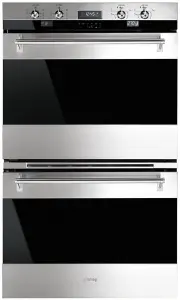
Use & Installation Manual 6 Product Features Figure 1 About Your Oven Above you will find an illustration of an oven showing the components of the oven. Cooling Fan The oven has a cooling fan to cool the control panel. You may hear this fan continue to run after cooking and/or cleaning has been ...
Page 8 - The Control Panels
Use & Installation Manual 8 The Control Panels The user interface has the following features: display, preheat light indicators, keys for commands, cooking mode and temperature selectors. Figure 3 Display Central Red Display for time and miscellaneous functions: for time of day, minute minder, a...
Page 10 - General Oven Information; Beeps; Convection Fan; General Oven Tips; “PREHEAT”; Oven Racks; CAUTION
Use & Installation Manual 10 General Oven Information Before using your oven for the first time remove all packing and foreign materials from the oven(s). Any material of this sort left inside may melt or burn when the appliance is used. Flashing Symbols or Numbers Signals an incomplete action t...
Page 12 - Setting the Clock and Timer; “SET TIME”; “TIMER”
Use & Installation Manual 12 To remove oven rack from the oven: 1. Pull rack forward 2. Lift rack up at front and then remove it To replace an oven rack: 1. Place rear of rack between rack level guides 2. While lifting front of rack, slide rack in all the way while lowering the front Oven Extend...
Page 14 - Selecting the Oven Mode; Time Oven Mode Operation; “STOP TIME”
Use & Installation Manual 14 Selecting the Oven Mode Setting Cooking Mode and Temperature • The following modes can be selected by moving the cooking mode knob to the desired position. To select Clean, the temperature knob must be moved into the appropriate Clean position too. OFF CONVECTION BAK...
Page 16 - Meat Probe; CONVECTION BAKE; PROBE; Bake Tips and Techniques; Bake Chart
Use & Installation Manual 16 Meat Probe NOTE: Only use the temperature probe recommended for this oven. This oven is optionally provided with the meat probe feature to sense the temperature inside meat and stop cooking as soon as the set value is reached. In a double oven it’s available only in ...
Page 18 - Convection Bake Tips and Techniques; Convection Bake Chart
18 Convection Bake Tips and Techniques Reduce recipe baking temperatures by 25 °F (15 °C). • For best results, foods should be cooked uncovered, in low-sided pans to take advantage of the forced air circulation. Use shiny aluminum pans for best results unless otherwise specified. • Heatproof glass o...
Page 20 - Convection Roast Tips and Techniques; Quick and easy recipe tips:; BAKE; DOUBLE CONVECTION CAVITY
20 Convection Roast Tips and Techniques • Preheat for Convection Roast. • Roast in a low-sided, uncovered pan. • When roasting whole chickens or turkey, tuck wings behind back and loosely tie legs with kitchen string. • Use the 2-piece broil pan for roasting uncovered. • Use the probe or a meat ther...
Page 22 - Convection Broil (Grill) Tips and Techniques; Convection Broil Chart
22 Convection Broil (Grill) Tips and Techniques • Place rack in the required position needed before turning on the oven.· • Use Convection Broil mode with the oven door closed.· • Do not preheat oven. • Use the 2-piece broil pan.· • Turn meats once halfway through the cooking time (see convection Br...
Page 24 - Special Features; To select special features, follow the steps; Sabbath Mode Instruction
Use & Installation Manual 24 Special Features The Special Features function can be used to select the following special oven features: 1. SAB => SABBATH MODE (for religious faiths with “no work” requirements on the Sabbath). 2. OFS => OVEN OFFSET (used to calibrate the oven temperature). 3...
Page 26 - Self-Cleaning Function; Preparing the Oven for Self-Clean; Door glass; - Do not use harsh abrasive
Figure 6 Care & Cleaning The ovens feature a pyrolytic self-cleaning function that eliminates the difficult and time consuming manual scrubbing of the oven interior. During self- cleaning the oven uses very high temperature [approx. 470 °C (885 °F)] to burn away soil and grease. The fumes produc...
Page 28 - Setting the Self-Clean Mode; “STOP TIME”; Do-it-Yourself Maintenance Oven Door Removal; Figure 7
Use & Installation Manual 28 Setting the Self-Clean Mode To Set the Self-Clean Mode 1. Touch [UPPER/LOWER] key to select the cavity to be cleaned, if the oven is a double. 2. Rotate both knobs into the clean position. 3. CLEAN & TIME appear. 4. The clean time is displayed automatically, its ...
Page 30 - Replacing an Oven Light; To Replace a Light Bulb; Solving Baking Problems
Use & Installation Manual 30 Replacing an Oven Light • Each oven is equipped with halogen lights located in the lateral walls of the oven. • The lights are switched on when the door is opened or when the oven is in a cooking cycle. • The oven lights are not illuminated during SELF- CLEAN. • Each...
Page 32 - Solving Operational Problems; Table 2; Oven Problem; Installation Introduction
Use & Installation Manual 32 Solving Operational Problems Before calling for service, check the following to avoid unnecessary service charges. Table 2 Oven Problem Problem Solving Steps F03 or F04 Error appears in the display window. A problem with latch mechanism occurred. Remove power and tur...
Page 34 - Technical Data; Single Oven; Preparing Location; Wall Installation, Single Oven
Technical Data Single Oven For cut-out dimensions see page 35. Preparing Location Electrical Ratings and Maximum Nominal Connected Load Single Oven Model Volts Hertz Amperes Watts 75cm 240 50/60 15,8 3800 Overall Dimensions Single Oven Model A B C D 75cm 609 to glass 690 754 707 Double Oven For cut-...
Page 36 - Wall Installation, Double Oven; Electrical Supply; Wiring Requirements
Use & Installation Manual 36 Wall Installation, Double Oven Figure 10 Note: 1. Do not slide oven across floor. Damage to floor covering or floor could result. 2. The oven support surface must be a minimum 19 mm thick plywood platform, solid, level and flush with the bottom of the cabinet cut-out...
Page 38 - Final Check List; Leave these INSTALLATION instructions as
Use & Installation Manual 38 Final Check List To prevent improper connections leading to damage of electrical components and so voiding the warranty, the following steps must be performed: 1. Check the electrical requirements and make sure you have the correct electrical supply and that the oven...