Page 2 - Instructions; General safety instructions
Instructions 4 1 Instructions 1.1 General safety instructions Risk of personal injury • During use the appliance becomes hot. Care should be taken to avoid touching heating elements inside the oven. • Protect your hands by wearing oven gloves when handling food inside the oven cavity. • Never try to...
Page 3 - Risk of damaging the appliance
Instructions 5 EN • Do not insert pointed metal objects (cutlery or utensils) into the slots in the appliance. • Do not pour water directly onto very hot trays. • Keep the oven door closed during cooking. • If you need to move food or at the end of cooking, open the door 5 cm for a few seconds, let ...
Page 5 - Installation
Instructions 7 EN powders, stain removers and metallic sponges) on glass parts. • Do not wash the removable components such as the cooktop pan stands, flame-spreader crowns and burner caps in a dishwasher. • Never use the oven door to lever the appliance into place when fitting. • Avoid exerting too...
Page 6 - For this appliance
Instructions 8 • If the electrical supply is restricted, means of all-pole disconnection must be accessible and incorporating in the fixed wiring in accordance with the wiring rules. • If this cooking range is to be connected to a new or upgraded electrical installation, then it must be connected by...
Page 7 - Appliance purpose; How to read the user manual
Instructions 9 EN 1.4 Appliance purpose • This appliance is intended for cooking food in the home environment. Every other use is considered improper. • This appliance is not intended to be operated by means of external timer or separate remote control system. 1.5 This user manual This user manual i...
Page 8 - Description; General Description
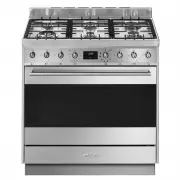
Description 10 2 Description 2.1 General Description 1 Backguard 2 Cooktop 3 Control panel 4 Oven light 5 Seal 6 Door 7 Fan 8 Storage compartment Rack/tray support frame shelf
Page 9 - AUX
Description 11 EN 2.2 Cooktop AUX = Auxiliary burner SR = Semi-rapid burner R = Rapid burner UR2 = Ultra rapid burner 2.3 Control panel 1 Temperature knob This knob allows you to select the cooking temperature. Turn the knob clockwise to the required value, between the minimum and maximum setting. 2...
Page 10 - Available accessories
Description 12 5 Door lock indicator light It comes on when the automatic (pyrolytic function) cleaning cycle is activated. 6 Cooktop burner knobs Useful for lighting and adjusting the cooktop burners. Press and turn the knobs anti-clockwise to the value to light the relative burners. Turn the knobs...
Page 11 - Tray rack
Description 13 EN Tray rack To be placed over the top of the tray; for cooking foods which may drip. Tray Useful for collecting fat from foods placed on the rack above. Deep tray Useful for collecting fat from foods placed on the rack above. Temperature probe With the temperature probe, you can cook...
Page 12 - Use
Use 14 3 Use Instructions High temperature inside the oven during use Danger of burns • Keep the oven door closed during cooking. • Protect your hands wearing heat resistant gloves when moving food inside the oven. • Do not touch the heating elements inside the oven. • Do not pour water directly ont...
Page 13 - Escaping gas may cause an explosion.
Use 15 EN Escaping gas may cause an explosion. If you smell gas or notice any faults in the gas installation:• Immediately shut off the gas supply or close the gas cylinder valve. • Immediately extinguish all naked flames and cigarettes. • Do not use any light or appliance switches and do not pull a...
Page 14 - Using the accessories; Racks and trays
Use 16 3.2 Using the accessories Racks and trays Racks and trays have to be inserted into the side guides until they come to a complete stop.• The mechanical safety locks that prevent the rack from being taken out accidentally have to face downwards and towards the oven back. Tray rack The tray rack...
Page 15 - Rotisserie rod
Use 17 EN Rotisserie rod 1. Insert the 4 supplied bushings in the 4 corner holes of the deep tray and screw them onto the ring nuts with a suitable tool (such as a screwdriver). 2. Position the rotisserie supports in the bushings as shown in the figure below. 3. Prepare the rotisserie rod with the f...
Page 16 - Using the cooktop
Use 18 6. Insert the tip of the rod in the rotisserie motor housing on the left of the rear wall of the oven. 7. To activate the rotisserie, turn the function knob to the position and set the cooking temperature using the temperature knob. 8. When cooking is complete, remove the tray with the rotiss...
Page 17 - Practical tips for using the cooktop; Using the storage compartment
Use 19 EN Wait a few moments and repeat the operation. Keep the knob pressed in longer. Correct positioning of the flame-spreader crowns and burner caps Before lighting the cooktop burners, make sure that the flame-spreader crowns are correctly positioned in their housings with their respective burn...
Page 18 - Switching on the oven
Use 20 3.5 Using the oven Switching on the oven To switch on the oven:1. Select the cooking function using the function knob. 2. Select the temperature using the temperature knob. Preheating stage Cooking functions are always preceded by a preheating stage, which allows the appliance to heat up to c...
Page 19 - and
Use 21 EN Fan grill The air produced by the fan softens the strong heatwave generated by the grill, grilling perfectly even very thick foods. Perfect for large cuts of meat (e.g. pork hock). Fan assisted The operation of the fan, combined with traditional cooking, ensures consistent cooking even wit...
Page 20 - Using the temperature probe; Danger of burns
Use 22 3.6 Using the temperature probe With the temperature probe, roasts, pork loin and various cuts and sizes of meat can be cooked to perfection.The probe, in fact, allows foods to be cooked to perfection because it accurately monitors the core temperature of the food.The core temperature of the ...
Page 21 - Positioning the probe
Use 23 EN Positioning the probe 1. Place the food on a tray.2. Insert the tip of the probe into the food before placing it in the oven. 3. For best results, make sure that the temperature probe is placed transversely in the thickest part of the food and for least 3/4 of its length. Make sure that it...
Page 22 - At the end of cooking
Use 24 6. Use the and buttons to regulate the target temperature to a value between the minimum and a maximum. 7. Wait for a few seconds and then press the button to display the instantaneous temperature measured by the probe. Cooking will now continue until the instantaneous temperature measured by...
Page 23 - General advice
Use 25 EN 4. Remove the food from the oven. 5. Make sure that the protective cover is properly closed. 3.7 Cooking advice General advice • Use a fan assisted function to achieve consistent cooking at several levels. • It is not possible to shorten cooking times by increasing the temperature (the foo...
Page 24 - Advice for defrosting and proving
Use 26 Advice for defrosting and proving • Place frozen foods without their packaging in a lidless container on the first shelf of the oven. • Avoid overlapping the food.• To defrost meat, use the rack placed on the second level and a tray on the first level. In this way, the liquid from the defrost...
Page 25 - Setting the time
Use 27 EN Setting the time On the first use, or after a power failure, the digits will be flashing on the appliance’s display. 1. Hold down the clock key for two seconds. The dot between the hours and the minutes flashes. 2. The time can be set using the value increase or value decrease key. Hold do...
Page 26 - Programmed cooking
Use 28 7. Press the clock key to reset the programmer clock. Programmed cooking 1. Set the cooking time as described in the previous point “Timed cooking”. 2. Hold down the menu key for two seconds. 3. Press the menu key again. The display will show the digits and the text in sequence, while the sym...
Page 27 - Minute minder timer
Use 29 EN 10. Return the function and temperature knobs to 0 . 11. To turn off the buzzer just press any key of the programmer clock. 12. Press the and keys at the same time to reset the set program. Minute minder timer The minute minder timer can be activated at any time. 1. Hold down the clock key...
Page 28 - Modifying the set data
Use 30 Modifying the set data 1. Press the clock key . 2. Use the value increase and value decrease keys to set the required minutes. Deleting the set data 1. Press the clock key . 2. Hold down the value increase and value decrease keys at the same time. 3. Then switch off the oven manually if cooki...
Page 29 - Cooking information table
Use 31 EN Cooking information table Food Weight (Kg) Function Runner position from the bottom Temperature (°C) Time (minutes) Lasagne 3 - 4 Convection 1 220 - 230 45 - 50 Pasta bake 3 - 4 Convection 1 220 - 230 45 - 50 Roast veal 2 Fan assisted/Fan forced 2 180 - 190 90 - 100 Pork 2 Fan assisted/Fan...
Page 30 - Probe-cooking information table
Use 32 Probe-cooking information table Type and cut of meat Target temperature (°C) Beef Roast beef: rare 50 - 53 Roast beef: medium 55 - 58 Roast beef: well done 65 - 70 Rib of beef: rare* 50 Rib of beef: medium* 58 Rib of beef: well done* 70 Pork Roast loin 80 - 85 Shoulder 80 - 85 Sausages** 75 -...
Page 31 - Cleaning and maintenance; Cleaning the appliance; Cleaning the cooktop
Cleaning and maintenance 33 EN 4 Cleaning and maintenance Instructions 4.1 Cleaning the appliance Recommendations for cleaning the cooktop To keep the surfaces in good condition, they should be cleaned regularly after use. Let them cool first. Cleaning the cooktop 1. Pour some non-abrasive detergent...
Page 32 - Cleaning the igniters and thermocouples; Removing the door; Grasp the door on both sides with both
Cleaning and maintenance 34 Cleaning the igniters and thermocouples • If necessary, clean the igniters and thermocouples with a damp cloth. • If there is any dry residue, remove it with a toothpick or needle. Recommendations for cleaning the oven cavity For the best oven upkeep, clean it regularly a...
Page 33 - To reassemble the door, put the hinges in; Cleaning the door glazing; Remove the intermediate glass panes by
Cleaning and maintenance 35 EN 3. To reassemble the door, put the hinges in the relevant slots in the oven, making sure that grooved sections A are resting completely in the slots. Lower the door and once it is in place remove the pins from the holes in the hinges. 4.3 Cleaning the door glazing The ...
Page 34 - Removing racks/trays support frames
Cleaning and maintenance 36 4. Clean the external glass pane and the panes previously removed. Use absorbent kitchen roll. In case of stubborn dirt, wash with a damp sponge and neutral detergent. 5. Refit the panes in the reverse order in which they were removed. 6. Reposition the internal glass pan...
Page 35 - Door lock lever activated; Move the door lock lever to the right until
Cleaning and maintenance 37 EN Manually disengaging the door lock lever The door lock lever is located in the first slot on the left under the control panel, in the upper part of the front of the oven. During normal cleaning operations, the door lock lever may be activated accidentally. Door lock le...
Page 36 - Preliminary operations
Cleaning and maintenance 38 4.5 Pyrolytic cycle Preliminary operations Before starting the pyrolytic cycle:• Clean the internal glass panel following the usual cleaning instructions. • For very stubborn encrustations spray an oven cleaning product onto the glass (read the warnings on the product); l...
Page 37 - Setting of programmed pyrolytic cycle
Cleaning and maintenance 39 EN 7. The door remains locked as long as the temperature inside the oven returns to safety levels. 8. Wait for the oven to cool down and collect the residues deposited inside with a damp microfibre cloth. Setting of programmed pyrolytic cycle It is possible to program the...
Page 38 - Extraordinary maintenance; Replacing the oven light bulb
Cleaning and maintenance 40 4.6 Extraordinary maintenance Replacing the oven light bulb 1. Completely remove all accessories from inside the oven. 2. Remove the racks/trays support frames. 3. Remove the bulb cover using a tool (e.g. a screwdriver). 4. Slide out and remove the light bulb. 5. Fit the ...
Page 39 - The appliance does not work.
Cleaning and maintenance 41 EN What to do if... The appliance does not work. • The circuit breaker is faulty: look in the fuse box and check that the circuit breaker is in working order. • Power cut: check whether the kitchen light works. The gas burner does not ignite. • Power cut or damp ignition ...
Page 40 - Installation; Minimum clearance to combustible surfaces; Freestanding cooker
Installation 42 5 Installation 5.1 Minimum clearance to combustible surfaces Freestanding cooker A 600 mm (Overhead) measured from the highest part of the highest burner and 750 mm for an exhaust fan. B 200 mm (Vertical combustible surface) measured form the edge of the nearest burner. C 10 mm (Hori...
Page 41 - The regulator must be fitted to the 1⁄2
Installation 43 EN A test point (for checking the gas pressure) is supplied as a separate fitting in the case of ULPG (propane) appliances. Connection of the appliance to the gas supply must be in accordance with the requirements of AS5601. A ½” BSP connector at the inlet is recommended and the gas ...
Page 42 - Connection to liquid gas
Installation 44 Connection to liquid gas Use a pressure regulator and make the connection on the gas cylinder following the guidelines set out in the regulations in force.Make sure that the supply pressure complies with the values indicated in section “ Burner and nozzle characteristics table”. Room...
Page 43 - Adaptation to different types of; Replacing nozzles
Installation 45 EN 5.3 Adaptation to different types of gas In case of operation with other types of gas, the burner nozzles must be changed and the minimum flame adjusted on the gas cocks. Replacing nozzles 1. Remove the pan stands, burner caps and flame-spreader crowns to access the burner casings...
Page 44 - Lubrication of gas cocks
Installation 46 Lubrication of gas cocks Over time the gas cocks may become difficult to turn and get blocked. Clean them internally and replace the lubrication grease. Burner and nozzle characteristics table Overall dimensions Location of gas and electrical connection points. E Gas connection G Ele...
Page 45 - General information
Installation 47 EN 5.4 Positioning General information This appliance may be installed next to walls, one of which must be higher than the worktop, at a minimum distance of 50 mm from the side of the appliance, as shown in figures A and C relative to the installation classes.Any wall units positione...
Page 46 - Positioning and levelling
Installation 48 B - Class 2 subclass 1 (Built-in appliance) C - Class 2 subclass 1 (Built-in appliance) Positioning and levelling • After making the gas and electrical connections, screw on the four feet supplied with the appliance. The appliance must sit level on the floor to ensure stability.• Scr...
Page 47 - Installing the front plinth
Installation 49 EN Installing the front plinth The front plinth must always be positioned and secured correctly on the appliance.1. Use a screwdriver to remove the front screws under the storage compartment door. 2. Align the front plinth with the corresponding holes on the appliance. 3. Fasten the ...
Page 48 - Align the base of the hook on the
Installation 50 3. Assemble the fastening bracket. 4. Align the base of the hook on the fastening bracket with the base of the slot on the wall fastening plate. 5. Align the base of the fastening bracket with the ground and tighten the screws to fix the measurements. 6. Use 50 mm for the distance fr...
Page 49 - Wall fixing
Installation 51 EN 7. Move the bracket onto the wall and mark the position of the holes to be drilled in the wall. 8. After drilling the holes in the wall, use wall plugs and screws to fasten the bracket to the wall. 9. Push the cooker towards the wall, and at the same time, insert the bracket in th...
Page 50 - Mark the wall in the position where the
Installation 52 4. Mark the wall in the position where the hole is to be drilled. 5. Drill the hole and insert a wall plug. 6. Attach the chain and push the appliance to the wall. Assembling the upstand The upstand must always be positioned and secured correctly on the appliance.1. Loosen the two bo...
Page 51 - Electrical connection
Installation 53 EN 3. Clip the tongues of the upstand to the ventilation slot of the cooktop ( A ). 4. Secure the upstand to the cooktop by tightening the 2 screws previously loosened. 5.5 Electrical connection General information Check the grid characteristics against the data indicated on the plat...
Page 52 - Access to the terminal board; Access via the plate
Installation 54 • 220-240 V 3 ~ 4 x 2.5 mm² four-pole cable. • 220-240 V 1N ~ 3 x 2.5 mm² three-pole cable. • 380-415 V 2N ~ 4 x 2.5 mm² four-pole cable. • 380-415 V 3N ~ 5 x 1.5 mm² five-pole cable. 5.6 Access to the terminal board Access via the plate To connect the power supply cable, access to t...
Page 53 - At the end, reposition the lid on the rear
Installation 55 EN 3. Install the power supply cable. 4. At the end, reposition the lid on the rear cover and secure it with the previously removed screws. Access via the rear casing To connect the power cable, remove the fastening screws on the rear casing as shown in the figure. Fixed connection F...
Page 54 - For the installer
Installation 56 5.7 For the installer • The plug must remain accessible after the installation is complete. Do not kink or trap the mains connection cable. • The appliance must be fitted according to the installation diagrams. • Do not attempt to turn or stress the threaded elbow on the manifold. Yo...