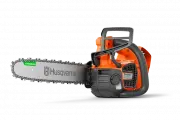
Page 2 - Intended use
Contents Introduction..................................................................... 2Safety..............................................................................4Assembly...................................................................... 12Operation....................................
Page 3 - Symbols on the product
5. Battery indicator6. Oil level indicator7. Indicator for heat in the handles8. Warning indicator9. Information and warning decal10. Top handle11. Belt eyelet12. Rope eyelet13. Fan housing14. Front handle15. Chain oil tank16. Power trigger lockout17. Power trigger18. Oil adjustment screw19. Spiked ...
Page 4 - yyyywwxxxxx; Safety
Environmental mark. The product or package of the product is not domestic waste. Recycle it at an approved disposal location for electrical and electronic equipment. If the product features Bluetooth ® wireless technology. The Bluetooth ® symbol will be marked on the product name label. Refer to Blu...
Page 8 - Personal protective equipment
• Make sure that there is no risk that persons or animals touch or influence on your control of the product. • If you are not careful, the risk of kickback increases. A kickback can occur if the kickback zone of the guide bar accidentally touches a branch, tree or other objects. • Do not hold the pr...
Page 9 - Safety devices on the product
personal protective equipment during operation. Personal protective equipment does not give you full protection from injuries but it decreases the degree of injury if an accident occurs. Speak to your servicing dealer for recommendations about which equipment to use. • Your clothing must be close-fi...
Page 11 - Safety instructions for maintenance; Safety instructions for the cutting equipment
The front hand guard also decreases the risk to touch the saw chain if your hand lets go of the front handle. In the felling position you cannot engage the chain brake manually. The chain brake can in this position only be engaged by the inertia release mechanism. Power trigger lockoutThe power trig...
Page 12 - Assembly; To assemble the guide bar and saw
setting. Too large depth gauge setting increases the risk of kickback. • Make sure that the saw chain has the correct tension. If the saw chain is not tight against the guide bar, the saw chain can derail. An incorrect saw chain tension increases wear on the guide bar, saw chain and chain drive spro...
Page 13 - To install the air intake cover (optional)
4. Steer the guide bar to its most rear position. Lift the saw chain above the drive sprocket and engage it in the groove on the guide bar. Start on the top edge of the guide bar. 5. Make sure that the edges of the cutters point forward on the top edge of the guide bar. 6. Install the drive sprocket...
Page 14 - Operation; Bluetooth
Operation Introduction WARNING: Read and understand the safety chapter before you use the product. Husqvarna Connect Husqvarna Connect is a free app for your mobile device. The Husqvarna Connect app gives extended functions for your Husqvarna product.• Extended product information.• Information abou...
Page 15 - Kickback information; Common questions about kickback; To start the product
Note: To see where the chain oil tank is on you product, refer to Product overview on page 2. Kickback information WARNING: A kickback can cause serious injury or death to the operator or others. To decrease the risk you must know the causes of kickback and how to prevent them. A kickback occurs whe...
Page 17 - Ground operator
2. Push the battery release buttons and remove the battery from the battery holder to prevent accidental start. General information about working technique Below we give you some general information about how to use this product. WARNING: The information related to working technique in this operator...
Page 18 - Tree operator; To operate the product in a tree
Note: A safety strop makes sure that the product does not hit the ground if it falls. 4. Make sure that there is a carabiner on the other end of the safety strop. 5. Start the product.6. Stop the product.7. Engage the chain brake.8. Lift the product to the operator in the tree. Use ascent tools. WAR...
Page 19 - To remove a trapped product; Maintenance; Introduction
• If you must climb with the product, attach the product to the rear connection point on the harness. The rear connection point keeps the product clear from climbing lines and makes sure that the weight has central support down your spine. WARNING: You must engage the chain brake before you let the ...
Page 20 - To do a check of the front hand guard
Maintenance Before use Weekly Monthly Make sure that the screws and nuts are tight. X Make sure that the keypad works correctly and that it is not damaged. X Use a file to remove burrs from the edges of the guide bar. X Do a check of the connections between the battery and the product. Do a check of...
Page 21 - To do a check of the battery and the
To do a check of the power trigger lockout 1. Make sure that the power trigger and power trigger lockout move freely and that the return spring operates correctly. 2. Push the power trigger lockout forward (A) and down (B). Hold the power trigger lockout against the handle and make sure that it goes...
Page 22 - Information about the guide bar and saw chain
To do a check of the battery charger 1. Make sure that the battery charger and the power supply cord is not damaged. Look for cracks and other damages. To clean the cooling system The cooling system keeps the engine temperature down. The cooling system includes the air intake on the left side of the...
Page 24 - To adjust the tension of the saw chain
3. Move the file from the inner side of the cutting teeth and out. Decrease the pressure on the pull stroke. 4. Remove material from one side of all the cutting teeth. 5. Turn the product around and remove material on the other side. 6. Make sure that all cutting teeth are the same length. General i...
Page 27 - Troubleshooting; User interface; Transportation, storage and disposal; Transportation and storage
b) Turn the adjustment screw clockwise to decrease the oil flow. Troubleshooting User interface LED screen Possible faults Possible solution The warning in- dicator flashes. Chain brake is engaged. Disengage the chain brake. Temperature deviation. Let the product to cool down. Overload. The saw chai...
Page 28 - Technical data
Disposal of the battery, battery charger and product The symbol below means that the product is not domestic waste. Recycle it at a recycling station for electrical and electronic equipment. This helps to prevent damage to the environment and to persons.Speak to local authorities, domestic waste ser...
Page 29 - Accessories; Guide bar and saw chain combinations
T540i XP T540i XPG Front handle m/s 2 2.2 2.2 Rear handle m/s 2 4.3 4.3 Equivalent vibration levels 4 Front handle m/s 2 2.1 2.1 Rear handle m/s 2 3.5 3.5 Saw chain/guide bar Recommended bar lengths, inch/cm 12-16/30-40 12-16/30-40 Usable cutting length, inch/cm 11-15/28-38 11-15/28-38 Type of drive...
Page 31 - Declaration of Conformity; EU Declaration of Conformity
Declaration of Conformity EU Declaration of Conformity We, Husqvarna AB, SE-561 82 Huskvarna, Sweden, tel: +46-36-146500, declare on our sole responsibility that the product: Description Cordless battery chainsaw Brand Husqvarna Type / Model T540i XP, T540i XPG Identification Serial numbers dating f...
Page 32 - UK Declaration of Conformity
UK Declaration of Conformity We, Husqvarna AB, SE-561 82 Huskvarna, Sweden, tel: +46-36-146500, declare on our sole responsibility that the product: Description Cordless battery chainsaw Brand Husqvarna Type / Model T540i XP, T540i XPG Identification Serial numbers dating from 2023 and onwards compl...
Page 33 - Registered trademarks
Registered trademarks The Bluetooth ® word mark and logos are registered trademarks owned by Bluetooth SIG, inc. and any use of such marks by Husqvarna is under license. 1036 - 012 - 09.05.2024 33