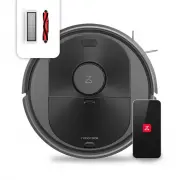
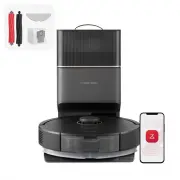
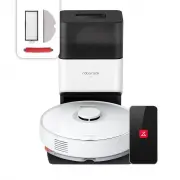
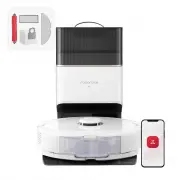
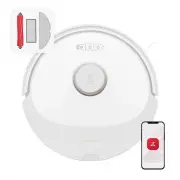
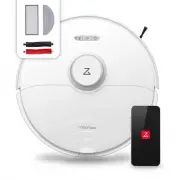
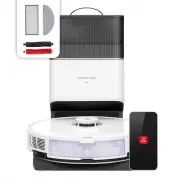
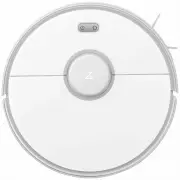
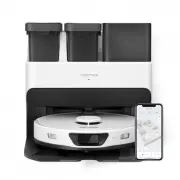
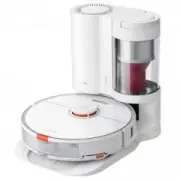
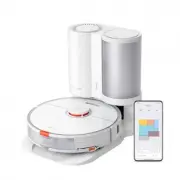
Page 2 - Roborock Q5; Robotic Vacuum Cleaner User Manual
Roborock Q5 + Read this user manual with diagrams carefully before using this product and store it properly for future reference. Robotic Vacuum Cleaner User Manual
Page 5 - Contents
04 Contents 05 Warning05 Battery and Charging 06 FCC/IC Statement 06 International Symbols Explanation 07 Product Overview 08 Installation08 Connect to the App 09 Instructions10 Routine Maintenance 12 Basic Parameters 12 Errors13 Common Issues
Page 7 - International Symbols Explanation
06 FCC/IC Statement Compliance Information Product Name Robotic Vacuum Cleaner with Charging DockRobotic Vacuum Cleaner Model: Q340RR Docking Station Model: SPCDZ01RR Power Supply Model: YJS024W-2001200U Auto-Empty Dock Model: AED03LRR, AED04LRRThis device complies with Part 15 of the FCC Rules. Ope...
Page 8 - Product Overview
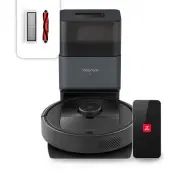
07 A5 Dustbin (Disposable Dust Bag Pre-Installed) A6 Dustbin Cover A7 Disposable Dust Bag A12 Screwdriver A13 Main Brush Cleaning Tool A14 Power Cable A8 Base A8-1—Air Duct Cover Screws (10) A8-2—Air Duct Cover A8-3—Screwdriver A8-4—Base Fastening Screws (6) A11 Power Cable Storage A11-1—Power Cable...
Page 9 - Connect to the App; Download app; Installation; Important Information; ❸ Add device
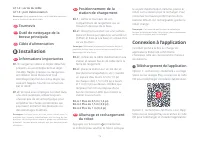
08 Option 2: Search for “Mi Home” in the App Store or Google Play or scan the QR code to download and install the app. Connect to the App Option 1: Search for “Roborock” in the App Store or Google Play or scan the QR code to download and install the app. ❶ Download app This robot supports both Robor...
Page 10 - Instructions
09 Note: The robot cannot be turned off when it is being charged. Instructions Press and hold the button to turn on the robot. The power indicator will turn on and the robot will enter standby mode. Press and hold the button to turn off the robot and complete the cleaning cycle. On/Off Press the but...
Page 11 - Routine Maintenance
10 Note: If the robot fails to find the dock, it will automatically return to its starting location. Place the robot on the dock manually to recharge. If an error occurs, the power indicator will flash red and a voice alert will sound. See “ Errors” for solutions. Error • The robot will go to sleep ...
Page 13 - Basic Parameters; Robot; Errors
12 Basic Parameters Robot The serial number is on a sticker on the underside of the robot. Note: Q340RR Model 14.4V/5200mAh lithium-ion battery Battery Approx. 3.2kg (7.05 lbs. ) Weight < 6 hours Charging Time Rated Input 20VDC 1.2A Errors If an error occurs while the robot is cleaning, the power...
Page 14 - Common Issues
13 Unable to power on • The battery level is low. Put the robot on the charging dock and charge it before use. • The battery temperature is too low or too high. Only use the robot within the range of 4-40°C (39-104°F). Unable to charge • Check the power indicator light turns on and both ends of the ...
Page 16 - Manuel d’utilisation de l’aspirateur robot; Contenu; Français
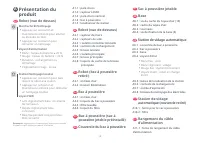
15 Roborock Q5+ Manuel d’utilisation de l’aspirateur robot Lisez attentivement ce manuel d’utilisation et ses schémas avant d’utiliser le produit et rangez-le soigneusement pour référence future. Contenu Français 16 Avertissement16 Batterie et rechargement 17 Déclaration FCC/IC 17 Explication des sy...
Page 17 - Avertissement; Batterie et rechargement
16 Avertissement • À utiliser uniquement avec la station d’accueil Roborock SPCDZ01RR (à utiliser avec l’alimentation électrique Yingju YJS024W-2001200U), ou le chargeur AED03LRR ou AED04LRR. • Placez les câbles des autres appareils hors de la zone à nettoyer. • Ne faites pas fonctionner l’aspirateu...
Page 18 - Explication des symboles internationaux
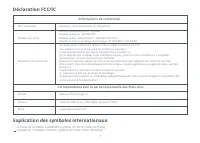
17 Déclaration FCC/IC Informations de conformité Nom du produit Aspirateur robot avec station de chargementModèle d’aspirateur robot : Q340RR Modèle de station : SPCDZ01RR Modèle de bloc d’alimentation : YJS024W-2001200U Modèle de station de vidage automatique : AED03LRR ou AED04LRRCet appareil est ...
Page 19 - Présentation du
18 A5 Bac à poussière (sac à poussière jetable préinstallé) A6 Couvercle du bac à poussière A7 Sac à poussière jetable A8 Base A8-1 : vis du cache du tuyau d’air (10) A8-2 : cache du tuyau d’air A8-3 : tournevis A8-4 : vis de fixation de la base (6) A11 Rangement du câble d’alimentation A11-1 : fent...
Page 21 - Démarrage du nettoyage
20 Remarque : Le robot ne peut pas être éteint lorsqu’il est en charge. Instructions Appuyez sur le bouton et maintenez-le enfoncé pour allumer le robot. Le voyant d’alimentation s’allumera et le robot entrera en mode Veille. Appuyez sur le bouton et maintenez-le enfoncé pour éteindre le robot et me...
Page 23 - Entretien de routine
22 Remarque : N’utilisez que de l’eau propre sans liquide nettoyant pour éviter toute obstruction. C5-3 : rincez le bac à poussière à l’eau. Remarque : Ne touchez pas la surface du filtre avec vos mains, une brosse ou des objets durs pour éviter tout risque de l’endommager. C5-4 : rincez le filtre à...
Page 25 - Paramètres de base; Station de vidage automatique; Erreurs et problèmes
24 Paramètres de base Robot Le numéro de série figure sur un autocollant apposé sous le robot. Remarque : Q340RR Modèle Batterie lithium-ion 14,4 V/5 200 mAh Batterie Environ 3,2 kg (7,05 livres ) Poids < 6 heures Durée de rechargement Entrée nominale 20 VCC, 1,2 A 50 - 60 Hz 9,5 A 0,5 A 20 VCC, ...
Page 26 - Manual del usuario de la aspiradora robot; Contenido; Español
25 Lea detenidamente este manual del usuario con diagramas antes de utilizar este producto y consérvelo correctamente para sus futuras consultas. Roborock Q5+ Manual del usuario de la aspiradora robot Contenido Español 26 Advertencia26 Batería y carga 27 Declaración de FCC/IC 27 Explicación de símbo...
Page 28 - Declaración de FCC/IC; Explicación de símbolos internacionales
27 Declaración de FCC/IC Información de cumplimiento Nombre del producto Aspiradora robot con base de cargaModelo de la aspiradora robot: Q340RR Modelo de la estación base: SPCDZ01RR Modelo de fuente de alimentación: YJS024W-2001200U Modelo de la base de vaciado automático: AED03LRR, AED04LRREste di...
Page 30 - Conectar con la aplicación
29 A12 Destornillador A13 Herramienta de limpieza del cepillo principal A14 Cable de alimentación A11-1: Ranura de guardado del cable de alimentación A11-2: Salida del cable A11-3: Puerto de alimentación Nota: El cable de alimentación se puede extraer a ambos lados. Opción 2: busque "Mi Home"...
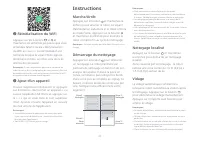
Page 31 - Instrucciones; Comenzar a limpiar; Restablecer la conexión WiFi; ❸ Agregar dispositivo
30 Nota: El robot no se puede apagar cuando se está cargando. Instrucciones Presione y mantenga presionado el botón para encender el robot. El indicador de encendido se encenderá y el robot entrará en modo de espera. Presione y mantenga presionado el botón para apagar el robot y completar el ciclo d...
Page 33 - Mantenimiento
32 C6 Reemplazo de la bolsa de polvo * Reemplace según sea necesario. Nota: Para evitar obstrucciones, use solamente agua limpia sin líquidos de limpieza. C5-3: Enjuague el contenedor de polvo con agua. Nota: No toque la superficie del filtro con las manos, el cepillo o con objetos duros para evitar...
Page 35 - Parámetros básicos; Base de vaciado automático
34 Errores y problemas comunes Escanee el siguiente código QR para ver Errores y problemas comunes en francés y español (Latinoamérica). Para obtener asistencia posventa, comuníquese con el equipo de soporte a través de: [email protected] (Estados Unidos/ Canadá/no Europa) 1-855-960-4321 (solo en Es...