Page 3 - TABLE OF CONTENTS
TABLE OF CONTENTS English - 3 1. Introduction and safety .............................................................. 5 1.1 Introduction ..................................................................................... 5 1.2 Symbols on Automower® ..................................................
Page 5 - INTRODUCTION AND SAFETY; italics
English - 5 1. INTRODUCTION AND SAFETY 1. Introduction and safety 1.1 Introduction Congratulations on your choice of an exceptionally high quality product. To get the best results from your Husqvarna Automower ® requires knowledge of its function. This Operator's manual contains important informatio...
Page 6 - Symbols on Automower; ON; DANGER
6 - English 1. INTRODUCTION AND SAFETY 1.2 Symbols on Automower ® These symbols can be found on the lawn mover. Study them carefully so you understand their significance. • Read through the Operator’s Manual carefully and understand the content before using your Automower ® . • The warnings and safe...
Page 7 - OFF; WARNING
English - 7 1. INTRODUCTION AND SAFETY • The low voltage cable must not be shortened, extended or spliced. • Do not use a trimmer nearby the low voltage cable. Be careful when trimming edges where the cables are placed. 1.3 Symbols in the Operator’s Manual These symbols can be found in the Operator’...
Page 8 - Safety instructions; Use
8 - English 1. INTRODUCTION AND SAFETY 1.4 Safety instructions Use • Please read the Operator's Manual carefully and make sure you understand the instructions before using Automower ® . • Never use the robotic lawnmower when persons, especially children, or pets, are in the cutting area. If there ar...
Page 9 - Transport; STOP; Maintenance; The main switch should be set to the; position during all work on the
English - 9 1. INTRODUCTION AND SAFETY • Husqvarna AB does not guarantee full compatibility between Automower ® and other types of wireless systems such as remote controls, radio transmitters, buried electric animal fencing or similar. • The built-in alarm is very loud. Be careful, especially if the...
Page 11 - The numbers in the picture correspond to:
English - 11 2. PRESENTATION 2.1 Automower ® , what’s what? The numbers in the picture correspond to: 1. Charging strip 2. Cutting height adjustment cover 3. Catch button to open the cutting height adjustment cover 4. Front wheel 5. Drive wheel 6. Body 7. Stop button 8. Keypad 9. Display 10. Main sw...
Page 12 - Function of Automower; Capacity
12 - English 2. PRESENTATION 2.2 Function of Automower ® Capacity Automower ® is recommended for lawns up to 0.75 acre (3000 m 2 ) (0.5 acre (1800 m 2 ) for 220 AC). How large an area is mown depends primarily on the condition of the blades and the type of grass, growth rate and humidity. The shape ...
Page 13 - Working method
English - 13 2. PRESENTATION Working method Automower ® automatically mows the lawn. It continuously combines mowing and charging. The charging station sends out a signal that Automower ® can sense at a distance of 20 - 23 ft (6 - 7 meters). The mower starts to search for the charging station when t...
Page 14 - Movement pattern
14 - English 2. PRESENTATION The control panel on the top of Automower ® is where you manage all the mower settings. The main switch is also located on the control panel. Open the control panel cover by pressing down the STOP button. When the main switch is turned ON for the first time, a start-up s...
Page 16 - Search method 3: Follow guide wire; Installation of the guide wire; More than one Automower
16 - English 2. PRESENTATION Search method 3: Follow guide wire Automower ® runs irregularly until it reaches the guide wire. The mower then follows the guide wire in to the charging station. The guide wire is an extra wire that is laid from the charging station, out towards a remote part of the wor...
Page 17 - Carry out the installation in the following steps:
English - 17 3. INSTALLATION 3. Installation This chapter describes how you install Husqvarna Automower ® . Before starting the installation read the previous chapter 2. Presentation . Read the whole of this chapter too before starting the installation. How the installation is made also affects how ...
Page 18 - Ideal position of the charging station; Garden example - Proposed installation
18 - English 3. INSTALLATION • Loop wire for the boundary wire and guide wire (18) • Transformer (19) • Low voltage cable (20) • Staples (21) • Connector for the loop wire (22) • Screws for the charging station (23) • Measurement gauge (24) • Solderless coupler for the loop wire (25) During installa...
Page 19 - It is possible to let the low voltage cable cross; IMPORTANT INFORMATION
English - 19 3. INSTALLATION Consider the distance to a wall socket when choosing the position. The charging station should be connected to a 120V (230V) wall socket via the low voltage cable and transformer. The supplied low voltage cable is 66 ft (20 metres) long. Tip! It is possible to let the lo...
Page 21 - Charging the battery; Automower; Installation of the boundary wire; Securing the wire to the ground with staples.
English - 21 3. INSTALLATION 3.3 Charging the battery Automower ® is supplied with an uncharged battery. As soon as the charging station is connected, it is possible to charge the mower. 1. Set the main switch to the OFF position. 2. Place Automower ® in the charging station to charge the battery wh...
Page 22 - Best position for the boundary wire; The boundary wire should be laid so it:
22 - English 3. INSTALLATION Best position for the boundary wire The boundary wire should be laid so it: • Forms a loop around the working area for Automower ® . Only an original boundary wire must be used. This is tinned and has a high quality insulation to withstand the dampness in the ground. • M...
Page 24 - Boundaries within the working area
24 - English 3. INSTALLATION When Automower ® searches for the charging station or follows the loop according to the function Follow loop (3-2) (see page 51), it runs along the side of the boundary wire at a specific distance. The Corridor width (3-2-3) function determines the distance from the boun...
Page 25 - Secondary areas; MAN; Passages when mowing; Installation of the guide wire
English - 25 3. INSTALLATION Secondary areas It is recommended to create a secondary area when the working area is made up of two areas that are joined by a passage where the distance between the boundary wires is less than 24" (60 cm). Run the boundary wire then around the secondary area so tha...
Page 26 - Slopes; Outside working area
26 - English 3. INSTALLATION Slopes The boundary wire can be laid across a slope that slants less than 20 %. The boundary wire should not be laid across a slope that is steeper than 20 %. There is a risk of Automower ® finding it difficult to turn there. The mower will then stop and show the fault m...
Page 27 - Laying out the boundary wire; Use the supplied measurement gauge as a
English - 27 3. INSTALLATION Laying out the boundary wire Run the boundary wire around the working area, but wait before connecting the wire to the charging station. Tip! Use the supplied measurement gauge as a guide when you lay out the boundary wire. This helps you to easily set the correct distan...
Page 28 - to find the; Joining the boundary wire
28 - English 3. INSTALLATION Laying the boundary wire in towards the charging station The boundary wire can be routed in several different ways in towards the charging station. The best alternative is to route the wire completely outside the charging station, see alternative 1. The wire can also be ...
Page 29 - Connecting the boundary wire; Connect the boundary wire to the charging station:
English - 29 3. INSTALLATION 3.5 Connecting the boundary wire Connect the boundary wire to the charging station: 1. Lift up the cover on the charging station: • Grip under the edge of the cover with both hands and pull straight out towards the sides. • Now lift the cover straight up. 2. Slide in the...
Page 32 - Need of a guide wire; Corridor width
32 - English 3. INSTALLATION 3.8 Installation of the guide wire The guide wire is an extra wire that is laid from the charging station, out towards a remote part of the working area or through a narrow passage and is then connected to the boundary wire. The same wire used for the boundary wire is al...
Page 36 - Test
36 - English 3. INSTALLATION 9. Connect the guide wire to the boundary wire with the help of a solderless coupler: • Insert the ends of the boundary wire in the right respective left-hand holes on the connector. • Insert the end of the guide wire in the centre hole. • Press down the button on the co...
Page 37 - Charging a discharged battery
English - 37 4. USE 4. Use 4.1 Charging a discharged battery When Husqvarna Automower ® is new or has been stored for a long period the battery will not be charged and needs to be charged before starting. Charging takes between 1 1/2 and 2 1/2 hours. 1. Place Automower ® in the charging station. Ins...
Page 38 - Starting Automower; Stopping Automower
38 - English 4. USE 4.2 Using the timer The lawn should not be cut too often to obtain the best mowing result. Use the timer function (see 6.4 Timer (2) on page 47) to avoid a downtrodden lawn and to get the maximum life from your Automower ® . For example, the quality of your lawn will improve if i...
Page 39 - Switching off Automower
English - 39 4. USE 4.5 Restart Restart within 20 seconds 1. Close the control panel cover. Automower ® starts automatically. Restart after more than 20 seconds If more than 20 seconds has elapsed since the last time the STOP button or the keypad was pressed it is not possible to start Automower ® b...
Page 40 - Adjusting the cutting height
40 - English 4. USE 4.7 Adjusting the cutting height The cutting height can be varied from MIN (0.8" (2 cm)) to MAX (2.5" (6 cm)). If the grass is long it is appropriate to let Automower ® start mowing at the MAX cutting height. Once the grass is shorter, you can gradually lower the cutting ...
Page 41 - Main menu
English - 41 5. CONTROL PANEL 5. Control panel All forms of commands and settings for Husqvarna Automower ® are made via the control panel. All functions are accessed via a number of menus. The control panel consists of a display and a keypad. All information is shown on the display and all input is...
Page 42 - Home
42 - English 5. CONTROL PANEL The keypad consists of five groups of buttons: Shortcuts, program, selection, nu mbers and the main switch. 5.1 Shortcuts 1. Home: • Sends the mower to the charging station. Where it stays until the button is pressed again. The house icon is lit on the right-hand side o...
Page 43 - Program A changed; YES; Program A
English - 43 5. CONTROL PANEL 5.2 Programs 3. A 4. B 5. C Under the program buttons you can save sets of different settings, to reuse or to simplify the use of Automower ® in several gardens. Under respective buttons there are some preset settings. You can choose to use these or change them. • To ch...
Page 45 - The main menu consists of four options:; Browse between menus; the; Cancel button; to go one menu step back, and; button to return directly to the main; Number series; Submenus; Day timer
English - 45 6. MENU FUNCTIONS 6. Menu functions 6.1 Main menu The main menu consists of four options: 6.3 Commands (1) 6.4 Timer (2) 6.5 Installation (3) 6.6 Settings (4) The numbers in brackets refer to the menu rows on the display of Husqvarna Automower ® . There are a number of submenus under ea...
Page 46 - main menu, menu overview; Au
46 - English 6. MENU FUNCTIONS 6.2 Automower ® main menu, menu overview Au tomower ® main m enu Nor m al Op eration Keypad T est IN Tes t O U T Co mma nds Time r In stal lation Se ttin gs Security Sounds Language Time and date PIN code Ti me loc k Alarm Set time Set date T ime format Date format Exi...
Page 47 - Yes
English - 47 6. MENU FUNCTIONS 6.3 Commands (1) This option in the main menu allows you to access the following functions on Automower ® . • Charge then AUTO (1-1) in order for Automower ® to drive immediately to the charging station, charge the battery and then return to the automatic operating mod...
Page 49 - example - Proposed installation and settings
English - 49 6. MENU FUNCTIONS Week timer (2-4) Use the YES button to select/deselect the days you would like Automower ® to mow/not mow. Automower ® will mow on the days prefixed by a checkmark. • Mon (2-4-1) • Tue (2-4-2) • Wed (2-4-3) • Thu (2-4-4) • Fri (2-4-5) • Sat (2-4-6) • Sun (2-4-7) • Run ...
Page 54 - function to try different values.
54 - English 6. MENU FUNCTIONS • Corridor width (3-2-3) The Corridor width setting defines the distances from the mower's path to the boundary wire or the guide wire when following these to/from the charging station. The area beside the wires used by the mower is called the Corridor . A low corridor...
Page 61 - GARDEN EXAMPLE - PROPOSED INSTALLATION; to frequently reach all; bold; on; Timer
English - 61 7. GARDEN EXAMPLE - PROPOSED INSTALLATION 7. Garden example - Proposed installation and settings The behavior of the mower is controlled by the settings that are made. Adapting the mower's garden settings according to the shape of the garden makes it easier for Husqvarna Automower ® to ...
Page 62 - Proposals for installation and settings
62 - English 7. GARDEN EXAMPLE - PROPOSED INSTALLATION Area: 0.5 acre (1,800m 2 ). No guide wire is necessary. Timer : Operating time of 24 hours per day. Exit angles : One sector 90° - 270°. Search method: Irregular and Follow boundary wire in.Delay: Guide1, 4 minutes, Guide2, 4 minutes, and bounda...
Page 63 - Delay; and boundary wire 11 minutes.
English - 63 7. GARDEN EXAMPLE - PROPOSED INSTALLATION Area: 0.15 acre (600 m 2 ). L-shaped garden with the charging station placed in the narrow area. There are two islands. No guide wire is necessary. Timer : Operating time of 8 hours per day. Exit angles : Sector 1 70° - 130° and Sector 2 250° - ...
Page 64 - Direction; This example only applies to 230 ACX.; and
64 - English 7. GARDEN EXAMPLE - PROPOSED INSTALLATION Area: 0.12 acre (500 m 2 ). There are several islands. No guide wire is necessary. The mower’s default settings do not need to be changed. Timer : Operating time of 7 hours per day. Exit angles : One sector 90° - 270°. Search method: Irregular.D...
Page 65 - in and Follow boundary wire in.
English - 65 7. GARDEN EXAMPLE - PROPOSED INSTALLATION This example only applies to 230 ACX. Area: 0.75 acre (3000 m 2 ). Two guide wires are recommended. Timer : Operating time of 24 hours per day. Exit angles : One sector 90° - 270°. Follow loop out : Area 1; Direction Guide 1, Distance 130 ft (40...
Page 66 - Replacing the blades
66 - English 8. MAINTENANCE 8. Maintenance Check and clean Husqvarna Automower ® regularly and replace worn parts if necessary to improve operating reliability and to ensure a longer service life. For further information on cleaning, see 8.5 Cleaning on page 68. During the initial period Automower ®...
Page 67 - Charging station; house
English - 67 8. MAINTENANCE 8.2 Winter storage Automower ® Automower ® must be carefully cleaned before winter storage, see 8.5 Cleaning on page 68. Charge the battery fully before winter storage. Turn the main switch to the OFF position. For maximum battery life, in addition to be fully charged bef...
Page 68 - After winter storage; Underframe and blade disc
68 - English 8. MAINTENANCE 8.3 Service Leave your Automower ® to a dealer for service prior to winter storage. This is essential in order to keep the mower in a good condition. Service usually includes the following: • Thorough cleaning of body, chassis, blade disc, skid plate and all other moving ...
Page 70 - To replace the blades:
70 - English 8. MAINTENANCE 8.6 Replacing the blades All three blades and screws must be replaced at the same time to obtain a balanced mowing system. There are several different types of mower blades to choose from as accessories, with different features. Use Husqvarna AB approved blades only. Plea...
Page 71 - In the event of a thunderstorm; Disconnect all wires.; Transport and moving; does not move around while
English - 71 8. MAINTENANCE 8.7 In the event of a thunderstorm To reduce the risk of damage to components in the robotic lawnmower, we recommend that all connections to the charging station are disconnected (power supply, boundary wire and guide wire) if there is a risk of a thunderstorm. To reduce ...
Page 72 - Blade disc blocked
72 - English 9. TROUBLE SHOOTING 9. Trouble shooting 9.1 Fault messages A number of fault messages are listed below that can be shown on Husqvarna Automower ® . If the same fault occurs frequently: contact your dealer. Fault message Cause Action Left wheel motor blocked Grass or other object has wra...
Page 74 - Time and date
74 - English 9. TROUBLE SHOOTING 9.2 Fault symptom If your Automower ® does not work correctly, follow the trouble shooting guide below. If the fault persists; contact your dealer. Symptom Cause Action Uneven mowing results Automower ® works too few hours per day. Increase the mowing time, see 6.4 T...
Page 77 - ENVIRONMENTAL INFORMATION; Disassembling the body
English - 77 12. ENVIRONMENTAL INFORMATION 12. Environmental information The symbol on Husqvarna Automower ® or its packaging indicates that this product may not be treated as household waste. It should instead be left at a suitable recycling centre to recycle its electronic components and batteries...
Page 80 - ORIGINAL INSTRUCTIONS
www.automower.com 115 70 66 -95 ORIGINAL INSTRUCTIONS AUTOMOWER is a trademark owned by Husqvarna AB. Copyright © 2014 HUSQVARNA. All rights reserved. Omslag.indd 1 2014-12-19 13.58



 Husqvarna 115iHD55
User Manual
Husqvarna 115iHD55
User Manual
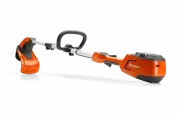 Husqvarna 115iL
User Manual
Husqvarna 115iL
User Manual
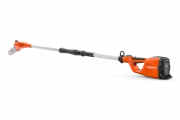 Husqvarna 115iPT4
User Manual
Husqvarna 115iPT4
User Manual
 Husqvarna 120
User Manual
Husqvarna 120
User Manual
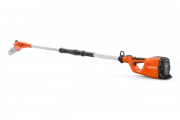 Husqvarna 120iTK4-P
User Manual
Husqvarna 120iTK4-P
User Manual
 Husqvarna 120 Mark II
User Manual
Husqvarna 120 Mark II
User Manual
 Husqvarna 122C
User Manual
Husqvarna 122C
User Manual
 Husqvarna 122HD45
User Manual
Husqvarna 122HD45
User Manual
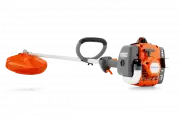 Husqvarna 122L
Quick Guide
Husqvarna 122L
Quick Guide
 Husqvarna 122LK
User Manual
Husqvarna 122LK
User Manual
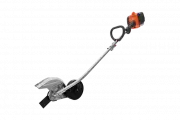 Husqvarna 122LKE
Quick Guide
Husqvarna 122LKE
Quick Guide
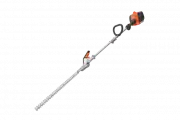 Husqvarna 122LKH
Quick Guide
Husqvarna 122LKH
Quick Guide
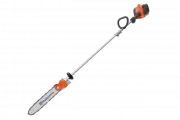 Husqvarna 122LKP
Quick Guide
Husqvarna 122LKP
Quick Guide
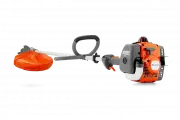 Husqvarna 122RJ
Quick Guide
Husqvarna 122RJ
Quick Guide
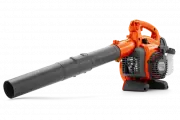 Husqvarna 125B
User Manual
Husqvarna 125B
User Manual