Page 2 - Contents
Contents 1 Introduction 1.1 Introduction.................................................31.2 Product overview........................................ 41.3 Symbols on the product..............................51.4 Symbols on the display.............................. 51.5 Symbols on the battery..........
Page 3 - Introduction
1 Introduction 1.1 Introduction Serial number:PIN code:Product registration key: The serial number is on the product rating plate and on the product carton.• Use the serial number to register your product on www.husqvarna.com. 1.1.1 Support For support about the Husqvarna product, speak to your serv...
Page 4 - station, boundary wire and guide wire
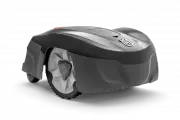
1.2 Product overview OK OK 11 13 12 6 16 17 15 14 18 10 9 24 19 26 20 22 23 21 25 27 7 8 1 2 3 5 4 The numbers in the figure represent:1. Body2. Hatch to display and keypad3. Stop button4. Rear wheels5. Front wheels6. Charging station7. Contact strips8. LED for operation check of the charging statio...
Page 7 - Menu structure overview; Schedule
1.6 Menu structure overview Schedule Overview week Period 1 Period 2 Copy Su Currentday All week Sa Fr Th We Tu Mo Alldays Reset Wizard Advanced Settings Time &date Set time Set date Time format Date format Language Country Reset alluser setting About Security Lawn Coverage Installation General ...
Page 9 - Safety; Safety definitions
2 Safety 2.1 Safety definitions Warnings, cautions and notes are used to point out specially important parts of the manual. WARNING: Used if there is a risk of injury or death for the operator or bystanders if the instructions in the manual are not obeyed. CAUTION: Used if there is a risk of damage ...
Page 11 - Safety instructions for operation
WARNING: The product can be dangerous if used incorrectly. WARNING: Do not use the product when persons, especially children, or animals, are in the work area. WARNING: Keep your hands and feet away from the rotating blades. Never put your hands or feet close to or under the product when the motor i...
Page 14 - Installation; Before the installation of the wires; To examine where to put the charging
3 Installation 3.1 Introduction - Installation WARNING: Read and understand the safety chapter before you install the product. CAUTION: Use original spare parts and installation material. Note: Refer to www.husqvarna.com for more information about installation. 3.2 Before the installation of the wir...
Page 18 - wire
Note: When the product cuts grass in the secondary area, the Secondary area mode must be selected. Refer to 2nd area on page 28. 3.3.4 To examine where to put the guide wire • Put the guide wire in a line at a minimum of 1 m / 3.3 ft. in front of the charging station. Min 1m / 3.3ft G • Make sure th...
Page 19 - Installation of the product
3.4 Installation of the product 3.4.1 To install the charging station WARNING: Obey national regulations about electrical safety. 1. Read and understand the instructions about the charging station. Refer to To examine where to put the charging station on page 14. 2. Put the charging station in the s...
Page 21 - After the installation of the product; To do a visual check of the charging; To do the product settings
6. Put the boundary wire or the guide wire into position with stakes. 3.8 After the installation of the product 3.8.1 To do a visual check of the charging station 1. Make sure that the indicator LED lamp on the charging station has a green light. 2. If the indicator LED lamp does not have a green li...
Page 27 - Operation; To start the product
4 Operation 4.1 The ON/OFF button WARNING: Read the safety instructions carefully before you start the product. WARNING: Keep your hands and feet away from the rotating blades. Never put your hands or feet close to or under the machine when the motor is running. WARNING: Do not use the product when ...
Page 28 - To stop the product
OK 4.3.1 Main area Main area is the standard operating mode where the product mows and charges automatically. 4.3.2 2nd area To mow secondary areas the operating mode 2nd area must be chosen. In the 2nd area mode, the operator must move the product manually between the main area and the secondary ar...
Page 30 - Maintenance; Clean the product
5 Maintenance 5.1 Introduction - maintenance For better operating reliability and longer service life: check and clean the product regularly and replace worn parts if necessary. All maintenance and servicing must be done according to Husqvarna's instructions. Refer to Warranty terms on page 48.When ...
Page 31 - Replace the blades
5.2.4 Charging station Clean the charging station regularly from grass, leaves, twigs and other objects that may impede docking. WARNING: Use the plug to disconnect the charging station before any maintenance, or cleaning of charging station or power supply. 5.3 Replace the blades WARNING: Use blade...
Page 34 - Troubleshooting
6 Troubleshooting 6.1 Introduction - troubleshooting In this chapter, faults and symptoms are described and can guide you if the product does not operate as expected. More suggestions for steps to take in the event of malfunction or symptoms can be found on www.husqvarna.com. 6.2 Fault messages Belo...
Page 38 - Information messages
6.3 Information messages Below a number of information messages are listed which may be shown in the display of the product. Contact Husqvarna customer service if the same message appears often. Message Cause Action Low battery The product cannot find the charging station. Check that the charging st...
Page 41 - Find breaks in the loop wire
Symptoms Cause Action Both the mowing and charging times are shorter than usual. The battery is spent. Replace the battery. Refer to Battery on page 32. The product is parked for hours in the charging sta- tion. The product has an inbuilt standby peri- od according to the Standby time table. Refer t...
Page 44 - Transportation, storage and disposal
7 Transportation, storage and disposal 7.1 Transportation The supplied Li-ion batteries obey the Dangerous Goods Legislation requirements.• Obey all applicable national regulations. • Obey the special requirement on package and labels for commercial transportations, including by third parties and fo...
Page 45 - Technical data
8 Technical data 8.1 Technical data Data 115H DimensionsLength, cm / in. 59 / 23 Width, cm / in. 45 / 18 Height, cm / in. 27 / 11 Weight, kg / lbs 9.4 / 20.7 Electrical system 115H Battery, Lithium-Ion 18 V/2.1 Ah Art.No 584 85 28-01, 584 85 28-02 Battery, Lithium-Ion 18 V/2.0 Ah Art.No 590 21 42-02...
Page 47 - Introduction on page 3.; Registered trademarks; The
The products are made in England or the Czech Republic. See information on the rating plate. Refer to Introduction on page 3. 8.2 Registered trademarks The Bluetooth ® word mark and logos are registered trademarks owned by Bluetooth SIG, inc. and any use of such marks by Husqvarna is under license. ...
Page 48 - Warranty
9 Warranty 9.1 Warranty terms Husqvarna ® warranty covers this product's functionality for a period of 2 years from date of purchase. The warranty covers serious faults relating to materials or manufacturing faults. Within the warranty period, we will replace the product or repair it at no charge if...
Page 49 - 0 Applicable to US/CA market; Conformity
10 Applicable to US/CA market 10.1 Supplier's Declaration of Conformity Issuer: Husqvarna AB, Drottninggatan 2, S-561 82 Huskvarna, Sweden www.husqvarnagroup.com.Responsible party: Husqvarna Professional Products, Inc. 9335 Harris Corners Parkway Suite 500 Charlotte, NC 28269 United States U.S. Cont...
Page 52 - Original instructions
www.husqvarna.com AUTOMOWER ® is a trademark owned by Husqvarna AB. Copyright © 2019 HUSQVARNA. All rights reser ved. Original instructions 1140739-95 2019-05-16