Page 4 - MEMO
English - 2 Serial number: ___________________________ PIN code: ___________________________ Dealer: ___________________________ Dealer’s telephone number: __________________________ If the robotic lawnmower is stolen, it is important to notify Husqvarna Group AB of this. Contact your local dealer a...
Page 5 - INTRODUCTION AND SAFETY; Introduction and safety; bold; carefully and make sure you understand
English - 3 INTRODUCTION AND SAFETY 1 Introduction and safety 1.1 Introduction Congratulations on your choice of an exceptionally high quality product. To get the best results from your Husqvarna robotic lawnmower requires knowledge of how it works. This Operator’s Manual contains important informat...
Page 6 - Symbols on the product
English - 4 INTRODUCTION AND SAFETY 1.2 Symbols on the product These symbols can be found on the robotic lawnmower. Study them carefully.• Please read the Operator’s Manual carefully and make sure you understand the instructions before using the robotic lawnmower. The warnings and safety instruction...
Page 7 - Symbols in the Operator’s Manual
English - 5 INTRODUCTION AND SAFETY • The chassis contains components which are sensitive to electrostatic discharge (ESD). The chassis is also a significant part of the robotic lawnmower’s design and must be resealed in a professional manner if the product is to be used outdoors. For this reason th...
Page 8 - Safety instructions; Use
English - 6 INTRODUCTION AND SAFETY 1.4 Safety instructions Use • This robotic lawnmower is designed to mow grass in open and level ground areas. It may only be used with the equipment recommended by the manufacturer. All other types of use are incorrect. The manufacturer’s instructions with regard ...
Page 9 - Moving
English - 7 INTRODUCTION AND SAFETY • Husqvarna AB does not guarantee full compatibility between the robotic lawnmower and other types of wireless systems such as remote controls, radio transmitters, hearing loops, underground electric animal fencing or similar. Moving The original packaging should ...
Page 10 - Maintenance
English - 8 INTRODUCTION AND SAFETY Maintenance WARNINGWhen the robotic lawnmower is turned upside down the main switch must always be in the 0 position. The main switch should be set in the 0 position during all work on the mower’s chassis, such as cleaning or replacing the blades. Inspect the robo...
Page 11 - PRESENTATION; Presentation
English - 9 PRESENTATION 2 Presentation This chapter contains information that is important to be aware of when planning the installation.Installing a Husqvarna robotic lawnmower involves four main components:• A robotic lawnmower that mows the lawn by essentially operating in a random pattern. The ...
Page 13 - Capacity
English - 11 PRESENTATION 2.2 Package content Your Automower ® package will include the following parts. Automower ® 320 Automower ® 330X Robotic lawnmower X X Charging station X X Transformer X X Loop wire 250 m 400 m Low voltage cable X X Pegs 300 pcs 400 pcs Connectors 5 pcs 5 pcs Charging statio...
Page 14 - Mowing technique
English - 12 PRESENTATION Mowing technique The cutting system in the Husqvarna robotic lawnmower is based on an efficient and energy saving principle. Unlike many standard lawnmowers, the robotic lawnmower cuts the grass instead of knocking it off.We recommend you allow the robotic lawnmower to main...
Page 15 - STOP; Movement pattern; Search method 1: Irregular
English - 13 PRESENTATION The STOP button on the top of the robotic lawnmower is mainly used to stop the robotic lawnmower when it’s running. When the STOP button is pressed a hatch opens, behind which there is a control panel. The STOP button remains pressed in until the hatch is closed again. This...
Page 16 - Search method 2: Follow guide wire; Search method 3: Follow boundary wire
English - 14 PRESENTATION Search method 2: Follow guide wire The robotic lawnmower operates irregularly until it reaches the guide wire. Then the robotic lawnmower follows the guide wire to the charging station.The guide wire is a wire that is laid from the charging station towards, for instance, a ...
Page 17 - INSTALLATION; Installation; Carry out the installation as outlined in the
English - 15 INSTALLATION 3 Installation This chapter describes how to install the robotic lawnmower. Before starting the installation read the previous chapter 2. Presentation . Read also through this entire chapter before beginning the installation. How the installation is done also affects how we...
Page 18 - Installation of the charging station; Best charging station location
English - 16 INSTALLATION 4. Check that all parts for the installation are included. The numbers in brackets refer to the component illustration. See 2.1 What is what? on page 10. • Operator’s Manual (28)• Robotic lawnmower• Charging station (10)• Loop wire for boundary loop and guide wire (21) • Tr...
Page 20 - Connecting the transformer; circumstances be shortened or extended.
English - 18 INSTALLATION Connecting the transformer Take the following into consideration when planning where to place the transformer: • Close to the charging station• Protection from rain• Protection from direct sunlight If the transformer is connected to an electrical socket outdoors, this must ...
Page 21 - the charging station, for instance before; Installing and connecting the charging; in the charging station’s plate. Only the
English - 19 INSTALLATION Do not, under any circumstances, mount the transformer at a height where there is a risk it can be submerged in water (at least 30 cm from the ground). It is not permitted to place the transformer on the ground. IMPORTANT INFORMATIONUse the transformer’s plug to disconnect ...
Page 22 - Charging the battery; before the installation is complete.
English - 20 INSTALLATION 3.3 Charging the battery As soon as the charging station is connected, it is possible to charge the robotic lawnmower. Set the main switch to position 1 . Place the robotic lawnmower in the charging station to charge the battery while the boundary and guide wires are being ...
Page 23 - Installation of the boundary wire; Plan where to lay the boundary wire
English - 21 INSTALLATION 3.4 Installation of the boundary wire The boundary wire can be installed in one of the following ways: • Secure the wire to the ground with pegs. It is preferable to staple down the boundary wire if you want to make adjustments to the boundary loop during the first few week...
Page 24 - Working area boundaries; mented with an edging or the like. It must
English - 22 INSTALLATION Working area boundaries If a high obstacle, for example a wall or fence, borders the working area, the boundary wire should be laid 35 cm from the obstacle. This will prevent the robotic lawnmower from colliding with the obstacle and reduce body wear.About 20 cm of the lawn...
Page 25 - Boundaries within the working area; Secondary areas; START; IMPORTANT INFORMATION
English - 23 INSTALLATION Boundaries within the working area Use the boundary wire to isolate areas inside the working area by creating islands around obstacles which cannot withstand a collision, for example flowerbeds, bushes and fountains. Lay the wire up to and around the area to be isolated, an...
Page 26 - Passages when mowing
English - 24 INSTALLATION Passages when mowing Long and narrow passages and areas narrower than 1.5 to 2 metres should be avoided. When the robotic lawnmower mows, there is a risk that it travels around in the passage or area for a long period of time. The lawn will then look flattened. Slopes The r...
Page 27 - Laying the boundary wire; outside the boundary wire. This can
English - 25 INSTALLATION Laying the boundary wire If you intend to peg down the boundary wire:• Cut the grass very low with a standard lawnmower or a trimmer where the wire is to be laid. It will then be easier to lay the wire close to the ground and the risk of the robotic lawnmower cutting the wi...
Page 29 - Connecting the boundary wire
English - 27 INSTALLATION 3.5 Connecting the boundary wire Connect the boundary wire to the charging station: IMPORTANT INFORMATIONThe boundary wire must not be crossed when connecting it to the charging station. The right hand wire end must be connect- ed to the right hand pin on the charging stati...
Page 30 - Installation of the guide wire; as
English - 28 INSTALLATION 3.6 Installation of the guide wire The guide wire is a wire that is laid from the charging station towards, for instance, a remote part of the working area or through a narrow passage to be then connected with the boundary loop. The same cable roll is used for both the boun...
Page 31 - Laying and connecting the guide wire
English - 29 INSTALLATION Laying and connecting the guide wire 1. Before laying and connecting the guide wire, it is important to give consideration to the length of the guide loop, especially in large or complex installations. If the guide loop is longer than 400 metres the robotic lawnmower can ha...
Page 32 - ary wire, for instance a boundary wire that
English - 30 INSTALLATION If the guide wire has to be installed on a steep slope, it is an advantage to lay the wire at an angle to the slope. This makes it easier for the robotic lawnmower to follow the guide wire on the slope. Avoid laying the wire at sharp angles. This can make it difficult for t...
Page 33 - Checking the installation
English - 31 INSTALLATION 3.7 Checking the installation Check the loop signal by inspecting the indicator lamp on the charging station.• Solid green light = good signals.• Flashing green light = the loop system is turned off and the robotic lawnmower is in ECO mode. See 6.9 Settings on page 59 . • F...
Page 34 - Test docking with the charging
English - 32 INSTALLATION 3.8 First start-up and calibration Before the robotic lawnmower is operated, a start-up sequence in the robotic lawnmower’s menu must be carried out as well as an automatic calibration of the guide signal. 1. Open the control panel hatch by pressing the STOP button. 2. Set ...
Page 35 - USE; Charging a flat battery; WARNING
English - 33 USE 4 Use 4.1 Charging a flat battery When the Husqvarna robotic lawnmower is new or has been stored for a long period, the battery will be flat and needs to be charged before starting. 1. Set the main switch to position 1 . 2. Park the robotic lawnmower in the charging station. Open th...
Page 36 - are usually children, pets and anything
English - 34 USE 4.2 Using the timer The lawn should not be cut too often to obtain the best mowing result. Use the timer function ( see 6.3 Timer on page 42 ) to avoid a downtrodden lawn and to get the maximum service life from the robotic lawnmower. When setting the timer, calculate that the robot...
Page 37 - Adjusting the cutting height
English - 35 USE 4.4 Stopping 1. Press the STOP button. The robotic lawnmower stops, the blade motor stops and the control panel hatch opens. 4.5 Switching off 1. Press the STOP button. 2. Set the main switch to position 0 . Always switch the robotic lawnmower off using the main switch if it require...
Page 38 - CONTROL PANEL; Control panel
English - 36 CONTROL PANEL 5 Control panel All forms of commands and settings for the robotic lawnmower are made via the control panel. All functions are accessed via a number of menus. The control panel consists of a display and a keypad. All information is shown on the display and all input is don...
Page 39 - Operation selection Start
English - 37 CONTROL PANEL The keypad consists of six groups of buttons: • The START button is used to activate the robotic lawnmower. This is normally the last button to be pressed before closing the display hatch. • The Back and OK buttons are used to navigate in the menu. The OK button is also us...
Page 40 - Override timer; Operation selection Parking; PARK; Park until further notice; Start again in 3 hours
English - 38 CONTROL PANEL Override timer Any timer settings made can be temporarily overridden by selecting Override timer . It is possible to override the timer for 1, 3 or 5 days. Spot Cutting Spot cutting means the robotic lawnmower will work in a spiral pattern in order to cut the grass in the ...
Page 41 - The charging station’s PARK
English - 39 CONTROL PANEL 5.3 Main switch Set the main switch in the 1 position to start the robotic lawnmower.Set the main switch in the 0 position when the robotic lawnmower is not in use or work is being carried out on the blade disc.When the main switch is set in the 0 position the motors on th...
Page 42 - MENU FUNCTIONS; Menu functions; Browse between menus; OK; Number series
English - 40 MENU FUNCTIONS 6 Menu functions 6.1 Main menu The main menu consists of the following options:• Timer • Cutting height • Security • Messages • Weather timer • Installation • Settings • Accessories There are a number of submenus under each option. You can access all the functions to set ...
Page 44 - Copy
English - 42 MENU FUNCTIONS 6.3 Timer The lawn should not be cut too often to obtain the best mowing result. Consequently, it is important to limit the operating time using the timer function if the working area is less than the mower’s working capacity. When the robotic lawnmower is allowed to mow ...
Page 45 - Overview; Current day
English - 43 MENU FUNCTIONS Overview This function graphically displays what hours and days the robotic lawnmower is operating. The time the robotic lawnmower will mow is marked with a black line. During the other times, the robotic lawnmower is parked in the charging station. Reset This function re...
Page 46 - To increase the cutting height:
English - 44 MENU FUNCTIONS 6.4 Cutting height The cutting height can be varied from MIN (2 cm) to MAX (6 cm). During the first week after a new installation, the cutting height must be set to MAX to avoid damaging the loop wire. After this, the cutting height can be reduced one step every week unti...
Page 48 - Custom
English - 46 MENU FUNCTIONS Custom This menu allows you to customise and combine the available security functions to suit your needs. Time lock Activate or deactivate the PIN request after a certain number of days. The number of days can be set in Security - Advanced . NOTE! Time lock is the most im...
Page 49 - Advanced; Fault messages
English - 47 MENU FUNCTIONS 3. Press OK and await confirmation that the loop signal has been generated. This normally takes about 10 seconds. Advanced Duration of Time lock When Time lock is activated there is also the possibility to select how many days the robotic lawnmower has to request a PIN co...
Page 50 - By date; Reset messages; Weather timer
English - 48 MENU FUNCTIONS Info messages Messages shown in the display not caused by an actual fault are instead saved under the Info messages heading. Examples for such messages are Weak GPS signal and Slope too steep . See 9.1 Fault messages on page 75 for more information on possible reasons for...
Page 51 - Cutting time
English - 49 MENU FUNCTIONS Cutting time If the mowing results are not optimal when using the Weather timer, Cutting time settings may need adjusting. To adjust the Cutting time: place the cursor by Cutting time and use the right and left arrow keys to increase or decrease the cutting time in three ...
Page 54 - Lawn coverage
English - 52 MENU FUNCTIONS Normal causes as to why the robotic lawnmower cannot follow the wire are that obstacles close to the wire have not been isolated or that the guide wire has not been laid at an angle on a steep slope. Check that the charging station, the boundary wire and the guide wire ar...
Page 58 - Corridor width
English - 56 MENU FUNCTIONS Advanced Under the Advanced heading, there are even more settings relating to the behaviour of the robotic lawnmower. The settings in this menu are only required if additional control of the lawnmower is definitely needed e.g. in very complex gardens. The factory settings...
Page 59 - Corridor width > Guide; Exit angles; Reversing distance
English - 57 MENU FUNCTIONS Corridor width > Guide In the case of the guide wires, specify the widest distance from each guide wire the robotic lawnmower can run. The distance is specified as a figure between 0 and 9. The distance the robotic lawnmower maintains from the guide wire varies dependi...
Page 60 - Drive past wire
English - 58 MENU FUNCTIONS Drive past wire The front of the robotic lawnmower always passes the boundary wire by a specific distance before the mower turns around. The default distance is 31 cm, but this can be changed if required. A figure between 20 and 50 can be selected. Note that the distance ...
Page 61 - Profiles; Save settings to a Profile
English - 59 MENU FUNCTIONS 6.9 Settings This selection allows you to carry out changes to the robotic lawnmower’s general settings. Profiles With the function Profiles, different sets of user settings can be saved. This means that the settings can be easily stored and reused if the robotic lawnmowe...
Page 62 - Change the name of a profile; Use a Profil; One Automower
English - 60 MENU FUNCTIONS Change the name of a profile The names of the profiles can be changed, to make it easier to remember what settings are stored in the respective profile.• Check the profile name to be changed• Press OK • Check Rename and press OK . • Move the cursor withe the arrow keys. P...
Page 63 - ECO; removing the robotic lawnmower from the; Spiral cutting
English - 61 MENU FUNCTIONS ECO This function automatically turns off the loop signal in the boundary loop, the guide wires and the charging station when the robotic lawnmower is not mowing, i.e. when the lawnmower is charging or is not allowed to mow due to timer settings. ECO is suitable to use wh...
Page 64 - Language; Country
English - 62 MENU FUNCTIONS Intensity The level of sensitivity can be adjusted to set how much over the average height the grass has to be for spiral cutting to begin. Low sensitivity means that spiral cutting begins less often. High sensitivity means that spiral cutting begins more often. Time &...
Page 65 - Calibration of guide wire
English - 63 MENU FUNCTIONS Calibration of guide wire The guide wire may need to be calibrated in rare cases. This should only be done if the robotic lawnmower itself requests it or if your dealer recommends it. 1. Park the robotic lawnmower in the charging station. 2. Select Guide calibration and p...
Page 66 - Headlight; Luminosity; Flashes when fault; Avoid collisions with mower house
English - 64 MENU FUNCTIONS 6.10 Accessories This menu is used for the settings related to accessories fitted on the mower. Headlight In this function, settings regarding headlight are made. Headlight can only be fitted as accessories on the Automower ® 330X. Schedule In sub menu Schedule , you sele...
Page 67 - GARDEN EXAMPLES; Garden examples; - Installation proposals and; mower has been chosen to work in as
English - 65 GARDEN EXAMPLES 7 Garden examples - Installation proposals and settings Adapting the robotic lawnmower’s settings and guide wire positions according to the shape of the garden makes it easier for the robotic lawnmower to frequently reach all parts of the garden and in doing so achieve a...
Page 68 - Installation proposals and settings
English - 66 GARDEN EXAMPLES Installation proposals and settings Area Timer Lawn coverage Find charging station Remarks 150 m 2 . Open and level area. 08:00-12:00 Monday, Wednesday, Friday Factory setting Factory setting The timer should be used to prevent the grass looking trampled since the area i...
Page 72 - MAINTENANCE; Maintenance; mowing result. The grass is not cut clean-
English - 70 MAINTENANCE 8 Maintenance For better operating reliability and longer service life: check and clean the robotic lawnmower regularly and replace worn parts if necessary. See 8.4 Cleaning on page 72 for more details on cleaning.When the robotic lawnmower is first used, the blade disc and ...
Page 73 - The robotic lawnmower; winter storage. If the battery is not fully; The charging station
English - 71 MAINTENANCE 8.1 Winter storage The robotic lawnmower The robotic lawnmower must be cleaned carefully before putting it away for the winter. See 8.4 Cleaning on page 72 . To guarantee battery functionality and service life, it is very important to fully charge the robotic lawnmower befor...
Page 74 - After winter storage; running water to clean the robotic lawn-; Chassis and blade disc
English - 72 MAINTENANCE 8.2 Winter service Leave your robotic lawnmower with a dealer for service prior to winter storage. Regular winter service is a good way to maintain the robotic lawnmower in good condition over a long period of time and create the best conditions for a new season without any ...
Page 75 - Chassis; Transport and moving
English - 73 MAINTENANCE If long blades of grass or other objects find their way in, these may impede the blade disc. Even a slight braking effect leads to a higher consumption of energy and longer mowing times, and at worst will prevent the robotic lawnmower from being able to mow a large lawn. The...
Page 77 - TROUBLESHOOTING; Troubleshooting; Message
English - 75 TROUBLESHOOTING 9 Troubleshooting In this chapter, a number of messages are listed which may be shown in the display if there is a malfunction. There is a proposal as to the cause and steps to take for each message. This chapter also presents some symptoms that can guide you if the robo...
Page 78 - Start
English - 76 TROUBLESHOOTING No loop signal The transformer is not connected. Check the wall socket connection and whether an earth-fault breaker has tripped. The low voltage cable is damaged or not connected. Check that the low voltage cable is not damaged. Check that it is also properly connected ...
Page 81 - Indicator lamp in the charging station
English - 79 TROUBLESHOOTING Message Cause Action Weak GPS signal Not applicable for Automower® 320. The GPS signal is weak for the current working area. GPS assisted navigation cannot be used. If the message appears often, turn off the GPS assisted navigation and instead use the manual settings for...
Page 84 - Finding breaks in the loop wire
English - 82 TROUBLESHOOTING 9.5 Finding breaks in the loop wire Breaks in the loop wire are usually the result of unintentional physical damage to the wire such as when gardening with a shovel. In countries with ground frost, also sharp stones that move in the ground can damage the wire. Breaks can...
Page 88 - TECHNICAL DATA; 0 Technical Data; Data
English - 86 TECHNICAL DATA 10 Technical Data Data Automower® 320 Automower® 330X DimensionsLength 72 cm 72 cm Width 56 cm 56 cm Height 31 cm 31 cm Weight 11.8 kg 13.2 kg Electrical systemBattery Special Lithium-Ion battery, 18 V/3.2Ah Special Lithium-Ion battery, 18 V/6.4Ah Transformer 110-230 V/28...
Page 89 - GUARANTEE TERMS; 1 Guarantee terms
English - 87 GUARANTEE TERMS 11 Guarantee terms Husqvarna AB guarantees this product’s functionality for a period of two years (from date of purchase). The guarantee covers serious faults relating to materials or manufacturing faults. Within the guarantee period, we will replace the product or repai...
Page 90 - ENVIRONMENTAL INFORMATION; 2 Environmental
English - 88 ENVIRONMENTAL INFORMATION 12 Environmental information The symbol on the Husqvarna robotic lawnmower or its packaging indicates that this product cannot be treated as domestic waste. It should instead be left at a suitable recycling centre to recycle its electronic components and batter...
Page 91 - EC DECLARATION OF CONFORMITY; 3 EC Declaration of Conformity; Husqvarna AB
English - 89 EC DECLARATION OF CONFORMITY 13 EC Declaration of Conformity EC declaration of conformity (Only applicable to European versions) Husqvarna AB , SE-561 82 Huskvarna, Sweden, tel.: +46-36-146500, hereby declares under sole responsibility that the robotic lawnmowers Husqvarna Automower® 32...


 Husqvarna 115iHD55
User Manual
Husqvarna 115iHD55
User Manual
 Husqvarna 115iL
User Manual
Husqvarna 115iL
User Manual
 Husqvarna 115iPT4
User Manual
Husqvarna 115iPT4
User Manual
 Husqvarna 120
User Manual
Husqvarna 120
User Manual
 Husqvarna 120iTK4-P
User Manual
Husqvarna 120iTK4-P
User Manual
 Husqvarna 120 Mark II
User Manual
Husqvarna 120 Mark II
User Manual
 Husqvarna 122C
User Manual
Husqvarna 122C
User Manual
 Husqvarna 122HD45
User Manual
Husqvarna 122HD45
User Manual
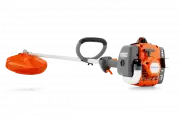 Husqvarna 122L
Quick Guide
Husqvarna 122L
Quick Guide
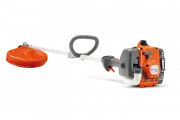 Husqvarna 122LK
User Manual
Husqvarna 122LK
User Manual
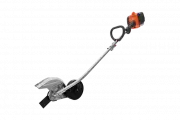 Husqvarna 122LKE
Quick Guide
Husqvarna 122LKE
Quick Guide
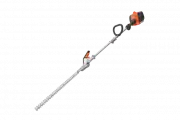 Husqvarna 122LKH
Quick Guide
Husqvarna 122LKH
Quick Guide
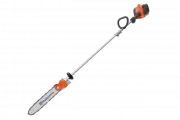 Husqvarna 122LKP
Quick Guide
Husqvarna 122LKP
Quick Guide
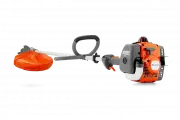 Husqvarna 122RJ
Quick Guide
Husqvarna 122RJ
Quick Guide
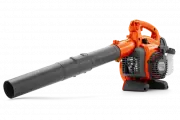 Husqvarna 125B
User Manual
Husqvarna 125B
User Manual