Page 3 - PRODUCT LABEL
3 Dear Customer, Thank you for having purchased and given your preference to our product. The safety precautions and recommendations reported below are for your own safety and that of others. They will also provide a means by which to make full use of the features offered by your appliance. Please k...
Page 4 - IMPORTANT SAFETY PRECAUTIONS AND RECOMMENDATIONS; In case of doubt, do not use it and consult your supplier or a; This film must be removed before using the; IMPORTANT: The use of suitable protective clothing/gloves is
4 IMPORTANT SAFETY PRECAUTIONS AND RECOMMENDATIONS IMPORTANT: This appliance is designed and manufactured solely for the cooking of domestic (household) food and is not suitable for any non domestic application and therefore should not be used in a commercial environment.The appliance guarantee will...
Page 8 - INSTALLATION; This appliance shall only be serviced by authorised personnel.; ELECTRICAL REQUIREMENTS; the load specified on the plate.
8 INSTALLATION CAUTION: ■ This appliance must be installed in accordance with these installation instructions. ■ This appliance shall only be serviced by authorised personnel. ■ This appliance is to be installed only by an authorised person in compliance with the current electrical regulations and i...
Page 9 - REPLACING THE POWER SUPPLY CABLE; To connect the supply cable:; VOLTAGE AND POWER CONSUMPTION; Figure 2
9 REPLACING THE POWER SUPPLY CABLE Important! This appliance must be connected to the electricity supply only by an authorised person. To connect the supply cable: ■ Unhook the terminal board cover by inserting a screwdriver into the two hooks “ A ” (fig. 2). ■ Open the cable gland by unscrewing scr...
Page 10 - ELECTRIC DIAGRAM; Figure 4
10 ELECTRIC DIAGRAM Figure 4 llir G r et u O ∞ T P1 Thermal Fuse ek ab ret u O ek a B r en nI llir G r en nI tn e mel E na F Thermal Fuse ret u O ek a B llir G r et u O ek a B r en nI tn e mel E na F 2s nia M llir G r en nI st hgi L H n aF l oo C oL naF loo C na F yti va C kc oL kc ol n U htr aE 1 s...
Page 11 - FITTING REQUIREMENTS; The oven can be fitted in standard units, width 90 cm and depth 60 cm.; damage caused by this removal.
11 FITTING REQUIREMENTS ■ The oven can be fitted in standard units, width 90 cm and depth 60 cm. ■ Installation requires a compartment as illustrated in figures 5 and 6. ■ On the lower side, the oven must lay on supports standing the oven weight. ■ Remember the housing should not be free standing bu...
Page 13 - FIXING THE OVEN; fixing is only complementary.; Note
13 FIXING THE OVEN Introduce the oven into the furniture opening and fix it with 4 screws (not supplied) as figure 8. It is essential that the oven rests on a surface which will support its weight, as the screw fixing is only complementary. Note It is essential that when installing your oven adequat...
Page 14 - Please take extra care not to damage the lower trim of the oven.; After installation check the lower trim is still undamaged.; Figure 9
14 IMPORTANT: Please take extra care not to damage the lower trim of the oven. Ensure the oven sits on wooden blocks or similar supports when it is removed from the carton as shown in above diagram. This will prevent any damage to the lower trim. Should the lower trim become damaged, straighten the ...
Page 15 - USE AND CARE; THE CONTROL PANEL
15 USE AND CARE Timer indicator (see ‘Using the timer’) Clock indicator (see ‘Setting the clock and first use’) Cooking time indicator (see ‘Automatic cooking’) Stop time indicator (see ‘Automatic cooking’) Scroll Select Cancel Function indicators (see ‘Oven functions’) Function dial (see ‘Using you...
Page 16 - SETTING THE CLOCK; Press the select button to confirm.
16 Figure 12 SETTING THE CLOCK You will need to set the clock to make full use of your oven. 1. Ensure the power supply to the oven is on. 2. Select the clock by pressing the right scroll button twice. ■ The clock indicator will appear and the colon will flash. 3. Press the select button to confirm....
Page 17 - FIRST USE - Conditioning the oven; Heat the oven for: 30 minutes at 200 °C using Bake; SHELF
17 FIRST USE - Conditioning the oven It is important to condition your oven before using it for cooking and baking. Conditioning will burn off any manufacturing residues and ensure that you get the best results right from the start. 1. Make sure you have set the clock. 2. Slide in the shelves and th...
Page 18 - USING YOUR OVEN; Slide in the shelf. The oven shelf is provided; Safety catch
18 USING YOUR OVEN 1. Slide in the shelf. The oven shelf is provided with a security block to prevent accidental extraction. It must be inserted operating as per figure 14. The oven trays shall be placed above the shelves. 2. Select a function (fig. 15). 3. Set the temperature. ■ While the oven is h...
Page 20 - WARM; temperature cannot be set higher than 90°C.; ROTISSERIE; flavour on the outside. See ‘Using the rotisserie’.; SELF CLEAN; Take all the accessories out of the oven (drip tray and shelves).
20 WARM Use this function to keep cooked food hot and to warm plates and serving dishes.To reheat food from cold, use a cooking function at 150°C, then switch to Warm set between 70-90°C only when the food is piping hot. Note: this function is not for cooking food and the temperature cannot be set h...
Page 22 - Clean cycle, making it very difficult; The display will flash
22 Figure 18 Figure 19 Figure 20 For instructions, see ‘Care and cleaning’. Important! If soiling is left on the glass, it will become burnt on during the Self Clean cycle, making it very difficult to remove. 2. Close the oven door firmly (fig. 18). 3. Select the Self Clean function (fig. 19). ■ The...
Page 23 - Self; OR
23 Figure 21 Figure 22 When a Self Clean cycle has finished The oven will: ■ emit a long tone ■ automatically turn off ■ automatically unlock the door. In a few seconds, the display will show the time of day. You need to: 1. wait for the oven to cool down completely 2. remove the grey ash with a sma...
Page 24 - USING THE ROTISSERIE; Secure the meat; ■ the forks hold the meat firmly in; Twist the handle off; Insert the shelf in the lowest rack; Insert the rotisserie support; Push the skewer through the “; Shelf
24 USING THE ROTISSERIE 1. Secure the meat (fig. 23). Important! Take care, the forks are sharp! When securing the meat, ensure that: ■ the skewer goes through the centre of the meat ■ the forks hold the meat firmly in place ■ the fork screws are tightened ■ there are no loose or projecting parts. P...
Page 25 - When you have finished using the
25 6. Select the Rotisserie function (fig. 27). ■ The skewer will start rotating. ■ Check that the meat does not touch the grill tray or the grill element at the top of the oven. 7. Set the temperature (fig. 27). ■ We recommend around 210 °C. When you have finished using the rotisserie 1. Turn the o...
Page 26 - USING THE TIMER; Important! The timer does NOT turn the oven off.; indicator will appear and the colon will flash.; To modify the timer setting
26 USING THE TIMER ■ You can use the timer at any time, even if you are not using the oven. ■ If the time is more than an hour, the display will count down in minutes (hr:min). If it is less than an hour, it will count down in seconds (min:sec). ■ You can set the timer for up to 23 hours 59 minutes....
Page 28 - Set the stop time; Press the right scroll; Select function and temperature; When automatic cooking is set; Note: you can modify the function and; When the stop time is reached
28 Set the stop time (figures 30) 4a. Press the right scroll button once to scroll to the stop time indicator. 4b. Press the select button to confirm. 5a. Press the right scroll button to set the time you would like your food to be ready by (ie the stop time). 5b. Press the select button to confirm....
Page 29 - BAKING CHART
29 BAKING CHART Please note: ■ The settings in the following chart are guidelines only. Follow the instructions in your recipe or on food packaging and be prepared to adjust the oven settings and baking times to achieve the best possible results for you. ■ Shelf positions are counted from the base u...
Page 30 - USER PREFERENCE SETTINGS; You can set your oven to:; How to change preference settings; The display will flash.; together
30 Figure 32 USER PREFERENCE SETTINGS You can set your oven to: ■ display the temperature in degrees Celsius or Fahrenheit ■ give audio feedback (tones and beeps) or operate quietly ■ display time as 12-hr or 24-hr ■ operate with the display off ■ have its lights on or off during cooking ■ operate i...
Page 32 - SABBATH SETTING; While your oven is in Sabbath setting; No tones or beeps will sound.; How to set Sabbath setting; Press and hold the scroll
32 Figure 34 Figure 35 SABBATH SETTING This setting is designed for religious faiths that observe a ‘no work’ requirement on the Sabbath. While your oven is in Sabbath setting ■ The display and indicators will be unlit, the buttons will be unresponsive. ■ No tones or beeps will sound. ■ No alert cod...
Page 33 - To quit Sabbath setting; TURN THE KNOBS COUNTERCLOCKWISE
33 Figure 36 5a. Press the right scroll button to scroll to the Sabbath setting (figures 35). 5b. Press the select button to select the Sabbath setting. The default option is ‘Sabbath off’. ■ The display will flash. 6a. Press the right scroll button to scroll to the ‘Sabbath on’ option. 6b. Press th...
Page 34 - CLEANING AND MAINTENANCE; GENERAL ADVICE; Avoid using cleaning products with a chlorine or acidic base.; handling or cleaning of this appliance.; ENAMELLED PARTS; Dry preferably with a microfibre or soft cloth.; GLASS CONTROL PANEL
34 CLEANING AND MAINTENANCE GENERAL ADVICE ■ Before you begin cleaning, you must ensure that the appliance is switched off and disconnected from the electrical power supply. ■ It is advisable to clean when the appliance is cold and especially when cleaning the enamelled parts. ■ Avoid leaving alkali...
Page 35 - INSIDE OF OVEN; To use this function see the specific chapters.; Manual cleaning of the oven:; The oven should always be cleaned after use when it has cooled down.; Let the oven; caused by chemical or abrasive cleaning.; Do not store flammable material in the oven.; GRILL HEATING ELEMENT
35 INSIDE OF OVEN The oven has a specific “PYROLYSIS FUNCTION” which can clean the cavity by pulverising the residual cooking greases by high temperature.Do not wait for the oven to be very greasy before performing this cleaning. It should not be performed after every cooking, either, but only when ...
Page 36 - REPLACING THE OVEN LIGHTS; the following specifications; from your fingers can cause premature failure.; Refit the protective cover “; WRONG
36 Figure 37 REPLACING THE OVEN LIGHTS WARNING: Ensure the appliance is switched off before replacing the lamp to avoid the possibility of electric shock. ■ Let the oven cavity and the heating elements to cool down. ■ Switch off the electrical supply. ■ Remove the protective cover “ A ” (fig. 37). ■...
Page 37 - REMOVING AND REPLACING THE INNER DOOR GLASS PANES FOR CLEANING; Authorised Service Centre or Customer Care.
37 REMOVING AND REPLACING THE INNER DOOR GLASS PANES FOR CLEANING If you wish to clean inner panes of glass of the door, make sure you follow the precautions and instructions very carefully.Replacing the glass panes and the door incorrectly may result in damage to the oven and may void your warranty...
Page 38 - REMOVING THE OVEN DOOR; The oven door can easily be removed as
38 REMOVING THE OVEN DOOR The oven door can easily be removed as follows: ■ Open the door to the full extent (fig. 38) and check to see which side the damper hinge is fitted for the soft close feature as shown in fig. 38. This may be fitted on left or right of the door depending on exact model. ■ Pu...
Page 39 - REMOVE THE INNER GLASS RETAINER; The door shall be placed horizontally as per figure 42.; REMOVE THE INNER GLASS PANE
39 REMOVE THE INNER GLASS RETAINER 1. Remove the oven door and place it on a soft surface. IMPORTANT: The door shall be placed horizontally as per figure 42. 2. Press down on both tabs to release the glass retainer. 3. Remove the glass retainer. REMOVE THE INNER GLASS PANE Lift and remove the inner ...
Page 41 - AFTER CLEANING, REPLACE THE GLASS PANES; When replacing the glass panes, makes sure that:; REPLACE THE FIRTS MIDDLE GLASS PANE
41 AFTER CLEANING, REPLACE THE GLASS PANES When replacing the glass panes, makes sure that: ■ you replace all the three panes correctly, as shown. Each pane must be in the position described below in order to fit into the door and to ensure that the oven operates safely and correctly ■ you take extr...
Page 42 - REPLACE THE SECOND MIDDLE GLASS PANE
42 REPLACE THE SECOND MIDDLE GLASS PANE Take the other middle pane and hold it firmly. Insert it in the next pair of grooves, push it slightly towards yourself (fig. 48) and gently lower into place (fig. 49). 1 2 1 2 C C C C Figure 48 Figure 49
Page 43 - REPLACE THE INNER GLASS PANE
43 REPLACE THE INNER GLASS PANE Take the inner pane, holding it with the angle-cut corner orientated as shown in figure 50. Insert it in the uppermost pair of grooves, push it slightly towards yourself and gently lower into place. Important!Make sure that the angle-cut corner of the inner pane is at...
Page 44 - REPLACE THE GLASS RETAINER; of the outer glass. Check that the clamps “; click
44 REPLACE THE GLASS RETAINER 1. Position the glass retainer, as shown in the figure 51. It should sit on the bottom edge of the outer glass. Check that the clamps “ M ” of the glass retainer are not deformed or damaged. 2. Gently push the glass retainer back into place. You should be able to hear t...
Page 45 - REFIT THE DOOR; as shown in the figure 53.
45 REFIT THE DOOR 1. Hold the door firmly (fig. 52). 2. Insert the hinge tongues into the slots, making sure that the groove drops into place as shown in the figure 53. 3. Open the door to its full extent. 4. Fully close the levers “ A ” on the left and right hinges, as shown in the figure 54. IMPOR...
Page 46 - TROUBLESHOOTING; fixed or persists, call your Authorised Repairer or Customer Care.
46 TROUBLESHOOTING If there is a problem, check the chart below to see if you can fix it. If the problem cannot be fixed or persists, call your Authorised Repairer or Customer Care. Problem Possible causes What to do General The oven does not work. No power. Check that the mains power supply (wall s...
Page 47 - ‘Setting the clock and first
47 Problem Possible causes What to do General The oven is heating but the display is dark. The oven is set to ‘Display off’ option. To quit the ‘Display off’ option, press and hold the cancel button until the display shows the time of day. The oven is in Sabbath setting. To quit Sabbath setting, pre...
Page 49 - ALERT CODES; automatically suspend all oven functions; What to do if an alert code is displayed; If the beeping hasn’t stopped already, press any button to stop it.; If you can fix the problem; and the alert code does not reappear, you can keep using; yourself or the alert code reappears and the problem
49 ALERT CODES If there is a problem, the oven will: ■ automatically suspend all oven functions ■ beep five times ■ display an alert code. IMPORTANT! Do not turn off the mains power supply to the oven (wall switch) if you get an alert code, unless the instructions in the chart following specifically...
Page 50 - Door lock error: the door
50 Alert code Possible causes What to do A1 The oven has overheated. 1. Allow the oven to cool down.2. If the door is locked, wait until it automatically unlocks. 3. Once the oven has cooled down and the door has unlocked, the alert code will disappear. You can now use the oven again. A2 Door lock e...
Page 51 - SERVICE AND MAINTENANCE; SERVICING THE APPLIANCE; Authorised Delonghi Service Agent:; Servicing shall be carried out only by authorized personnel.; Both the fuse and the mains fuse are intact.
51 SERVICE AND MAINTENANCE SERVICING THE APPLIANCE Service may be obtained by contacting our Customer Service Centre to locate the nearest Authorised Delonghi Service Agent: Servicing shall be carried out only by authorized personnel. The appliance shall not be modified. TROUBLESHOOTING If you exper...


 DeLonghi DE6038MD
User Manual
DeLonghi DE6038MD
User Manual
 DeLonghi DE608M
User Manual
DeLonghi DE608M
User Manual
 DeLonghi DE62MPB
User Manual
DeLonghi DE62MPB
User Manual
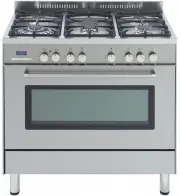 DeLonghi DE906GWF
User Manual
DeLonghi DE906GWF
User Manual
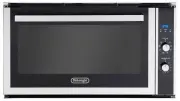 DeLonghi DE908M
User Manual
DeLonghi DE908M
User Manual
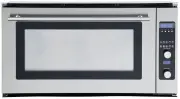 DeLonghi DE91PYROS
User Manual
DeLonghi DE91PYROS
User Manual
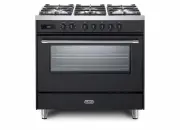 DeLonghi DEF1407A
User Manual
DeLonghi DEF1407A
User Manual
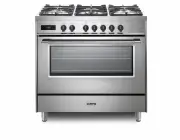 DeLonghi DEF1407S
User Manual
DeLonghi DEF1407S
User Manual
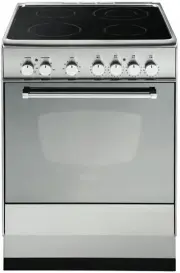 DeLonghi DEF605E
User Manual
DeLonghi DEF605E
User Manual
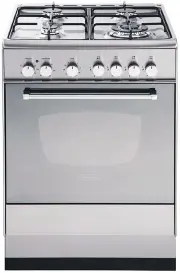 DeLonghi DEF605GW
User Manual
DeLonghi DEF605GW
User Manual
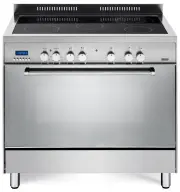 DeLonghi DEF905EX1
User Manual
DeLonghi DEF905EX1
User Manual
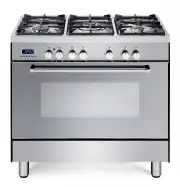 DeLonghi DEF905GW1X1
User Manual
DeLonghi DEF905GW1X1
User Manual
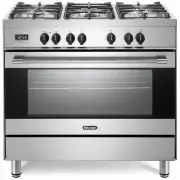 DeLonghi DEF908S
User Manual
DeLonghi DEF908S
User Manual
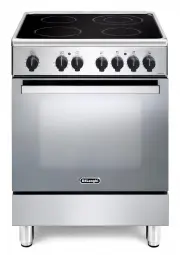 DeLonghi DEFL605E
User Manual
DeLonghi DEFL605E
User Manual
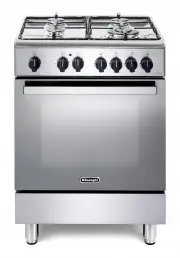 DeLonghi DEFL605G
User Manual
DeLonghi DEFL605G
User Manual
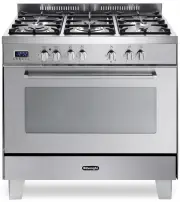 DeLonghi DEFP907S
User Manual
DeLonghi DEFP907S
User Manual
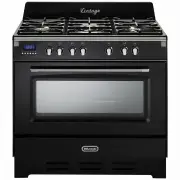 DeLonghi DEFV908BK
User Manual
DeLonghi DEFV908BK
User Manual
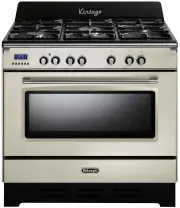 DeLonghi DEFV908CR
User Manual
DeLonghi DEFV908CR
User Manual
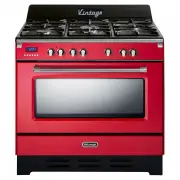 DeLonghi DEFV908R
User Manual
DeLonghi DEFV908R
User Manual
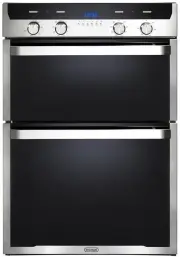 DeLonghi DEL6038D
User Manual
DeLonghi DEL6038D
User Manual