APC BC650 - User Manual
APC BC650 Uninterruptable Power Supply – User Manual, read for free online in PDF format. We hope this helps you resolve any issues you may have. If you have further questions, please contact us through the contact form.
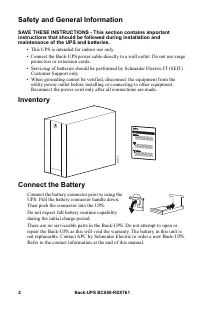
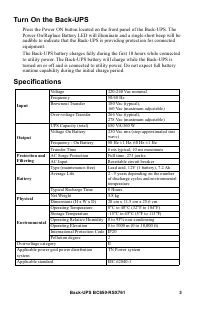
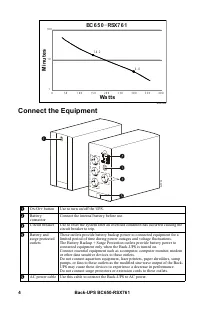
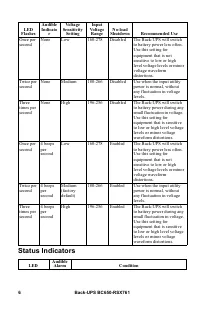
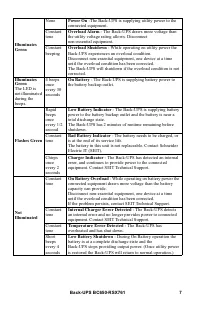
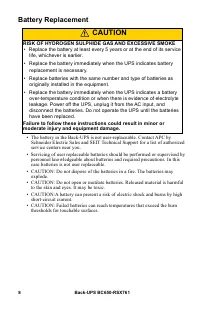
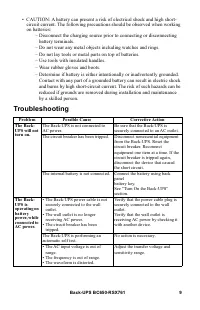
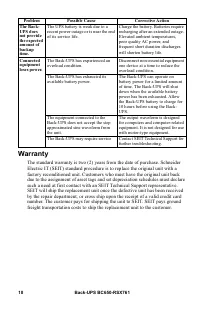
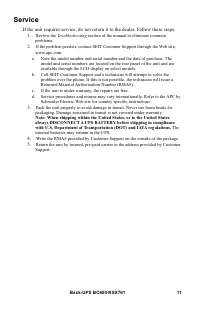
Table of Contents:
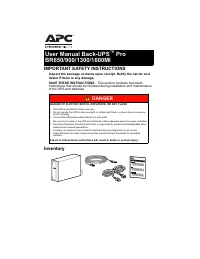
- Page 2 – Safety and General Information; SAVE THESE INSTRUCTIONS - This section contains important; Inventory
- Page 3 – Specifications
- Page 4 – Connect the Equipment; Mi
- Page 5 – Transfer Voltage and Sensitivity Settings; Voltage regulation; Voltage sensitivity adjustment
- Page 6 – Status Indicators
- Page 8 – Battery Replacement; CAUTION; RISK OF HYDROGEN SULPHIDE GAS AND EXCESSIVE SMOKE; Failure to follow these instructions could result in minor or
- Page 9 – Troubleshooting
- Page 10 – Warranty
- Page 11 – Service
Important Safety Information
SAVE THESE INSTRUCTIONS - This manual contains important
instructions that should be followed during installation and maintenance of the
Back-UPS and batteries.
Read these instructions carefully and look at the equipment to become familiar
with the device before trying to install, operate, service or maintain it. The
following special messages may appear throughout this document or on the
equipment to warn of potential hazards or to call attention to information that
clarifies or simplifies a procedure.
The addition of this symbol to either a “Danger” or “Warning”
safety label indicates that an electrical hazard exists which will
result in personal injury if the instructions are not followed.
This is the safety alert symbol. It is used to alert you to potential
personal injury hazards. Obey all safety messages that follow this
symbol to avoid possible injury or death.
DANGER
DANGER
indicates a hazardous situation which, if not avoided,
will
result in
death or serious injury.
WARNING
WARNING
indicates a hazardous situation which, if not avoided,
could result in
death or serious injury.
CAUTION
CAUTION
indicates a hazardous situation which, if not avoided,
could result in
minor or moderate injury.
NOTICE
NOTICE is used to address practices not related to physical
injury.
User Manual
Back-UPS
™
BC650-RSX761 650 VA 230 V
"Loading the manual" means you need to wait until the file loads and becomes available for online reading. Some manuals are very large, and the time they take to appear depends on your internet speed.
Summary
Back-UPS BC650-RSX761 2 Safety and General Information SAVE THESE INSTRUCTIONS - This section contains important instructions that should be followed during installation and maintenance of the UPS and batteries. • This UPS is intended for indoor use only.• Connect the Back-UPS power cable directly t...
Back-UPS BC650-RSX761 3 Turn On the Back-UPS Press the Power ON button located on the front panel of the Back-UPS. The Power On/Replace Battery LED will illuminate and a single short beep will be audible to indicate that the Back-UPS is providing protection for connected equipment.The Back-UPS batte...
Back-UPS BC650-RSX761 4 Connect the Equipment O N /O FF button Use to turn on/off the UPS. Battery connector Connect the internal battery before use. Circuit breaker Use to reset the system after an overload condition has occurred causing the circuit breaker to trip. Battery and surge protec...