APC Battery replacement kit RBC6 - User Manual
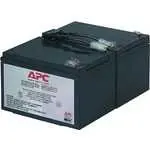
APC Battery replacement kit RBC6 Uninterruptable Power Supply – User Manual, read for free online in PDF format. We hope this helps you resolve any issues you may have. If you have further questions, please contact us through the contact form.
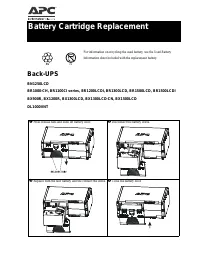
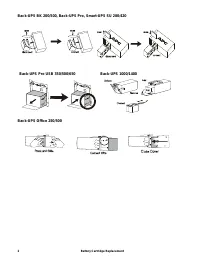
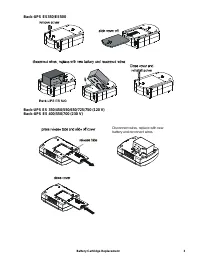
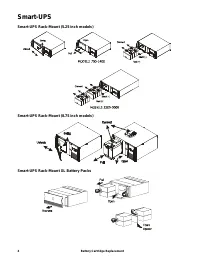
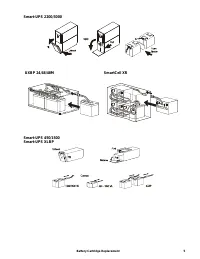
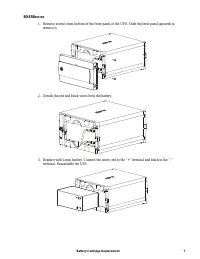

Table of Contents:
- Page 2 – Battery Cartridge Replacement
- Page 5 – SmartCell XR
- Page 7 – Detach the red and black wires from the battery.
Battery Cartridge Replacement
Back-UPS
BN1250LCD
BR1000-CH, BR1100CI series, BR1200LCDI, BR1300LCD, BR1500LCD, BR1500LCDI
BX900R, BX1200R, BX1300LCD, BX1300LCD-CN, BX1500LCD
DL1000VNT
For information on recycling the used battery, see the Used Battery
Information sheet included with the replacement battery.
Press release tabs and slide off battery door.
Disconnect the battery wires.
Replace with the new battery and the connect the wires.
Close the battery door.
Pb
Pb
"Loading the manual" means you need to wait until the file loads and becomes available for online reading. Some manuals are very large, and the time they take to appear depends on your internet speed.
Summary
Battery Cartridge Replacement 2 Back-UPS BK 200/500, Back-UPS Pro, Smart-UPS SU 280/420 Back-UPS Office 250/500 Back-UPS Pro USB 350/500/650 Back-UPS 1000/1400
Battery Cartridge Replacement 5 Smart-UPS 2200/3000 Smart-UPS 450/1500Smart-UPS XLBP UXBP 24/48/48M SmartCell XR
Battery Cartridge Replacement 7 BX650xx-xx 1. Remove screws from bottom of the front panel of the UPS. Slide the front panel upwards to remove it. 2. Detach the red and black wires from the battery. 3. Replace with a new battery. Connect the wires: red to the “+” terminal and black to the “-” termin...