APC Battery replacement kit RBC6 - Manuals
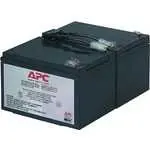
APC Battery replacement kit RBC6 Uninterruptable Power Supply – User Manual in PDF format online.
Manuals:
User Manual APC Battery replacement kit RBC6
1
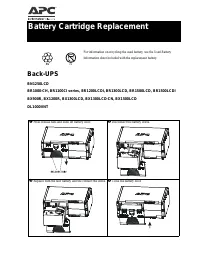
2
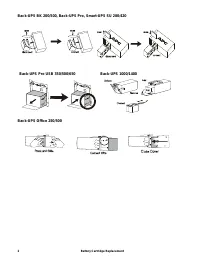
3
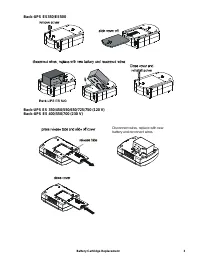
4
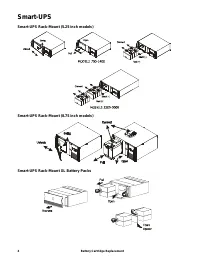
5
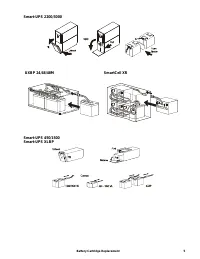
6
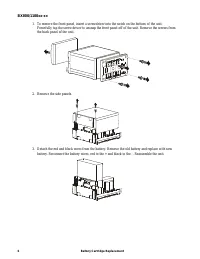
7
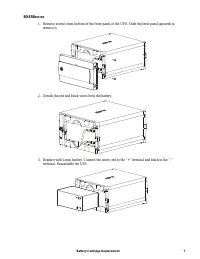
8

Summary
Page 2 - Battery Cartridge Replacement
Battery Cartridge Replacement 2 Back-UPS BK 200/500, Back-UPS Pro, Smart-UPS SU 280/420 Back-UPS Office 250/500 Back-UPS Pro USB 350/500/650 Back-UPS 1000/1400
Page 5 - SmartCell XR
Battery Cartridge Replacement 5 Smart-UPS 2200/3000 Smart-UPS 450/1500Smart-UPS XLBP UXBP 24/48/48M SmartCell XR
Page 7 - Detach the red and black wires from the battery.
Battery Cartridge Replacement 7 BX650xx-xx 1. Remove screws from bottom of the front panel of the UPS. Slide the front panel upwards to remove it. 2. Detach the red and black wires from the battery. 3. Replace with a new battery. Connect the wires: red to the “+” terminal and black to the “-” termin...
APC Uninterruptable Power Supplies Manuals
-
 APC 650
User Manual
APC 650
User Manual
-
APC 650
Manual
-
 APC 1500
User Manual
APC 1500
User Manual
-
APC 1500
Manual
-
 APC 3000
User Manual
APC 3000
User Manual
-
APC 3000
Manual
-
 APC 10000
User Manual
APC 10000
User Manual
-
 APC BC650
User Manual
APC BC650
User Manual
-
 APC BR500
User Manual
APC BR500
User Manual
-
 APC Easy
User Manual
APC Easy
User Manual
-
 APC Panel
User Manual
APC Panel
User Manual
-
 APC SMT3000
User Manual
APC SMT3000
User Manual
-
 APC SRT3000
User Manual
APC SRT3000
User Manual
-
APC SRT3000
Manual
-
 APC SY100
User Manual
APC SY100
User Manual
-
 APC UPS Smart-UPS 1000VA LCD 230V
User Manual
APC UPS Smart-UPS 1000VA LCD 230V
User Manual
-
 APC UPS Smart-UPS 1500VA LCD 230V
User Manual
APC UPS Smart-UPS 1500VA LCD 230V
User Manual
-
 APC UPS Smart-UPS 1500VA LCD RM 1U 230V
User Manual
APC UPS Smart-UPS 1500VA LCD RM 1U 230V
User Manual
-
 APC UPS Smart-UPS 2200VA LCD 230V
User Manual
APC UPS Smart-UPS 2200VA LCD 230V
User Manual
-
 APC UPS Smart-UPS 3000VA LCD 230V
User Manual
APC UPS Smart-UPS 3000VA LCD 230V
User Manual