APC SRT3000 - User Manual

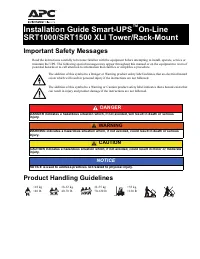
This Installation Manual covers converting APC’s tower-style Smart-UPS On-Line SRTRK4 units into a rack-mounted configuration, including safety precautions like proper lifting techniques due to heavy battery modules. Key topics include hardware compatibility (models SRT1000–SRT3000), mounting brackets, stabilizer placement, and securing external battery packs (XLBP) while ensuring correct connector routing for both tower and rack setups. The guide emphasizes structural stability, component alignment, and adherence to installation order.


Table of Contents:
- Page 1 – Package Contents and Compatibility
- Page 2 – Safety and Tower to Rack Conversion
- Page 3 – Rack Installation Procedures
- Page 4 – Tower Unit Conversion Diagrams
- Page 5 – Battery Module Removal for Conversion
- Page 6 – Installing UPS with External Battery Pack in Rack
- Page 7 – Installing XLBP and Battery Modules in Rack
- Page 8 – XLBP Connector Wiring for Different Models
Installation Guide Smart-UPS
™
On-Line
SRTRK4 Tower to Rack-Mount Conversion
Package Contents
Inspect the contents upon receipt. Notify the carrier and dealer if the unit is damaged.
SRTRK4 is compatible with all the variants of the following models:
• SRT1000
• SRT1500
• SRT2200
• SRT3000
Note:
UPS and External Battery Pack (XLBP) models may differ in appearance from those depicted in these graphics.
The installation process is identical for all models.
One Rail Kit with instructions and
hardware for installing rails in a rack.
• 1 pair of rack-mount brackets
• 6 flat head screws to secure rack-mount brackets to the UPS
• 4 ornamental screws to secure rack-mount brackets to the rails
• 1 pair of rail cleats
• 8 screws to secure cleats to the UPS
su
04
34
a
x4
x6
x8
"Loading the manual" means you need to wait until the file loads and becomes available for online reading. Some manuals are very large, and the time they take to appear depends on your internet speed.
Was this manual helpful?
About this manual
- Brand
- APC
- Model
- SRT3000
- Document type
- User Manual
- Category
- Uninterruptable Power Supply
- Language(s)
- English
- Pages
- 8
- File size
- 493.4 KB
- Format
Other Manuals for APC SRT3000
Summary
Details of package contents including rail kits, brackets, screws, and cleats, along with compatibility specifications for SRT1000, SRT1500, SRT2200, and SRT3000 models.
Safety instructions and step-by-step diagrams for converting a tower-style Smart-UPS On-2 Line SRTRK4 unit into a rack-mount configuration, emphasizing handling precautions and installation sequence.
Instructions for installing a UPS in a rack, including safety warnings, mounting procedures, securing brackets, and placement requirements such as positioning the UPS at the bottom of the rack with an XLBP unit below it.