APC 650 - User Manual
APC 650 Uninterruptable Power Supply – User Manual, read for free online in PDF format. We hope this helps you resolve any issues you may have. If you have further questions, please contact us through the contact form.
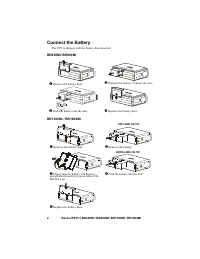
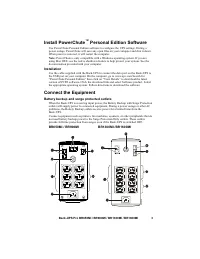
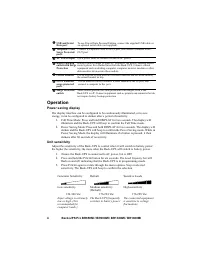
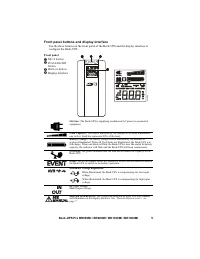
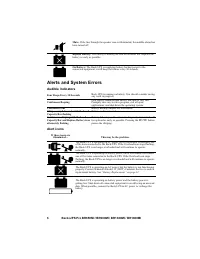
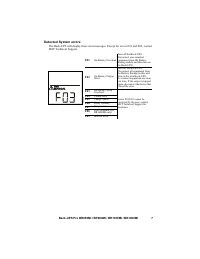
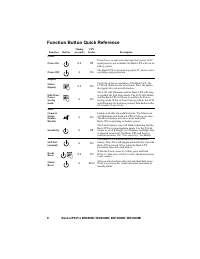
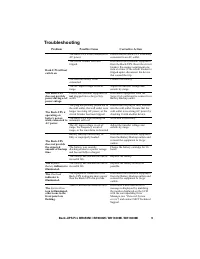
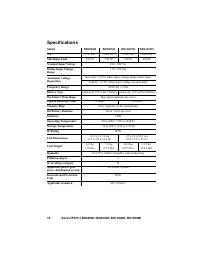
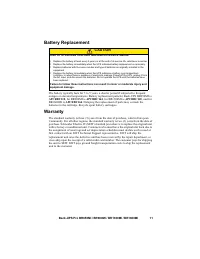
Table of Contents:
- Page 2 – Connect the Battery
- Page 3 – When power is restored, it will restart the computer.; Installation; version of PCPE software; Connect the Equipment; Battery backup and surge protected outlets
- Page 4 – Operation; Power saving display
- Page 5 – Front panel buttons and display interface; Front panel; button; button
- Page 6 – Alerts and System Errors; Audible indicators; MUTE
- Page 7 – Detected System errors; SEIT Technical Support.
- Page 8 – Function Button Quick Reference
- Page 9 – Troubleshooting; Problem
- Page 10 – Specifications; Lead acid, 12V with 1 battery Lead acid, 12V with 2 batteries
- Page 11 – Battery Replacement; . Delaying the replacement of parts may corrode the; Warranty; unit to the customer.; CAUTION
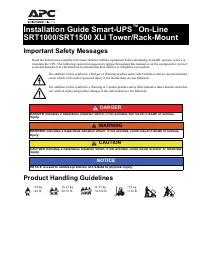
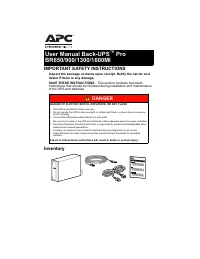
IMPORTANT SAFETY INSTRUCTIONS
Inspect the package contents upon receipt. Notify the carrier and
dealer if there is any damage.
SAVE THESE INSTRUCTIONS
- This section contains important
instructions that should be followed during installation and maintenance
of the UPS and batteries.
Inventory
DANGER
HAZARD OF ELECTRIC SHOCK, EXPLOSION, OR ARC FLASH
•
This UPS is intended for indoor use only.
•
Do not operate this UPS in direct sunlight, in contact with fluids, or where there is excessive
dust or humidity.
•
Connect the UPS power cable directly to a wall outlet.
•
Be sure the air vents on the UPS are not blocked. Allow adequate space for proper ventilation.
•
Servicing of batteries should be performed or supervised by personnel knowledgeable about
batteries and required precautions.
•
A battery can present a risk of electric shock and burns by high short-circuit current.
•
Failed batteries can reach temperatures that exceed the burn thresholds for touchable
surfaces.
Failure to follow these instructions will result in death or serious injury.
bu00
1b
User Manual Back-UPS
™
Pro
BR650/900/1300/1600MI
"Loading the manual" means you need to wait until the file loads and becomes available for online reading. Some manuals are very large, and the time they take to appear depends on your internet speed.
Was this manual helpful?
About this manual
- Brand
- APC
- Model
- 650
- Document type
- User Manual
- Category
- Uninterruptable Power Supply
- Language(s)
- English
- Pages
- 12
- File size
- 378.2 KB
- Format
Other Manuals for APC 650
Summary
Back-UPS Pro BR650MI / BR900MI / BR1300MI / BR1600MI 2 Connect the Battery The UPS is shipped with the battery disconnected. BR650MI /BR900MI BR1300MI / BR1600MI Remove the battery door. Remove the battery. Connect the wire. Push the battery into the unit. Replace the battery door. Remove ...
Back-UPS Pro BR650MI / BR900MI / BR1300MI / BR1600MI 3 Install PowerChute ™ Personal Edition Software Use PowerChute Personal Edition software to configure the UPS settings. During a power outage, PowerChute will save any open files on your computer and shut it down. When power is restored, it will ...
Back-UPS Pro BR650MI / BR900MI / BR1300MI / BR1600MI 4 Operation Power saving display The display interface can be configured to be continuously illuminated, or to save energy, it can be configured to darken after a period of inactivity. 1. Full Time Mode: Press and hold DISPLAY for two seconds. The...