Page 3 - Contents; Important information
3 q Contents Important information Ecologically responsible disposal of packaging and old appliances . . . . . . . . . . . . . . . . . . . . . . . . . . . 5 Safety InstructionsGeneral . . . . . . . . . . . . . . . . . . . . . . . . . . . . . . . . . . . . 6 For trouble free and safe operation . . . ...
Page 6 - Safety instructions
6 General • The appliance should only be operated with the turntable and turntable support inserted. • Only suitable microwave ovenware should be used.• To protect the appliance against corrosion from moisture (condensation) in the cavity or on the door, wipe these areas dryafter each use. • Do not ...
Page 8 - Take care not to be burned!
8 • The viewing window heats up during grilling (and combination grilling and microwave cooking), so keep small children away from theappliance. • To close the door when the viewing window is hot, press on the lower right-hand side of the door. • The cooking area, the grill heating elements, the she...
Page 9 - General operating instructions; Suitable ovenware
9 q 3 General operating instructions Suitable ovenware X suitable - non suitable 1) excluding silver, gold, platinum or metal decoration2) does not include glaze containing metal3) please note the maximum temperature stated by the manufacturer 4) do not use the grill shelf together with metal recipi...
Page 11 - Installation and Connection; Table top model
11 q Installation and Connection This appliance complies with the following EC Directives :EMC Directive 89/336/EEC, Low Voltage Directive 73/23/EEC with amendment90/683/EEC and the CE marking Directive 93/68/EEC. Table top model A gap all around the oven isnecessary in order to ensure perfectventil...
Page 12 - Installing and Connecting; Installation; Connecting to the mains
12 Installing and Connecting Installation 1. Remove any promotion label from the door.2. Install the oven on a flat, level surface. The surface must be strong enough to safely bear the weight (17 kg) of the oven, and the contents. To avoid thepossibility of causing vibration or noise the oven must b...
Page 13 - Electrical connections
13 q Electrical connections · WARNING! THIS APPLIANCE MUST BE EARTHED. The manufacturer declines any liability should this safetymeasure not be observed. • If the plug that is fitted to your appliance is not suitable for your socket outlet,it must be cut off and the appropriate plug fitted. • Remove...
Page 14 - Product Description; The appliance
14 Product Description The appliance A Control panel B Door seal C Door latch and catch D Viewing window E Quartz grill F Turntable G Wheel support/roller ring H Drive shaft START/QUICK PROGRAMME GRILL STOP CRUNCH CRUNCH C D E B C F H G A
Page 15 - The control panel
TAGESZEIT BETRIEBSDATEN PROGRAMME STOP START/QUICK GRILL CRUNCH CRUNCH 15 q The control panel A Display for time of day, cooking time, function mode, power etc. B Multi function button to set the time of day and display theselected microwave power etc. C Power knob with signal light to select microw...
Page 16 - Setting the clock; Accessories; Cleaning; Crunch dish
16 Product Description Setting the clock Example: 12:15 hrs 1. Plug the appliance into the mains. The display starts to flash « A AE EG G »and then « 0 00 0 : 0 00 0 ». The dots between the digits blink rapidly. 2. Press the multi function button beneath the display (top left side). The dots between...
Page 17 - «At a glance» operating instructions
17 q 0 «At a glance» operating instructions Action 1. Press door release button . 2. Place food in the cooking space. 3. Shut the door. 4. Select according to the instructions given on the following pages. 5. If required : switch off the turntable . 6. Press the START-button ‘ START/QUICK’ . 7. End ...
Page 18 - At a glance» operating instructions
18 At a glance» operating instructions Action : · Open the door by pressing the door release button e.g. for stirring. · Shut the door and press the START button ‘ START/QUICK’ · Press the CLEAR button ‘ STOP’ . · Modify the selected cooking time: turn therotary knob clockwise or counterclockwise. ·...
Page 19 - Modes of operation; The appliance features the following functions:
19 q Microwave only In this mode, microwaves generate heat directly in the food.This mode is highly suitable for warming, for example, readycooked food and drinks, the defrosting of meat orvegetables, and for cooking food like fish and vegetables. Grilling Heat is generated by a grilling element set...
Page 20 - Microwave Only; Cooking times can be set as follows :
20 Modes of operation Microwave Only How to setExample: 1 minute 15 seconds on microwave output level 700 W 1. Set the required microwave power by turning the power knob. The signal lamp lights up. The time of day disappears from the display and the required microwave power appears: turn to the left...
Page 21 - Notes on microwave power levels
21 q 900 Watt - Heating liquids 700 Watt - to start a cooking sequence, start roasting,stewing, etc. - cooking vegetables - cooking dishes - defrosting and heating of deep frozen ready made meals - heating refrigerated ready made meals 600 Watt - finish cooking casseroles 500 Watt - cooking egg base...
Page 22 - Automatic Programmes
22 Modes of operation Programme Food categories Poultry fresh 1) Fish2) Meat Delicate cakes and pastries Examples Poultry (whole orportions)Fish (whole orfillets) Pork roast, goulash Cream pie Weight from - to 100 - 2000 g 100 - 2000 g 100 - 2000 g 100 - 2000 g Unpack your frozen food item, place on...
Page 23 - How to use automatic programmes; Example : defrosting 1 kg; Combination cooking (Cooking and Grilling)
23 q How to use automatic programmes 0 0 Example : defrosting 1 kg 1. Press the button for automatic programmes ‘ PROGRAMME’ until the desired programme appears in the display. 2. Use the Rotary knob to set the weight . 3. Press the START button ‘ START/QUICK’ . The display shows the necessary time....
Page 24 - Grilling; How to set; Example: 20 minutes with
24 Modes of operation How to set The Quick-Start button ‘ START/QUICK’ , provides full microwave power from 30 seconds up to 2 minutes and 30 seconds, by 30 second-intervals.Each time you push the Quick-START button ‘ START/QUICK’ , the programme time is increased by 30 seconds. Example : heating a ...
Page 25 - Combined Microwave and Grill
25 q 1) Each time you press the grill button, the grill power level appears in the display: GGPP33,, GGPP22,, GGPP11 . If you press the button again either the clock or the cooktime programmed will appear and the signal light will go off. 2) If you press the grill button while grilling, you may redu...
Page 26 - Using the Crunch function
26 Modes of operation Using the Crunch function How to set Example: 12 minutes (see Cooking Charts and Tips “Cooking with the Crunch Function” for more information.) 1. Place the Crunch dish on the turntable, either empty (for preheating) or full 1) 2 . Set the required time by using the Rotary knob...
Page 27 - Minute timer with alarm
27 q The minute timer with alarm can also be used as a general purposereminder. For example, you could use it to set the time it takes toboil the egg that you are cooking on the hob.The timer works without switching on the appliance, as long as noother functions have been selected. How to set: 1. Se...
Page 28 - Cooking charts and tips; Defrosting
28 Cooking charts and tips Dish Weight Power Duration Standing Remarks/Hints in (g) (Watt) (mins) time(mins) Meat Whole meat 500 150 10-15 15-20 Turn once. Cover fatty partswith aluminium foil after 1st half of defrosting time. Steak 200 150 4-6 5-10 Turn once. Mixed chopped 500 150 9-14 15-20 Halfw...
Page 32 - Cooking Charts and Tips; Practical tips for use; General; Cooking; Defrosting of meat, poultry and fish; Defrosting of fruit and vegetables; Ready made meals
32 Cooking Charts and Tips Practical tips for use General • After switching off your appliance, let food stand inside for a few minutes to allow even heat distribution (standing time). • Remove any aluminium foil or packaging containing metal before preparing the food. • Metal objects must be placed...
Page 33 - Tips on microwaving
33 q 1. You can’t find cooking details for a specific quantity offood. 2. The food is too dry. 3. The food is not yet defrosted, heated through or cooked oncompletion of programmetime. 4. The food is overcooked on the outside and undercooked inthe middle on completion ofcooking time. Base programmin...
Page 34 - Test procedures; Place toast on wire rack
34 Cooking Charts and Tips IEC 705 Power Time Standing Comments (mins) time(mins) Egg custard 350 Watt 16-18 120 (test A) Sponge mixture 900 Watt 5-6 5 (test B)Meat loaf (test C) 900 watt 11-13 5 Defrost minced 150 Watt 12-14 5 Place directly on turntable. meat Turn over halfway through. Defrost ras...
Page 35 - Roasting/Grilling Table; Place dish on turntable under grill rack to catch any liquid.
35 q Roasting/Grilling Table Description Weight Grill output Time Notes (gram) power (min.) Fish 1)mackrel 800-1000 GP3 20-25 Brush with oil. Season sardines 1) 6 pieces GP3 20-25 with salt and pepper Meat 1) Sausages 2) 6-8 pieces GP3 20-26 Frozen chopped meat 4 pieces GP3 23-27 Brush with oil. Sea...
Page 36 - Combined microwave and grilling table; Place dish on turntable under grill rack to catch any liquid. The; Tips on roasting and grilling
36 Cooking charts and tips Description Weight in Accessories Microwave Grill Time (gram) power level (min.) (watt) Noodle casserole Approx. shallow dish 250 GP3 12-17 500 g pasta Potatoes au gratin Approx 800 g shallow dish 900 GP3 20-22 potatoes Lasagne Approx. shallow dish 900 GP1 15-20 800 g 2 Ki...
Page 37 - Cooking with the Crunch function
37 q Cooking with the Crunch function Description Weight Grill output Time Notes1) (gram) power (min.) Fish 300g GP3 3-6 Turn over halfway through cooking Vegetables 500g GP2 5-15 Brush with oil. Seasonwith salt and pepper.Turn over halfway through cooking Snacks 2)Cheese on Toast 2 slices GP3 5-10 ...
Page 38 - Cleaning and care; The Appliance Exterior
38 Cooking charts and tips 3 Cleaning and care The Appliance Exterior Wipe the front of the appliance using a soft cloth and a mild, warmdetergent solution.Do not use abrasive cleaning substances, strong detergents or coarseabrasive cleaning materials. Cooking area The interior will remain in good c...
Page 40 - Service and Spare Parts
40 Your call will be automatically routed to the Service Centre covering yourpost code area.In-guarantee customers should read the section headed ‘What to do if....’and ensure all checks have been made, as the engineer will make a charge ifthe fault is not a mechanical or electrical breakdown.Please...
Page 41 - Customer Service
41 q Customer Service For general enquiries or information regarding AEG appliancescontact: Customer Services DepartmentAEG Domestic Appliances55-77 High StreetSloughBerkshireSL1 1DZTel.: 08705 350 350
Page 42 - Guarantee Conditions
42 Guarantee Conditions Guarantee Conditions AEG offer the following guarantee to the first purchaser of this appliance. 1. The guarantee is valid for 12 months commencing when the appliance is handed over to the first retail purchaser, which must be verified by purchaseinvoice or similar documentat...
Page 43 - European Guarantee
43 q European Guarantee If you should move to another country within Europe then your guaranteemoves with you to your new home subject to the following qualifications: - The guarantee starts from the date you first purchased your product. - The guarantee is for the same period and to the same extent...


-User-Manual/webp/1.webp)


 AEG MFC3426D-S User Manual
 AEG MFE 1500 User Manual
 AEG Micromat 112Z User Manual
 AEG MICROMAT 1231 E User Manual
 AEG MICROMAT DUO 230 User Manual
 AEG MICROMAT KB9810E User Manual
 AEG MRC 4111 User Manual
 AEG MRC 4119 P User Manual
 AEG MRC 4121 User Manual
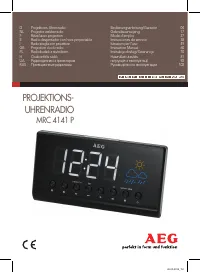 AEG MRC 4141 P User Manual
 AEG MSB2548C-M User Manual
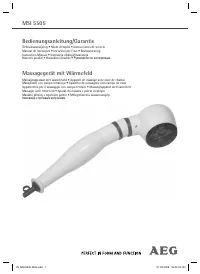 AEG MSI 5505 User Manual