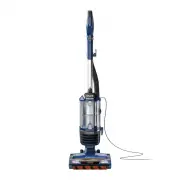
Shark ZU701 Vacuum – User Manual, read for free online in PDF format. We hope this helps you resolve any issues you may have. If you have further questions, please contact us through the contact form.
1
2
3
4
5
6
7
8
9
Table of Contents:
Page 2 – GENERAL WARNINGS; When using an electrical appliance,; USE WARNINGS; WARNING
Page 3 – ASSEMBLY; Add desired; OR; WHAT’S INSIDE
Page 4 – CLEANING MODES; WHAT DOES THE BRUSHROLL; Solid Green with Headlights Flashing:; Wand Release; Suction Control Collar; Handle Release Latch; UPRIGHT; SETTINGS
Page 5 – EMPTYING THE DUST CUP; CLEAN HEPA FILTER; CLEANING AND REPLACING THE FILTERS
Page 6 – Soft Roller; CLEANING THE BRUSHROLL; MAINTENANCE; CHECKING FOR BLOCKAGES; Self-Cleaning Brushroll Technology; or objects caught in the brushroll.
Page 7 – TROUBLESHOOTING; filters before reinserting in the vacuum.; AVAILABLE ACCESSORIES
Page 8 – SharkNinja; What is covered by this warranty?; TECHNICAL SPECIFICATIONS
Page 9 – PLEASE READ CAREFULLY AND KEEP FOR FUTURE REFERENCE.
Loading the manual
Performance Lift-Away
®
Upright Vacuum
UV700 Series
OWNER’S GUIDE
Self-Cleaning Brushroll
Technology
"Loading the manual" means you need to wait until the file loads and becomes available for online reading. Some manuals are very large, and the time they take to appear depends on your internet speed.
Summary
Page 2 - GENERAL WARNINGS; When using an electrical appliance,; USE WARNINGS; WARNING
s h a r k c l e a n . c o m s h a r k c l e a n . c o m GENERAL WARNINGS When using an electrical appliance, basic precautions should always be followed, including the following: 1. Your vacuum cleaner may consist of a motorized nozzle, wand, hose, and/ or vacuum pod. This device contains electrical...
Page 3 - ASSEMBLY; Add desired; OR; WHAT’S INSIDE
s h a r k c l e a n . c o m s h a r k c l e a n . c o m ASSEMBLY ASSEMBLY 1. Place Motorized Floor Nozzle on floor and attach Pod , pressing it in until it clicks securely into place. 2. Insert Wand into pod, pressing it in until it clicks securely into place. 3. Insert Handle into wand, pressing it...
Page 4 - CLEANING MODES; WHAT DOES THE BRUSHROLL; Solid Green with Headlights Flashing:; Wand Release; Suction Control Collar; Handle Release Latch; UPRIGHT; SETTINGS
s h a r k c l e a n . c o m s h a r k c l e a n . c o m NOTE: All accessories are compatible with both the wand and the handle. WHOLE-HOME CLEANING CLEANING MODES To engage brushrolls, turn power on, then step on floor nozzle and tilt handle back. WHAT DOES THE BRUSHROLL INDICATOR LIGHT MEAN?Solid G...
Page 5 - EMPTYING THE DUST CUP; CLEAN HEPA FILTER; CLEANING AND REPLACING THE FILTERS
s h a r k c l e a n . c o m s h a r k c l e a n . c o m EMPTYING THE DUST CUP To remove Dust Cup , slide up the buttons on both sides of the handle. Tilt dust cup, then lift to remove. To reinstall, place bottom of dust cup into pod and then tilt until it clicks into place. To empty debris, press lo...
Page 6 - Soft Roller; CLEANING THE BRUSHROLL; MAINTENANCE; CHECKING FOR BLOCKAGES; Self-Cleaning Brushroll Technology; or objects caught in the brushroll.
s h a r k c l e a n . c o m s h a r k c l e a n . c o m To remove the Soft Roller from the nozzle, lift it out by the pull tap off any loose debris. Use a dry towel to wipe the Soft Roller clean, or to remove any debris caught in the teeth behind it. Hand wash the Soft Roller as needed. Use only wat...
Page 7 - TROUBLESHOOTING; filters before reinserting in the vacuum.; AVAILABLE ACCESSORIES
s h a r k c l e a n . c o m s h a r k c l e a n . c o m TROUBLESHOOTING Vacuum is not picking up debris. No suction or light suction.• Check filters to see if they need cleaning. Follow instructions for rinsing and air-drying the filters before reinserting in the vacuum. • Dust cup may be full; empt...
Page 8 - SharkNinja; What is covered by this warranty?; TECHNICAL SPECIFICATIONS
s h a r k c l e a n . c o m s h a r k c l e a n . c o m The Five (5) Year Limited Warranty applies to purchases made from authorized retailers of SharkNinja Operating LLC. Warranty coverage applies to the original owner and to the original product only and is not transferable.SharkNinja warrants tha...
Page 9 - PLEASE READ CAREFULLY AND KEEP FOR FUTURE REFERENCE.