Shark AZ1002 - User Manual
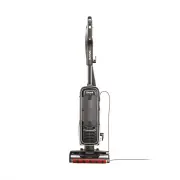
A user manual for the Shark APEX DuoClean Powered Lift-Away upright vacuum covers essential operational and maintenance topics. The guide highlights safety precautions–such as preventing electric shock or fire risks–to ensure household use while detailing how to assemble key components like the motorized nozzle, wand, and handle. It also explains cleaning modes for different surfaces (carpet, hard floors) and troubleshooting common issues like suction loss or brushroll malfunctions. Maintenance instructions focus on filter care, debris removal, and component inspection to keep the vacuum running efficiently.


Table of Contents:
- Page 1 – Product Identification and Branding
- Page 2 – Safety Instructions and Maintenance Guidelines
- Page 3 – Vacuum Cleaner Assembly Instructions
- Page 4 – Operation Modes and Component Detachment
- Page 5 – Vacuum Maintenance Procedures
- Page 6 – Brushroll and Component Inspection
- Page 7 – Accessories and Troubleshooting Guide
- Page 8 – Warranty and Technical Specifications
- Page 9 – Owner's Guide Legal Information
DuoClean
®
Powered Lift-Away
®
with Self-Cleaning Brushroll
Upright Vacuum
AZ1000 Series
OWNER’S GUIDE
"Loading the manual" means you need to wait until the file loads and becomes available for online reading. Some manuals are very large, and the time they take to appear depends on your internet speed.
Was this manual helpful?
About this manual
- Brand
- Shark
- Model
- AZ1002
- Document type
- User Manual
- Category
- Vacuum
- Language(s)
- English
- Pages
- 9
- File size
- 2.4 MB
- Format
Summary
Identification details for the Shark APEX DuoClean Powered Lift-Away Upright Vacuum, including product imagery and branding.
Essential safety precautions for household use, warnings regarding electric shock and fire risk, proper plug usage, handling guidelines, and prohibited uses.
Step-by-step instructions detailing how to assemble the vacuum cleaner by connecting the motorized nozzle, wand, pod, handle, hose, and accessories.


