Shark ZU561 - User Manual
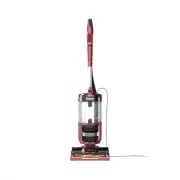
A user manual for the Shark Navigator Lift-Away Zero-M Speed vacuum cleaner covers essential operational and maintenance topics. The document emphasizes safety precautions, including proper plug usage, filter care, and avoiding hazardous conditions like wet surfaces or children’s access. It also outlines assembly instructions for key components such as the pod, wand, and hose, along with guidance on adjusting cleaning modes–like power/surface settings and suction control–to suit different floor types. Maintenance routines include regular dust cup emptying, filter replacements (every 3 months for pre-motor filters and annually for HEPA), brushroll cleaning, and troubleshooting common issues like suction loss or overheating. Additionally, it highlights specialized tools for pet hair removal and upholstery cleaning while briefly addressing warranty coverage.


Table of Contents:
- Page 1 – Product Identification and Cover Information
- Page 2 – Safety Instructions and Precautions
- Page 3 – Vacuum Cleaner Assembly Instructions
- Page 4 – Cleaning Modes and Operation Settings
- Page 5 – Vacuum Maintenance and Filter Care
- Page 6 – Brushroll Maintenance and Technology
- Page 7 – Accessories and Troubleshooting Guide
- Page 8 – Warranty Information and Claims
- Page 9 – Product Specifications and Registration
INSTRUCTIONS
ZU560
Navigator
™
Lift-Away
®
Zero-M
™
Speed
"Loading the manual" means you need to wait until the file loads and becomes available for online reading. Some manuals are very large, and the time they take to appear depends on your internet speed.
Was this manual helpful?
About this manual
- Brand
- Shark
- Model
- ZU561
- Document type
- User Manual
- Category
- Vacuum
- Language(s)
- English
- Pages
- 9
- File size
- 2.6 MB
- Format
Summary
Identification of the Shark Navigator Lift-Away Zero-M Speed vacuum cleaner, model ZU560.
Important safety warnings regarding electrical hazards, child protection, proper plug usage, handling filters, and restrictions on surface cleaning.
Step-by-step guide for assembling the vacuum cleaner components, including connecting the pod, wand, handle, hose clip, and hose.


