Page 2 - Getting Started
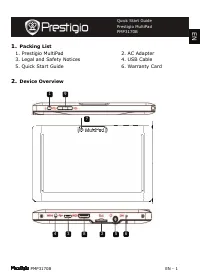
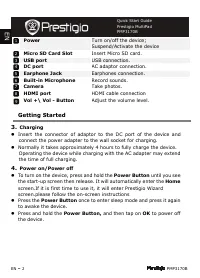
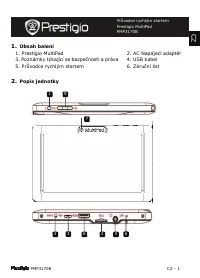
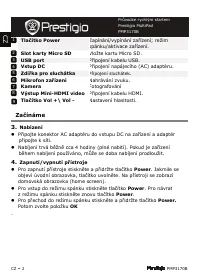
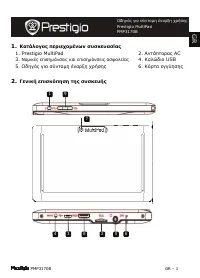
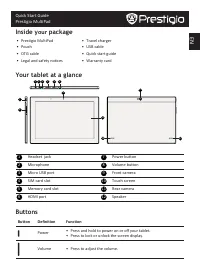
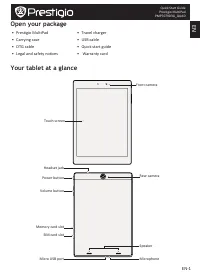
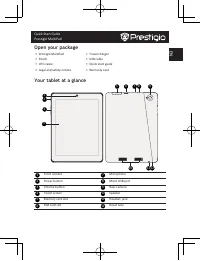
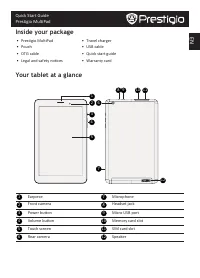
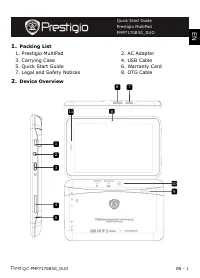
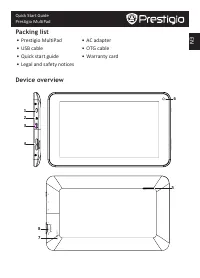
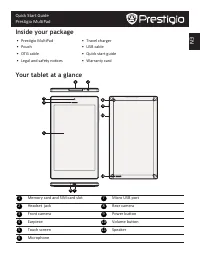
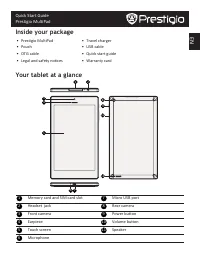
EN – 2 PMP3170B Power Turn on/off the device; Suspend/Activate the device Micro SD Card Slot Insert Micro SD card. USB port USB connection. DC port AC adaptor connection. Earphone Jack Earphones connection. Built-in Microphone Record sounds. Camera Take photos. HDMI port HDMI cable connection Vol +\...
Page 3 - Inserting a Memory Card
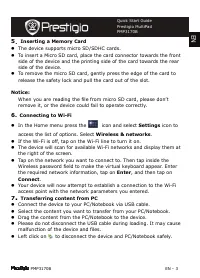
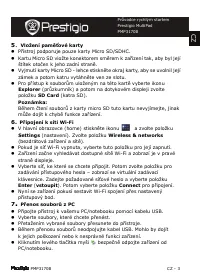
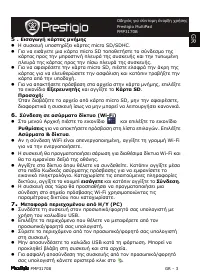
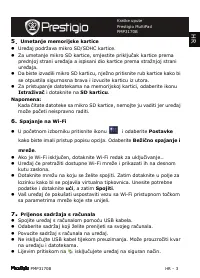
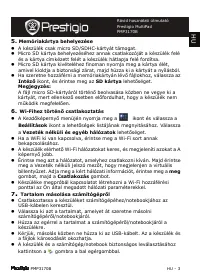
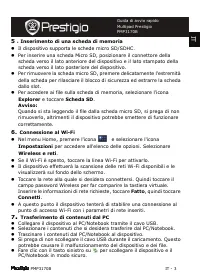
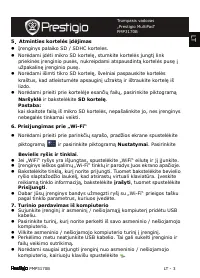
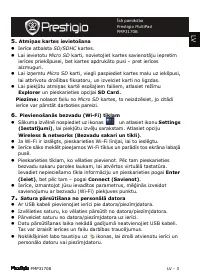
PMP3170B EN - 3 5 . Inserting a Memory Card ” The device supports micro SD/SDHC cards. ” To insert a Micro SD card, place the card connector towards the front side of the device and the printing side of the card towards the rear side of the device. ” To remove the micro SD card, gently press the edg...
Page 4 - High performance ARM Cortex A5 at 1.0GHz; Disclaimer
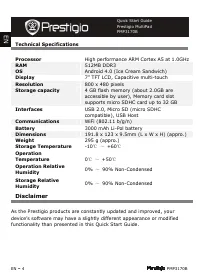
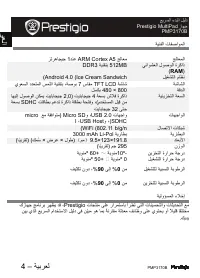
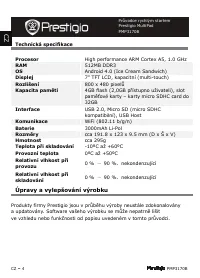
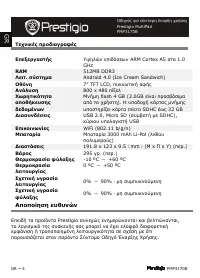
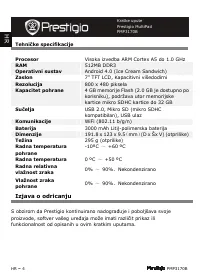
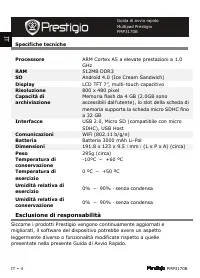
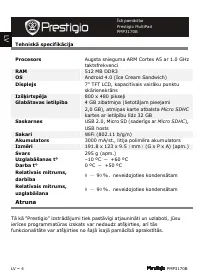
EN – 4 PMP3170B Technical Specifications Processor High performance ARM Cortex A5 at 1.0GHz RAM 512MB DDR3 OS Android 4.0 (Ice Cream Sandwich) Display 7” TFT LCD, Capacitive multi-touch Resolution 800 x 480 pixels Storage capacity 4 GB flash memory (about 2.0GB are accessible by user), Memory card s...
Page 5 - Prestigio MultiPad
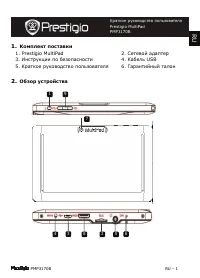
PMP3170B RU - 1 1. К 1. Prestigio MultiPad 2. Сетевой адаптер 3. Ȃнструкции по безопасности 4. Кабель USB 5. Краткое руководство пользователя 6. ǽарантийный талон 2. Ȉ Краткое руководство пользователя Prestigio MultiPad PMP3170B R U 9 2 4 3 5 6 7 8 1
Page 6 - Ȋ ъ
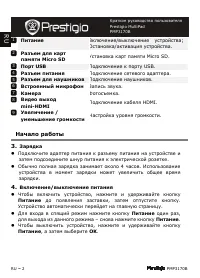
RU – 2 PMP3170B ȉ Ǽключение / выключение устройства ; Ȉстановка / активация устройства . Ȋ ъ Micro SD ȍстановка карт памяти Micro SD. ȉ USB ȉодключение к порту USB. Ȋ ъ ȉодключение сетевого адаптера . Ȋ ъ ȉодключение наушников . Ǽ Запись звука . К Фотосъемка . Ǽ mini-HDMI ȉодключение кабеля HDMI. ȍ ...
Page 7 - SD
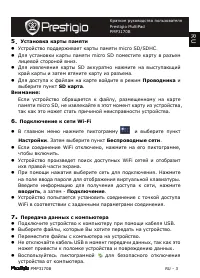
PMP3170B RU - 3 5 . ȍ ” ȍстройство поддерживает карты памяти micro SD/SDHC . ” Ǿля установки карты памяти micro SD поместите карту в разъем лицевой стороной вниз . ” Ǿля извлечения карты SD аккуратно нажмите на выступающий край карты и затем втяните карту из разъема . ” Ǿля доступа к файлам на карте...
Page 8 - ARM Cortex A5 – 1.0 GHz; RAM; micro SDHC
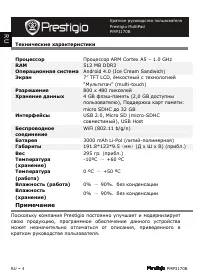
RU – 4 PMP3170B Ȍ ȉ ȉроцессор ARM Cortex A5 – 1.0 GHz RAM 512 MB DDR3 Ȉ Android 4.0 (Ice Cream Sandwich) Э 7” TFT LCD, ёмкостный с технологией " Ȇультитач " (multi-touch) Ȋ 800 x 480 пикселей Х 4 GB флэш - память (2,0 GB доступны пользователю ), ȉоддержка карт памяти : micro SDHC до 32 GB Ȃ ...
Page 9 - ة ر ا; Prestigio MultiPad; ر ا
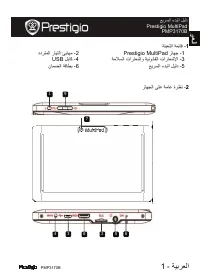
ﺔ ﺮ ا - 1 PMP3170B 1 - ﺔ ا ﺔ ﺎ 1 - زﺎﻬ Prestigio MultiPad 2 - ددﺮ ا رﺎ ا ﺎﻬ 3 - ﺔ ا تارﺎ إو ﺔ ﻮ ﺎ ا تارﺎ ﻹا 4 - ﺎآ USB 5 - ﺮ ا ءﺪ ا د 6 - نﺎ ا ﺔ ﺎ 2 - زﺎﻬ ا ﻰ ﺔ ﺎ ةﺮ ﺮ ا ءﺪ ا د Prestigio MultiPad PMP3170B ﺮ ا ﺔ 9 2 4 3 5 6 7 8 1
Page 10 - ة ر; Micro SD; USB
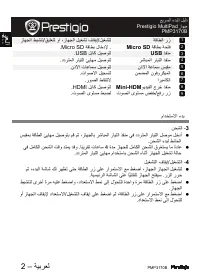
PMP3170B ﺔ ﺮ – 2 ﺔ ﺎ ا رز ﻐ / وأ ،زﺎﻬ ا ﻐ فﺎ إ / زﺎﻬ ا ﺔ ﺎ ﺔ Micro SD . ﺔ ﺎ لﺎ دﻹ Micro SD . ﺬ USB ﺎآ ﻮ USB . ﺮ ﺎ ا رﺎ ا ﺬ ا رﺎ ا ﺎﻬ ﻮ ددﺮ . نذﻷا ﺔ ﺎ نذﻷا تﺎ ﺎ ﻮ ا نﻮ وﺮﻜ ا تاﻮ ﻷا . اﺮ ﺎﻜ ا رﻮ ا طﺎ . ﻮ ﺪ ا جﺮ ﺬ Mini-HDM ﻮ ﺎآ HDMI . ر رز / تﻮ ا ىﻮ تﻮ ا ىﻮ . ماﺪ ا ءﺪ 3 - ا ” ﺔ ﺎ ا ﺎﻬ ﻮ ،زﺎﻬ ﺎ ﺮ ﺎ ا رﺎ...
Page 11 - micro SD
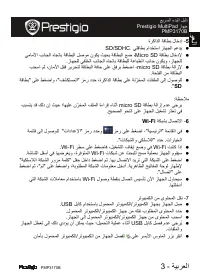
ﺔ ﺮ ا - 3 PMP3170B 5 - ةﺮآاﺬ ا ﺔ ﺎ لﺎ دإ ” ﺎ ماﺪ ا زﺎﻬ ا ﺪ . SD/SDHC ” ﺔ ﺎ لﺎ دﻹ Micro SD ﺎ ﻷا ﺎ ا ﺎ ﺎ ﺔ ﺎ ا ﻮ نﻮﻜ ﺔ ﺎ ا ، زﺎﻬ ا ﺎ ا ﺎ ﺎ ﺔ ﺎ ﺔ ﺎ ا ﺎ نﻮﻜ و ،زﺎﻬ . ” ﺔ ﺎ ﺔ ازﻹ micro SD ا ، ا ،نﺎ ﻷا ﺮ ﺮ ﺔ ﺎ ا ﺔ ﺎ ﻰ ﺮ ﻐ ﺔ ا ﺔ ﺎ ا . ” ﺰ ر دﺪ ،ةﺮآاﺬ ا ﺔ ﺎ ﻰ ﺔ ﺰ ا تﺎ ا ﻰ إ لﻮ ﻮ " ﻜ ا " ﻰ ﻐ او ، �...
Page 13 - ȋъ ъ
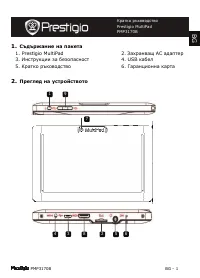
PMP3170B BG - 1 1. ȋъ ъ 1. Prestigio MultiPad 2. Захранващ АС адаптер 3. Ȃнструкции за безопасност 4. USB кабел 5. Кратко ръководство 6. ǽаранционна карта 2. ȉ Кратко ръководство Prestigio MultiPad PMP3170B B G 9 2 4 3 5 6 7 8 1
Page 14 - HDMI; ȉъ; AC; ok
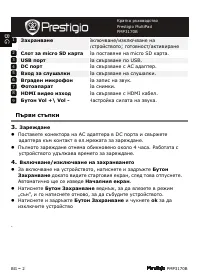
BG – 2 PMP3170B ȁ Ǽключване / изключване на устройството ; готовност / активиране ȋ micro SD За поставяне на micro SD карта . USB За свързване по USB. DC За свързване с AC адаптер . Ǽ За свързване на слушалки . Ǽ За запис на звук . Ф За снимки . HDMI За свързване с HDMI кабел . ǻ Vol +\ Vol - ȇастро...
Page 15 - ȋ ъ
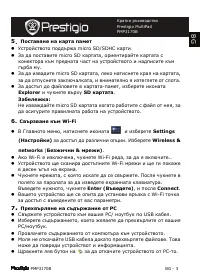
PMP3170B BG - 3 5 . ȉ ” ȍстройството поддържа micro SD/SDHC карти . ” За да поставите micro SD картата , ориентирайте картата с конектора към предната част на устройството и надписите към гърба му . ” За да извадите micro SD картата , леко натиснете края на картата , за да отпуснете заключалката , и...
Page 16 - ARM Cortex A5
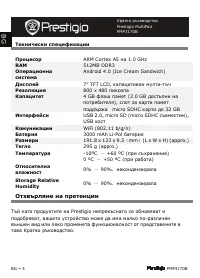
BG – 4 PMP3170B Ȍ ȉ ARM Cortex A5 на 1.0 GHz RAM 512MB DDR3 Ȉ Android 4.0 (Ice Cream Sandwich) Д 7” TFT LCD, капацитивен мулти - тъч Ȋ 800 x 480 пиксела К 4 GB флаш памет (2.0 GB достъпни на потребителя ), слот за карти памет поддържа micro SDHC карти до 32 GB Ȃ USB 2.0, micro SD (micro SDHC съвмест...
Page 17 - Obsah balení
PMP3170B CZ - 1 1. Obsah balení 1. Prestigio MultiPad 2. AC Napájecí adaptér 3. Poznámky týkající se bezpe č nosti a práva 4. USB kabel 5. Pr ů vodce rychlým startem 6. Záru č ní list 2. Popis jednotky Pr ů vodce rychlým startem Prestigio MultiPad PMP3170B C Z 9 2 4 3 5 6 7 8 1
Page 18 - ipojení sluchátek; Za
CZ – 2 PMP3170B Tla č ítko Power Zapínání/vypínání za ř ízení; režim spánku/aktivace za ř ízení. Slot karty Micro SD Vložte kartu Micro SD. USB port P ř ipojení kabelu USB. Vstup DC P ř ipojení napájecího (AC) adaptéru. Zdí ř ka pro sluchátka P ř ipojení sluchátek . Mikrofon za ř ízení Nahrávání zvu...
Page 19 - ěť
PMP3170B CZ - 3 5 . Vložení pam ěť ové karty ” P ř ístroj podporuje pouze karty Micro SD/SDHC. ” Kartu Micro SD vložte konektorem sm ě rem k za ř ízení tak, aby byl její štítek oto č en k jeho zadní stran ě . ” Vyjmutí karty Micro SD - lehce stiskn ě te okraj karty, aby se uvolnil její zámek a potom...
Page 20 - Úpravy a vylepšování výrobku
CZ – 4 PMP3170B Technická specifikace Procesor High performance ARM Cortex A5, 1.0 GHz RAM 512MB DDR3 OS Android 4.0 (Ice Cream Sandwich) Displej 7” TFT LCD, kapacitní (multi-touch) Rozlišení 800 x 480 pixel ů Kapacita pam ě ti 4GB flash (2,0GB p ř ístupno uživateli), slot pam ěť ové karty – karty m...
Page 21 - Pakendis olevate esemete nimekiri; Seadme ülevaade
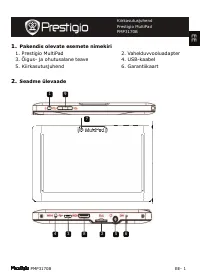
PMP3170B EE- 1 1. Pakendis olevate esemete nimekiri 1. Prestigio MultiPad 2. Vahelduvvooluadapter 3. Õigus- ja ohutusalane teave 4. USB-kaabel 5. Kiirkasutusjuhend 6. Garantiikaart 2. Seadme ülevaade Kiirkasutusjuhend Prestigio MultiPad PMP3170B E E 9 2 4 3 5 6 7 8 1
Page 22 - Alustamine; OK
EE – 2 PMP3170B Toide Seadme sisse- ja väljalülitamiseks; seadme seiskamiseks/aktiveerimiseks. Mikro-SD-kaardi pesa Mikro SD-kaardi sisestamiseks. USB-port USB-kaabli ühendamiseks. Alalisvooluport Vahelduvvooluadapteri ühendamiseks. Kõrvaklappide pistikupesa Kõrvaklappide ühendamiseks. Sissehitatud ...
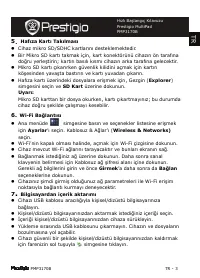
Page 23 - Mälukaardi sisestamine; Explorer; Wifi-ühenduse loomine; Settings; Sisu teisaldamine arvutist
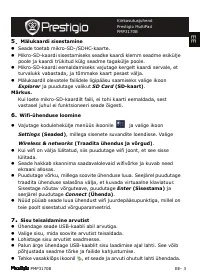
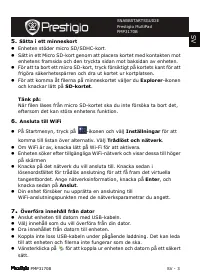
PMP3170B EE- 3 5 . Mälukaardi sisestamine ” Seade toetab mikro-SD-/SDHC-kaarte. ” Mikro-SD-kaardi sisestamiseks seadke kaardi klemm seadme esikülje poole ja kaardi trükitud külg seadme tagakülje poole. ” Mikro-SD-kaardi eemaldamiseks vajutage kergelt kaardi servale, et turvalukk vabastada, ja tõmmak...
Page 24 - ” TFT LCD, mahtuvuslik puuteekraan; Vastutusest loobumine
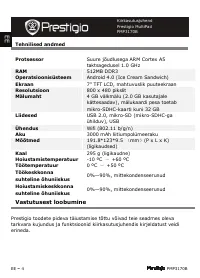
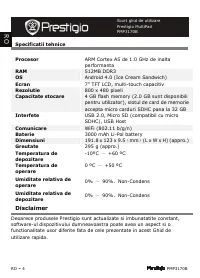
EE – 4 PMP3170B Tehnilised andmed Protsessor Suure jõudlusega ARM Cortex A5 taktsagedusel 1.0 GHz RAM 512MB DDR3 Operatsioonisüsteem Android 4.0 (Ice Cream Sandwich) Ekraan 7” TFT LCD, mahtuvuslik puuteekraan Resolutsioon 800 x 480 pikslit Mälumaht 4 GB välkmälu (2.0 GB kasutajale kättesaadav), mälu...
Page 25 - Packliste; Geräteüberblick
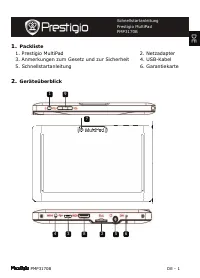
PMP3170B DE - 1 1. Packliste 1. Prestigio MultiPad 2. Netzadapter 3. Anmerkungen zum Gesetz und zur Sicherheit 4. USB-Kabel 5. Schnellstartanleitung 6. Garantiekarte 2. Geräteüberblick Schnellstartanleitung Prestigio MultiPad PMP3170B D E 9 2 4 3 5 6 7 8 1
Page 26 - Erste Schritte
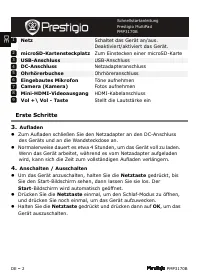
DE – 2 PMP3170B Netz Schaltet das Gerät an/aus. Deaktiviert/aktiviert das Gerät. microSD-Kartensteckplatz Zum Einstecken einer microSD-Karte USB-Anschluss USB-Anschluss DC-Anschluss Netzadapteranschluss Ohrhörerbuchse Ohrhöreranschluss Eingebautes Mikrofon Töne aufnehmen Camera (Kamera) Fotos aufneh...
Page 27 - Einstellungen
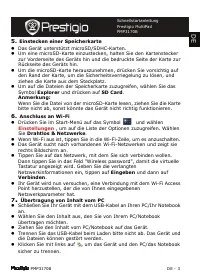
PMP3170B DE - 3 5. Einstecken einer Speicherkarte ” Das Gerät unterstützt microSD/SDHC-Karten. ” Um eine microSD-Karte einzustecken, halten Sie den Kartenstecker zur Vorderseite des Geräts hin und die bedruckte Seite der Karte zur Rückseite des Geräts hin. ” Um die microSD-Karte herauszunehmen, drüc...
Page 28 - Hochleistungs-ARM Cortex A5 bei 1.0 GHz; Haftungsausschluss
DE – 4 PMP3170B Technische Daten Prozessor Hochleistungs-ARM Cortex A5 bei 1.0 GHz RAM 512MB DDR3 Betriebssystem Android 4.0 (Ice Cream Sandwich) Display 7” TFT LCD, Capacitive multitouch Auflösung 800 x 480 Pixel Speicherkapazität 4 GB Flashspeicher (2,0 GB stehen dem Benutzer zur Verfügung), Speic...
Page 29 - Lista de contenidos; Presentación del dispositivo
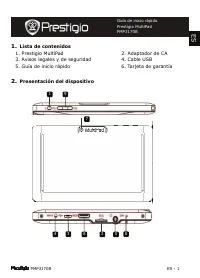
PMP3170B ES - 1 1. Lista de contenidos 1. Prestigio MultiPad 2. Adaptador de CA 3. Avisos legales y de seguridad 4. Cable USB 5. Guía de inicio rápido 6. Tarjeta de garantía 2. Presentación del dispositivo Guía de inicio rápido Prestigio MultiPad PMP3170B E S 9 2 4 3 5 6 7 8 1
Page 30 - Iniciación
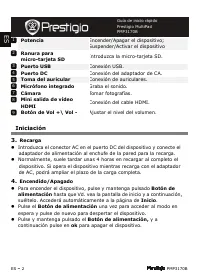
ES – 2 PMP3170B Potencia Encender/Apagar el dispositivo; Suspender/Activar el dispositivo Ranura para micro-tarjeta SD Introduzca la micro-tarjeta SD. Puerto USB Conexión USB. Puerto DC Conexión del adaptador de CA. Toma del auricular Conexión de auriculares. Micrófono integrado Graba el sonido. Cám...
Page 32 - Batería de li-pol de 3000 mAh; Cláusula de exención de responsabilidad
ES – 4 PMP3170B Especificaciones técnicas Procesador ARM Cortex de alto rendimiento A5 a 1.0 GHz RAM 512MB DDR3 Sistema operativo Android 4.0 (Ice Cream Sandwich) Pantalla TFT LCD de 7'', capacidad multi-táctil Resolución 800 X 480 píxeles Capacidad de almacenamiento Memoria volátil de 4 GB (2,0 GB ...
Page 33 - ǃǠǝǚǛǑǢ
PMP3170B GR - 1 1. ǀαńǐǜǠǖǠǢ πłǡǚłχǠǝǑǞωǞ ŃυŃǛłυαŃǓαǢ 1. Prestigio MultiPad 2. ΑǞńǐπńǠǡαǢ AC 3. ǃǠǝǚǛǑǢ łπǚŃǘǝǐǞŃłǚǢ Ǜαǚ łπǚŃǘǝǐǞŃłǚǢ αŃφαǜłǓαǢ 4. ǀαǜǫŁǚǠ USB 5. DžŁǘǖǩǢ ǖǚα ŃǪǞńǠǝǘ ǑǞαǡǟǘ ǤǡǒŃǘǢ 6. ǀǐǡńα łǖǖǪǘŃǘǢ 2. ΓłǞǚǛǒ łπǚŃǛǩπǘŃǘ ńǘǢ ŃυŃǛłυǒǢ DžŁǘǖǩǢ ǖǚα ŃǪǞńǠǝǘ ǑǞαǡǟǘ ǤǡǒŃǘǢ Prestigio MultiPad P...
Page 34 - ljα
GR – 2 PMP3170B ǁłǚńǠυǡǖǓα ΕǞłǡǖǠπǠǓǘŃǘ / απłǞłǡǖǠπǠǓǘŃǘ ńǘǢ ŃυŃǛłυǒǢ . ΘǑŃǘ Ńł αǞαǝǠǞǒ / łπαǞłǞłǡǖǠπǠǓǘŃǘ ńǘǢ ŃυŃǛłυǒǢ NJπǠŁǠχǒ ǛǐǡńαǢ Micro SD ΕǚŃαǖǦǖǒ ǛǐǡńαǢ micro SD. ΘǪǡα USB ΣǪǞŁłŃǘ USB. ΈǞŁłǚǟǘ φǩǡńǚŃǘǢ ǀǩǛǛǚǞǘ Ǜαńǐ ńǘ φǩǡńǚŃǘ Ǜαǚ πǡǐŃǚǞǘ ǩńαǞ ǠǜǠǛǜǘǡǦǙłǓ ǘ φǩǡńǚŃǘ . NJπǠŁǠχǒ αǛǠυŃńǚǛǫǞ ΣǪǞŁłŃǘ...
Page 35 - WiFi
PMP3170B GR - 3 5 . ƼǚŃαǖωǖǒ ǛǐǡńαǢ ǝǞǒǝǘǢ ” Η ŃυŃǛłυǒ υπǠŃńǘǡǓǗłǚ ǛǐǡńłǢ micro SD/SDHC . ” Γǚα Ǟα łǚŃǐǖłńł ǝǚα Ǜǐǡńα micro SD ńǠπǠǙłńǒŃńł ńǠ ŃǪǞŁłŃǝǠ ńǘǢ ǛǐǡńαǢ πǡǠǢ ńǘǞ ǝπǡǠŃńǚǞǒ πǜłυǡǐ ńǘǢ ŃυŃǛłυǒǢ Ǜαǚ ńǘǞ ńυπǦǝǑǞǘ πǜłυǡǐ ńǘǢ ǛǐǡńαǢ πǡǠǢ ńǘǞ πǓŃǦ πǜłυǡǐ ńǘǢ ŃυŃǛłυǒǢ . ” Γǚα Ǟα αφαǚǡǑŃłńł ńǘǞ Ǜǐǡń...
Page 36 - ƹπǠπǠǓǘŃǘ; Prestigio
GR – 4 PMP3170B ljłχǞǚǛǑǢ πǡǠŁǚαǖǡαφǑǢ ƼπłǟłǡǖαŃńǒǢ ΥǥǘǜǫǞ łπǚŁǩŃłǦǞ ARM Cortex A5 Ńńα 1.0 GHz RAM 512MB DDR3 ǁłǚń . ŃǪŃńǘǝα Android 4.0 (Ice Cream Sandwich) DžǙǩǞǘ 7” TFT LCD, πυǛǞǦńǚǛǒ αφǒǢ ƹǞǐǜυŃǘ 800 x 480 πǓǟłǜ ΧωǡǘńǚǛǩńǘńα απǠǙǒǛłυŃǘǢ ŁłŁǠǝǑǞωǞ ǂǞǒǝǘ flash 4 GB (2.0GB łǓǞαǚ πǡǠŃǕǐŃǚǝα απǩ ńǠ Ǥǡǒ...
Page 37 - Sadržaj pakiranja; Pregled ure
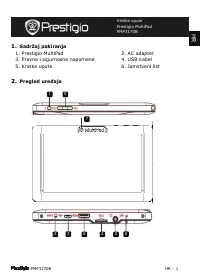
PMP3170B HR - 1 1. Sadržaj pakiranja 1. Prestigio MultiPad 2. AC adapter 3. Pravne i sigurnosne napomene 4. USB kabel 5. Kratke upute 6. Jamstveni list 2. Pregled ure đ aja Kratke upute Prestigio MultiPad PMP3170B H R 9 2 4 3 5 6 7 8 1
Page 38 - Po
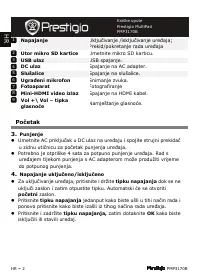
HR – 2 PMP3170B Napajanje Uklju č ivanje /isklju č ivanje ure đ aja; Prekid/pokretanje rada ure đ aja Utor mikro SD kartice Umetnite mikro SD karticu. USB ulaz USB spajanje. DC ulaz Spajanje na AC adapter. Slušalice Spajanje na slušalice. Ugra đ eni mikrofon Snimanje zvuka. Fotoaparat Fotografiranje...
Page 40 - Izjava o odricanju
HR – 4 PMP3170B Tehni č ke specifikacije Procesor Visoka izvedba ARM Cortex A5 do 1.0 GHz RAM 512MB DDR3 Operativni sustav Android 4.0 (Ice Cream Sandwich) Zaslon 7” TFT LCD, Kapacitivni višedodirni Rezolucija 800 x 480 piksela Kapacitet pohrane 4 GB memorije Flash (2.0 GB je dostupno po korisniku),...
Page 41 - Csomag tartalma; A készülék áttekintése
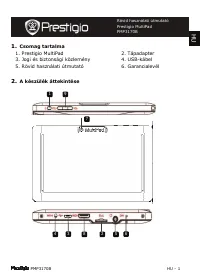
PMP3170B HU - 1 1. Csomag tartalma 1. Prestigio MultiPad 2. Tápadapter 3. Jogi és biztonsági közlemény 4. USB-kábel 5. Rövid használati útmutató 6. Garancialevél 2. A készülék áttekintése Rövid használati útmutató Prestigio MultiPad PMP3170B H U 9 2 4 3 5 6 7 8 1
Page 42 - Kezd
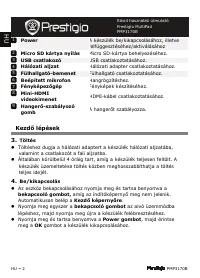
HU – 2 PMP3170B Power A készülék be/kikapcsolásához, illetve felfüggesztéséhez/aktiválásához Micro SD kártya nyílás Micro SD-kártya behelyezéséhez. USB csatlakozó USB csatlakoztatásához. Hálózati aljzat Hálózati adapter csatlakoztatásához. Fülhallgató-bemenet Fülhallgató csatlakoztatásához. Beépítet...
Page 44 - Felel
HU – 4 PMP3170B M ű szaki jellemz ő k Processzor Nagy teljesítmény ű ARM Cortex A5, 1.0 GHz RAM 512MB DDR3 Operációs rendszer Android 4.0 (Ice Cream Sandwich) Kijelz ő 7” TFT LCD, kapacitív érint ő képerny ő (Capacitive multi-touch) Felbontás 800 x 480 pixel Tárolókapacitás 4 GB flash memória (2.0GB...
Page 45 - Contenuto della confezione; Multipad Prestigio; Panoramica del dispositivo
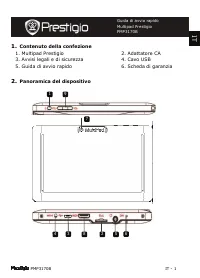
PMP3170B IT - 1 1. Contenuto della confezione 1. Multipad Prestigio 2. Adattatore CA 3. Avvisi legali e di sicurezza 4. Cavo USB 5. Guida di avvio rapido 6. Scheda di garanzia 2. Panoramica del dispositivo Guida di avvio rapido Multipad Prestigio PMP3170B IT 9 2 4 3 5 6 7 8 1
Page 46 - Per iniziare
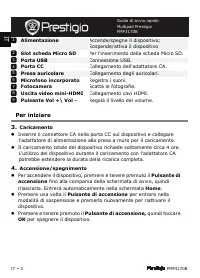
IT – 2 PMP3170B Alimentazione Accende/spegne il dispositivo; Sospende/attiva il dispositivo Slot scheda Micro SD Per l'inserimento della scheda Micro SD. Porta USB Connessione USB. Porta CC Collegamento dell'adattatore CA. Presa auricolare Collegamento degli auricolari. Microfono incorporato Registr...
Page 48 - Batteria 3000 mAh Li-Pol; Esclusione di responsabilità
IT – 4 PMP3170B Specifiche tecniche Processore ARM Cortex A5 a elevate prestazioni a 1.0 GHz RAM 512MB DDR3 SO Android 4.0 (Ice Cream Sandwich) Display LCD TFT 7”, multi-touch capacitivo Risoluzione 800 x 480 pixel Capacità di archiviazione Memoria flash da 4 GB (2.0GB sono accessibili dall'utente),...
Page 49 - s turinys
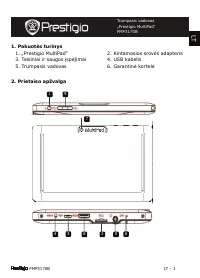
PMP3170B LT - 1 1. Pakuot ė s turinys 1. „Prestigio MultiPad“ 2. Kintamosios srov ė s adapteris 3. Teisiniai ir saugos ų sp ė jimai 4. USB kabelis 5. Trumpasis vadovas 6. Garantin ė kortel ė 2. Prietaiso apžvalga Trumpasis vadovas „Prestigio MultiPad“ PMP3170B LT 9 2 4 3 5 6 7 8 1
Page 53 - IEPAKOJUMA SATURS; Ier
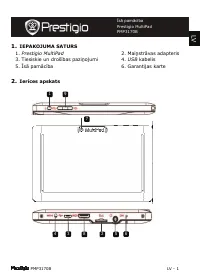
PMP3170B LV - 1 1. IEPAKOJUMA SATURS 1. Prestigio MultiPad 2. Mai ņ str ā vas adapteris 3. Tiesiskie un droš ů bas pazi ņ ojumi 4. USB kabelis 5. Ů s ā pam ā c ů ba 6. Garantijas karte 2. Ier ī ces apskats Ů s ā pam ā c ů ba Prestigio MultiPad PMP3170B LV 9 2 4 3 5 6 7 8 1
Page 54 - Uzs
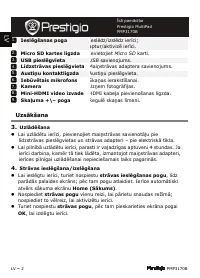
LV – 2 PMP3170B Iesl ē gšanas poga Iesl ē dz/izsl ē dz ier ů ci; aptur/aktiviz ē ier ů ci. Micro SD kartes ligzda Ievietojiet Micro SD karti. USB piesl ē gvieta USB savienojums. L ī dzstr ā vas piesl ē gvieta Mai ņ str ā vas adaptera savienojums. Austi ņ u kontaktligzda Austi ņ u piesl ē gvieta. Ieb...
Page 56 - Micro SDHC; Atruna
LV – 4 PMP3170B Tehnisk ā specifik ā cija Procesors Augsta snieguma ARM Cortex A5 ar 1.0 GHz taktsfrekvenci RAM 512 MB DDR3 OS Android 4.0 (Ice Cream Sandwich) Displejs 7” TFT LCD, kapacit ů vais vair ā ku punktu sk ā rienekr ā ns Izš ķ irtsp ē ja 800 x 480 pikse ļ i Glab ā tavas ietilp ī ba 4 GB zi...
Page 57 - Inhoud van de verpakking; Overzicht van het apparaat
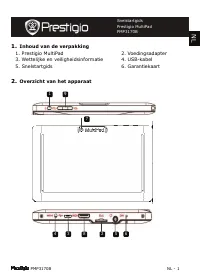
PMP3170B NL - 1 1. Inhoud van de verpakking 1. Prestigio MultiPad 2. Voedingsadapter 3. Wettelijke en veiligheidsinformatie 4. USB-kabel 5. Snelstartgids 6. Garantiekaart 2. Overzicht van het apparaat Snelstartgids Prestigio MultiPad PMP3170B NL 9 2 4 3 5 6 7 8 1
Page 58 - Voordat u aan de slag gaat
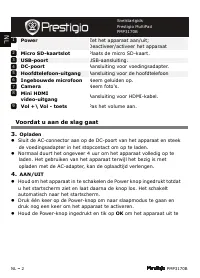
NL – 2 PMP3170B Power Zet het apparaat aan/uit; Deactiveer/activeer het apparaat Micro SD-kaartslot Plaats de micro SD-kaart. USB-poort USB-aansluiting. DC-poort Aansluiting voor voedingsadapter. Hoofdtelefoon-uitgang Aansluiting voor de hoofdtelefoon Ingebouwde microfoon Neem geluiden op. Camera Ne...
Page 59 - Het plaatsen van een geheugenkaart
PMP3170B NL - 3 5. Het plaatsen van een geheugenkaart ” Het apparaat ondersteunt micro SD/SDHC-kaarten. ” Om een Micro SD-kaart in te steken, houdt u de kaartaansluiting naar de voorzijde van het apparaat en het kaartlabel naar de achterzijde van het apparaat. ” Om de SD-kaart te verwijderen, druk v...
Page 60 - 000 mAh Li-Pol batterij
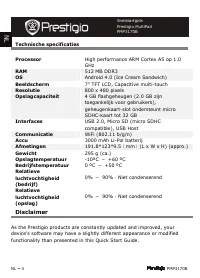
NL – 4 PMP3170B Technische specificaties Processor High performance ARM Cortex A5 op 1.0 GHz RAM 512 MB DDR3 OS Android 4.0 (Ice Cream Sandwich) Beeldscherm 7” TFT LCD, Capacitive multi-touch Resolutie 800 x 480 pixels Opslagcapaciteit 4 GB flashgeheugen (2.0 GB zijn toegankelijk voor gebruikers), g...
Page 61 - ść; Tablet Prestigio MultiPad
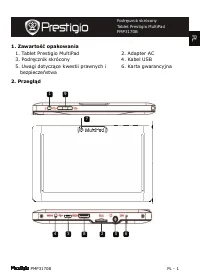
PMP3170B PL - 1 1. Zawarto ść opakowania 1. Tablet Prestigio MultiPad 2. Adapter AC 3. Podr ę cznik skrócony 4. Kabel USB 5. Uwagi dotycz ą ce kwestii prawnych i bezpiecze ń stwa 6. Karta gwarancyjna 2. Przegl ą d Podr ę cznik skrócony Tablet Prestigio MultiPad PMP3170B Podr ę cznik skrócony Tablet ...
Page 62 - łą
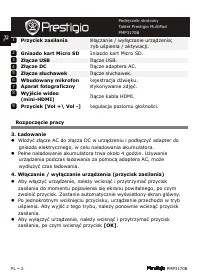
PL – 2 PMP3170B Przycisk zasilania W łą czanie / wy łą czanie urz ą dzenia; tryb u ś pienia / aktywacji. Gniazdo kart Micro SD Gniazdo kart Micro SD. Z łą cze USB Z łą cze USB. Z łą cze DC Z łą cze adaptera AC. Z łą cze s ł uchawek Z łą cze s ł uchawek. Wbudowany mikrofon Rejestracja d ź wi ę ku. Ap...
Page 63 - Łą
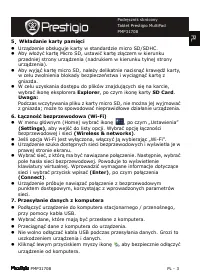
PMP3170B PL - 3 5 . Wk ł adanie karty pami ę ci ” Urz ą dzenie obs ł uguje karty w standardzie micro SD/SDHC . ” Aby w ł o ż y ć kart ę Micro SD, ustawi ć kart ę z łą czem w kierunku przedniej strony urz ą dzenia (nadrukiem w kierunku tylnej strony urz ą dzenia). ” Aby wyj ąć kart ę micro SD, nale ż...
Page 65 - Lista de itens; MultiPad da Prestigio; Descrição geral do dispositivo
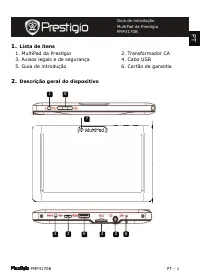
PMP3170B PT - 1 1. Lista de itens 1. MultiPad da Prestigio 2. Transformador CA 3. Avisos legais e de segurança 4. Cabo USB 5. Guia de introdução 6. Cartão de garantia 2. Descrição geral do dispositivo Guia de introdução MultiPad da Prestigio PMP3170B PT 9 2 4 3 5 6 7 8 1
Page 66 - Introdução
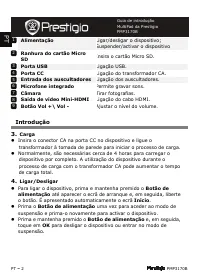
PT – 2 PMP3170B Alimentação Ligar/desligar o dispositivo; Suspender/activar o dispositivo Ranhura do cartão Micro SD Insira o cartão Micro SD. Porta USB Ligação USB. Porta CC Ligação do transformador CA. Entrada dos auscultadores Ligação dos auscultadores. Microfone integrado Permite gravar sons. Câ...
Page 68 - Pilha de polímeros de lítio de 3000 mAh; Renúncia de responsabilidade
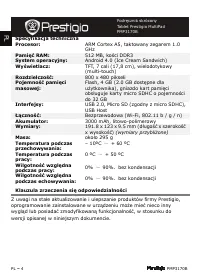
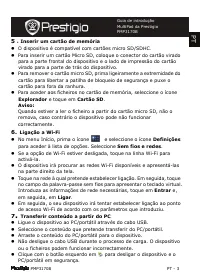
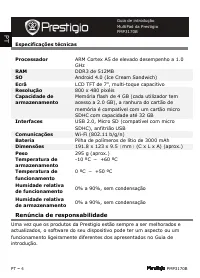
PT – 4 PMP3170B Especificações técnicas Processador ARM Cortex A5 de elevado desempenho a 1.0 GHz RAM DDR3 de 512MB SO Android 4.0 (Ice Cream Sandwich) Ecrã LCD TFT de 7”, multi-toque capacitivo Resolução 800 x 480 pixéis Capacidade de armazenamento Memória flash de 4 GB (cada utilizador tem acesso ...
Page 69 - Continut pachet; Prezentare dispozitiv
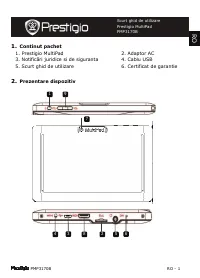
PMP3170B RO - 1 1. Continut pachet 1. Prestigio MultiPad 2. Adaptor AC 3. Notific ă ri juridice si de siguranta 4. Cablu USB 5. Scurt ghid de utilizare 6. Certificat de garantie 2. Prezentare dispozitiv Scurt ghid de utilizare Prestigio MultiPad PMP3170B R O 9 2 4 3 5 6 7 8 1
Page 70 - Notiuni de baza
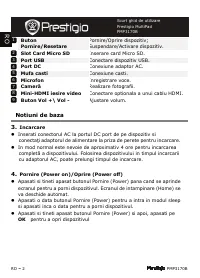
RO – 2 PMP3170B Buton Pornire/Resetare Pornire/Oprire dispozitiv; Suspendare/Activare dispozitiv. Slot Card Micro SD Inserare card Micro SD. Port USB Conectare dispozitiv USB. Port DC Conexiune adaptor AC. Mufa casti Conexiune casti. Microfon Inregistrare voce. Camer ă Realizare fotografii. Mini-HDM...
Page 71 - Introducerea unui card de memorie
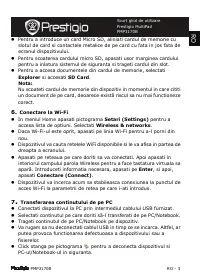
PMP3170B RO - 3 5 . Introducerea unui card de memorie ” Dispozitivul este compatibil cu micro cardurile SD/SDHC. ” Pentru a introduce un card Micro SD, aliniati cardul de memorie cu slotul de card si contactele metalice de pe card cu fata in jos fata de ecranul dispozitivului. ” Pentru scoaterea car...
Page 73 - Sadržaj pakovanja; Prikaz ure
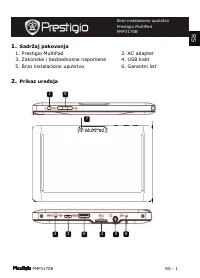
PMP3170B RS - 1 1. Sadržaj pakovanja 1. Prestigio MultiPad 2. AC adapter 3. Zakonske i bezbednosne napomene 4. USB kabl 5. Brzo instalaciono uputstvo 6. Garantni list 2. Prikaz ure đ aja Brzo instalaciono uputstvo Prestigio MultiPad PMP3170B R S 9 2 4 3 5 6 7 8 1
Page 74 - Start
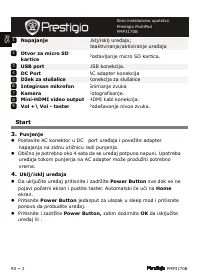
RS – 2 PMP3170B Napajanje Uklj/isklj ure đ aja; deaktiviranje/aktiviranje ure đ aja Otvor za micro SD kartice Postavljanje micro SD kartica. USB port USB konekcija. DC Port AC adapter konekcija Džek za slušalice Konekcija za slušalice Integirsan mikrofon Snimanje zvuka Kamera Fotografisanje. Mini-HD...
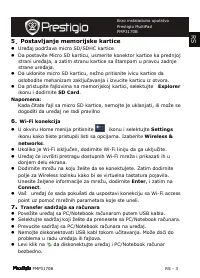
Page 75 - Postavljanje memorijske kartice
PMP3170B RS - 3 5 . Postavljanje memorijske kartice ” Ure đ aj podržava micro SD/SDHC kartice . ” Da postavite Micro SD karticu, usmerite konektor kartice ka prednjoj strani ure đ aja, a zatim stranu kartice sa štampom u pravcu zadnje strane ure đ aja. ” Da uklonite micro SD karticu, nežno pritisnit...
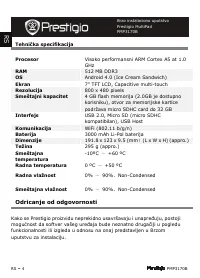
Page 76 - 000 mAh Li-Pol baterija; Odricanje od odgovornosti; mogu
RS – 4 PMP3170B Tehni č ka specifikacija Procesor Visoko performansni ARM Cortex A5 at 1.0 GHz RAM 512 MB DDR3 OS Android 4.0 (Ice Cream Sandwich) Ekran 7” TFT LCD, Capacitive multi-touch Rezolucija 800 x 480 pixels Smeštajni kapacitet 4 GB flash memorija (2.0GB je dostupno korisniku), otvor za memo...
Page 77 - Vsebina paketa; Pregled naprave
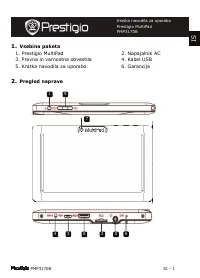
PMP3170B SI - 1 1. Vsebina paketa 1. Prestigio MultiPad 2. Napajalnik AC 3. Pravna in varnostna obvestila 4. Kabel USB 5. Kratka navodila za uporabo 6. Garancija 2. Pregled naprave Kratka navodila za uporabo Prestigio MultiPad PMP3170B S I 9 2 4 3 5 6 7 8 1
Page 78 - Spoznajte svojo napravo
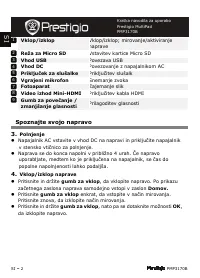
SI – 2 PMP3170B Vklop/izklop Vklop/izklop; mirovanje/aktiviranje naprave Reža za Micro SD Vstavitev kartice Micro SD Vhod USB Povezava USB Vhod DC Povezovanje z napajalnikom AC Priklju č ek za slušalke Priklju č itev slušalk Vgrajeni mikrofon Snemanje zvoka Fotoaparat Zajemanje slik Video izhod Mini...
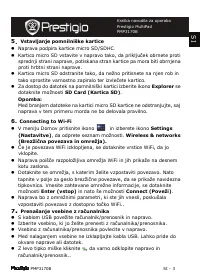
Page 79 - Vstavljanje pomnilniške kartice
PMP3170B SI - 3 5 . Vstavljanje pomnilniške kartice ” Naprava podpira kartice micro SD/SDHC . ” Kartico micro SD vstavite v napravo tako, da priklju č ek obrnete proti sprednji strani naprave, potiskana stran kartice pa mora biti obrnjena proti hrbtni strani naprave. ” Kartico micro SD odstranite ta...
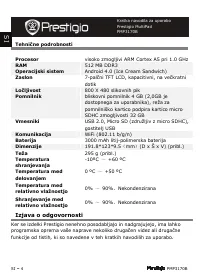
Page 80 - Izjava o odgovornosti
SI – 4 PMP3170B Tehni č ne podrobnosti Procesor visoko zmogljivi ARM Cortex A5 pri 1.0 GHz RAM 512 MB DDR3 Operacijski sistem Android 4.0 (Ice Cream Sandwich) Zaslon 7-pal č ni TFT LCD, kapacitivni, na ve č kratni dotik Lo č ljivost 800 X 480 slikovnih pik Pomnilnik bliskovni pomnilnik 4 GB (2,0GB j...
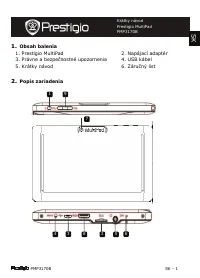
Page 81 - Obsah balenia; Popis zariadenia
PMP3170B SK - 1 1. Obsah balenia 1. Prestigio MultiPad 2. Napájací adaptér 3. Právne a bezpe č nostné upozornenia 4. USB kábel 5. Krátky návod 6. Záru č ný list 2. Popis zariadenia S K Krátky návod Prestigio MultiPad PMP3170B 9 2 4 3 5 6 7 8 1
Page 84 - Zrieknutie sa zodpovednosti
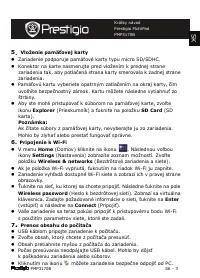
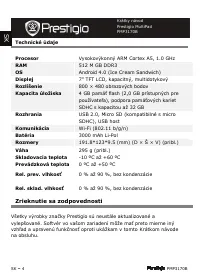
SK – 4 PMP3170B Technické údaje Procesor Vysokovýkonný ARM Cortex A5, 1.0 GHz RAM 512 M GB DDR3 OS Android 4.0 (Ice Cream Sandwich) Displej 7” TFT LCD, kapacitný, multidotykový Rozlíšenie 800 × 480 obrazových bodov Kapacita úložiska 4 GB pamä ť flash (2,0 GB prístupných pre používate ľ a), podpora p...
Page 85 - I paketet; Översikt
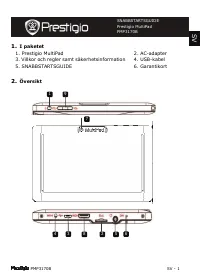
PMP3170B SV - 1 1. I paketet 1. Prestigio MultiPad 2. AC-adapter 3. Villkor och regler samt säkerhetsinformation 4. USB-kabel 5. SNABBSTARTSGUIDE 6. Garantikort 2. Översikt SNABBSTARTSGUIDE Prestigio MultiPad PMP3170B S V 9 2 4 3 5 6 7 8 1
Page 86 - Komma igång
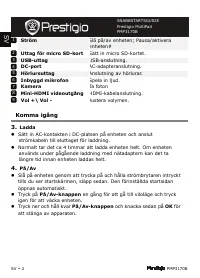
SV – 2 PMP3170B Ström Slå på/av enheten; Pausa/aktivera enheten# Uttag för micro SD-kort Sätt in micro SD-kortet. USB-uttag USB-anslutning. DC-port AC-adapteranslutning. Hörlursuttag Anslutning av hörlurar. Inbyggd mikrofon Spela in ljud. Kamera Ta foton Mini-HDMI videoutgång HDMI-kabelanslutning. V...
Page 88 - Högprestanda ARM Cortex A5 med 1.0 GHz; Ansvarsfriskrivning
SV – 4 PMP3170B Tekniska data Processor Högprestanda ARM Cortex A5 med 1.0 GHz RAM 512 MB DDR3 OS Android 4.0 (Ice Cream Sandwich) Display 7” TFT LCD, Capacitive multi-touch Upplösning 800 x 480 pixlar Lagringsutrymme 4 GB flashminne (2,0 GB för användaren), minneskorthållaren stöder micro SDHC-kort...
Page 89 - Paket
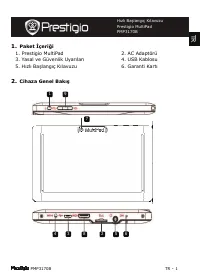
PMP3170B TR - 1 1. Paket İ çeri ğ i 1. Prestigio MultiPad 2. AC Adaptörü 3. Yasal ve Güvenlik Uyar ı lar ı 4. USB Kablosu 5. H ı zl ı Ba ş lang ı ç K ı lavuzu 6. Garanti Kart ı 2. Cihaza Genel Bak ı ş H ı zl ı Ba ş lang ı ç K ı lavuzu Prestigio MultiPad PMP3170B T R 9 2 4 3 5 6 7 8 1
Page 90 - Giri
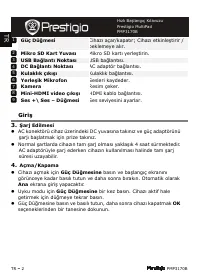
TR – 2 PMP3170B Güç Dü ğ mesi Cihaz ı açar/kapat ı r; Cihaz ı etkinle ş tirir / beklemeye al ı r. Mikro SD Kart Yuvas ı Mikro SD kart ı yerle ş tirin. USB Ba ğ lant ı Noktas ı USB ba ğ lant ı s ı . DC Ba ğ lant ı Noktas ı AC adaptör ba ğ lant ı s ı . Kulakl ı k ç ı k ı ş ı Kulakl ı k ba ğ lant ı s ı...
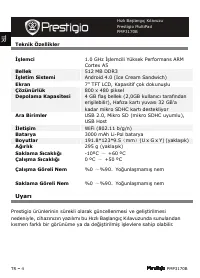
Page 92 - İş; İş; Uyar
TR – 4 PMP3170B Teknik Özellikler İş lemci 1.0 GHz İş lemcili Yüksek Performans ARM Cortex A5 Bellek 512 MB DDR3 İş letim Sistemi Android 4.0 (Ice Cream Sandwich) Ekran 7” TFT LCD, Kapasitif çok dokunu ş lu Çözünürlük 800 x 480 piksel Depolama Kapasitesi 4 GB fla ş bellek (2,0GB kullan ı c ı taraf ı...
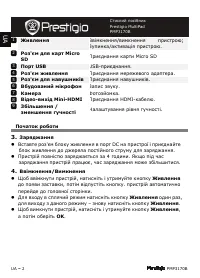
Page 94 - Micro; DC; Ǽ і
UA – 2 PMP3170B Ȁ Ǽвѕмкнення / вимкнення пристрою ; Зупинка / активацѕя пристрою . Ȋ ' є Micro SD ȉриєднання карти Micro SD ȉ USB USB- приєднання . Ȋ ' є ȉриєднання мережевого адаптера . Ȋ ' є і ȉриєднання навушникѕв . Ǽ і Запис звуку . К Фотозйомка . Ǽі - і Mini-HDMI ȉриєднання HDMI- кабелю . ȁ і ь...
Page 95 - ȉ є; ȉК
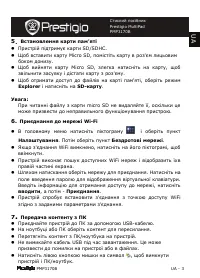
PMP3170B UA - 3 5 . Ǽ ' і ” ȉристрѕй пѕдтримує карти SD/SDHC. ” Щоб вставити карту Micro SD, помѕстѕть карту в роз ' єм лицьовим боком донизу . ” Щоб вийняти карту Micro SD, злегка натиснѕть на карту , щоб звѕльнити засувку ѕ дѕстати карту з роз ' єму . ” Щоб отримати доступ до файлѕв на картѕ пам '...
Page 96 - і і; ARM Cortex A5 – 1.0; і ь
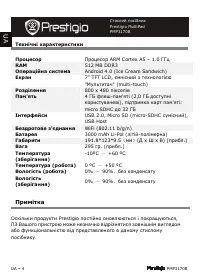
UA – 4 PMP3170B Ȍ і і ȉ ȉроцесор ARM Cortex A5 – 1.0 ǽǽц RAM 512 MB DDR3 Ȉ і Android 4.0 (Ice Cream Sandwich) ǿ 7” TFT LCD, ємнѕсний з технологѕєю " Ȇультитач " (multi-touch) Ȋ і 800 x 480 пѕкселѕв ȉ ' ь 4 ǽǻ флеш - пам ' ятѕ (2,0 ǽǻ доступнѕ користувачевѕ ), пѕдтримка карт пам ' ятѕ : micro...