Philips HF3480/60 - Quick Guide
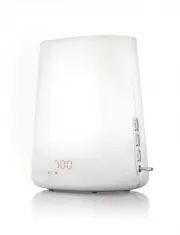
Philips HF3480/60 – Quick Guide, read for free online in PDF format. We hope this helps you resolve any issues you may have. If you have further questions, please contact us through the contact form.


Table of Contents:
- Page 3 – Setting the clock time
- Page 4 – Setting the alarm
- Page 5 – Selecting an alarm sound
- Page 6 – Using the light
- Page 7 – Using the radio and setting the volume
- Page 8 – Dusk function
- Page 9 – Setting display brightness
- Page 10 – Réglage de l’heure du réveil
- Page 11 – Réglage de l’alarme
- Page 12 – Sélection du son d’alarme
- Page 13 – Utilisation de la lampe
- Page 15 – Fonction Crépuscule
- Page 17 – Ajuste de la hora del reloj
- Page 18 – Configuración de la alarma
- Page 19 – Selección del sonido de la alarma
- Page 20 – Uso de la luz
- Page 22 – Función de simulación del anochecer
- Page 23 – Ajuste del brillo de la pantalla
HF3480
Setting the clock time
Réglage de l’heure du réveil
Ajuste de la hora del reloj
Setting the alarm
Réglage de l’alarme
Configuración de la alarma
Selecting an alarm sound
Sélection du son d’alarme
Selección del sonido de la alarma
Using the light
Utilisation de la lampe
Uso de la luz
Using the radio and setting the volume
Utilisation de la radio et réglage du volume
Uso de la radio y del ajuste de volumen
Dusk function
Fonction Crépuscule
Función de simulación del anochecer
Setting display brightness
Réglage de la luminosité de l’affichage
Ajuste del brillo de la pantalla
3
4
5
6
7
1
2
Quick star t guide
Car te de référence
Guía de configuración rápida
"Loading the manual" means you need to wait until the file loads and becomes available for online reading. Some manuals are very large, and the time they take to appear depends on your internet speed.
Was this manual helpful?
About this manual
- Brand
- Philips
- Model
- HF3480/60
- Document type
- Quick Guide
- Language(s)
- English
- Pages
- 24
- File size
- 5.7 MB
- Format
Summary
3 Setting the clock time 1 At first use, the hour indication on the display star ts flashing to indicate that you have to set the clock time . Move the middle function selector (SET) up or down to select the hour. Press the middle function selector (SET) to confirm. The minute indication starts flas...
4 Setting the alarm 2 SET press turn Clock time Alarm time Alarm sounds 0 15 30 60 90 120 min 15 - 120 min Dusk timer 1 - 4 Display brightness 0 15 30 60 90 120 mi 1 n - 4 15 - 120 min Clock time Alarm time Alarm sounds Sleep timer Display brightness press turn Push the control lever down to the mid...
5 Selecting an alarm sound 3 Press the middle function selector (SET) to enter the menu. Move the middle function selector (SET) up or down to select the alarm sound function. Press the middle function selector (SET) to enter this function. Move the middle function selector (SET) up or down to selec...


