Philips 55PFL5604/F7 - Quick Guide
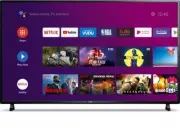
This Quick Guide covers essential setup and operation for Philips Android TVs across multiple series, focusing on core functionalities like remote control basics, Google account integration, network connectivity, and troubleshooting common issues. The instructions emphasize navigating the Android OS interface, configuring inputs, managing live TV features, and optimizing performance–whether through wired or wireless connections, device pairing, or parental controls. Safety and compatibility details, such as viewing angles and technical specifications, are also addressed to ensure a seamless user experience.


Table of Contents:
- Page 1 – Quick Start Guide Navigation by OS Version
- Page 2 – Initial Quick Start Guide and Support Information
- Page 3 – Remote Control Functions and Viewing Setup
- Page 4 – Android TV Setup and Network Configuration
- Page 5 – Android TV Navigation and Application Management
- Page 6 – Live TV Feature Operation
- Page 7 – Google Assistant Activation and Safety Settings
- Page 8 – External Device Connectivity
- Page 9 – Television Troubleshooting Guide
- Page 10 – Troubleshooting Support Information
- Page 11 – Parental Controls Setup
- Page 12 – Television Technical Specifications
- Page 13 – Copyright and Trademark Notices
- Page 14 – Quick Start Guide for Android P Models
- Page 15 – Remote Control Functions and Viewing Setup
- Page 16 – Android TV Setup and Network Configuration
- Page 17 – Android TV Home Screen Navigation
- Page 18 – Live TV and Antenna Operation
- Page 19 – Google Assistant Configuration
- Page 20 – External Device Connectivity Procedures
- Page 21 – Comprehensive Troubleshooting Steps
- Page 22 – Specific Issue Resolution Guidance
- Page 23 – Detailed Parental Controls Implementation
- Page 24 – Television Technical Specifications
- Page 25 – Legal Compliance and Trademark Information
- Page 26 – Full User Manual Access
Quick start guide
Depending on your TV, please see below to determine which QSG you will need to see.
There are two Android OS versions for this model. Please follow below to get started with QSG.
1.
On the home menu of your Android TV, select
Settings
in the upper right corner of the screen,
or press
y
(OPTIONS)
on the remote.
2.
Select
About
or
Device Preferences
>
About
3.
Under
Version
:
If version is Android O (8.x), please start from
If version is Android P (9.x), please start from
Televisions
5704 series
5604 series
5504 series
"Loading the manual" means you need to wait until the file loads and becomes available for online reading. Some manuals are very large, and the time they take to appear depends on your internet speed.
Was this manual helpful?
About this manual
- Brand
- Philips
- Model
- 55PFL5604/F7
- Document type
- Quick Guide
- Language(s)
- English
- Pages
- 26
- File size
- 2.2 MB
- Format
Other Manuals for Philips 55PFL5604/F7
Summary
Instructions for navigating the quick start guide based on the television's Android OS version (Android O or P).
Guidance for users viewing the initial quick start guide, including instructions for accessing settings and customer support contact details.
Instructions for installing remote control batteries and detailing the functions of all remote buttons, along with recommended viewing distances and angles for the television.
Ask a question
Related manuals
Popular Philips Other


More Philips Other models
 Philips 55PFL4909/F7 User Manual
 Philips 55PFL5402/F7 Quick Guide
 Philips 55PFL5505D/F7 User Manual
 Philips 55PFL5601/F7 Quick Guide
 Philips 55PFL5603/F7 User Manual
 Philips 55PFL5766/F7 Quick Guide
 Philips 55PFL5907/F7 Quick Guide
 Philips 55PFL6007K/12 Quick Guide
 Philips 55PFL6008K/12 Quick Guide
 Philips 55PFL6158K/12 Quick Guide
 Philips 55PFL6606T/12 User Manual
 Philips 55PFL7008K/12 Quick Guide